Getting Started with TypeScript Scroller
18 Apr 20236 minutes to read
You can create a TypeScript application with the help of the given https://help.syncfusion.com/js/typescript.
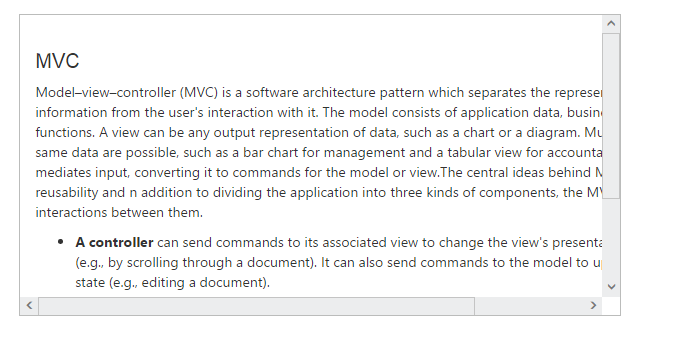
Create an HTML page and add the scripts references in the order, mentioned in the above link Create the Scroller control as follows.
<body>
   <div id="scrollcontent">
            <div>
                <div class="sampleContent">
                    <h3 style="font-size: 20px;">MVC</h3>
                    <div>
                        <p>
                            Model–view–controller (MVC) is a software architecture pattern which separates the
                            representation of information from the user's interaction with it.
                            The model consists of application data, business rules, logic, and functions. A view can be any
                            output representation of data, such as a chart or a diagram. Multiple views of the same data
                            are possible, such as a bar chart for management and a tabular view for accountants.
                            The controller mediates input, converting it to commands for the model or view.The central
                            ideas behind MVC are code reusability and n addition to dividing the application into three
                            kinds of components, the MVC design defines the interactions between them.
                        </p>
                        <ul>
                            <li>
                                <b>A controller </b>can send commands to its associated view to change the view's presentation of the model (e.g., by scrolling through a document).
                                It can also send commands to the model to update the model's state (e.g., editing a document).
                            </li>
                            <li>
                                <b>A model</b> notifies its associated views and controllers when there has been a change in its state. This notification allows the views to produce updated output, and the controllers to change the available set of commands.
                                A passive implementation of MVC omits these notifications, because the application does not require them or the software platform does not support them.
                            </li>
                            <li>
                                <b>A view</b> requests from the model the information that it needs to generate an output representation to the user.
                            </li>
                        </ul>
                    </div>
                </div>
            </div>
        </div>
</body>/// <reference path="tsfiles/jquery.d.ts" />
/// <reference path="tsfiles/ej.web.all.d.ts" />
module ScrollerComponent {
$(function () {
var scrollerSample = new ej.Scroller($("#scrollcontent"), {
height: "300px",
width: "100%"
});
});
}You can execute the above code example to display the Scroller control.