Resources and Grouping in Vue Scheduler
Resources and grouping support allows the Scheduler to be shared by multiple resources. Also, the appointments for each resource are displayed under the relevant resources. Each resource in the Scheduler is arranged in column or row order, with individual spacing to display all its respective appointments on a single page. It also supports multiple levels of grouping, enabling the categorization of resources in a hierarchical structure and showing them either in expandable groups (Timeline views) or in a vertical hierarchy one after another (Calendar views).
It is also possible to assign one or more resources to the same appointment by allowing multiple selection of resource options in the event editor window.
The HTML5 JavaScript Scheduler groups resources based on different criteria. It includes grouping appointments based on resources, grouping resources based on dates, and timeline scheduling. Also, the resource data binds to Scheduler either as a local JSON collection or a URL, retrieving data from remote data services.
Resource fields
The default options available within the resources collection are as follows:
| Field name | Type | Description |
|---|---|---|
field |
String | A value that binds to the resource field of the event object. |
title |
String | It holds the title of the resource field to be displayed on the event editor window. |
name |
String | A unique resource name used for differentiating various resource objects while grouping. |
allowMultiple |
Boolean | When set to true, allows multiple selection of resource names, thus creating multiple instances of the same appointment for the selected resources. |
dataSource |
Object | Assigns the resource dataSource, where data can be passed either as an array of JavaScript objects or as an instance of DataManager when processing remote data. When remote data is assigned to dataSource, check the available adaptors to customize data processing. |
query |
Query | Defines the external query that will be executed along with the data processing. |
idField |
String | Binds the resource ID field name from the resources dataSource. |
expandedField |
String | Binds the expandedField name from the resources dataSource. It usually holds a boolean value that decides whether the resource in timeline views is collapsed or expanded on initial load. |
textField |
String | Binds the text field name from the resources dataSource. It usually holds the resource names. |
groupIDField |
String | Binds the group ID field name from the resource dataSource. It usually holds the value of resource IDs of parent level resources. |
colorField |
String | Binds the color field name from the resource dataSource. The color value mapped in this field will be applied to the events of resources. |
startHourField |
String | Binds the start hour field name from the resource dataSource. It allows different work start hours for the resources. |
endHourField |
String | Binds the end hour field name from the resource dataSource. It allows different work end hours for the resources. |
workDaysField |
String | Binds the work days field name from the resource dataSource. It allows different working day collections for the resources. |
cssClassField |
String | Binds the custom CSS class field name from the resources dataSource. It maps the CSS class defined for the specific resources and applies it to their events. |
Resource data binding
The resource data can be bound to Scheduler either as a local JSON collection or a service URL, retrieving data from remote services.
Using local JSON data
The following code example shows how to bind local JSON data to the dataSource of the resources collection.
<template>
  <div>
    <div id='app'>
      <div id='container'>
        <ejs-schedule id='Schedule' width='100%' height='550px' :eventSettings='eventSettings'
          :selectedDate='selectedDate' :currentView='currentView'>
          <e-views>
            <e-view option='Week'></e-view>
            <e-view option='Month'></e-view>
            <e-view option='TimelineWeek'></e-view>
            <e-view option='TimelineMonth'></e-view>
            <e-view option='Agenda'></e-view>
          </e-views>
          <e-resources>
            <e-resource field='OwnerId' title='Owner' name='Owners' :dataSource='resourceDataSource'
              textField='OwnerText' idField='Id' colorField='OwnerColor'>
            </e-resource>
          </e-resources>
        </ejs-schedule>
      </div>
    </div>
  </div>
</template>

<script setup>
import { provide } from "vue";
import { resourceData } from './datasource.js';
import { ScheduleComponent as EjsSchedule, ViewDirective as EView, ViewsDirective as EViews, ResourcesDirective as EResources, ResourceDirective as EResource, Week, Month, Agenda, TimelineViews, TimelineMonth } from '@syncfusion/ej2-vue-schedule';

const width = '100%';
const height = '550px';
const currentView = 'Week';
const views = ['Week', 'Month', 'TimelineWeek', 'TimelineMonth', 'Agenda'];
const selectedDate = new Date(2018, 3, 1);
const resourceDataSource = [
  { OwnerText: 'Nancy', Id: 1, OwnerColor: '#ffaa00' },
  { OwnerText: 'Steven', Id: 2, OwnerColor: '#f8a398' },
  { OwnerText: 'Michael', Id: 3, OwnerColor: '#7499e1' }
];
const eventSettings = { dataSource: resourceData };

provide('schedule', [Week, Month, Agenda, TimelineViews, TimelineMonth]);

</script>
<style>
@import "../../node_modules/@syncfusion/ej2-tailwind3-theme/styles/schedule/index.css";
</style><template>
<div>
<div id='app'>
<div id='container'>
<ejs-schedule id='Schedule' width='100%' height='550px' :eventSettings='eventSettings'
:selectedDate='selectedDate' :currentView='currentView'>
<e-views>
<e-view option='Week'></e-view>
<e-view option='Month'></e-view>
<e-view option='TimelineWeek'></e-view>
<e-view option='TimelineMonth'></e-view>
<e-view option='Agenda'></e-view>
</e-views>
<e-resources>
<e-resource field='OwnerId' title='Owner' name='Owners' :dataSource='resourceDataSource'
textField='OwnerText' idField='Id' colorField='OwnerColor'>
</e-resource>
</e-resources>
</ejs-schedule>
</div>
</div>
</div>
</template>
<script>
import { resourceData } from './datasource.js';
import { ScheduleComponent, ViewDirective, ViewsDirective, ResourcesDirective, ResourceDirective, Week, Month, Agenda, TimelineViews, TimelineMonth } from '@syncfusion/ej2-vue-schedule';
export default {
components: {
'ejs-schedule': ScheduleComponent,
'e-views': ViewsDirective,
'e-view': ViewDirective,
'e-resources': ResourcesDirective,
'e-resource': ResourceDirective
},
data() {
return {
width: '100%',
height: '550px',
currentView: 'Week',
views: ['Week', 'Month', 'TimelineWeek', 'TimelineMonth', 'Agenda'],
selectedDate: new Date(2018, 3, 1),
resourceDataSource: [
{ OwnerText: 'Nancy', Id: 1, OwnerColor: '#ffaa00' },
{ OwnerText: 'Steven', Id: 2, OwnerColor: '#f8a398' },
{ OwnerText: 'Michael', Id: 3, OwnerColor: '#7499e1' }
],
eventSettings: { dataSource: resourceData }
}
},
provide: {
schedule: [Week, Month, Agenda, TimelineViews, TimelineMonth]
}
}
</script>
<style>
@import "../node_modules/@syncfusion/ej2-tailwind3-theme/styles/schedule/index.css";
</style>Using remote service URL
Resources can also be retrieved from a remote endpoint using DataManager with an adaptor.
<template>
  <div>
    <div id='app'>
      <div id='container'>
        <ejs-schedule id='Schedule' width='100%' height='550px' :eventSettings='eventSettings'
          :selectedDate='selectedDate' :currentView='currentView'>
          <e-views>
            <e-view option='Week'></e-view>
            <e-view option='Month'></e-view>
            <e-view option='TimelineWeek'></e-view>
            <e-view option='TimelineMonth'></e-view>
            <e-view option='Agenda'></e-view>
          </e-views>
          <e-resources>
            <e-resource field='OwnerId' title='Owner' name='Owners' :dataSource='resourceDataSource'
              textField='OwnerText' idField='Id' colorField='OwnerColor'>
            </e-resource>
          </e-resources>
        </ejs-schedule>
      </div>
    </div>
  </div>
</template>

<script setup>
import { provide } from "vue";
import { DataManager, UrlAdaptor } from '@syncfusion/ej2-data';
import { ScheduleComponent as EjsSchedule, ViewDirective as EView, ViewsDirective as EViews, ResourcesDirective as EResources, ResourceDirective as EResource, Week, Month, Agenda, TimelineViews, TimelineMonth } from '@syncfusion/ej2-vue-schedule';
import { resourceData } from './datasource.js';

let resource = new DataManager({
  url: 'Home/GetResourceData',
  adaptor: new UrlAdaptor,
  crossDomain: true
});

const width = '100%';
const height = '550px';
const currentView = 'Week';
const views = ['Week', 'Month', 'TimelineWeek', 'TimelineMonth', 'Agenda'];
const selectedDate = new Date(2018, 3, 1);
const resourceDataSource = resource;
const eventSettings = { dataSource: resourceData };

provide('schedule', [Week, Month, Agenda, TimelineViews, TimelineMonth]);

</script>
<style>
@import "../node_modules/@syncfusion/ej2-tailwind3-theme/styles/schedule/index.css";
</style><template>
<div>
<div id='app'>
<div id='container'>
<ejs-schedule id='Schedule' width='100%' height='550px' :eventSettings='eventSettings'
:selectedDate='selectedDate' :currentView='currentView'>
<e-views>
<e-view option='Week'></e-view>
<e-view option='Month'></e-view>
<e-view option='TimelineWeek'></e-view>
<e-view option='TimelineMonth'></e-view>
<e-view option='Agenda'></e-view>
</e-views>
<e-resources>
<e-resource field='OwnerId' title='Owner' name='Owners' :dataSource='resourceDataSource'
textField='OwnerText' idField='Id' colorField='OwnerColor'>
</e-resource>
</e-resources>
</ejs-schedule>
</div>
</div>
</div>
</template>
<script>
import { DataManager, UrlAdaptor } from '@syncfusion/ej2-data';
import { ScheduleComponent, ViewDirective, ViewsDirective, ResourcesDirective, ResourceDirective, Week, Month, Agenda, TimelineViews, TimelineMonth } from '@syncfusion/ej2-vue-schedule';
import { resourceData } from './datasource.js';
let resource = new DataManager({
url: 'Home/GetResourceData',
adaptor: new UrlAdaptor,
crossDomain: true
});
export default {
components: {
'ejs-schedule': ScheduleComponent,
'e-views': ViewsDirective,
'e-view': ViewDirective,
'e-resources': ResourcesDirective,
'e-resource': ResourceDirective
},
data() {
return {
width: '100%',
height: '550px',
currentView: 'Week',
views: ['Week', 'Month', 'TimelineWeek', 'TimelineMonth', 'Agenda'],
selectedDate: new Date(2018, 3, 1),
resourceDataSource: resource,
eventSettings: { dataSource: resourceData }
}
},
provide: {
schedule: [Week, Month, Agenda, TimelineViews, TimelineMonth]
}
}
</script>
<style>
@import "../node_modules/@syncfusion/ej2-tailwind3-theme/styles/schedule/index.css";
</style>Scheduler with multiple resources
It is possible to display the Scheduler in the default mode without visually showcasing all the resources, while still allowing the required resources to be assigned to appointments through the event editor resource options.
The appointments belonging to different resources will be displayed together in the default Scheduler, and will be differentiated based on the resource color assigned in the resources collection.
Learn how to add appointments from multiple resources to Vue Scheduler by watching this video.
Example: To display default Scheduler with multiple resource options in the event editor, ignore the group option and simply define the resources property with all its internal options.
<template>
    <div>
        <div id='app'>
            <div id='container'>
                <ejs-schedule width='100%' height='550px' :eventSettings='eventSettings' :selectedDate='selectedDate'
                    :currentView='currentView'>
                    <e-views>
                        <e-view option='Week'></e-view>
                        <e-view option='Month'></e-view>
                        <e-view option='TimelineWeek'></e-view>
                        <e-view option='TimelineMonth'></e-view>
                        <e-view option='Agenda'></e-view>
                    </e-views>
                    <e-resources>
                        <e-resource field='OwnerId' title='Owner' name='Owners' :allowMultiple='allowMultiple'
                            :dataSource='resourceDataSource' textField='OwnerText' idField='Id' colorField='OwnerColor'>
                        </e-resource>
                    </e-resources>
                </ejs-schedule>
            </div>
        </div>
    </div>
</template>

<script setup>
import { provide } from "vue";
import { resourceData } from './datasource.js';
import { ScheduleComponent as EjsSchedule, ViewDirective as EView, ViewsDirective as EViews, ResourcesDirective as EResources, ResourceDirective as EResource, Week, Month, Agenda, TimelineViews, TimelineMonth } from '@syncfusion/ej2-vue-schedule';

const width = '100%';
const height = '550px';
const currentView = 'Week';
const views = ['Week', 'Month', 'TimelineWeek', 'TimelineMonth', 'Agenda'];
const selectedDate = new Date(2018, 3, 1);
const allowMultiple = true;
const resourceDataSource = [
    { OwnerText: 'Nancy', Id: 1, OwnerColor: '#ffaa00' },
    { OwnerText: 'Steven', Id: 2, OwnerColor: '#f8a398' },
    { OwnerText: 'Michael', Id: 3, OwnerColor: '#7499e1' }
];
const eventSettings = { dataSource: resourceData }

provide('schedule', [Week, Month, Agenda, TimelineViews, TimelineMonth]);

</script>
<style>
@import "../node_modules/@syncfusion/ej2-material3-theme/styles/schedule/index.css";
</style><template>
<div>
<div id='app'>
<div id='container'>
<ejs-schedule width='100%' height='550px' :eventSettings='eventSettings' :selectedDate='selectedDate'
:currentView='currentView'>
<e-views>
<e-view option='Week'></e-view>
<e-view option='Month'></e-view>
<e-view option='TimelineWeek'></e-view>
<e-view option='TimelineMonth'></e-view>
<e-view option='Agenda'></e-view>
</e-views>
<e-resources>
<e-resource field='OwnerId' title='Owner' name='Owners' :allowMultiple='allowMultiple'
:dataSource='resourceDataSource' textField='OwnerText' idField='Id' colorField='OwnerColor'>
</e-resource>
</e-resources>
</ejs-schedule>
</div>
</div>
</div>
</template>
<script>
import { resourceData } from './datasource.js';
import { ScheduleComponent, ViewDirective, ViewsDirective, ResourcesDirective, ResourceDirective, Week, Month, Agenda, TimelineViews, TimelineMonth } from '@syncfusion/ej2-vue-schedule';
export default {
name: "App",
components: {
"ejs-schedule": ScheduleComponent,
"e-views": ViewsDirective,
"e-view": ViewDirective,
"e-resources": ResourcesDirective,
"e-resource": ResourceDirective
},
data() {
return {
width: '100%',
height: '550px',
currentView: 'Week',
views: ['Week', 'Month', 'TimelineWeek', 'TimelineMonth', 'Agenda'],
selectedDate: new Date(2018, 3, 1),
allowMultiple: true,
resourceDataSource: [
{ OwnerText: 'Nancy', Id: 1, OwnerColor: '#ffaa00' },
{ OwnerText: 'Steven', Id: 2, OwnerColor: '#f8a398' },
{ OwnerText: 'Michael', Id: 3, OwnerColor: '#7499e1' }
],
eventSettings: { dataSource: resourceData }
}
},
provide: {
schedule: [Week, Month, Agenda, TimelineViews, TimelineMonth]
}
}
</script>
<style>
@import "../node_modules/@syncfusion/ej2-material3-theme/styles/schedule/index.css";
</style>Setting
allowMultipletotruein the above code example allows you to select multiple resources from the event editor and creates multiple copies of the same appointment in the Scheduler for each resource while rendering.
Resource grouping
Resource grouping support allows the Scheduler to group resources in a hierarchical structure, both as expandable groups in Timeline views and as a vertical hierarchy displaying resources one after another in calendar views.
Scheduler supports both single- and multiple-level resource grouping, which can be customized in both timeline and vertical Scheduler views.
Vertical resource view
The following code example shows how multiple resources are grouped and how their events are displayed in the default calendar views.
<template>
    <div id='app'>
        <div id='container'>
            <ejs-schedule width='100%' height='550px' :eventSettings='eventSettings' :currentView='currentView'
                :selectedDate='selectedDate' :group='group'>
                <e-views>
                    <e-view option='Week'></e-view>
                    <e-view option='Month'></e-view>
                    <e-view option='Agenda'></e-view>
                </e-views>
                <e-resources>
                    <e-resource field='ProjectId' title='Choose Project' name='Projects'
                        :dataSource='projectResourceDataSource' textField='text' idField='id' colorField='color'>
                    </e-resource>
                    <e-resource field='CategoryId' title='Category' name='Categories'
                        :dataSource='categoryResourceDataSource' :allowMultiple='allowMultiple' textField='text'
                        idField='id' colorField='color'>
                    </e-resource>
                </e-resources>
            </ejs-schedule>
        </div>
    </div>
</template>
<script setup>
import { provide } from "vue";
import { resourceProjectData } from './datasource.js';
import { ScheduleComponent as EjsSchedule, ViewDirective as EView, ViewsDirective as EViews, ResourcesDirective as EResources, ResourceDirective as EResource, Week, Month, Agenda } from '@syncfusion/ej2-vue-schedule';

const currentView = 'Week';
const selectedDate = new Date(2018, 3, 4);
const group = {
    byGroupID: false,
    resources: ['Projects', 'Categories']
};
const projectResourceDataSource = [
    { text: 'PROJECT 1', id: 1, color: '#cb6bb2' },
    { text: 'PROJECT 2', id: 2, color: '#56ca85' },
    { text: 'PROJECT 3', id: 3, color: '#df5286' }
];
const categoryResourceDataSource = [
    { text: 'Development', id: 1, color: '#df5286' },
    { text: 'Testing', id: 2, color: '#7fa900' }
];
const eventSettings = { dataSource: resourceProjectData };
const allowMultiple = true;

provide('schedule', [Week, Month, Agenda]);

</script>
<style>
@import "../node_modules/@syncfusion/ej2-material3-theme/styles/schedule/index.css";
</style><template>
<div id='app'>
<div id='container'>
<ejs-schedule width='100%' height='550px' :eventSettings='eventSettings' :currentView='currentView'
:selectedDate='selectedDate' :group='group'>
<e-views>
<e-view option='Week'></e-view>
<e-view option='Month'></e-view>
<e-view option='Agenda'></e-view>
</e-views>
<e-resources>
<e-resource field='ProjectId' title='Choose Project' name='Projects'
:dataSource='projectResourceDataSource' textField='text' idField='id' colorField='color'>
</e-resource>
<e-resource field='CategoryId' title='Category' name='Categories'
:dataSource='categoryResourceDataSource' :allowMultiple='allowMultiple' textField='text'
idField='id' colorField='color'>
</e-resource>
</e-resources>
</ejs-schedule>
</div>
</div>
</template>
<script>
import { resourceProjectData } from './datasource.js';
import { ScheduleComponent, ViewDirective, ViewsDirective, ResourcesDirective, ResourceDirective, Week, Month, Agenda } from '@syncfusion/ej2-vue-schedule';
export default {
name: "App",
components: {
"ejs-schedule": ScheduleComponent,
"e-views": ViewsDirective,
"e-view": ViewDirective,
"e-resources": ResourcesDirective,
"e-resource": ResourceDirective
},
data() {
return {
currentView: 'Week',
selectedDate: new Date(2018, 3, 4),
group: {
byGroupID: false,
resources: ['Projects', 'Categories']
},
projectResourceDataSource: [
{ text: 'PROJECT 1', id: 1, color: '#cb6bb2' },
{ text: 'PROJECT 2', id: 2, color: '#56ca85' },
{ text: 'PROJECT 3', id: 3, color: '#df5286' }
],
categoryResourceDataSource: [
{ text: 'Development', id: 1, color: '#df5286' },
{ text: 'Testing', id: 2, color: '#7fa900' }
],
eventSettings: { dataSource: resourceProjectData },
allowMultiple: true
}
},
provide: {
schedule: [Week, Month, Agenda]
}
}
</script>
<style>
@import "../node_modules/@syncfusion/ej2-material3-theme/styles/schedule/index.css";
</style>Timeline resource view
The following code example shows how to group multiple resources in Timeline Scheduler views and how their relevant events are displayed under those resources.
<template>
    <div>
        <div id='app'>
            <div id='container'>
                <ejs-schedule width='100%' height='550px' :eventSettings='eventSettings' :selectedDate='selectedDate'
                    :currentView='currentView' :group='group'>
                    <e-views>
                        <e-view option='TimelineWeek'></e-view>
                        <e-view option='TimelineMonth'></e-view>
                        <e-view option='Agenda'></e-view>
                    </e-views>
                    <e-resources>
                        <e-resource field='RoomId' title='Room' name='Rooms' :dataSource='roomDataSource'
                            textField='RoomText' idField='Id' colorField='RoomColor'>
                        </e-resource>
                        <e-resource field='OwnerId' title='Owner' name='Owners' :allowMultiple='allowMultiple'
                            :dataSource='ownerDataSource' textField='OwnerText' idField='Id' groupIDField='OwnerGroupId'
                            colorField='OwnerColor'>
                        </e-resource>
                    </e-resources>
                </ejs-schedule>
            </div>
        </div>
    </div>
</template>

<script setup>
import { provide } from "vue";
import { resourceData } from './datasource.js';
import { ScheduleComponent as EjsSchedule, ViewDirective as EView, ViewsDirective as EViews, ResourcesDirective as EResources, ResourceDirective as EResource, TimelineViews, TimelineMonth, Agenda } from '@syncfusion/ej2-vue-schedule';

const width = '100%';
const height = '550px';
const currentView = 'TimelineWeek';
const selectedDate = new Date(2018, 3, 4);
const group = {
    resources: ['Rooms', 'Owners']
};
const roomDataSource = [
    { RoomText: 'ROOM 1', Id: 1, RoomColor: '#cb6bb2' },
    { RoomText: 'ROOM 2', Id: 2, RoomColor: '#56ca85' }
];
const allowMultiple = true;
const ownerDataSource = [
    { OwnerText: 'Nancy', Id: 1, OwnerGroupId: 1, OwnerColor: '#ffaa00' },
    { OwnerText: 'Steven', Id: 2, OwnerGroupId: 2, OwnerColor: '#f8a398' },
    { OwnerText: 'Michael', Id: 3, OwnerGroupId: 1, OwnerColor: '#7499e1' }
];
const eventSettings = { dataSource: resourceData };

provide('schedule', [TimelineViews, TimelineMonth, Agenda]);

</script>
<style>
@import "../node_modules/@syncfusion/ej2-material3-theme/styles/schedule/index.css";
</style><template>
<div>
<div id='app'>
<div id='container'>
<ejs-schedule width='100%' height='550px' :eventSettings='eventSettings' :selectedDate='selectedDate'
:currentView='currentView' :group='group'>
<e-views>
<e-view option='TimelineWeek'></e-view>
<e-view option='TimelineMonth'></e-view>
<e-view option='Agenda'></e-view>
</e-views>
<e-resources>
<e-resource field='RoomId' title='Room' name='Rooms' :dataSource='roomDataSource'
textField='RoomText' idField='Id' colorField='RoomColor'>
</e-resource>
<e-resource field='OwnerId' title='Owner' name='Owners' :allowMultiple='allowMultiple'
:dataSource='ownerDataSource' textField='OwnerText' idField='Id' groupIDField='OwnerGroupId'
colorField='OwnerColor'>
</e-resource>
</e-resources>
</ejs-schedule>
</div>
</div>
</div>
</template>
<script>
import { resourceData } from './datasource.js';
import { ScheduleComponent, ViewDirective, ViewsDirective, ResourcesDirective, ResourceDirective, TimelineViews, TimelineMonth, Agenda } from '@syncfusion/ej2-vue-schedule';
export default {
name: "App",
components: {
"ejs-schedule": ScheduleComponent,
"e-views": ViewsDirective,
"e-view": ViewDirective,
"e-resources": ResourcesDirective,
"e-resource": ResourceDirective
},
data() {
return {
width: '100%',
height: '550px',
currentView: 'TimelineWeek',
selectedDate: new Date(2018, 3, 4),
group: {
resources: ['Rooms', 'Owners']
},
roomDataSource: [
{ RoomText: 'ROOM 1', Id: 1, RoomColor: '#cb6bb2' },
{ RoomText: 'ROOM 2', Id: 2, RoomColor: '#56ca85' }
],
allowMultiple: true,
ownerDataSource: [
{ OwnerText: 'Nancy', Id: 1, OwnerGroupId: 1, OwnerColor: '#ffaa00' },
{ OwnerText: 'Steven', Id: 2, OwnerGroupId: 2, OwnerColor: '#f8a398' },
{ OwnerText: 'Michael', Id: 3, OwnerGroupId: 1, OwnerColor: '#7499e1' }
],
eventSettings: { dataSource: resourceData },
}
},
provide: {
schedule: [TimelineViews, TimelineMonth, Agenda]
}
}
</script>
<style>
@import "../node_modules/@syncfusion/ej2-material3-theme/styles/schedule/index.css";
</style>Grouping single-level resources
This kind of grouping allows the Scheduler to display all resources at a single level simultaneously. The appointments mapped under resources will be displayed with the colors defined by the colorField in the resources collection.
Example: To display the Scheduler with single level resource grouping,
<template>
    <div>
        <div id='app'>
            <div id='container'>
                <ejs-schedule width='100%' height='550px' :eventSettings='eventSettings' :selectedDate='selectedDate'
                    :group='group'>
                    <e-views>
                        <e-view option='Week'></e-view>
                        <e-view option='Month'></e-view>
                        <e-view option='TimelineWeek'></e-view>
                        <e-view option='TimelineMonth'></e-view>
                        <e-view option='Agenda'></e-view>
                    </e-views>
                    <e-resources>
                        <e-resource field='OwnerId' title='Owner' name='Owners' :allowMultiple='allowMultiple'
                            :dataSource='ownerDataSource' textField='OwnerText' idField='Id' colorField='OwnerColor'>
                        </e-resource>
                    </e-resources>
                </ejs-schedule>
            </div>
        </div>
    </div>
</template>

<script setup>
import { provide } from "vue";
import { resourceData } from './datasource.js';
import { ScheduleComponent as EjsSchedule, ViewDirective as EView, ViewsDirective as EViews, ResourcesDirective as EResources, ResourceDirective as EResource, Week, Month, Agenda, TimelineViews, TimelineMonth } from '@syncfusion/ej2-vue-schedule';

const width = '100%';
const height = '550px';
const currentView = 'TimelineWeek';
const selectedDate = new Date(2018, 3, 4);
const group = {
    resources: ['Owners']
};
const allowMultiple = true;
const ownerDataSource = [
    { OwnerText: 'Nancy', Id: 1, OwnerColor: '#ffaa00' },
    { OwnerText: 'Steven', Id: 2, OwnerColor: '#f8a398' },
    { OwnerText: 'Michael', Id: 3, OwnerColor: '#7499e1' }
];
const eventSettings = { dataSource: resourceData };

provide('schedule', [Week, Month, Agenda, TimelineViews, TimelineMonth]);

</script>
<style>
@import "../node_modules/@syncfusion/ej2-material3-theme/styles/schedule/index.css";
</style><template>
<div>
<div id='app'>
<div id='container'>
<ejs-schedule width='100%' height='550px' :eventSettings='eventSettings' :selectedDate='selectedDate'
:group='group'>
<e-views>
<e-view option='Week'></e-view>
<e-view option='Month'></e-view>
<e-view option='TimelineWeek'></e-view>
<e-view option='TimelineMonth'></e-view>
<e-view option='Agenda'></e-view>
</e-views>
<e-resources>
<e-resource field='OwnerId' title='Owner' name='Owners' :allowMultiple='allowMultiple'
:dataSource='ownerDataSource' textField='OwnerText' idField='Id' colorField='OwnerColor'>
</e-resource>
</e-resources>
</ejs-schedule>
</div>
</div>
</div>
</template>
<script>
import { resourceData } from './datasource.js';
import { ScheduleComponent, ViewDirective, ViewsDirective, ResourcesDirective, ResourceDirective, Week, Month, Agenda, TimelineViews, TimelineMonth } from '@syncfusion/ej2-vue-schedule';
export default {
name: "App",
components: {
"ejs-schedule": ScheduleComponent,
"e-views": ViewsDirective,
"e-view": ViewDirective,
"e-resources": ResourcesDirective,
"e-resource": ResourceDirective
},
data() {
return {
width: '100%',
height: '550px',
currentView: 'TimelineWeek',
selectedDate: new Date(2018, 3, 4),
group: {
resources: ['Owners']
},
allowMultiple: true,
ownerDataSource: [
{ OwnerText: 'Nancy', Id: 1, OwnerColor: '#ffaa00' },
{ OwnerText: 'Steven', Id: 2, OwnerColor: '#f8a398' },
{ OwnerText: 'Michael', Id: 3, OwnerColor: '#7499e1' }
],
eventSettings: { dataSource: resourceData },
}
},
provide: {
schedule: [Week, Month, Agenda, TimelineViews, TimelineMonth]
}
}
</script>
<style>
@import "../node_modules/@syncfusion/ej2-material3-theme/styles/schedule/index.css";
</style>The
namefield defined in the resources collection, such asOwners, will be mapped within thegroupproperty to enable grouping for those resource levels in the Scheduler.
Grouping multi-level resources
It is possible to group Scheduler resources at multiple levels by mapping child resources to each parent resource. In the following example, there are two levels of resources, and the second-level resources are defined with groupID mapping to the first-level resource’s ID to establish the parent-child relationship between them.
To get started quickly with grouping multiple resources in Vue Scheduler, you can watch this video:
Example: To display the Scheduler with multiple level resource grouping options,
<template>
    <div>
        <div id='app'>
            <div id='container'>
                <ejs-schedule width='100%' height='550px' :eventSettings='eventSettings' :selectedDate='selectedDate'
                    :group='group'>
                    <e-views>
                        <e-view option='Week'></e-view>
                        <e-view option='Month'></e-view>
                        <e-view option='TimelineWeek'></e-view>
                        <e-view option='TimelineMonth'></e-view>
                        <e-view option='Agenda'></e-view>
                    </e-views>
                    <e-resources>
                        <e-resource field='RoomId' title='Room' name='Rooms' :dataSource='roomDataSource'
                            textField='RoomText' idField='Id' colorField='RoomColor'>
                        </e-resource>
                        <e-resource field='OwnerId' title='Owner' name='Owners' :allowMultiple='allowMultiple'
                            :dataSource='ownerDataSource' textField='OwnerText' idField='Id' groupIDField='OwnerGroupId'
                            colorField='OwnerColor'>
                        </e-resource>
                    </e-resources>
                </ejs-schedule>
            </div>
        </div>
    </div>
</template>

<script setup>
import { provide } from "vue";
import { resourceData } from './datasource.js';
import { ScheduleComponent as EjsSchedule, ViewDirective as EView, ViewsDirective as EViews, ResourcesDirective as EResources, ResourceDirective as EResource, Week, Month, Agenda, TimelineViews, TimelineMonth } from '@syncfusion/ej2-vue-schedule';

const width = '100%';
const height = '550px';
const selectedDate = new Date(2018, 3, 4);
const group = {
    resources: ['Rooms', 'Owners']
};
const roomDataSource = [
    { RoomText: 'ROOM 1', Id: 1, RoomColor: '#cb6bb2' },
    { RoomText: 'ROOM 2', Id: 2, RoomColor: '#56ca85' }
];
const allowMultiple = true;
const ownerDataSource = [
    { OwnerText: 'Nancy', Id: 1, OwnerGroupId: 1, OwnerColor: '#ffaa00' },
    { OwnerText: 'Steven', Id: 2, OwnerGroupId: 2, OwnerColor: '#f8a398' },
    { OwnerText: 'Michael', Id: 3, OwnerGroupId: 1, OwnerColor: '#7499e1' }
];
const eventSettings = { dataSource: resourceData };

provide('schedule', [Week, Month, Agenda, TimelineViews, TimelineMonth]);

</script>
<style>
@import "../node_modules/@syncfusion/ej2-material3-theme/styles/schedule/index.css";
</style><template>
<div>
<div id='app'>
<div id='container'>
<ejs-schedule width='100%' height='550px' :eventSettings='eventSettings' :selectedDate='selectedDate'
:group='group'>
<e-views>
<e-view option='Week'></e-view>
<e-view option='Month'></e-view>
<e-view option='TimelineWeek'></e-view>
<e-view option='TimelineMonth'></e-view>
<e-view option='Agenda'></e-view>
</e-views>
<e-resources>
<e-resource field='RoomId' title='Room' name='Rooms' :dataSource='roomDataSource'
textField='RoomText' idField='Id' colorField='RoomColor'>
</e-resource>
<e-resource field='OwnerId' title='Owner' name='Owners' :allowMultiple='allowMultiple'
:dataSource='ownerDataSource' textField='OwnerText' idField='Id' groupIDField='OwnerGroupId'
colorField='OwnerColor'>
</e-resource>
</e-resources>
</ejs-schedule>
</div>
</div>
</div>
</template>
<script>
import { resourceData } from './datasource.js';
import { ScheduleComponent, ViewDirective, ViewsDirective, ResourcesDirective, ResourceDirective, Week, Month, Agenda, TimelineViews, TimelineMonth } from '@syncfusion/ej2-vue-schedule';
export default {
name: "App",
components: {
"ejs-schedule": ScheduleComponent,
"e-views": ViewsDirective,
"e-view": ViewDirective,
"e-resources": ResourcesDirective,
"e-resource": ResourceDirective
},
data() {
return {
width: '100%',
height: '550px',
selectedDate: new Date(2018, 3, 4),
group: {
resources: ['Rooms', 'Owners']
},
roomDataSource: [
{ RoomText: 'ROOM 1', Id: 1, RoomColor: '#cb6bb2' },
{ RoomText: 'ROOM 2', Id: 2, RoomColor: '#56ca85' }
],
allowMultiple: true,
ownerDataSource: [
{ OwnerText: 'Nancy', Id: 1, OwnerGroupId: 1, OwnerColor: '#ffaa00' },
{ OwnerText: 'Steven', Id: 2, OwnerGroupId: 2, OwnerColor: '#f8a398' },
{ OwnerText: 'Michael', Id: 3, OwnerGroupId: 1, OwnerColor: '#7499e1' }
],
eventSettings: { dataSource: resourceData },
}
},
provide: {
schedule: [Week, Month, Agenda, TimelineViews, TimelineMonth]
}
}
</script>
<style>
@import "../node_modules/@syncfusion/ej2-material3-theme/styles/schedule/index.css";
</style>One-to-One grouping
In multi-level grouping, Scheduler usually groups child resources based on the groupID that maps to the Id field of parent-level resources, with byGroupID set to true by default. There is also an option that allows you to group all child resources against each parent resource. To enable this kind of grouping, set byGroupID to false within the group property. In the following code example, there are two levels of resources, and all three child-level resources are mapped one to one with each resource on the first level.
<template>
    <div>
        <div id='app'>
            <div id='container'>
                <ejs-schedule width='100%' height='550px' :eventSettings='eventSettings' :selectedDate='selectedDate'
                    :group='group'>
                    <e-views>
                        <e-view option='Week'></e-view>
                        <e-view option='Month'></e-view>
                        <e-view option='TimelineWeek'></e-view>
                        <e-view option='TimelineMonth'></e-view>
                        <e-view option='Agenda'></e-view>
                    </e-views>
                    <e-resources>
                        <e-resource field='RoomId' title='Room' name='Rooms' :dataSource='roomDataSource'
                            textField='RoomText' idField='Id' colorField='RoomColor'>
                        </e-resource>
                        <e-resource field='OwnerId' title='Owner' name='Owners' :allowMultiple='allowMultiple'
                            :dataSource='ownerDataSource' textField='OwnerText' idField='Id' groupIDField='OwnerGroupId'
                            colorField='OwnerColor'>
                        </e-resource>
                    </e-resources>
                </ejs-schedule>
            </div>
        </div>
    </div>
</template>

<script setup>
import { provide } from "vue";
import { resourceData } from './datasource.js';
import { ScheduleComponent as EjsSchedule, ViewDirective as EView, ViewsDirective as EViews, ResourcesDirective as EResources, ResourceDirective as EResource, Week, Month, Agenda, TimelineViews, TimelineMonth } from '@syncfusion/ej2-vue-schedule';

const width = '100%';
const height = '550px';
const selectedDate = new Date(2018, 3, 4);
const currentView = 'Week';
const group = {
    byGroupID: false,
    resources: ['Rooms', 'Owners']
};
const roomDataSource = [
    { RoomText: 'ROOM 1', Id: 1, RoomColor: '#cb6bb2' },
    { RoomText: 'ROOM 2', Id: 2, RoomColor: '#56ca85' }
];
const allowMultiple = true;
const ownerDataSource = [
    { OwnerText: 'Nancy', Id: 1, OwnerGroupId: 1, OwnerColor: '#ffaa00' },
    { OwnerText: 'Steven', Id: 2, OwnerGroupId: 2, OwnerColor: '#f8a398' },
    { OwnerText: 'Michael', Id: 3, OwnerGroupId: 1, OwnerColor: '#7499e1' }
];
const eventSettings = { dataSource: resourceData };

provide('schedule', [Week, Month, Agenda, TimelineViews, TimelineMonth]);
</script>
<style>
@import "../node_modules/@syncfusion/ej2-material3-theme/styles/schedule/index.css";
</style><template>
<div>
<div id='app'>
<div id='container'>
<ejs-schedule width='100%' height='550px' :eventSettings='eventSettings' :selectedDate='selectedDate'
:group='group'>
<e-views>
<e-view option='Week'></e-view>
<e-view option='Month'></e-view>
<e-view option='TimelineWeek'></e-view>
<e-view option='TimelineMonth'></e-view>
<e-view option='Agenda'></e-view>
</e-views>
<e-resources>
<e-resource field='RoomId' title='Room' name='Rooms' :dataSource='roomDataSource'
textField='RoomText' idField='Id' colorField='RoomColor'>
</e-resource>
<e-resource field='OwnerId' title='Owner' name='Owners' :allowMultiple='allowMultiple'
:dataSource='ownerDataSource' textField='OwnerText' idField='Id' groupIDField='OwnerGroupId'
colorField='OwnerColor'>
</e-resource>
</e-resources>
</ejs-schedule>
</div>
</div>
</div>
</template>
<script>
import { resourceData } from './datasource.js';
import { ScheduleComponent, ViewDirective, ViewsDirective, ResourcesDirective, ResourceDirective, Week, Month, Agenda, TimelineViews, TimelineMonth } from '@syncfusion/ej2-vue-schedule';
export default {
name: "App",
components: {
"ejs-schedule": ScheduleComponent,
"e-views": ViewsDirective,
"e-view": ViewDirective,
"e-resources": ResourcesDirective,
"e-resource": ResourceDirective
},
data() {
return {
width: '100%',
height: '550px',
selectedDate: new Date(2018, 3, 4),
currentView: 'Week',
group: {
byGroupID: false,
resources: ['Rooms', 'Owners']
},
roomDataSource: [
{ RoomText: 'ROOM 1', Id: 1, RoomColor: '#cb6bb2' },
{ RoomText: 'ROOM 2', Id: 2, RoomColor: '#56ca85' }
],
allowMultiple: true,
ownerDataSource: [
{ OwnerText: 'Nancy', Id: 1, OwnerGroupId: 1, OwnerColor: '#ffaa00' },
{ OwnerText: 'Steven', Id: 2, OwnerGroupId: 2, OwnerColor: '#f8a398' },
{ OwnerText: 'Michael', Id: 3, OwnerGroupId: 1, OwnerColor: '#7499e1' }
],
eventSettings: { dataSource: resourceData },
}
},
provide: {
schedule: [Week, Month, Agenda, TimelineViews, TimelineMonth]
}
}
</script>
<style>
@import "../node_modules/@syncfusion/ej2-material3-theme/styles/schedule/index.css";
</style>Grouping resources by date
It groups resources under each date and is applicable only to calendar views such as Day, Week, Work Week, Month, Agenda, and Month Agenda. To enable this grouping, set the byDate option to true within the group property.
Example: To display the Scheduler with resources grouped by date,
<template>
    <div>
        <div id='app'>
            <div id='container'>
                <ejs-schedule width='100%' height='550px' :eventSettings='eventSettings' :selectedDate='selectedDate'
                    :group='group'>
                    <e-views>
                        <e-view option='Week'></e-view>
                        <e-view option='Month'></e-view>
                        <e-view option='Agenda'></e-view>
                    </e-views>
                    <e-resources>
                        <e-resource field='OwnerId' title='Owner' name='Owners' :allowMultiple='allowMultiple'
                            :dataSource='ownerDataSource' textField='text' idField='id' colorField='color'>
                        </e-resource>
                    </e-resources>
                </ejs-schedule>
            </div>
        </div>
    </div>
</template>

<script setup>
import { provide } from "vue";
import { resourceData } from './datasource.js';
import { ScheduleComponent as EjsSchedule, ViewDirective as EView, ViewsDirective as EViews, ResourcesDirective as EResources, ResourceDirective as EResource, Week, Month, Agenda } from '@syncfusion/ej2-vue-schedule';

const width = '100%';
const height = '550px';
const selectedDate = new Date(2018, 3, 4);
const group = {
    byDate: true,
    resources: ['Owners']
};
const allowMultiple = true;
const ownerDataSource = [
    { text: 'Alice', id: 1, color: '#1aaa55' },
    { text: 'Smith', id: 2, color: '#7fa900' }
];
const eventSettings = { dataSource: resourceData };

provide('schedule', [Week, Month, Agenda]);

</script>
<style>
@import "../node_modules/@syncfusion/ej2-material3-theme/styles/schedule/index.css";
</style><template>
<div>
<div id='app'>
<div id='container'>
<ejs-schedule width='100%' height='550px' :eventSettings='eventSettings' :selectedDate='selectedDate'
:group='group'>
<e-views>
<e-view option='Week'></e-view>
<e-view option='Month'></e-view>
<e-view option='Agenda'></e-view>
</e-views>
<e-resources>
<e-resource field='OwnerId' title='Owner' name='Owners' :allowMultiple='allowMultiple'
:dataSource='ownerDataSource' textField='text' idField='id' colorField='color'>
</e-resource>
</e-resources>
</ejs-schedule>
</div>
</div>
</div>
</template>
<script>
import { resourceData } from './datasource.js';
import { ScheduleComponent, ViewsDirective, ViewDirective, ResourcesDirective, ResourceDirective, Week, Month, Agenda } from '@syncfusion/ej2-vue-schedule';
export default {
name: "App",
components: {
"ejs-schedule": ScheduleComponent,
"e-views": ViewsDirective,
"e-view": ViewDirective,
"e-resources": ResourcesDirective,
"e-resource": ResourceDirective
},
data() {
return {
width: '100%',
height: '550px',
selectedDate: new Date(2018, 3, 4),
group: {
byDate: true,
resources: ['Owners']
},
allowMultiple: true,
ownerDataSource: [
{ text: 'Alice', id: 1, color: '#1aaa55' },
{ text: 'Smith', id: 2, color: '#7fa900' }
],
eventSettings: { dataSource: resourceData },
}
},
provide: {
schedule: [Week, Month, Agenda]
}
}
</script>
<style>
@import "../node_modules/@syncfusion/ej2-material3-theme/styles/schedule/index.css";
</style>This type of grouping by date is not applicable to any timeline view.
Customizing parent resource cells
In timeline views, work cells of a parent resource can be customized by checking the elementType as resourceGroupCells in the renderCell event. In the following code example, the background color of the work hours has been changed.
<template>
    <div>
        <div id='container'>
            <ejs-schedule ref='scheduleObj' width='100%' height='550px' :eventSettings='eventSettings'
                :selectedDate='selectedDate' :currentView='currentView' :group='group' :renderCell='onRenderCell'>
                <e-views>
                    <e-view option='TimelineDay'></e-view>
                    <e-view option='TimelineWeek'></e-view>
                    <e-view option='TimelineMonth'></e-view>
                </e-views>
                <e-resources>
                    <e-resource field='RoomId' title='Room' name='Rooms' :dataSource='roomDataSource'
                        textField='RoomText' idField='Id' groupIDField='RoomGroupId' colorField='RoomColor'>
                    </e-resource>
                    <e-resource field='OwnerId' title='Owner' name='Owners' :allowMultiple='allowMultiple'
                        :dataSource='ownerDataSource' textField='OwnerText' idField='Id' groupIDField='OwnerGroupId'
                        colorField='OwnerColor'>
                    </e-resource>
                </e-resources>
            </ejs-schedule>
        </div>
    </div>
</template>
<script setup>
import { provide } from "vue";
import { resourceData } from './datasource.js';
import { ScheduleComponent as EjsSchedule, ViewDirective as EView, ViewsDirective as EViews, ResourcesDirective as EResources, ResourceDirective as EResource, TimelineViews, TimelineMonth } from '@syncfusion/ej2-vue-schedule';

const selectedDate = new Date(2018, 3, 4);
const currentView = 'TimelineWeek';
const group = {
    resources: ['Rooms', 'Owners']
};
const roomDataSource = [
    { RoomText: 'ROOM 1', Id: 1, RoomGroupId: 1, RoomColor: '#cb6bb2' },
    { RoomText: 'ROOM 2', Id: 2, RoomGroupId: 2, RoomColor: '#56ca85' }
];
const allowMultiple = true;
const ownerDataSource = [
    { OwnerText: 'Nancy', Id: 1, OwnerGroupId: 1, OwnerColor: '#ffaa00' },
    { OwnerText: 'Steven', Id: 2, OwnerGroupId: 2, OwnerColor: '#f8a398' },
    { OwnerText: 'Michael', Id: 3, OwnerGroupId: 1, OwnerColor: '#7499e1' }
];
const eventSettings = { dataSource: resourceData }

provide('schedule', [TimelineViews, TimelineMonth]);

const onRenderCell = function (args) {
    if (args.elementType == 'resourceGroupCells' && args.element.className.indexOf('e-work-hours') > 0) {
        args.element.style.background = "#FAFAE3";
    }
}

</script>
<style>
@import "../node_modules/@syncfusion/ej2-material3-theme/styles/schedule/index.css";
</style><template>
<div>
<div id='container'>
<ejs-schedule ref='scheduleObj' width='100%' height='550px' :eventSettings='eventSettings'
:selectedDate='selectedDate' :currentView='currentView' :group='group' :renderCell='onRenderCell'>
<e-views>
<e-view option='TimelineDay'></e-view>
<e-view option='TimelineWeek'></e-view>
<e-view option='TimelineMonth'></e-view>
</e-views>
<e-resources>
<e-resource field='RoomId' title='Room' name='Rooms' :dataSource='roomDataSource'
textField='RoomText' idField='Id' groupIDField='RoomGroupId' colorField='RoomColor'>
</e-resource>
<e-resource field='OwnerId' title='Owner' name='Owners' :allowMultiple='allowMultiple'
:dataSource='ownerDataSource' textField='OwnerText' idField='Id' groupIDField='OwnerGroupId'
colorField='OwnerColor'>
</e-resource>
</e-resources>
</ejs-schedule>
</div>
</div>
</template>
<script>
import { resourceData } from './datasource.js';
import { ScheduleComponent, ViewDirective, ViewsDirective, ResourcesDirective, ResourceDirective, TimelineViews, TimelineMonth } from '@syncfusion/ej2-vue-schedule';
export default {
name: "App",
components: {
"ejs-schedule": ScheduleComponent,
"e-views": ViewsDirective,
"e-view": ViewDirective,
"e-resources": ResourcesDirective,
"e-resource": ResourceDirective
},
data() {
return {
selectedDate: new Date(2018, 3, 4),
currentView: 'TimelineWeek',
group: {
resources: ['Rooms', 'Owners']
},
roomDataSource: [
{ RoomText: 'ROOM 1', Id: 1, RoomGroupId: 1, RoomColor: '#cb6bb2' },
{ RoomText: 'ROOM 2', Id: 2, RoomGroupId: 2, RoomColor: '#56ca85' }
],
allowMultiple: true,
ownerDataSource: [
{ OwnerText: 'Nancy', Id: 1, OwnerGroupId: 1, OwnerColor: '#ffaa00' },
{ OwnerText: 'Steven', Id: 2, OwnerGroupId: 2, OwnerColor: '#f8a398' },
{ OwnerText: 'Michael', Id: 3, OwnerGroupId: 1, OwnerColor: '#7499e1' }
],
eventSettings: { dataSource: resourceData }
}
},
provide: {
schedule: [TimelineViews, TimelineMonth]
},
methods: {
onRenderCell(args) {
if (args.elementType == 'resourceGroupCells' && args.element.className.indexOf('e-work-hours') > 0) {
args.element.style.background = "#FAFAE3";
}
}
}
}
</script>
<style>
@import "../node_modules/@syncfusion/ej2-material3-theme/styles/schedule/index.css";
</style>Working with shared events
Multiple resources can share the same events, allowing CRUD actions on one shared instance to reflect on all other shared instances simultaneously. To enable this option, set the allowGroupEdit option to true within the group property. With this property enabled, a single appointment object will be maintained within the appointment collection, even if it is shared by more than one resource. The resource fields of that appointment object will be stored in an array that contains the IDs of the multiple resources.
Any actions such as create, edit, or delete performed on one shared event instance will be reflected on all other related instances visible in the UI.
Example: To edit all the resource events simultaneously,
<template>
    <div>
        <div id='app'>
            <div id='container'>
                <ejs-schedule width='100%' height='550px' :selectedDate='selectedDate' :eventSettings='eventSettings'
                    :currentView='currentView' :group='group'>
                    <e-views>
                        <e-view option='Week'></e-view>
                        <e-view option='Month'></e-view>
                        <e-view option='TimelineWeek'></e-view>
                        <e-view option='TimelineMonth'></e-view>
                        <e-view option='Agenda'></e-view>
                    </e-views>
                    <e-resources>
                        <e-resource field='ConferenceId' title='Conference' name='Conferences'
                            :allowMultiple='allowMultiple' :dataSource='resourceDataSource' textField='Text'
                            idField='Id' colorField='Color'>
                        </e-resource>
                    </e-resources>
                </ejs-schedule>
            </div>
        </div>
    </div>
</template>

<script setup>
import { provide } from "vue";
import { ScheduleComponent as EjsSchedule, ViewDirective as EView, ViewsDirective as EViews, ResourcesDirective as EResources, ResourceDirective as EResource, Week, Month, Agenda, TimelineViews, TimelineMonth, Resize } from '@syncfusion/ej2-vue-schedule';
import { resourceConferenceData } from './datasource.js';


const selectedDate = new Date(2018, 5, 2);
const currentView = 'Week';
const group = {
    allowGroupEdit: true,
    resources: ['Conferences']
};
const resourceDataSource = [
    { Text: 'Margaret', Id: 1, Color: '#1aaa55' },
    { Text: 'Robert', Id: 2, Color: '#357cd2' },
    { Text: 'Laura', Id: 3, Color: '#7fa900' }
];
const allowMultiple = true;
const eventSettings = { dataSource: resourceConferenceData };

provide('schedule', [Week, Month, Agenda, TimelineViews, TimelineMonth, Resize]);

</script>
<style>
@import "../node_modules/@syncfusion/ej2-material3-theme/styles/schedule/index.css";
</style><template>
<div>
<div id='app'>
<div id='container'>
<ejs-schedule width='100%' height='550px' :selectedDate='selectedDate' :eventSettings='eventSettings'
:currentView='currentView' :group='group'>
<e-views>
<e-view option='Week'></e-view>
<e-view option='Month'></e-view>
<e-view option='TimelineWeek'></e-view>
<e-view option='TimelineMonth'></e-view>
<e-view option='Agenda'></e-view>
</e-views>
<e-resources>
<e-resource field='ConferenceId' title='Conference' name='Conferences'
:allowMultiple='allowMultiple' :dataSource='resourceDataSource' textField='Text'
idField='Id' colorField='Color'>
</e-resource>
</e-resources>
</ejs-schedule>
</div>
</div>
</div>
</template>
<script>
import { ScheduleComponent, ViewDirective, ViewsDirective, ResourcesDirective, ResourceDirective, Week, Month, Agenda, TimelineViews, TimelineMonth, Resize } from '@syncfusion/ej2-vue-schedule';
import { resourceConferenceData } from './datasource.js';
export default {
name: "App",
components: {
"ejs-schedule": ScheduleComponent,
"e-views": ViewsDirective,
"e-view": ViewDirective,
"e-resources": ResourcesDirective,
"e-resource": ResourceDirective
},
data() {
return {
selectedDate: new Date(2018, 5, 2),
currentView: 'Week',
group: {
allowGroupEdit: true,
resources: ['Conferences']
},
resourceDataSource: [
{ Text: 'Margaret', Id: 1, Color: '#1aaa55' },
{ Text: 'Robert', Id: 2, Color: '#357cd2' },
{ Text: 'Laura', Id: 3, Color: '#7fa900' }
],
allowMultiple: true,
eventSettings: { dataSource: resourceConferenceData }
}
},
provide: {
schedule: [Week, Month, Agenda, TimelineViews, TimelineMonth, Resize]
}
}
</script>
<style>
@import "../node_modules/@syncfusion/ej2-material3-theme/styles/schedule/index.css";
</style>Simple resource header customization
It is possible to customize the resource header cells using the built-in template option and change their appearance in both vertical and timeline views. All resource-related fields and other information can be accessed within the resource header template option.
Example: To customize the resource header and display it along with the designation resource field, refer to the code example below.
<template>
    <div id='app'>
        <div id='container'>
            <ejs-schedule width='100%' height='550px' :eventSettings='eventSettings' :selectedDate='selectedDate'
                :group='group' :resourceHeaderTemplate="'resourceHeaderTemplate'">
                <e-views>
                    <e-view option='Week'></e-view>
                    <e-view option='Month'></e-view>
                    <e-view option='TimelineWeek'></e-view>
                    <e-view option='TimelineMonth'></e-view>
                    <e-view option='Agenda'></e-view>
                </e-views>
                <template v-slot:resourceHeaderTemplate="{ data }">
                    <div class='template-wrap'>
                        <div class="resource-details">
                            <div class="resource-name"></div>
                            <div class="resource-designation"></div>
                        </div>
                    </div>
                </template>
                <e-resources>
                    <e-resource field='DoctorId' title='Doctor Name' name='Doctors' :dataSource='ownerDataSource'
                        textField='text' idField='id' colorField='color'>
                    </e-resource>
                </e-resources>
            </ejs-schedule>
        </div>
    </div>
</template>

<script setup>
import { provide } from "vue";
import { doctorData } from './datasource.js';
import { ScheduleComponent as EjsSchedule, ViewDirective as EView, ViewsDirective as EViews, ResourcesDirective as EResources, ResourceDirective as EResource, Week, Month, Agenda, TimelineViews, TimelineMonth } from '@syncfusion/ej2-vue-schedule';

const selectedDate = new Date(2018, 3, 4);
const group = {
    resources: ['Doctors']
};
const ownerDataSource = [
    { text: 'Will Smith', id: 1, color: '#ea7a57', designation: 'Cardioligst' },
    { text: 'Alice', id: 2, color: '#7fa900', designation: 'Neurologist' },
    { text: 'Robson', id: 3, color: '#7fa900', designation: 'Orthopedic Surgeon' }
];
const eventSettings = { dataSource: doctorData };

provide('schedule', [Week, Month, Agenda, TimelineViews, TimelineMonth]);

</script>
<style>
@import "../node_modules/@syncfusion/ej2-material3-theme/styles/schedule/index.css";

.e-schedule .e-vertical-view .e-resource-cells {
    height: 62px;
}

.e-schedule .template-wrap {
    display: flex;
    text-align: left;
}

.e-schedule .template-wrap .resource-details {
    padding-left: 10px;
}

.e-schedule .template-wrap .resource-details .resource-name {
    font-size: 16px;
    font-weight: 500;
    margin-top: 5px;
}

.e-schedule.e-device .template-wrap .resource-details .resource-name {
    font-size: inherit;
    font-weight: inherit;
}

.e-schedule.e-device .e-resource-tree-popup .e-fullrow {
    height: 50px;
}

.e-schedule.e-device .template-wrap .resource-details .resource-designation {
    display: none;
}
</style><template>
<div id='app'>
<div id='container'>
<ejs-schedule width='100%' height='550px' :eventSettings='eventSettings' :selectedDate='selectedDate'
:group='group' :resourceHeaderTemplate="'resourceHeaderTemplate'">
<e-views>
<e-view option='Week'></e-view>
<e-view option='Month'></e-view>
<e-view option='TimelineWeek'></e-view>
<e-view option='TimelineMonth'></e-view>
<e-view option='Agenda'></e-view>
</e-views>
<template v-slot:resourceHeaderTemplate="{ data }">
<div class='template-wrap'>
<div class="resource-details">
<div class="resource-name"></div>
<div class="resource-designation"></div>
</div>
</div>
</template>
<e-resources>
<e-resource field='DoctorId' title='Doctor Name' name='Doctors' :dataSource='ownerDataSource'
textField='text' idField='id' colorField='color'>
</e-resource>
</e-resources>
</ejs-schedule>
</div>
</div>
</template>
<script>
import { doctorData } from './datasource.js';
import { ScheduleComponent, ViewDirective, ViewsDirective, ResourcesDirective, ResourceDirective, Week, Month, Agenda, TimelineViews, TimelineMonth } from '@syncfusion/ej2-vue-schedule';
export default {
name: "App",
components: {
"ejs-schedule": ScheduleComponent,
"e-views": ViewsDirective,
"e-view": ViewDirective,
"e-resources": ResourcesDirective,
"e-resource": ResourceDirective
},
data() {
return {
selectedDate: new Date(2018, 3, 4),
group: {
resources: ['Doctors']
},
ownerDataSource: [
{ text: 'Will Smith', id: 1, color: '#ea7a57', designation: 'Cardioligst' },
{ text: 'Alice', id: 2, color: '#7fa900', designation: 'Neurologist' },
{ text: 'Robson', id: 3, color: '#7fa900', designation: 'Orthopedic Surgeon' }
],
eventSettings: { dataSource: doctorData },
}
},
provide: {
schedule: [Week, Month, Agenda, TimelineViews, TimelineMonth]
}
}
</script>
<style>
@import "../node_modules/@syncfusion/ej2-material3-theme/styles/schedule/index.css";
.e-schedule .e-vertical-view .e-resource-cells {
height: 62px;
}
.e-schedule .template-wrap {
display: flex;
text-align: left;
}
.e-schedule .template-wrap .resource-details {
padding-left: 10px;
}
.e-schedule .template-wrap .resource-details .resource-name {
font-size: 16px;
font-weight: 500;
margin-top: 5px;
}
.e-schedule.e-device .template-wrap .resource-details .resource-name {
font-size: inherit;
font-weight: inherit;
}
.e-schedule.e-device .e-resource-tree-popup .e-fullrow {
height: 50px;
}
.e-schedule.e-device .template-wrap .resource-details .resource-designation {
display: none;
}
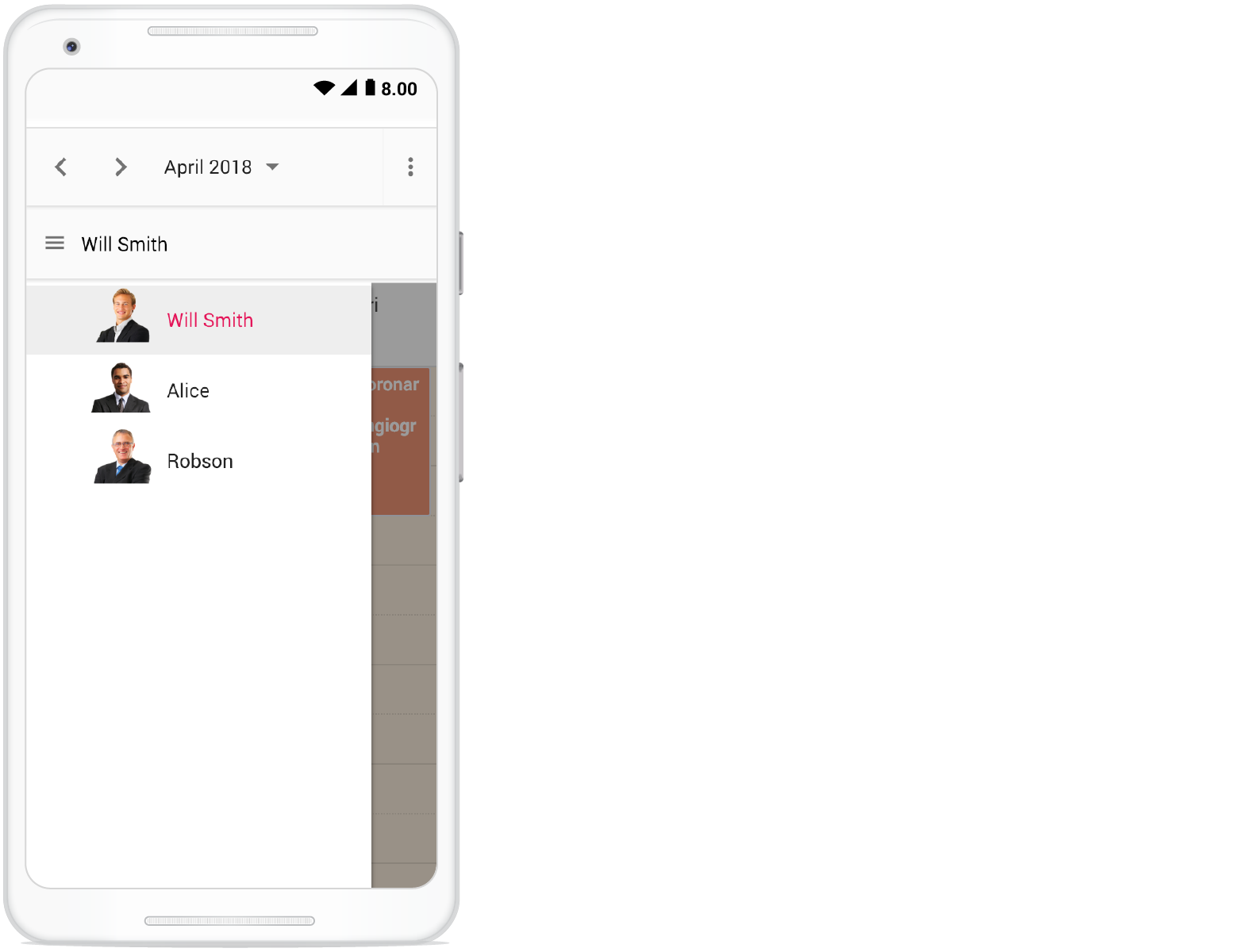
</style>To customize the resource header in compact mode, use the
e-deviceclass as shown in the code example.
Customizing resource header with multiple columns
It is possible to customize resource headers to display multiple columns such as Room, Type, and Capacity. The following code example shows how to achieve this, and it is applicable only to timeline views.
<template>
    <div id='app'>
        <div id='container'>
            <ejs-schedule width='100%' height='550px' :eventSettings='eventSettings' :selectedDate='selectedDate'
                :group='group' :resourceHeaderTemplate="'resourceHeaderTemplate'" :renderCell='onRenderCell'>
                <e-views>
                    <e-view option='TimelineWeek'></e-view>
                    <e-view option='TimelineMonth'></e-view>
                </e-views>
                <template v-slot:resourceHeaderTemplate="{ data }">
                    <div class='template-wrap'>
                        <div class="room-name"></div>
                        <div class="room-type"></div>
                        <div class="room-capacity"></div>
                    </div>
                </template>
                <e-resources>
                    <e-resource field='RoomId' title='RoomType' name='MeetingRoom' :dataSource='ownerDataSource'
                        textField='text' idField='id' colorField='color'>
                    </e-resource>
                </e-resources>
            </ejs-schedule>
        </div>
    </div>
</template>

<script setup>
import { provide } from "vue";
import { roomData } from './datasource.js';
import { ScheduleComponent as EjsSchedule, ViewDirective as EView, ViewsDirective as EViews, ResourcesDirective as EResources, ResourceDirective as EResource, TimelineViews, TimelineMonth } from '@syncfusion/ej2-vue-schedule';

const selectedDate = new Date(2018, 7, 1);
const group = {
    resources: ['MeetingRoom']
};
const ownerDataSource = [
    { text: 'Jammy', id: 1, color: '#ea7a57', capacity: 20, type: 'Conference' },
    { text: 'Tweety', id: 2, color: '#7fa900', capacity: 7, type: 'Cabin' },
    { text: 'Nestle', id: 3, color: '#5978ee', capacity: 5, type: 'Cabin' },
    { text: 'Phoenix', id: 4, color: '#fec200', capacity: 15, type: 'Conference' },
    { text: 'Mission', id: 5, color: '#df5286', capacity: 25, type: 'Conference' },
    { text: 'Hangout', id: 6, color: '#00bdae', capacity: 10, type: 'Cabin' },
    { text: 'Rick Roll', id: 7, color: '#865fcf', capacity: 20, type: 'Conference' },
    { text: 'Rainbow', id: 8, color: '#1aaa55', capacity: 8, type: 'Cabin' },
    { text: 'Swarm', id: 9, color: '#df5286', capacity: 30, type: 'Conference' },
    { text: 'Photogenic', id: 10, color: '#710193', capacity: 25, type: 'Conference' }
];
const eventSettings = { dataSource: roomData };

const onRenderCell = function (args) {
    if (args.elementType === 'emptyCells' && args.element.classList.contains('e-resource-left-td')) {
        let target = args.element.querySelector('.e-resource-text');
        target.innerHTML = '<div class="name">Rooms</div><div class="type">Type</div><div class="capacity">Capacity</div>';
    }
}

provide('schedule', [TimelineViews, TimelineMonth]);

</script>
<style>
@import "../node_modules/@syncfusion/ej2-material3-theme/styles/schedule/index.css";

.e-schedule .e-timeline-view .e-resource-left-td {
    vertical-align: bottom;
}

.e-schedule .e-timeline-view .e-resource-left-td .e-resource-text {
    display: flex;
    font-weight: 500;
    padding: 0;
}

.e-schedule .e-timeline-view .e-resource-left-td .e-resource-text>div {
    border-right: 1px solid rgba(0, 0, 0, 0.12);
    border-top: 1px solid rgba(0, 0, 0, 0.12);
    flex: 0 0 33.3%;
    font-weight: 500;
    height: 36px;
    line-height: 34px;
    padding-left: 5px;
}

.e-schedule .e-timeline-view .e-resource-left-td .e-resource-text>div:last-child {
    border-right: 0;
}

.e-schedule .template-wrap {
    display: flex;
    height: 100%;
    text-align: left;
}

.e-schedule .template-wrap>div {
    border-right: 1px solid rgba(0, 0, 0, 0.12);
    flex: 0 0 33.3%;
    font-weight: 500;
    line-height: 58px;
    overflow: hidden;
    padding-left: 5px;
    text-overflow: ellipsis;
}

.e-schedule .template-wrap>div:last-child {
    border-right: 0;
}

.e-schedule .e-timeline-view .e-resource-cells,
.e-schedule .e-timeline-month-view .e-resource-cells {
    padding-left: 0;
}

.e-schedule .e-timeline-view .e-date-header-wrap table col,
.e-schedule .e-timeline-view .e-content-wrap table col {
    width: 100px;
}

@media (max-width: 550px) {
    .e-schedule .e-timeline-view .e-resource-left-td {
        width: 100px;
    }

    .e-schedule .e-timeline-view .e-resource-left-td .e-resource-text>div,
    .e-schedule .template-wrap>div {
        flex: 0 0 100%;
    }

    .e-schedule .template-wrap>div:first-child {
        border-right: 0;
    }

    .e-schedule .e-timeline-view .e-resource-left-td .e-resource-text>div:first-child {
        border-right: 0;
    }

    .e-schedule .room-type,
    .e-schedule .room-capacity {
        display: none;
    }
}
</style><template>
<div id='app'>
<div id='container'>
<ejs-schedule width='100%' height='550px' :eventSettings='eventSettings' :selectedDate='selectedDate'
:group='group' :resourceHeaderTemplate="'resourceHeaderTemplate'" :renderCell='onRenderCell'>
<e-views>
<e-view option='TimelineWeek'></e-view>
<e-view option='TimelineMonth'></e-view>
</e-views>
<template v-slot:resourceHeaderTemplate="{ data }">
<div class='template-wrap'>
<div class="room-name"></div>
<div class="room-type"></div>
<div class="room-capacity"></div>
</div>
</template>
<e-resources>
<e-resource field='RoomId' title='RoomType' name='MeetingRoom' :dataSource='ownerDataSource'
textField='text' idField='id' colorField='color'>
</e-resource>
</e-resources>
</ejs-schedule>
</div>
</div>
</template>
<script>
import { roomData } from './datasource.js';
import { ScheduleComponent, ViewDirective, ViewsDirective, ResourcesDirective, ResourceDirective, TimelineViews, TimelineMonth } from '@syncfusion/ej2-vue-schedule';
export default {
name: "App",
components: {
"ejs-schedule": ScheduleComponent,
"e-views": ViewsDirective,
"e-view": ViewDirective,
"e-resources": ResourcesDirective,
"e-resource": ResourceDirective
},
data() {
return {
selectedDate: new Date(2018, 7, 1),
group: {
resources: ['MeetingRoom']
},
ownerDataSource: [
{ text: 'Jammy', id: 1, color: '#ea7a57', capacity: 20, type: 'Conference' },
{ text: 'Tweety', id: 2, color: '#7fa900', capacity: 7, type: 'Cabin' },
{ text: 'Nestle', id: 3, color: '#5978ee', capacity: 5, type: 'Cabin' },
{ text: 'Phoenix', id: 4, color: '#fec200', capacity: 15, type: 'Conference' },
{ text: 'Mission', id: 5, color: '#df5286', capacity: 25, type: 'Conference' },
{ text: 'Hangout', id: 6, color: '#00bdae', capacity: 10, type: 'Cabin' },
{ text: 'Rick Roll', id: 7, color: '#865fcf', capacity: 20, type: 'Conference' },
{ text: 'Rainbow', id: 8, color: '#1aaa55', capacity: 8, type: 'Cabin' },
{ text: 'Swarm', id: 9, color: '#df5286', capacity: 30, type: 'Conference' },
{ text: 'Photogenic', id: 10, color: '#710193', capacity: 25, type: 'Conference' }
],
eventSettings: { dataSource: roomData },
}
},
methods: {
onRenderCell: function (args) {
if (args.elementType === 'emptyCells' && args.element.classList.contains('e-resource-left-td')) {
let target = args.element.querySelector('.e-resource-text');
target.innerHTML = '<div class="name">Rooms</div><div class="type">Type</div><div class="capacity">Capacity</div>';
}
}
},
provide: {
schedule: [TimelineViews, TimelineMonth]
}
}
</script>
<style>
@import "../node_modules/@syncfusion/ej2-material3-theme/styles/schedule/index.css";
.e-schedule .e-timeline-view .e-resource-left-td {
vertical-align: bottom;
}
.e-schedule .e-timeline-view .e-resource-left-td .e-resource-text {
display: flex;
font-weight: 500;
padding: 0;
}
.e-schedule .e-timeline-view .e-resource-left-td .e-resource-text>div {
border-right: 1px solid rgba(0, 0, 0, 0.12);
border-top: 1px solid rgba(0, 0, 0, 0.12);
flex: 0 0 33.3%;
font-weight: 500;
height: 36px;
line-height: 34px;
padding-left: 5px;
}
.e-schedule .e-timeline-view .e-resource-left-td .e-resource-text>div:last-child {
border-right: 0;
}
.e-schedule .template-wrap {
display: flex;
height: 100%;
text-align: left;
}
.e-schedule .template-wrap>div {
border-right: 1px solid rgba(0, 0, 0, 0.12);
flex: 0 0 33.3%;
font-weight: 500;
line-height: 58px;
overflow: hidden;
padding-left: 5px;
text-overflow: ellipsis;
}
.e-schedule .template-wrap>div:last-child {
border-right: 0;
}
.e-schedule .e-timeline-view .e-resource-cells,
.e-schedule .e-timeline-month-view .e-resource-cells {
padding-left: 0;
}
.e-schedule .e-timeline-view .e-date-header-wrap table col,
.e-schedule .e-timeline-view .e-content-wrap table col {
width: 100px;
}
@media (max-width: 550px) {
.e-schedule .e-timeline-view .e-resource-left-td {
width: 100px;
}
.e-schedule .e-timeline-view .e-resource-left-td .e-resource-text>div,
.e-schedule .template-wrap>div {
flex: 0 0 100%;
}
.e-schedule .template-wrap>div:first-child {
border-right: 0;
}
.e-schedule .e-timeline-view .e-resource-left-td .e-resource-text>div:first-child {
border-right: 0;
}
.e-schedule .room-type,
.e-schedule .room-capacity {
display: none;
}
}
</style>Collapse/Expand child resources in timeline views
It is possible to expand and collapse resources that have child resources in timeline views dynamically. By default, resources are in the expanded state with their child resources. You can collapse and expand child resources in the UI by setting the expandedField option to false; its default value is true.
<template>
    <div>
        <div id='app'>
            <div id='container'>
                <ejs-schedule width='100%' height='550px' :eventSettings='eventSettings' :selectedDate='selectedDate'
                    :currentView='currentView' :group='group'>
                    <e-views>
                        <e-view option='TimelineWeek'></e-view>
                        <e-view option='TimelineMonth'></e-view>
                        <e-view option='Agenda'></e-view>
                    </e-views>
                    <e-resources>
                        <e-resource field='RoomId' title='Room' name='Rooms' :dataSource='roomDataSource'
                            textField='RoomText' idField='Id' colorField='RoomColor' expandedField='IsExpand'>
                        </e-resource>
                        <e-resource field='OwnerId' title='Owner' name='Owners' :allowMultiple='allowMultiple'
                            :dataSource='ownerDataSource' textField='OwnerText' idField='Id' groupIDField='OwnerGroupId'
                            colorField='OwnerColor'>
                        </e-resource>
                    </e-resources>
                </ejs-schedule>
            </div>
        </div>
    </div>
</template>

<script setup>
import { provide } from "vue";
import { resourceData } from './datasource.js';
import { ScheduleComponent as EjsSchedule, ViewDirective as EView, ViewsDirective as EViews, ResourcesDirective as EResources, ResourceDirective as EResource, TimelineViews, TimelineMonth, Agenda } from '@syncfusion/ej2-vue-schedule';


const width = '100%';
const height = '550px';
const currentView = 'TimelineWeek';
const selectedDate = new Date(2018, 3, 4);
const group = {
    resources: ['Rooms', 'Owners']
};
const roomDataSource = [
    { RoomText: 'ROOM 1', Id: 1, RoomColor: '#cb6bb2', IsExpand: false },
    { RoomText: 'ROOM 2', Id: 2, RoomColor: '#56ca85' }
];
const allowMultiple = true;
const ownerDataSource = [
    { OwnerText: 'Nancy', Id: 1, OwnerGroupId: 1, OwnerColor: '#ffaa00' },
    { OwnerText: 'Steven', Id: 2, OwnerGroupId: 2, OwnerColor: '#f8a398' },
    { OwnerText: 'Michael', Id: 3, OwnerGroupId: 1, OwnerColor: '#7499e1' }
];
const eventSettings = { dataSource: resourceData };

provide('schedule', [TimelineViews, TimelineMonth, Agenda]);

</script>
<style>
@import "../node_modules/@syncfusion/ej2-material3-theme/styles/schedule/index.css";
</style><template>
<div>
<div id='app'>
<div id='container'>
<ejs-schedule width='100%' height='550px' :eventSettings='eventSettings' :selectedDate='selectedDate'
:currentView='currentView' :group='group'>
<e-views>
<e-view option='TimelineWeek'></e-view>
<e-view option='TimelineMonth'></e-view>
<e-view option='Agenda'></e-view>
</e-views>
<e-resources>
<e-resource field='RoomId' title='Room' name='Rooms' :dataSource='roomDataSource'
textField='RoomText' idField='Id' colorField='RoomColor' expandedField='IsExpand'>
</e-resource>
<e-resource field='OwnerId' title='Owner' name='Owners' :allowMultiple='allowMultiple'
:dataSource='ownerDataSource' textField='OwnerText' idField='Id' groupIDField='OwnerGroupId'
colorField='OwnerColor'>
</e-resource>
</e-resources>
</ejs-schedule>
</div>
</div>
</div>
</template>
<script>
import { resourceData } from './datasource.js';
import { ScheduleComponent, ViewDirective, ViewsDirective, ResourcesDirective, ResourceDirective, TimelineViews, TimelineMonth, Agenda } from '@syncfusion/ej2-vue-schedule';
export default {
name: "App",
components: {
"ejs-schedule": ScheduleComponent,
"e-views": ViewsDirective,
"e-view": ViewDirective,
"e-resources": ResourcesDirective,
"e-resource": ResourceDirective
},
data() {
return {
width: '100%',
height: '550px',
currentView: 'TimelineWeek',
selectedDate: new Date(2018, 3, 4),
group: {
resources: ['Rooms', 'Owners']
},
roomDataSource: [
{ RoomText: 'ROOM 1', Id: 1, RoomColor: '#cb6bb2', IsExpand: false },
{ RoomText: 'ROOM 2', Id: 2, RoomColor: '#56ca85' }
],
allowMultiple: true,
ownerDataSource: [
{ OwnerText: 'Nancy', Id: 1, OwnerGroupId: 1, OwnerColor: '#ffaa00' },
{ OwnerText: 'Steven', Id: 2, OwnerGroupId: 2, OwnerColor: '#f8a398' },
{ OwnerText: 'Michael', Id: 3, OwnerGroupId: 1, OwnerColor: '#7499e1' }
],
eventSettings: { dataSource: resourceData },
}
},
provide: {
schedule: [TimelineViews, TimelineMonth, Agenda]
}
}
</script>
<style>
@import "../node_modules/@syncfusion/ej2-material3-theme/styles/schedule/index.css";
</style>Displaying tooltip for resource headers
It is possible to display tooltips over the resource headers showing resource information. By default, no tooltips are displayed on the resource headers, and to enable them, you need to assign the customized template design to the headerTooltipTemplate option within the group property.
<template>
    <div id='app'>
        <div id='container'>
            <ejs-schedule width='100%' height='550px' :eventSettings='eventSettings' :selectedDate='selectedDate'
                :group='group'>
                <e-views>
                    <e-view option='TimelineWeek'></e-view>
                    <e-view option='TimelineMonth'></e-view>
                </e-views>
                <e-resources>
                    <e-resource field='OwnerId' title='Owner' name='Owners' :dataSource='ownerDataSource'
                        :allowMultiple='allowMultiple' textField='OwnerText' idField='Id' groupIDField='OwnerGroupId'
                        colorField='OwnerColor'>
                    </e-resource>
                </e-resources>
                <template v-slot:headerTooltipTemplate="{ data }">
                    <div class='template-wrap'>
                        <div class="resource-text">Name:</div>
                    </div>
                </template>
            </ejs-schedule>
        </div>
    </div>
</template>

<script setup>
import { provide } from "vue";
import { ScheduleComponent as EjsSchedule, ViewDirective as EView, ViewsDirective as EViews, ResourcesDirective as EResources, ResourceDirective as EResource, Week, Month, TimelineViews, TimelineMonth } from '@syncfusion/ej2-vue-schedule';
import { resourceData } from './datasource.js';

const selectedDate = new Date(2018, 3, 4);
const group = {
    resources: ['Rooms', 'Owners'],
    headerTooltipTemplate: "headerTooltipTemplate",
};
const allowMultiple = true;
const ownerDataSource = [
    { OwnerText: 'Nancy', Id: 1, OwnerGroupId: 1, OwnerColor: '#ffaa00' },
    { OwnerText: 'Steven', Id: 2, OwnerGroupId: 2, OwnerColor: '#f8a398' },
    { OwnerText: 'Michael', Id: 3, OwnerGroupId: 1, OwnerColor: '#7499e1' }
];
const eventSettings = { dataSource: resourceData };

provide('schedule', [TimelineViews, TimelineMonth]);

</script>
<style>
@import "../node_modules/@syncfusion/ej2-material3-theme/styles/schedule/index.css";

.e-schedule .e-vertical-view .e-resource-cells {
    height: 45px;
}

.e-schedule .e-agenda-view .template-wrap .resource-text {
    text-align: center;
}

.e-schedule .template-wrap .resource-text {
    font-size: 15px;
    padding: 4px 4px 4px;
    height: 25px;
    text-overflow: ellipsis;
    white-space: nowrap;
    overflow: hidden;
}
</style><template>
<div id='app'>
<div id='container'>
<ejs-schedule width='100%' height='550px' :eventSettings='eventSettings' :selectedDate='selectedDate'
:group='group'>
<e-views>
<e-view option='TimelineWeek'></e-view>
<e-view option='TimelineMonth'></e-view>
</e-views>
<e-resources>
<e-resource field='OwnerId' title='Owner' name='Owners' :dataSource='ownerDataSource'
:allowMultiple='allowMultiple' textField='OwnerText' idField='Id' groupIDField='OwnerGroupId'
colorField='OwnerColor'>
</e-resource>
</e-resources>
<template v-slot:headerTooltipTemplate="{ data }">
<div class='template-wrap'>
<div class="resource-text">Name:</div>
</div>
</template>
</ejs-schedule>
</div>
</div>
</template>
<script>
import { ScheduleComponent, ViewDirective, ViewsDirective, ResourcesDirective, ResourceDirective, Week, Month, TimelineViews, TimelineMonth } from '@syncfusion/ej2-vue-schedule';
import { resourceData } from './datasource.js';
export default {
name: "App",
components: {
"ejs-schedule": ScheduleComponent,
"e-views": ViewsDirective,
"e-view": ViewDirective,
"e-resources": ResourcesDirective,
"e-resource": ResourceDirective
},
data() {
return {
selectedDate: new Date(2018, 3, 4),
group: {
resources: ['Rooms', 'Owners'],
headerTooltipTemplate: "headerTooltipTemplate",
},
allowMultiple: true,
ownerDataSource: [
{ OwnerText: 'Nancy', Id: 1, OwnerGroupId: 1, OwnerColor: '#ffaa00' },
{ OwnerText: 'Steven', Id: 2, OwnerGroupId: 2, OwnerColor: '#f8a398' },
{ OwnerText: 'Michael', Id: 3, OwnerGroupId: 1, OwnerColor: '#7499e1' }
],
eventSettings: { dataSource: resourceData },
}
},
provide: {
schedule: [TimelineViews, TimelineMonth]
}
}
</script>
<style>
@import "../node_modules/@syncfusion/ej2-material3-theme/styles/schedule/index.css";
.e-schedule .e-vertical-view .e-resource-cells {
height: 45px;
}
.e-schedule .e-agenda-view .template-wrap .resource-text {
text-align: center;
}
.e-schedule .template-wrap .resource-text {
font-size: 15px;
padding: 4px 4px 4px;
height: 25px;
text-overflow: ellipsis;
white-space: nowrap;
overflow: hidden;
}
</style>Choosing among resource colors for appointments
By default, the colors defined in the top-level resources collection are applied to the events. If you want to apply a specific resource color to events regardless of the top-level parent resource color, define the resourceColorField option within the eventSettings property.
In the following example, the colors mentioned in the second level will get applied over the events.
<template>
    <div>
        <div id='container' class='col-lg-12'>
            <div class='content-wrapper'>
                <div class='col-lg-12 property-section'>
                    <table id='property' title='Event Trace'>
                        <tbody>
                            <tr>
                                <td>
                                    <ejs-radiobutton label="Rooms" name="default" value="Rooms" :checked='true'
                                        :change='onChange'></ejs-radiobutton>
                                </td>
                                <td>
                                    <ejs-radiobutton label='Owners' name="default" value="Owners" :checked='false'
                                        :change='onChange'></ejs-radiobutton>
                                </td>
                            </tr>
                        </tbody>
                    </table>
                </div>
                <div>
                    <ejs-schedule ref='scheduleObj' id='Schedule' width='100%' height='500px'
                        :eventSettings='eventSettings' :selectedDate='selectedDate' :group='group'>
                        <e-views>
                            <e-view option='Week'></e-view>
                            <e-view option='Month'></e-view>
                            <e-view option='TimelineWeek'></e-view>
                            <e-view option='TimelineMonth'></e-view>
                            <e-view option='Agenda'></e-view>
                        </e-views>
                        <e-resources>
                            <e-resource field='RoomId' title='Room' name='Rooms' :dataSource='roomDataSource'
                                textField='RoomText' idField='Id' groupIDField='RoomGroupId' colorField='RoomColor'>
                            </e-resource>
                            <e-resource field='OwnerId' title='Owner' name='Owners' :allowMultiple='allowMultiple'
                                :dataSource='ownerDataSource' textField='OwnerText' idField='Id'
                                groupIDField='OwnerGroupId' colorField='OwnerColor'>
                            </e-resource>
                        </e-resources>
                    </ejs-schedule>
                </div>

            </div>
        </div>
    </div>
</template>
<script setup>
import { provide, ref } from "vue";
import { resourceData } from './datasource.js';
import { ScheduleComponent as EjsSchedule, ViewDirective as EView, ViewsDirective as EViews, ResourcesDirective as EResources, ResourceDirective as EResource, Month, Week, Agenda, TimelineViews, TimelineMonth } from '@syncfusion/ej2-vue-schedule';
import { RadioButtonComponent as EjsRadiobutton } from '@syncfusion/ej2-vue-buttons';

const scheduleObj = ref(null);
const selectedDate = new Date(2018, 3, 4);
const group = {
    resources: ['Rooms', 'Owners']
};
const roomDataSource = [
    { RoomText: 'ROOM 1', Id: 1, RoomGroupId: 1, RoomColor: '#cb6bb2' },
    { RoomText: 'ROOM 2', Id: 2, RoomGroupId: 2, RoomColor: '#56ca85' }
];
const allowMultiple = true;
const ownerDataSource = [
    { OwnerText: 'Nancy', Id: 1, OwnerGroupId: 1, OwnerColor: '#ffaa00' },
    { OwnerText: 'Steven', Id: 2, OwnerGroupId: 2, OwnerColor: '#f8a398' },
    { OwnerText: 'Michael', Id: 3, OwnerGroupId: 1, OwnerColor: '#7499e1' }
];
const eventSettings = { dataSource: resourceData, resourceColorField: 'Rooms' };

provide('schedule', [Month, Week, Agenda, TimelineViews, TimelineMonth]);

const onChange = function (args) {
    scheduleObj.value.ej2Instances.eventSettings.resourceColorField = args.value;
}

</script>
<style>
@import "../node_modules/@syncfusion/ej2-material3-theme/styles/schedule/index.css";
</style><template>
<div>
<div id='container' class='col-lg-12'>
<div class='content-wrapper'>
<div class='col-lg-12 property-section'>
<table id='property' title='Event Trace'>
<tbody>
<tr>
<td>
<ejs-radiobutton label="Rooms" name="default" value="Rooms" :checked='true'
:change='onChange'></ejs-radiobutton>
</td>
<td>
<ejs-radiobutton label='Owners' name="default" value="Owners" :checked='false'
:change='onChange'></ejs-radiobutton>
</td>
</tr>
</tbody>
</table>
</div>
<div>
<ejs-schedule ref='scheduleObj' id='Schedule' width='100%' height='500px'
:eventSettings='eventSettings' :selectedDate='selectedDate' :group='group'>
<e-views>
<e-view option='Week'></e-view>
<e-view option='Month'></e-view>
<e-view option='TimelineWeek'></e-view>
<e-view option='TimelineMonth'></e-view>
<e-view option='Agenda'></e-view>
</e-views>
<e-resources>
<e-resource field='RoomId' title='Room' name='Rooms' :dataSource='roomDataSource'
textField='RoomText' idField='Id' groupIDField='RoomGroupId' colorField='RoomColor'>
</e-resource>
<e-resource field='OwnerId' title='Owner' name='Owners' :allowMultiple='allowMultiple'
:dataSource='ownerDataSource' textField='OwnerText' idField='Id'
groupIDField='OwnerGroupId' colorField='OwnerColor'>
</e-resource>
</e-resources>
</ejs-schedule>
</div>
</div>
</div>
</div>
</template>
<script>
import { resourceData } from './datasource.js';
import { ScheduleComponent, ViewDirective, ViewsDirective, ResourcesDirective, ResourceDirective, Month, Week, Agenda, TimelineViews, TimelineMonth } from '@syncfusion/ej2-vue-schedule';
import { RadioButtonComponent } from '@syncfusion/ej2-vue-buttons';
export default {
name: "App",
components: {
"ejs-radiobutton": RadioButtonComponent,
"ejs-schedule": ScheduleComponent,
"e-views": ViewsDirective,
"e-view": ViewDirective,
"e-resources": ResourcesDirective,
"e-resource": ResourceDirective
},
data() {
return {
selectedDate: new Date(2018, 3, 4),
group: {
resources: ['Rooms', 'Owners']
},
roomDataSource: [
{ RoomText: 'ROOM 1', Id: 1, RoomGroupId: 1, RoomColor: '#cb6bb2' },
{ RoomText: 'ROOM 2', Id: 2, RoomGroupId: 2, RoomColor: '#56ca85' }
],
allowMultiple: true,
ownerDataSource: [
{ OwnerText: 'Nancy', Id: 1, OwnerGroupId: 1, OwnerColor: '#ffaa00' },
{ OwnerText: 'Steven', Id: 2, OwnerGroupId: 2, OwnerColor: '#f8a398' },
{ OwnerText: 'Michael', Id: 3, OwnerGroupId: 1, OwnerColor: '#7499e1' }
],
eventSettings: { dataSource: resourceData, resourceColorField: 'Rooms' }
}
},
provide: {
schedule: [Month, Week, Agenda, TimelineViews, TimelineMonth]
},
methods: {
onChange(args) {
this.$refs.scheduleObj.ej2Instances.eventSettings.resourceColorField = args.value;
}
}
}
</script>
<style>
@import "../node_modules/@syncfusion/ej2-material3-theme/styles/schedule/index.css";
</style>The value of the
resourceColorFieldfield should be mapped to thenamevalue given within theresourcesproperty.
Dynamically add and remove resources
It is possible to add or remove resources dynamically to and from the Scheduler. In the following example, when the checkboxes are checked and unchecked, the respective resources are added or removed from the Scheduler layout. To add a new resource dynamically, use the addResource method, which accepts arguments such as the resource object, resource name (the level within which the resource object is added), and index (the position where the resource needs to be added).
To remove resources dynamically, use the removeResource method, which accepts the index (the position from where the resource is removed) and resource name (the level in which the resource object exists) as parameters.
<template>
    <div>
        <div id='app'>
            <div class='col-lg-3'>
                <table id='property' title='Show / Hide Resource' style='width: 100%;padding-right:25px'>
                    <tbody>
                        <tr style='height: 50px'>
                            <td style='width: 100%'>
                                <ejs-checkbox cssClass='personal' label='My Calender' value='1' :checked='true'
                                    :disabled='true' :change='onChange'></ejs-checkbox>
                            </td>
                        </tr>
                        <tr style='height: 50px'>
                            <td style='width: 100%'>
                                <ejs-checkbox cssClass='company' label='Company' value='2' :checked='false'
                                    :change='onChange'></ejs-checkbox>
                            </td>
                        </tr>
                        <tr style='height: 50px'>
                            <td style='width: 100%'>
                                <ejs-checkbox cssClass='birthday' label='Birthday' value='3' :checked='false'
                                    :change='onChange'></ejs-checkbox>
                            </td>
                        </tr>
                        <tr style='height: 50px'>
                            <td style='width: 100%'>
                                <ejs-checkbox cssClass='holiday' label='Holiday' value='4' :checked='false'
                                    :change='onChange'></ejs-checkbox>
                            </td>
                        </tr>
                    </tbody>
                </table>
            </div>
            <div id='container'>
                <ejs-schedule ref='ScheduleObj' width='100%' height='550px' :group='group' :selectedDate='selectedDate'
                    :eventSettings='eventSettings'>
                    <e-resources>
                        <e-resource field='CalendarId' title='Calendars' :dataSource='resourceDataSource'
                            :allowMultiple='allowMultiple' name='Calendars' textField='CalendarText'
                            idField='CalendarId' colorField='CalendarColor'>
                        </e-resource>
                    </e-resources>
                    <e-views>
                        <e-view option='Month'></e-view>
                        <e-view option='TimelineMonth'></e-view>
                    </e-views>
                </ejs-schedule>
            </div>
        </div>
    </div>
</template>

<script setup>
import { provide, ref } from "vue";
import { holidayData, birthdayData, companyData, personalData } from './datasource.js';
import { ScheduleComponent as EjsSchedule, ViewDirective as EView, ViewsDirective as EViews, ResourceDirective as EResource, ResourcesDirective as EResources, Month, TimelineMonth } from '@syncfusion/ej2-vue-schedule';
import { CheckBoxComponent as EjsCheckbox } from '@syncfusion/ej2-vue-buttons';

const ScheduleObj = ref(null);
const calendarCollections = [
    { CalendarText: 'My Calendar', CalendarId: 1, CalendarColor: '#c43081' },
    { CalendarText: 'Company', CalendarId: 2, CalendarColor: '#ff7f50' },
    { CalendarText: 'Birthday', CalendarId: 3, CalendarColor: '#AF27CD' },
    { CalendarText: 'Holiday', CalendarId: 4, CalendarColor: '#808000' }
];

const selectedDate = new Date(2018, 3, 1);
const group = { resources: ['Calendars'] };
const resourceDataSource = [calendarCollections[0]];
const allowMultiple = true;
const eventSettings = { dataSource: generateCalendarData() };

provide('schedule', [Month, TimelineMonth]);
const generateCalendarData = function () {
    var collections = [];
    var dataCollections = [personalData, companyData, birthdayData, holidayData];
    for (var i = 0; i < dataCollections.length; i++) {
        collections = collections.concat(dataCollections[i]);
    }
    return collections;
}
const onChange = function (args) {
    let schedule = ScheduleObj.value;
    let value = parseInt((args.event.currentTarget).querySelector('input').getAttribute('value'), 10);
    let resourceData = calendarCollections.filter(function (calendar) { return calendar.CalendarId === value; });
    if (args.checked) {
        schedule.addResource(resourceData[0], 'Calendars', value - 1);
        schedule.dataBind();
    } else {
        schedule.removeResource(value, 'Calendars');
        schedule.dataBind();
    }
}

</script>
<style>
@import "../node_modules/@syncfusion/ej2-material3-theme/styles/schedule/index.css";

#app {
    display: flex;
}
</style><template>
<div>
<div id='app'>
<div class='col-lg-3'>
<table id='property' title='Show / Hide Resource' style='width: 100%;padding-right:25px'>
<tbody>
<tr style='height: 50px'>
<td style='width: 100%'>
<ejs-checkbox cssClass='personal' label='My Calender' value='1' :checked='true'
:disabled='true' :change='onChange'></ejs-checkbox>
</td>
</tr>
<tr style='height: 50px'>
<td style='width: 100%'>
<ejs-checkbox cssClass='company' label='Company' value='2' :checked='false'
:change='onChange'></ejs-checkbox>
</td>
</tr>
<tr style='height: 50px'>
<td style='width: 100%'>
<ejs-checkbox cssClass='birthday' label='Birthday' value='3' :checked='false'
:change='onChange'></ejs-checkbox>
</td>
</tr>
<tr style='height: 50px'>
<td style='width: 100%'>
<ejs-checkbox cssClass='holiday' label='Holiday' value='4' :checked='false'
:change='onChange'></ejs-checkbox>
</td>
</tr>
</tbody>
</table>
</div>
<div id='container'>
<ejs-schedule ref='ScheduleObj' width='100%' height='550px' :group='group' :selectedDate='selectedDate'
:eventSettings='eventSettings'>
<e-resources>
<e-resource field='CalendarId' title='Calendars' :dataSource='resourceDataSource'
:allowMultiple='allowMultiple' name='Calendars' textField='CalendarText'
idField='CalendarId' colorField='CalendarColor'>
</e-resource>
</e-resources>
<e-views>
<e-view option='Month'></e-view>
<e-view option='TimelineMonth'></e-view>
</e-views>
</ejs-schedule>
</div>
</div>
</div>
</template>
<script>
import { holidayData, birthdayData, companyData, personalData } from './datasource.js';
import { ScheduleComponent, ViewDirective, ViewsDirective, ResourceDirective, ResourcesDirective, Month, TimelineMonth } from '@syncfusion/ej2-vue-schedule';
import { CheckBoxComponent } from '@syncfusion/ej2-vue-buttons';
var calendarCollections = [
{ CalendarText: 'My Calendar', CalendarId: 1, CalendarColor: '#c43081' },
{ CalendarText: 'Company', CalendarId: 2, CalendarColor: '#ff7f50' },
{ CalendarText: 'Birthday', CalendarId: 3, CalendarColor: '#AF27CD' },
{ CalendarText: 'Holiday', CalendarId: 4, CalendarColor: '#808000' }
];
export default {
name: "App",
components: {
"ejs-checkbox": CheckBoxComponent,
"ejs-schedule": ScheduleComponent,
"e-resources": ResourcesDirective,
"e-resource": ResourceDirective,
"e-views": ViewsDirective,
"e-view": ViewDirective
},
data() {
return {
selectedDate: new Date(2018, 3, 1),
group: { resources: ['Calendars'] },
resourceDataSource: [calendarCollections[0]],
allowMultiple: true,
eventSettings: { dataSource: this.generateCalendarData() }
}
},
provide: {
schedule: [Month, TimelineMonth]
},
methods: {
generateCalendarData: function () {
var collections = [];
var dataCollections = [personalData, companyData, birthdayData, holidayData];
for (var i = 0; i < dataCollections.length; i++) {
collections = collections.concat(dataCollections[i]);
}
return collections;
},
onChange: function (args) {
let scheduleObj = this.$refs.ScheduleObj;
let value = parseInt((args.event.currentTarget).querySelector('input').getAttribute('value'), 10);
let resourceData = calendarCollections.filter(function (calendar) { return calendar.CalendarId === value; });
if (args.checked) {
scheduleObj.addResource(resourceData[0], 'Calendars', value - 1);
scheduleObj.dataBind();
} else {
scheduleObj.removeResource(value, 'Calendars');
scheduleObj.dataBind();
}
}
}
}
</script>
<style>
@import "../node_modules/@syncfusion/ej2-material3-theme/styles/schedule/index.css";
#app {
display: flex;
}
</style>Setting different working days and hours for resources
Each resource in the Scheduler can have different working hours as well as different working days set to it. There are default options available within the resources collection, to customize the default working hours and days of the Scheduler.
- Using the work day field for different work days
- Using the start hour and end hour fields for different work hours
Set different work days
Different working days can be set for the resources of Scheduler using the workDaysField property, which maps the working days field from the resource dataSource. This field accepts a collection of day indexes from 0 to 6. By default, it is set to [1, 2, 3, 4, 5], and in the following example, each resource is set with different values and therefore renders only those working days. This option is applicable only to calendar views and is not applicable to timeline views.
<template>
    <div>
        <div id='app'>
            <div id='container'>
                <ejs-schedule width='100%' height='550px' :eventSettings='eventSettings' :selectedDate='selectedDate'
                    :currentView='currentView' :group='group'>
                    <e-views>
                        <e-view option='Week'></e-view>
                        <e-view option='WorkWeek'></e-view>
                        <e-view option='Month'></e-view>
                    </e-views>
                    <e-resources>
                        <e-resource field='ConferenceId' title='Conference' name='Conferences'
                            :allowMultiple='allowMultiple' :dataSource='ownerDataSource' textField='text' idField='id'
                            colorField='color' workDaysField='workDays'>
                        </e-resource>
                    </e-resources>
                </ejs-schedule>
            </div>
        </div>
    </div>
</template>

<script setup>
import { provide } from "vue";
import { doctorData } from './datasource.js';
import { ScheduleComponent as EjsSchedule, ViewDirective as EView, ViewsDirective as EViews, ResourcesDirective as EResources, ResourceDirective as EResource, Week, WorkWeek, Month } from '@syncfusion/ej2-vue-schedule';


const selectedDate = new Date(2018, 3, 4);
const currentView = 'WorkWeek';
const group = {
    resources: ['Conferences']
};
const allowMultiple = true;
const ownerDataSource = [
    { text: 'Will Smith', id: 1, color: '#ea7a57', workDays: [1, 2, 4, 5] },
    { text: 'Alice', id: 2, color: 'rgb(53, 124, 210)', workDays: [1, 3, 5] },
    { text: 'Robson', id: 3, color: '#7fa900', workDays: [2, 6] }
];
const eventSettings = { dataSource: doctorData };

provide('schedule', [Week, WorkWeek, Month]);

</script>
<style>
@import "../node_modules/@syncfusion/ej2-material3-theme/styles/schedule/index.css";
</style><template>
<div>
<div id='app'>
<div id='container'>
<ejs-schedule width='100%' height='550px' :eventSettings='eventSettings' :selectedDate='selectedDate'
:currentView='currentView' :group='group'>
<e-views>
<e-view option='Week'></e-view>
<e-view option='WorkWeek'></e-view>
<e-view option='Month'></e-view>
</e-views>
<e-resources>
<e-resource field='ConferenceId' title='Conference' name='Conferences'
:allowMultiple='allowMultiple' :dataSource='ownerDataSource' textField='text' idField='id'
colorField='color' workDaysField='workDays'>
</e-resource>
</e-resources>
</ejs-schedule>
</div>
</div>
</div>
</template>
<script>
import { doctorData } from './datasource.js';
import { ScheduleComponent, ViewDirective, ViewsDirective, ResourcesDirective, ResourceDirective, Week, WorkWeek, Month } from '@syncfusion/ej2-vue-schedule';
export default {
name: "App",
components: {
"ejs-schedule": ScheduleComponent,
"e-views": ViewsDirective,
"e-view": ViewDirective,
"e-resources": ResourcesDirective,
"e-resource": ResourceDirective
},
data() {
return {
selectedDate: new Date(2018, 3, 4),
currentView: 'WorkWeek',
group: {
resources: ['Conferences']
},
allowMultiple: true,
ownerDataSource: [
{ text: 'Will Smith', id: 1, color: '#ea7a57', workDays: [1, 2, 4, 5] },
{ text: 'Alice', id: 2, color: 'rgb(53, 124, 210)', workDays: [1, 3, 5] },
{ text: 'Robson', id: 3, color: '#7fa900', workDays: [2, 6] }
],
eventSettings: { dataSource: doctorData },
}
},
provide: {
schedule: [Week, WorkWeek, Month]
}
}
</script>
<style>
@import "../node_modules/@syncfusion/ej2-material3-theme/styles/schedule/index.css";
</style>Set different work hours
Different working hours can be set for the resources of Scheduler using the startHourField and endHourField properties, which map the startHourField and endHourField fields from the resource dataSource.
-
startHourField- Denotes the start time of the working/business hour in a day. -
endHourField- Denotes the end time limit of the working/business hour in a day.
Working hours indicate the work-hour duration of a day, which is highlighted visually with the active color over the work cells. Each resource in the Scheduler can be defined with its own set of working hours as shown in the following example.
<template>
    <div>
        <div id='app'>
            <div id='container'>
                <ejs-schedule width='100%' height='550px' :eventSettings='eventSettings' :selectedDate='selectedDate'
                    :group='group'>
                    <e-views>
                        <e-view option='Week'></e-view>
                        <e-view option='Month'></e-view>
                        <e-view option='TimelineWeek'></e-view>
                        <e-view option='TimelineMonth'></e-view>
                    </e-views>
                    <e-resources>
                        <e-resource field='ConferenceId' title='Conference' name='Conferences'
                            :allowMultiple='allowMultiple' :dataSource='ownerDataSource' textField='text' idField='id'
                            colorField='color' startHourField='startHour' endHourField='endHour'>
                        </e-resource>
                    </e-resources>
                </ejs-schedule>
            </div>
        </div>
    </div>
</template>

<script setup>
import { provide } from "vue";
import { doctorData } from './datasource.js';
import { ScheduleComponent as EjsSchedule, ViewDirective as EView, ViewsDirective as EViews, ResourcesDirective as EResources, ResourceDirective as EResource, Week, Month, TimelineViews, TimelineMonth } from '@syncfusion/ej2-vue-schedule';

const selectedDate = new Date(2018, 3, 4);
const group = {
    resources: ['Conferences']
};
const allowMultiple = true;
const ownerDataSource = [
    { text: 'Will Smith', id: 1, color: '#ea7a57', startHour: '08:00', endHour: '15:00' },
    { text: 'Alice', id: 2, color: '#357cd2', startHour: '10:00', endHour: '18:00' },
    { text: 'Robson', id: 3, color: '#7fa900', startHour: '06:00', endHour: '13:00' }
];
const eventSettings = { dataSource: doctorData };

</script>
<style>
@import "../node_modules/@syncfusion/ej2-material3-theme/styles/schedule/index.css";
</style><template>
<div>
<div id='app'>
<div id='container'>
<ejs-schedule width='100%' height='550px' :eventSettings='eventSettings' :selectedDate='selectedDate'
:group='group'>
<e-views>
<e-view option='Week'></e-view>
<e-view option='Month'></e-view>
<e-view option='TimelineWeek'></e-view>
<e-view option='TimelineMonth'></e-view>
</e-views>
<e-resources>
<e-resource field='ConferenceId' title='Conference' name='Conferences'
:allowMultiple='allowMultiple' :dataSource='ownerDataSource' textField='text' idField='id'
colorField='color' startHourField='startHour' endHourField='endHour'>
</e-resource>
</e-resources>
</ejs-schedule>
</div>
</div>
</div>
</template>
<script>
import { doctorData } from './datasource.js';
import { ScheduleComponent, ViewDirective, ViewsDirective, ResourcesDirective, ResourceDirective, Week, Month, TimelineViews, TimelineMonth } from '@syncfusion/ej2-vue-schedule';
export default {
name: "App",
components: {
"ejs-schedule": ScheduleComponent,
"e-views": ViewsDirective,
"e-view": ViewDirective,
"e-resources": ResourcesDirective,
"e-resource": ResourceDirective
},
data() {
return {
selectedDate: new Date(2018, 3, 4),
group: {
resources: ['Conferences']
},
allowMultiple: true,
ownerDataSource: [
{ text: 'Will Smith', id: 1, color: '#ea7a57', startHour: '08:00', endHour: '15:00' },
{ text: 'Alice', id: 2, color: '#357cd2', startHour: '10:00', endHour: '18:00' },
{ text: 'Robson', id: 3, color: '#7fa900', startHour: '06:00', endHour: '13:00' }
],
eventSettings: { dataSource: doctorData },
}
},
provide: {
schedule: [Week, Month, TimelineViews, TimelineMonth]
}
}
</script>
<style>
@import "../node_modules/@syncfusion/ej2-material3-theme/styles/schedule/index.css";
</style>In this example, a resource named Will Smith is depicted with working hours ranging from 8:00 AM to 3:00 PM and is visually highlighted, whereas the other two resources have different working hours set.
Hide non-working days when grouped by date
In Scheduler, you can set custom work days for each resource and group the Scheduler by date to display those work days. By default, the Scheduler shows all days when it is grouped by date, even if they are not included in the custom work days for the resources. However, you can use the hideNonWorkingDays property to display only the custom work days in the Scheduler.
To use the hideNonWorkingDays property, you need to include it in the configuration options for your Scheduler component. Set the value of hideNonWorkingDays to true to enable this feature.
Example: To display the Scheduler with resources grouped by date for custom working days,
<template>
    <div>
        <div id='app'>
            <div id='container'>
                <ejs-schedule width='100%' height='550px' :selectedDate='selectedDate' :group='group'>
                    <e-views>
                        <e-view option='Week'></e-view>
                        <e-view option='Month'></e-view>
                        <e-view option='Agenda'></e-view>
                    </e-views>
                    <e-resources>
                        <e-resource field='OwnerId' title='Owner' name='Owners' :allowMultiple='allowMultiple'
                            :dataSource='ownerDataSource' textField='text' idField='id' colorField='color'
                            workDaysField='workDays'>
                        </e-resource>
                    </e-resources>
                </ejs-schedule>
            </div>
        </div>
    </div>
</template>

<script setup>
import { provide } from "vue";
import { ScheduleComponent as EjsSchedule, ViewDirective as EView, ViewsDirective as EViews, ResourcesDirective as EResources, ResourceDirective as EResource, Week, Month, Agenda } from '@syncfusion/ej2-vue-schedule';

const width = '100%';
const height = '550px';
const selectedDate = new Date(2018, 3, 4);
const group = {
    byDate: true,
    resources: ['Owners'],
    hideNonWorkingDays: true,
};
const allowMultiple = true;
const ownerDataSource = [
    { text: 'Alice', id: 1, color: '#1aaa55', workDays: [1, 2, 3, 4] },
    { text: 'Smith', id: 2, color: '#7fa900', workDays: [2, 3, 5] }
];

provide('schedule', [Week, Month, Agenda]);

</script>
<style>
@import "../node_modules/@syncfusion/ej2-material3-theme/styles/schedule/index.css";
</style><template>
<div>
<div id='app'>
<div id='container'>
<ejs-schedule width='100%' height='550px' :selectedDate='selectedDate' :group='group'>
<e-views>
<e-view option='Week'></e-view>
<e-view option='Month'></e-view>
<e-view option='Agenda'></e-view>
</e-views>
<e-resources>
<e-resource field='OwnerId' title='Owner' name='Owners' :allowMultiple='allowMultiple'
:dataSource='ownerDataSource' textField='text' idField='id' colorField='color'
workDaysField='workDays'>
</e-resource>
</e-resources>
</ejs-schedule>
</div>
</div>
</div>
</template>
<script>
import { ScheduleComponent, ViewDirective, ViewsDirective, ResourcesDirective, ResourceDirective, Week, Month, Agenda } from '@syncfusion/ej2-vue-schedule';
export default {
name: "App",
components: {
"ejs-schedule": ScheduleComponent,
"e-views": ViewsDirective,
"e-view": ViewDirective,
"e-resources": ResourcesDirective,
"e-resource": ResourceDirective
},
data() {
return {
width: '100%',
height: '550px',
selectedDate: new Date(2018, 3, 4),
group: {
byDate: true,
resources: ['Owners'],
hideNonWorkingDays: true,
},
allowMultiple: true,
ownerDataSource: [
{ text: 'Alice', id: 1, color: '#1aaa55', workDays: [1, 2, 3, 4] },
{ text: 'Smith', id: 2, color: '#7fa900', workDays: [2, 3, 5] }
],
}
},
provide: {
schedule: [Week, Month, Agenda]
}
}
</script>
<style>
@import "../node_modules/@syncfusion/ej2-material3-theme/styles/schedule/index.css";
</style>The
hideNonWorkingDaysproperty only applies when the Scheduler is groupedbyDate.
Compact view in mobile
Although the Scheduler views are designed with mobile responsiveness in mind, when using Scheduler with multiple resources it is difficult to view all resources and their relevant events at once on mobile. Therefore, a new compact mode has been introduced for displaying multiple Scheduler resources on mobile devices. By default, this mode is enabled when using Scheduler with multiple resources on mobile devices. If you need to disable this compact mode, set enableCompactView to false within the group property. Disabling this option displays the desktop mode of the Scheduler view on mobile devices.
With this compact view enabled on mobile, you can view only a single resource at a time. To switch to other resources, use the tree view on the left, which lists the other available resources. Clicking one of them displays that resource and its related appointments.
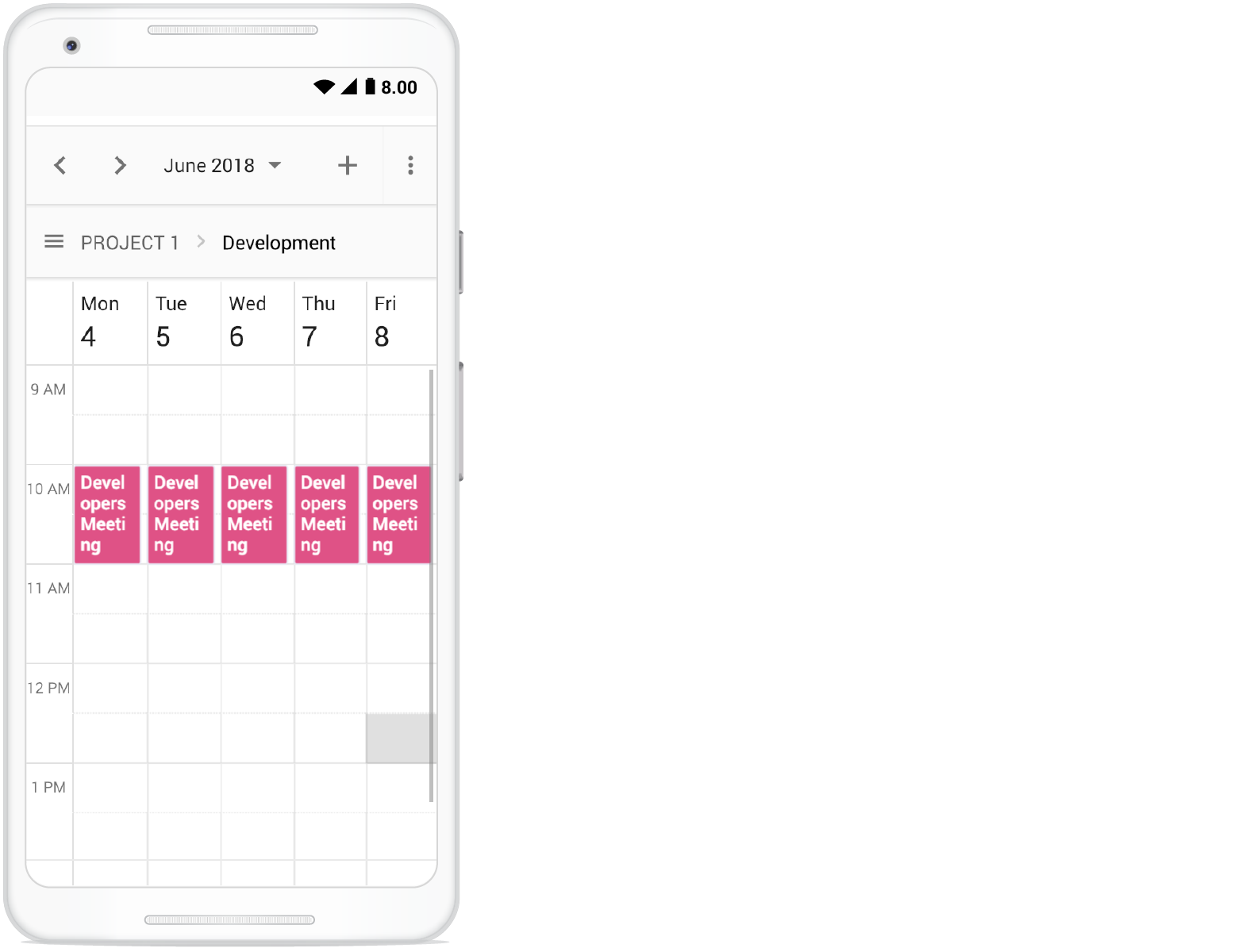
Clicking the menu icon before the resource text shows the resources available in the Scheduler as follows.
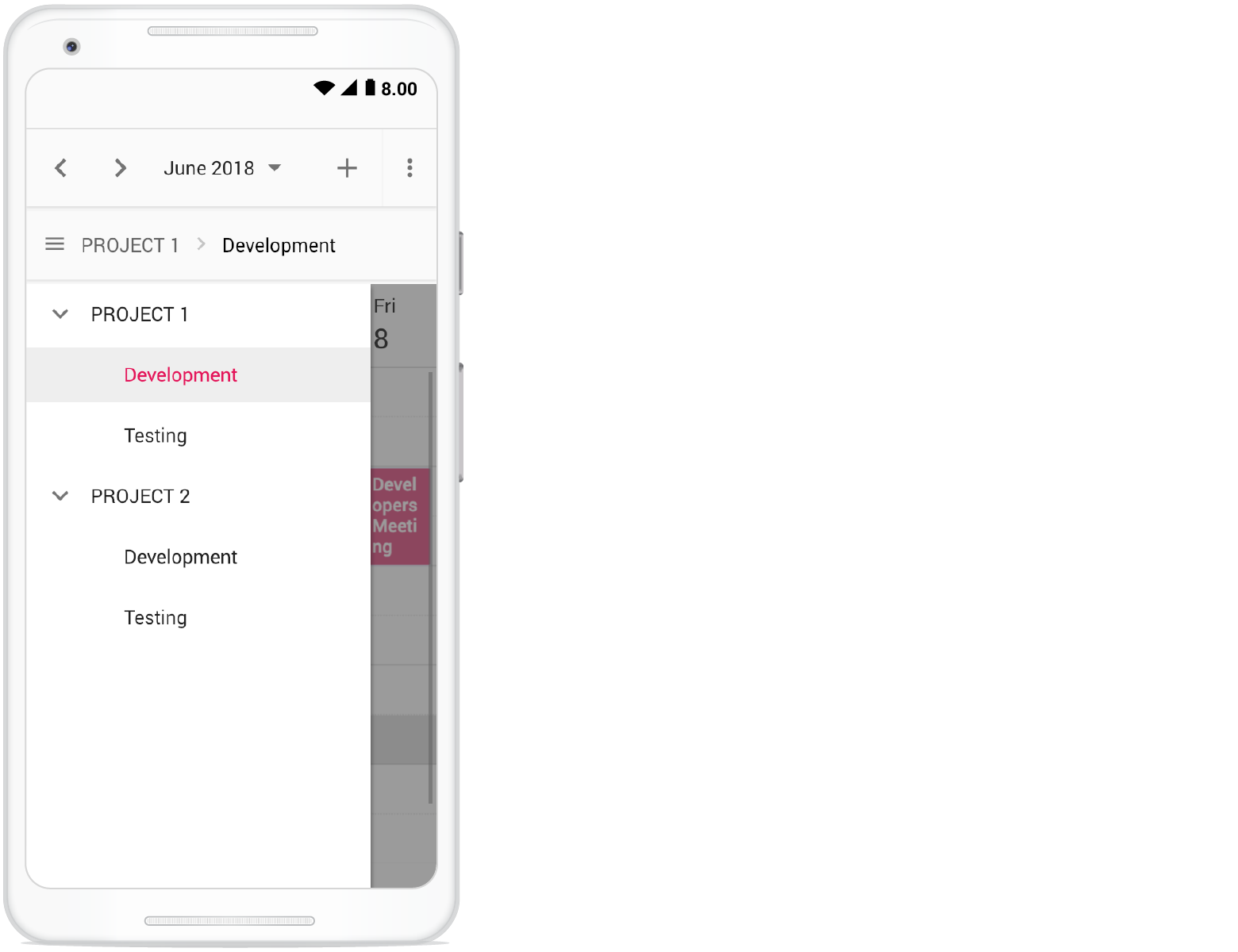
Adaptive UI in desktop
By default, the Scheduler layout adapts automatically to desktop and mobile devices with appropriate UI changes. If you want to display the adaptive Scheduler in desktop mode with adaptive enhancements, set the enableAdaptiveUI property to true. Enabling this option displays the exact mobile mode of the Scheduler view on desktop devices.
Some of the default changes made for compact Scheduler rendering on desktop devices are as follows:
- View options displayed in the Navigation drawer.
- Plus icon is added to the header for new event creation.
- Today icon is added to the header instead of the Today button.
- With Multiple resources – only one resource has been shown to enhance the view experience of resource events details clearly. To switch to other resources, there is a TreeView on the left that lists all other available resources, clicking on which will display that particular resource and its related events.
<template>
    <div id='app'>
        <div id='container'>
            <ejs-schedule ref="ScheduleObj" width='100%' height='650px' :selectedDate="selectedDate"
                :eventSettings="eventSettings" currentView="Month" :enableAdaptiveUI="enableAdaptiveUI" :group="group">
                <e-views>
                    <e-view option="Day"></e-view>
                    <e-view option="Week"></e-view>
                    <e-view option="Month"></e-view>
                </e-views>
                <e-resources>
                    <e-resource field='ProjectId' title='Choose Project' name='Projects'
                        :dataSource='projectResourceDataSource' textField='text' idField='id' colorField='color'>
                    </e-resource>
                    <e-resource field='TaskId' title='Employee' name='Employees' :dataSource='employeeDataSource'
                        :allowMultiple='allowMultiple' textField='text' idField='id' groupIDField='groupId'
                        colorField='color'>
                    </e-resource>
                </e-resources>
            </ejs-schedule>
        </div>
    </div>
</template>
<script setup>
import { provide } from "vue";
import { resourceData, timelineResourceData } from './datasource.js';
import { ScheduleComponent as EjsSchedule, ViewDirective as EView, ViewsDirective as EViews, ResourcesDirective as EResources, ResourceDirective as EResource, Day, Week, Month, DragAndDrop, Resize } from '@syncfusion/ej2-vue-schedule';

const eventSettings = {
    dataSource: generateData()
};
const selectedDate = new Date(2018, 3, 4);
const enableAdaptiveUI = true;
const allowMultiple = true;
const group = {
    resources: ['Projects', 'Employees']
};
const projectResourceDataSource = [
    { text: 'PROJECT 1', id: 1, color: '#cb6bb2' },
    { text: 'PROJECT 2', id: 2, color: '#56ca85' },
    { text: 'PROJECT 3', id: 3, color: '#df5286' }
];
const employeeDataSource = [
    { text: 'Nancy', id: 1, groupId: 1, color: '#df5286' },
    { text: 'Steven', id: 2, groupId: 1, color: '#7fa900' },
    { text: 'Robert', id: 3, groupId: 2, color: '#ea7a57' },
    { text: 'Smith', id: 4, groupId: 2, color: '#5978ee' },
    { text: 'Micheal', id: 5, groupId: 3, color: '#df5286' },
    { text: 'Root', id: 6, groupId: 3, color: '#00bdae' }
];

provide('schedule', [Day, Week, Month, DragAndDrop, Resize]);

const generateData = function () {
    var collections = [];
    var dataCollections = [resourceData, timelineResourceData];
    for (var i = 0; i < dataCollections.length; i++) {
        collections = collections.concat(dataCollections[i]);
    }
    return collections;
}

</script>
<style>
@import "../node_modules/@syncfusion/ej2-material3-theme/styles/schedule/index.css";
</style><template>
<div id='app'>
<div id='container'>
<ejs-schedule ref="ScheduleObj" width='100%' height='650px' :selectedDate="selectedDate"
:eventSettings="eventSettings" currentView="Month" :enableAdaptiveUI="enableAdaptiveUI" :group="group">
<e-views>
<e-view option="Day"></e-view>
<e-view option="Week"></e-view>
<e-view option="Month"></e-view>
</e-views>
<e-resources>
<e-resource field='ProjectId' title='Choose Project' name='Projects'
:dataSource='projectResourceDataSource' textField='text' idField='id' colorField='color'>
</e-resource>
<e-resource field='TaskId' title='Employee' name='Employees' :dataSource='employeeDataSource'
:allowMultiple='allowMultiple' textField='text' idField='id' groupIDField='groupId'
colorField='color'>
</e-resource>
</e-resources>
</ejs-schedule>
</div>
</div>
</template>
<script>
import { resourceData, timelineResourceData } from './datasource.js';
import { ScheduleComponent, ViewDirective, ViewsDirective, ResourcesDirective, ResourceDirective, Day, Week, Month, DragAndDrop, Resize } from '@syncfusion/ej2-vue-schedule';
export default {
name: "App",
components: {
"ejs-schedule": ScheduleComponent,
"e-views": ViewsDirective,
"e-view": ViewDirective,
"e-resources": ResourcesDirective,
"e-resource": ResourceDirective
},
data() {
return {
eventSettings: {
dataSource: this.generateData()
},
selectedDate: new Date(2018, 3, 4),
enableAdaptiveUI: true,
allowMultiple: true,
group: {
resources: ['Projects', 'Employees']
},
projectResourceDataSource: [
{ text: 'PROJECT 1', id: 1, color: '#cb6bb2' },
{ text: 'PROJECT 2', id: 2, color: '#56ca85' },
{ text: 'PROJECT 3', id: 3, color: '#df5286' }
],
employeeDataSource: [
{ text: 'Nancy', id: 1, groupId: 1, color: '#df5286' },
{ text: 'Steven', id: 2, groupId: 1, color: '#7fa900' },
{ text: 'Robert', id: 3, groupId: 2, color: '#ea7a57' },
{ text: 'Smith', id: 4, groupId: 2, color: '#5978ee' },
{ text: 'Micheal', id: 5, groupId: 3, color: '#df5286' },
{ text: 'Root', id: 6, groupId: 3, color: '#00bdae' }
],
}
},
provide: {
schedule: [Day, Week, Month, DragAndDrop, Resize]
},
methods: {
generateData: function () {
var collections = [];
var dataCollections = [resourceData, timelineResourceData];
for (var i = 0; i < dataCollections.length; i++) {
collections = collections.concat(dataCollections[i]);
}
return collections;
}
}
}
</script>
<style>
@import "../node_modules/@syncfusion/ej2-material3-theme/styles/schedule/index.css";
</style>For a complete overview of resource scheduling features, visit the Vue Scheduler feature tour page. Explore live examples at Vue Scheduler example to learn how to present and manipulate data.