Frequently Asked Questions in Vue Scheduler
This section provides solutions to common issues encountered while working with the Vue Scheduler component.
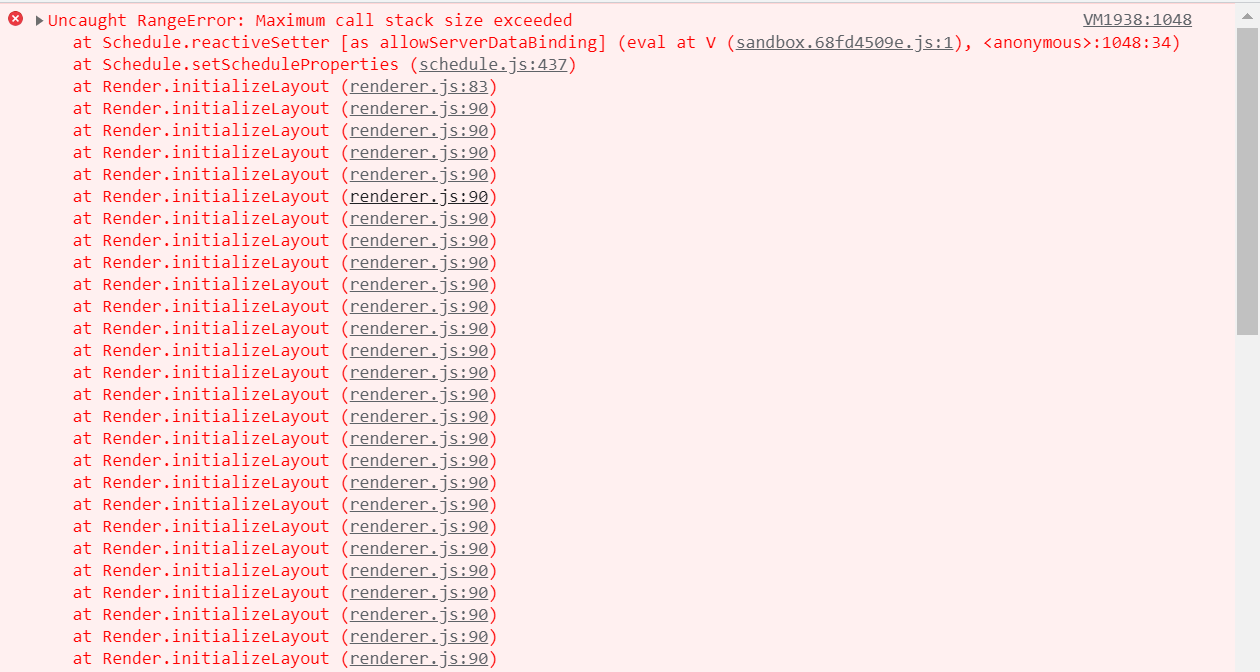
Maximum Call Stack Size Exceeded
Error Image:
Solution:
This error occurs when a view used in the Schedule component is not imported and injected. Each view, such as Day, TimelineWeek, TimelineMonth, and Agenda, must be injected before use. If a view is referenced without injection, the Schedule component throws a Maximum call stack size exceeded error.
In the following example, the Day view is used without injection, which results in the issue. Injecting the required view modules resolves the problem.
<template>
  <div>
    <div id="app">
      <div id="container">
        <ejs-schedule id="Schedule" width="100%" height="550px">
          <e-views>
            <e-view option="Day"></e-view>
            <e-view option="TimelineWeek"></e-view>
            <e-view option="TimelineMonth"></e-view>
            <e-view option="Agenda"></e-view>
          </e-views>
        </ejs-schedule>
      </div>
    </div>
  </div>
</template>

<script>
import Vue from "vue";
import {
  SchedulePlugin,
  TimelineViews,
  TimelineMonth,
  Agenda,
} from "@syncfusion/ej2-vue-schedule";
Grouping with Empty Resources
Grouping without providing any resource data will cause the following issues.
- Normal (vertical) views are rendered, but CRUD operations are not available.
- Timeline views do not render and show an empty scheduler table.
So, we suggest avoiding grouping with empty resources in the Scheduler.
Not providing e-field in editor template
Error: While using an editor template, the value of e-field is missing in the editor window.
Solution: The e-field attribute is mandatory for processing field values within the editor window. Refer to the detailed guidance in the editor template documentation here.
Missing CSS Reference
Error Image:
Solution:
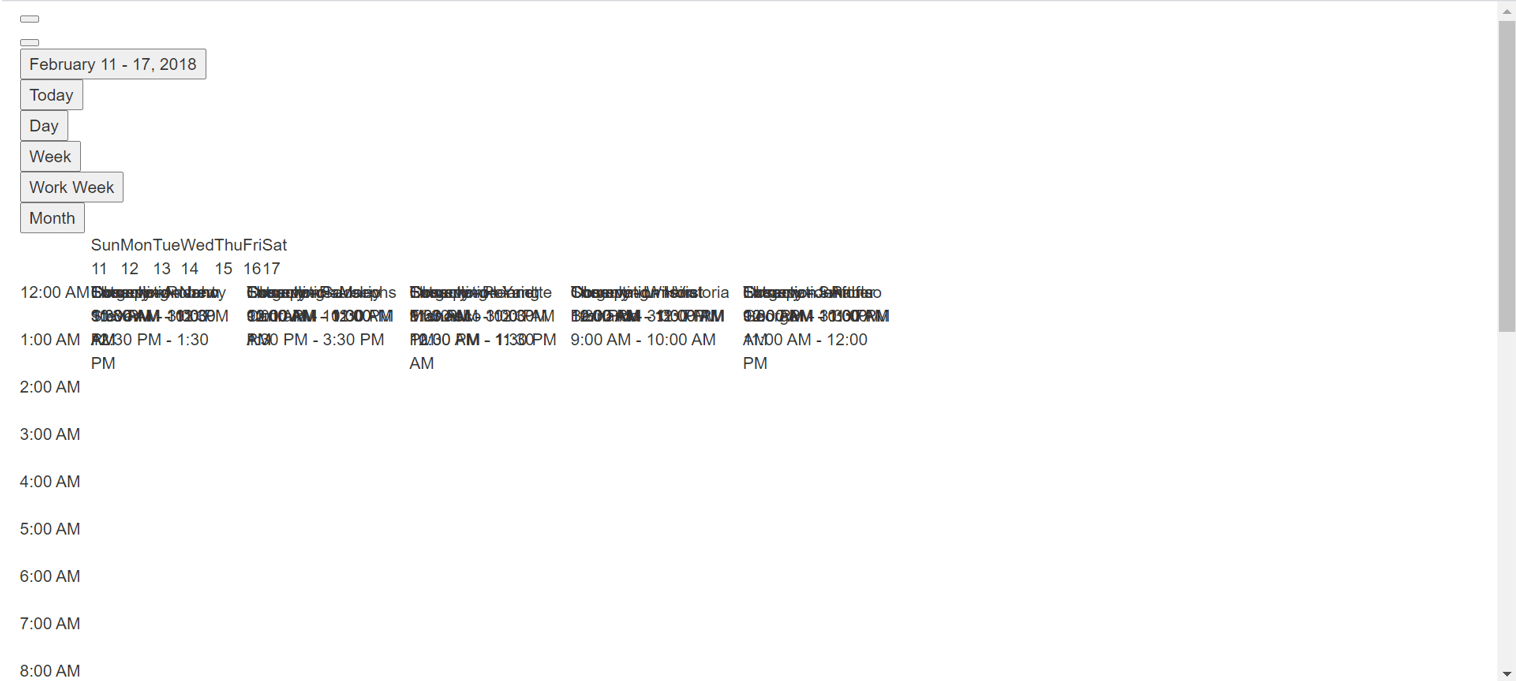
This issue occurs when the required CSS files for the Schedule component are not included. Adding the appropriate CSS references resolves the problem.
      <!-- scheduler CSS is referred from this link -->
<link href="https://cdn.syncfusion.com/ej2/tailwind3.css" rel="stylesheet">
                      or
      <!-- From here -->

<style>
@import "/node_modules/@syncfusion/ej2-tailwind3-theme/styles/schedule/index.css";
</style>
QuickInfoTemplate at bottom
When using the quickInfoTemplate in the Scheduler, the quick info popup may not be shown fully at the bottom area of the Scheduler. This can be resolved by using the cellClick and eventClick events, as shown in the following code snippet.
<template>
    <ejs-schedule
          id="Schedule"
          width="100%"
          height="550px"
          :cellClick="onClick"
          :eventClick="onClick"
        >
    </ejs-schedule>
</template>
 .
 .
var eventAdded = false;

methods: {
  onClick: function () {
    if (!this.eventAdded) {
      let popupInstance = document.querySelector('.e-quick-popup-wrapper').ej2_instances[0];
      popupInstance.open = () => {
        popupInstance.refreshPosition();
      };
      this.eventAdded = true;
    }
  }
}
Not Importing Culture Files When using Localization
Error Image:
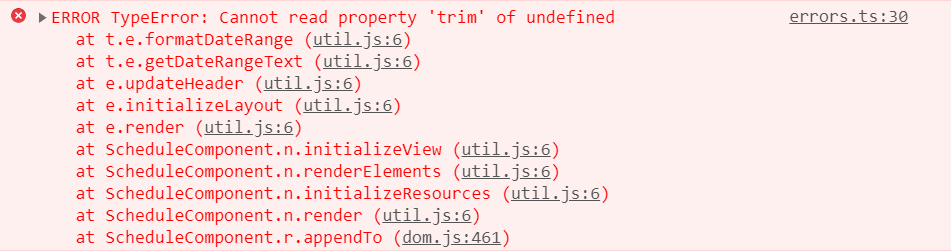
While using locale in the Scheduler, not importing the required culture files properly causes the problem.
Solution: Properly add and import the culture files such as numberingSystems, timeZoneNames, loadCldr, and L10n in your project to resolve the problem.
import { loadCldr, L10n } from '@syncfusion/ej2-base';
import enNumberData from '@syncfusion/ej2-cldr-data/main/en-GB/numbers.json';
import entimeZoneData from '@syncfusion/ej2-cldr-data/main/en-GB/timeZoneNames.json';
import enGregorian from '@syncfusion/ej2-cldr-data/main/en-GB/ca-gregorian.json';
import enNumberingSystem from '@syncfusion/ej2-cldr-data/supplemental/numberingSystems.json';

loadCldr(frNumberData, frtimeZoneData, frGregorian, frNumberingSystem);

L10n.load({
  'en-GB': {
    schedule: {
      day: 'Day',
      week: 'Week',
      workWeek: 'Work Week',
      month: 'Month'
      }
    }
  });