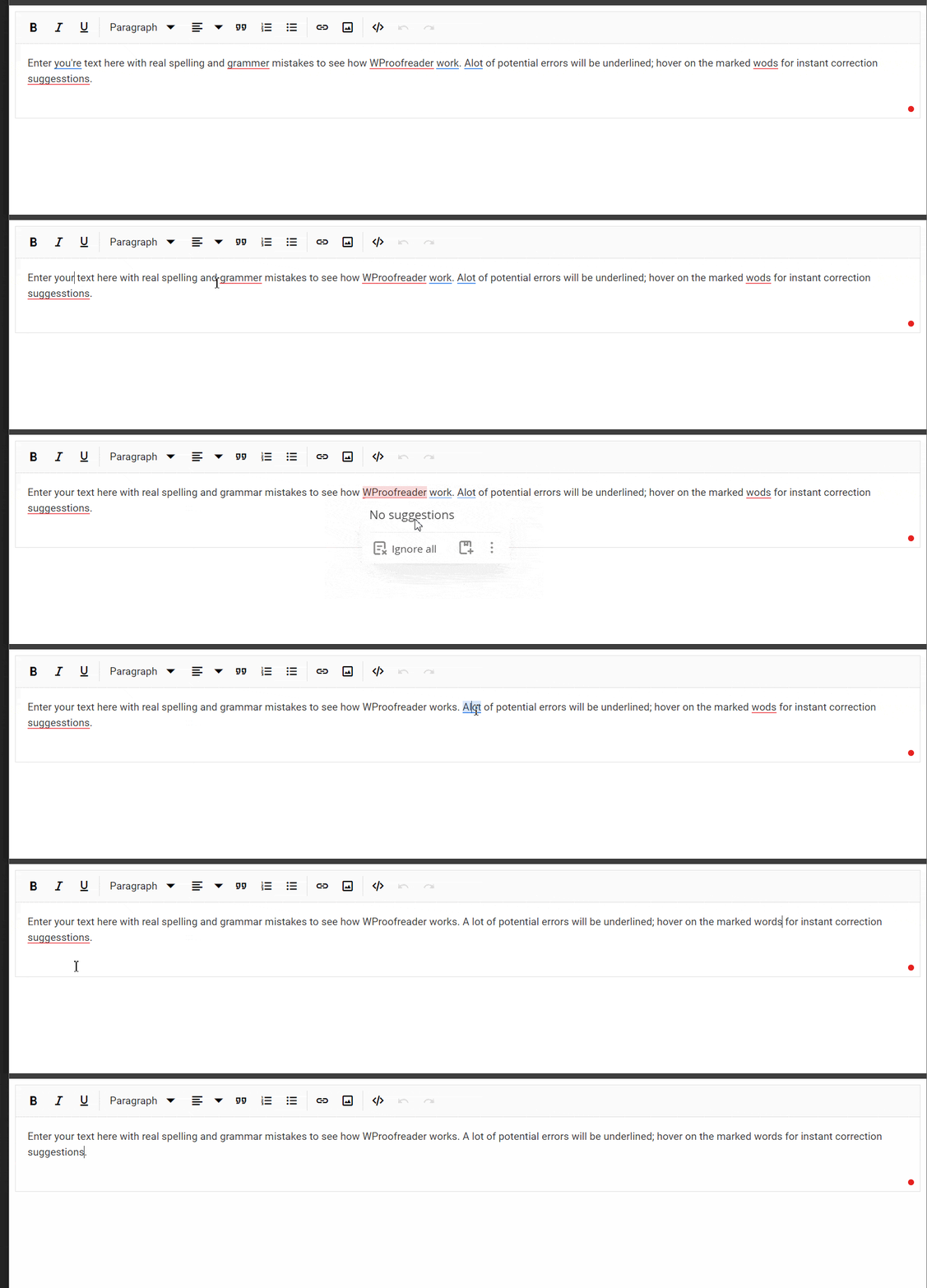
Integrate WProofreader into the TypeScript Rich Text Editor control
18 Nov 20181 minute to read
WProofreader is a powerful tool that enhances content quality by detecting and correcting spelling and grammar errors in real-time as users type. This functionality significantly improves the professionalism of your content and ensures error-free text.
Key Features of WProofreader:
-
Real-time Spell Checking: Instantly detects spelling mistakes as users type, providing immediate corrections and suggestions.
-
Multilingual Support: Supports multiple languages, allowing users to check and correct text in different language contexts.
-
Customization Options: Users can customize dictionary settings, add specific terms, and adjust spell-checking rules to match their writing style and requirements.
-
Integration Capabilities: Seamlessly integrates with various content management systems (CMS) and applications, enhancing editing workflows without requiring users to leave their editing environment.
Set up the WProofreader
For integrating the WProofreader refer the following link : WebSpellChecker, you need to install the @webspellchecker/wproofreader-sdk-js package using NPM or Yarn:
npm install @webspellchecker/wproofreader-sdk-js

Or

yarn add @webspellchecker/wproofreader-sdk-js
Configure WProofreader for Rich Text Editor
After installing the package, you can integrate WProofreader with the Rich Text Editor by following these steps:
- Import the WProofreader module into your JavaScript file.
- Configure the
containerproperty of WProofreader as the editable element of the Rich Text Editor’s inputElement. - Access the Rich Text Editor instance.
- Set the
langproperty to specify the language of the text to be checked. - Configure the activation key in the
serviceIdproperty.
Below is an example code snippet to integrate WProofreader with the Rich Text Editor:
Below is a GIF demonstrating how to integrate WProofreader with the Rich Text Editor.