Code Blocks in ASP.NET Core Block Editor control
18 Nov 20188 minutes to read
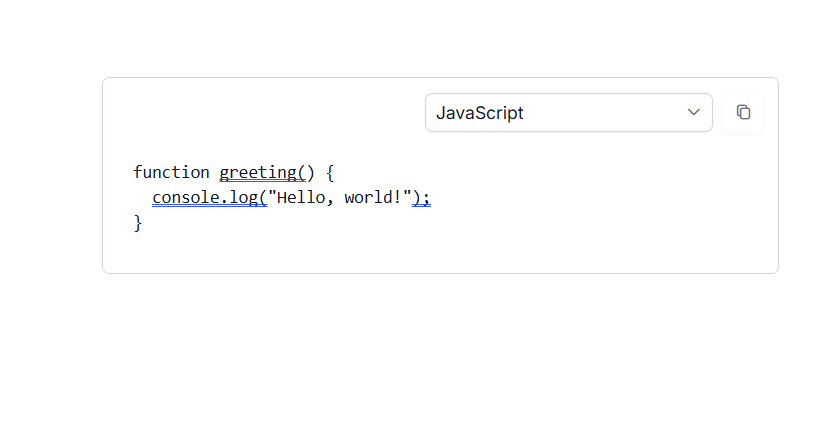
You can render Code blocks by setting the blockType property as Code. By setting the properties property, you can configure the default language. The default language is plainText.
Global Code Settings
You can configure global settings for code blocks using the CodeBlockSettings property in the Block Editor root configuration. This ensures consistent behavior for syntax highlighting and language options across all code blocks.
The CodeBlockSettings property supports the following options:
| Property | Description | Default Value |
|---|---|---|
languages |
Specifies the array of language options for syntax highlighting. | [] |
defaultLanguage |
Defines the default language to use for syntax highlighting. | ‘plaintext’ |
Each language object in the languages array should have:
-
language: The language value used for syntax highlighting -
label: The display name shown in the language selector
Configure code properties
For Individual Code blocks, you can configure default language using the properties property in the block model.
The property supports the following options:
| Property | Description | Default Value |
|---|---|---|
| language | The default language to use for syntax highlighting | ’’ |
Below example illustrates how to render the code block in the Block Editor.
@using Syncfusion.EJ2.BlockEditor

<div id='blockeditor-container'>
    <ejs-blockeditor id="block-editor" blocks="@ViewBag.BlocksData"></ejs-blockeditor>
</div>

<style>
    #blockeditor-container {
        margin: 20px auto;
    }
</style>
using Syncfusion.EJ2.BlockEditor;
public List<BlockModel> BlocksData { get; set; } = new List<BlockModel>();
public class BlockModel
{
public string id { get; set; }
public string blockType { get; set; }
public object properties { get; set; }
public List<object> content { get; set; }
}
public class CodeBlockSettingsModel
{
public string defaultLanguage { get; set; }
public List<object> languages { get; set; }
}
public ActionResult Code()
{
BlocksData.Add(new BlockModel()
{
blockType = "Code",
content = new List<object>()
{
new
{
contentType = "Text",
content = "function greeting() {\n console.log(\"Hello, world!\");\n}"
}
}
});
var codeBlockSettings = new CodeBlockSettingsModel
{
defaultLanguage = "javascript",
languages = new List<object>
{
new
{
label = "JavaScript",
language = "javascript"
},
new
{
label = "TypeScript",
language = "typescript"
},
new
{
label = "HTML",
language = "html"
},
new
{
label = "CSS",
language = "css"
}
}
};
ViewBag.BlocksData = BlocksData;
ViewBag.CodeBlocksData = codeBlockSettings;
return View();
}