Looping Support in .NET MAUI Time Picker (SfTimePicker)
21 Jul 20263 minutes to read
The EnableLooping property allows you to enable looping support in the Time Picker control. With looping enabled, the control seamlessly navigates from the last item to the first item and back again, iterating in both forward and backward directions.
To enable looping in the Time Picker, set the EnableLooping property to true. The default value is false.
<ContentPage xmlns="http://schemas.microsoft.com/dotnet/2021/maui"
             xmlns:x="http://schemas.microsoft.com/winfx/2009/xaml"
             xmlns:picker="clr-namespace:Syncfusion.Maui.Picker;assembly=Syncfusion.Maui.Picker">
    <picker:SfTimePicker x:Name="timePicker"
                         EnableLooping="True"/>
</ContentPage>
using Syncfusion.Maui.Picker;
. . .
SfTimePicker timePicker = new SfTimePicker()
{
EnableLooping = true,
};
this.Content = timePicker;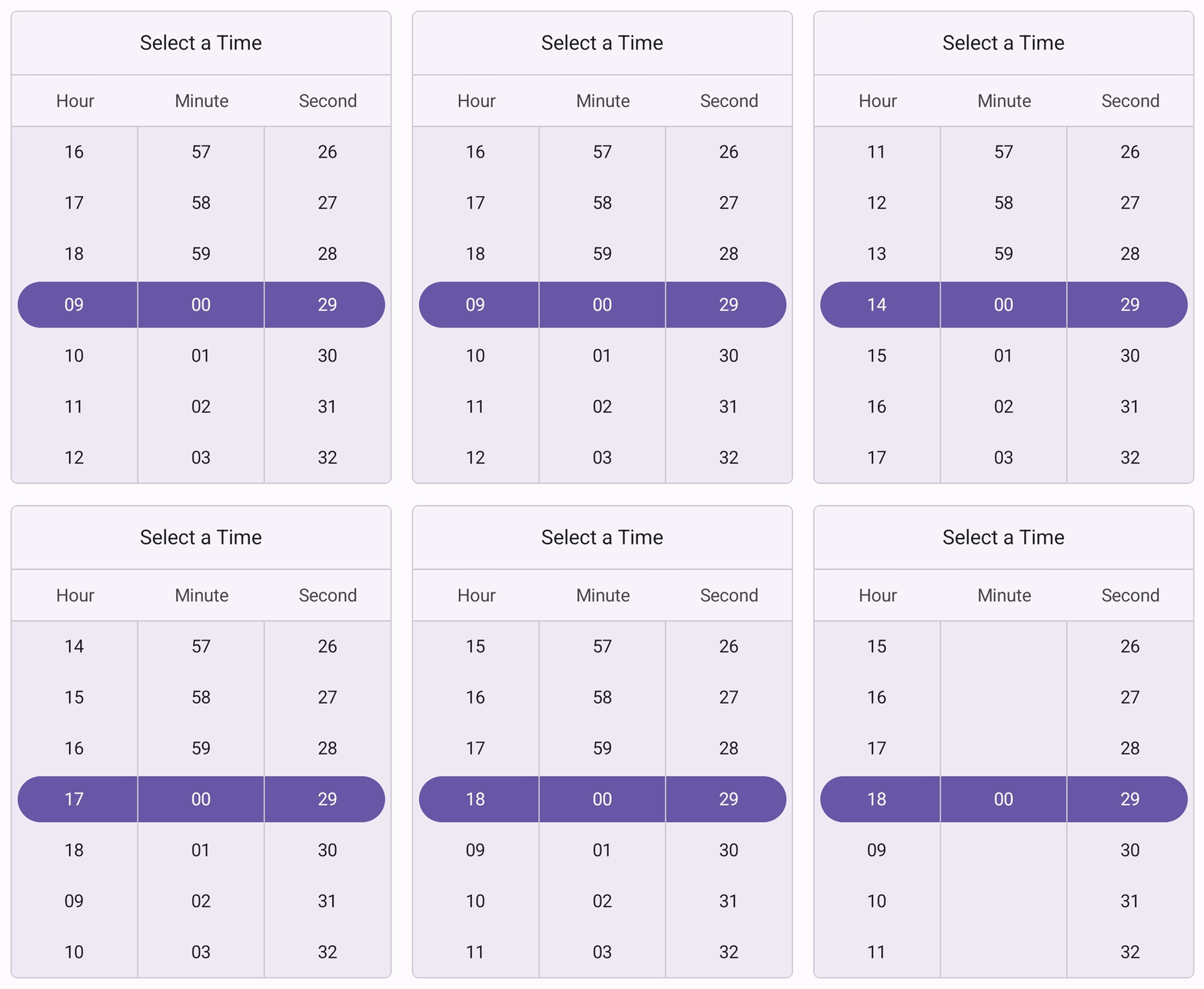
Set selected time to the Time Picker
The SfTimePicker control allows you to select the time using the SelectedTime property, which is a nullable TimeSpan?. The default value is the current local time (DateTime.Now.TimeOfDay).
<ContentPage xmlns="http://schemas.microsoft.com/dotnet/2021/maui"
             xmlns:x="http://schemas.microsoft.com/winfx/2009/xaml"
             xmlns:picker="clr-namespace:Syncfusion.Maui.Picker;assembly=Syncfusion.Maui.Picker">
    <picker:SfTimePicker x:Name="picker"
                         SelectedTime="07:22:01">
    </picker:SfTimePicker>
</ContentPage>
using Syncfusion.Maui.Picker;
. . .
SfTimePicker picker = new SfTimePicker()
{
SelectedTime = new TimeSpan(7, 22, 1),
};
this.Content = picker;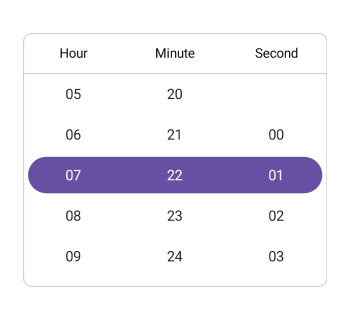
Clear selection
The .NET MAUI Time Picker provides clear selection support, allowing you to clear the selected time by setting the SelectedTime property to null.
<ContentPage xmlns="http://schemas.microsoft.com/dotnet/2021/maui"
             xmlns:x="http://schemas.microsoft.com/winfx/2009/xaml"
             xmlns:picker="clr-namespace:Syncfusion.Maui.Picker;assembly=Syncfusion.Maui.Picker">
    <picker:SfTimePicker x:Name="picker" />
</ContentPage>
public partial class MainPage : ContentPage
{
public MainPage()
{
InitializeComponent();
this.picker.SelectedTime = null;
}
}