Appearance in .NET MAUI Sunburst Chart
18 Nov 20186 minutes to read
The appearance of the SfSunburstChart can be customized using properties such as Title, Angle, Radius, Inner radius, and Stroke, which allow you to enhance the visual presentation of your application.
Prerequisite: Ensure that the required NuGet package is installed, the necessary namespaces are imported, and the Sunburst Chart control is properly configured in your application. For detailed setup and configuration instructions, refer to the Getting Started guide.
Add a Title
The title of the sunburst chart provides quick information to the user about the data being plotted in the chart. The Title property accepts a View and is used to set a title for the sunburst chart. The following example uses a Label as the title within a ContentPage.
<sunburst:SfSunburstChart>
    <sunburst:SfSunburstChart.Title>
        <Label Text="Employees Count"/>
    </sunburst:SfSunburstChart.Title>
    <!-- code omitted for brevity -->
</sunburst:SfSunburstChart>
SfSunburstChart sunburst = new SfSunburstChart();
sunburst.Title = new Label()
{
Text = "Employees Count"
};
// code omitted for brevity
this.Content = sunburst;Angle
The start angle and end angle of the sunburst chart can be adjusted by using the StartAngle and EndAngle properties. The default values are StartAngle = 0 and EndAngle = 360. Angles are measured clockwise starting from the right-middle edge of the chart (the 3 o’clock position), which is defined as 0°.
<sunburst:SfSunburstChart ItemsSource="{Binding DataSource}"
                          StartAngle="180"
                          EndAngle="360"
                          ValueMemberPath="EmployeesCount">
    <!-- code omitted for brevity -->
</sunburst:SfSunburstChart>
SfSunburstChart sunburst = new SfSunburstChart();
sunburst.ItemsSource = (new SunburstViewModel()).DataSource;
sunburst.StartAngle = 180;
sunburst.EndAngle = 360;
sunburst.ValueMemberPath = "EmployeesCount";
// code omitted for brevity
this.Content = sunburst;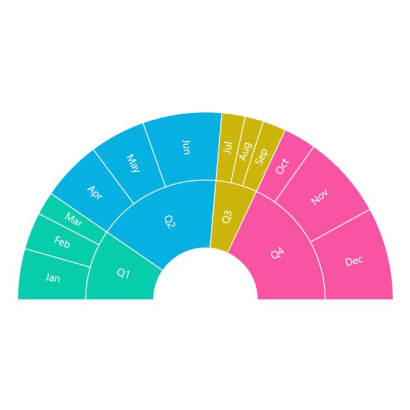
Radius
The sunburst chart allows you to customize the radius by using the Radius property. The default value of this property is 0.9, and the value ranges from 0 to 1. To maintain a valid chart layout, the Radius value should be greater than the InnerRadius value.
<sunburst:SfSunburstChart ItemsSource="{Binding DataSource}"
                          Radius="0.7"
                          ValueMemberPath="EmployeesCount">
    <!-- code omitted for brevity -->
</sunburst:SfSunburstChart>
SfSunburstChart sunburst = new SfSunburstChart();
sunburst.ItemsSource = (new SunburstViewModel()).DataSource;
sunburst.Radius = 0.7;
sunburst.ValueMemberPath = "EmployeesCount";
// code omitted for brevity
this.Content = sunburst;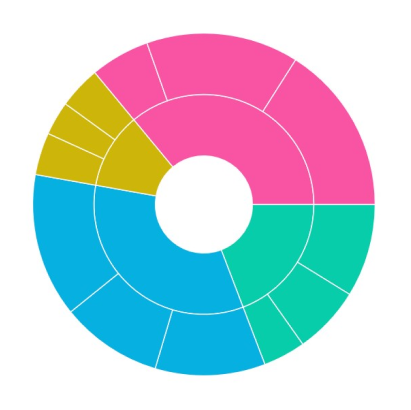
Inner radius
The sunburst chart allows you to customize the inner radius by using the InnerRadius property. The default value of this property is 0.25, and the value ranges from 0 to 1. Ensure the InnerRadius value is less than the Radius value; otherwise, the chart layout may not render as expected.
<sunburst:SfSunburstChart ItemsSource="{Binding DataSource}"
                          InnerRadius="0.4"
                          ValueMemberPath="EmployeesCount">
    <!-- code omitted for brevity -->
</sunburst:SfSunburstChart>
SfSunburstChart sunburst = new SfSunburstChart();
sunburst.ItemsSource = (new SunburstViewModel()).DataSource;
sunburst.InnerRadius = 0.4;
sunburst.ValueMemberPath = "EmployeesCount";
// code omitted for brevity
this.Content = sunburst;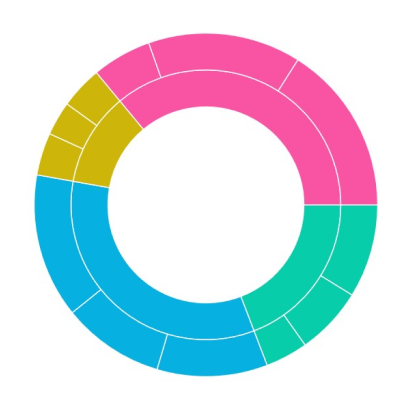
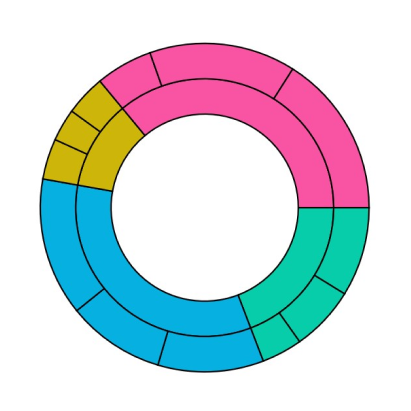
Stroke
Stroke color and stroke width of the sunburst chart can be customized by using the Stroke and StrokeWidth properties respectively. The Stroke is applied to all segments across all levels of the chart. The default value of StrokeWidth is 1, and the default Stroke is White.
<sunburst:SfSunburstChart ItemsSource="{Binding DataSource}"
                          Stroke="Black"
                          StrokeWidth="2"
                          ValueMemberPath="EmployeesCount">
    <!-- code omitted for brevity -->
</sunburst:SfSunburstChart>
SfSunburstChart sunburst = new SfSunburstChart();
sunburst.ItemsSource = (new SunburstViewModel()).DataSource;
sunburst.Stroke = Colors.Black;
sunburst.StrokeWidth = 2;
sunburst.ValueMemberPath = "EmployeesCount";
// code omitted for brevity
this.Content = sunburst;