Drill Down in .NET MAUI Sunburst Chart
18 Nov 20184 minutes to read
Drill-down provides better visualization of hierarchical data by allowing large datasets to be visualized as simplified views. Users can drill down into each segment level. The Sunburst Chart provides animation along with drill-down support. Double-tapping (or double-clicking) a segment initiates the drill-down operation. A toolbar is enabled during drill-down, allowing zoom-back and reset operations.
Prerequisite: Ensure that the required NuGet package is installed, the necessary namespaces are imported, and the Sunburst Chart control is properly configured in your application. For detailed setup and configuration instructions, refer to the Getting Started guide.
Enable Drill Down
To enable this feature, set the EnableDrillDown property to true in SfSunburstChart. Drill-down requires the chart to be bound to hierarchical data using the ItemsSource, ValueMemberPath, and Levels properties. By default, the EnableDrillDown property is set to false.
<sunburst:SfSunburstChart EnableDrillDown="True">
    <!-- code omitted for brevity -->
</sunburst:SfSunburstChart>
SfSunburstChart sunburst = new SfSunburstChart();
sunburst.EnableDrillDown = true;
// code omitted for brevity
this.Content = sunburst;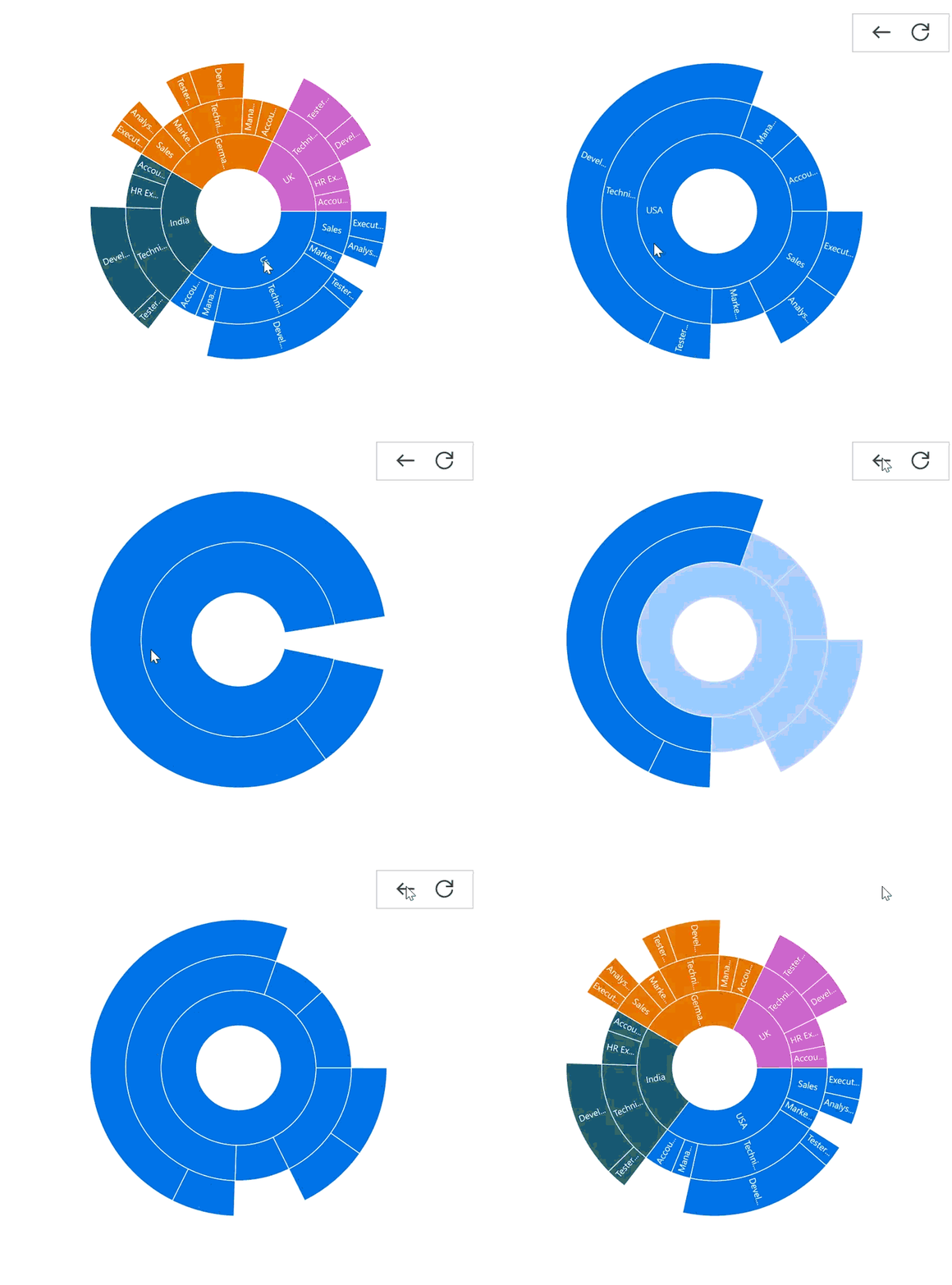
Toolbar Alignment
The vertical and horizontal alignments of the toolbar can be customized using the VerticalAlignment and HorizontalAlignment properties of the SunburstToolbarSettings class. The default value for both properties is Start.
Both alignment properties use the SunburstToolbarAlignment enum with the following values:
- Start: Aligns the toolbar to the top (vertical) or left (horizontal) of the chart plot area.
- Center: Aligns the toolbar to the center of the chart plot area.
- End: Aligns the toolbar to the bottom (vertical) or right (horizontal) of the chart plot area.
<sunburst:SfSunburstChart EnableDrillDown="True">
    <sunburst:SfSunburstChart.ToolbarSettings>
        <sunburst:SunburstToolbarSettings HorizontalAlignment="End"
                                          VerticalAlignment="End"/>
    </sunburst:SfSunburstChart.ToolbarSettings>
    <!-- code omitted for brevity -->
</sunburst:SfSunburstChart>
SfSunburstChart sunburst = new SfSunburstChart();
sunburst.EnableDrillDown = true;
// code omitted for brevity
SunburstToolbarSettings toolbarSettings = new SunburstToolbarSettings()
{
HorizontalAlignment = SunburstToolbarAlignment.End,
VerticalAlignment = SunburstToolbarAlignment.End
};
sunburst.ToolbarSettings = toolbarSettings;
this.Content = sunburst;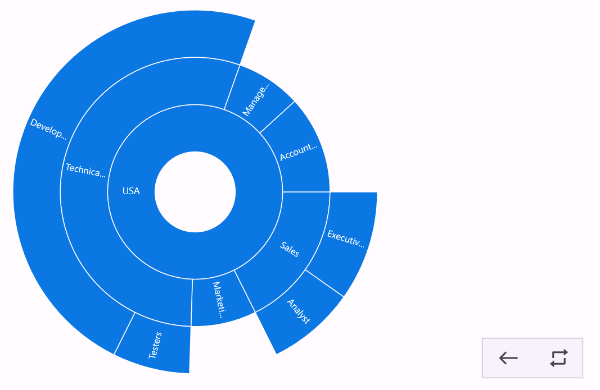
Toolbar Positioning
The toolbar’s position within the Sunburst Chart can be adjusted both horizontally and vertically using the OffsetX and OffsetY properties of the SunburstToolbarSettings class. Values are specified in pixels; negative OffsetX values move the toolbar to the left, and positive OffsetY values move it downward.
<sunburst:SfSunburstChart EnableDrillDown="True">
    <sunburst:SfSunburstChart.ToolbarSettings>
        <sunburst:SunburstToolbarSettings OffsetX="-50" OffsetY="200"/>
    </sunburst:SfSunburstChart.ToolbarSettings>
    <!-- code omitted for brevity -->
</sunburst:SfSunburstChart>
SfSunburstChart sunburst = new SfSunburstChart();
sunburst.EnableDrillDown = true;
// code omitted for brevity
SunburstToolbarSettings toolbarSettings = new SunburstToolbarSettings()
{
OffsetX = -50,
OffsetY = 200
};
sunburst.ToolbarSettings = toolbarSettings;
this.Content = sunburst;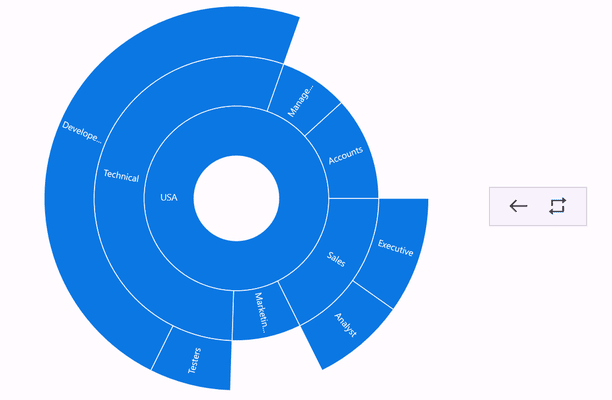
Toolbar Customization
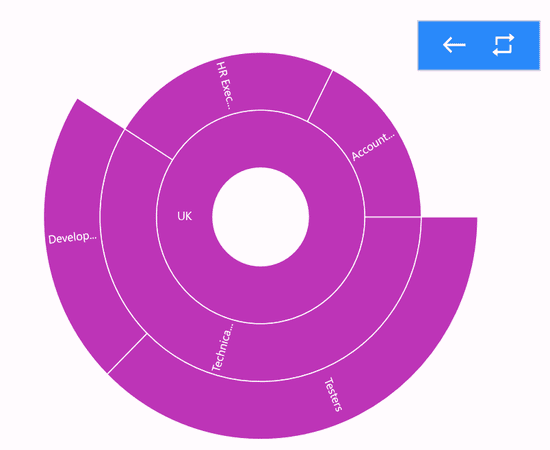
The appearance of the drill-down toolbar in the Sunburst Chart can be customized using the following properties of the SunburstToolbarSettings class:
-
IconBrush, of type
Brush, indicates the brush used to style the icons within the drill-down toolbar. -
Background, of type
Brush, indicates the background brush of the drill-down toolbar.
<sunburst:SfSunburstChart EnableDrillDown="True">
    <sunburst:SfSunburstChart.ToolbarSettings>
        <sunburst:SunburstToolbarSettings IconBrush="White" Background="#2989F9"/>
    </sunburst:SfSunburstChart.ToolbarSettings>
    <!-- code omitted for brevity -->
</sunburst:SfSunburstChart>
SfSunburstChart sunburst = new SfSunburstChart();
sunburst.EnableDrillDown = true;
// code omitted for brevity
SunburstToolbarSettings toolbarSettings = new SunburstToolbarSettings()
{
IconBrush = Colors.White,
Background = Color.FromArgb("#2989F9")
};
sunburst.ToolbarSettings = toolbarSettings;
this.Content = sunburst;