AutoSize in .NET MAUI Rich Text Editor
The .NET MAUI Rich Text Editor control can dynamically change its height to fit the content by setting the EnableAutoSize property to True.
By default, EnableAutoSize is False. In this state, the SfRichTextEditor maintains a fixed height based on the HeightRequest value, the parent layout’s constraints, or the control’s default height — in that order of precedence. Content that exceeds this height is scrolled within the editor, and the control does not resize.
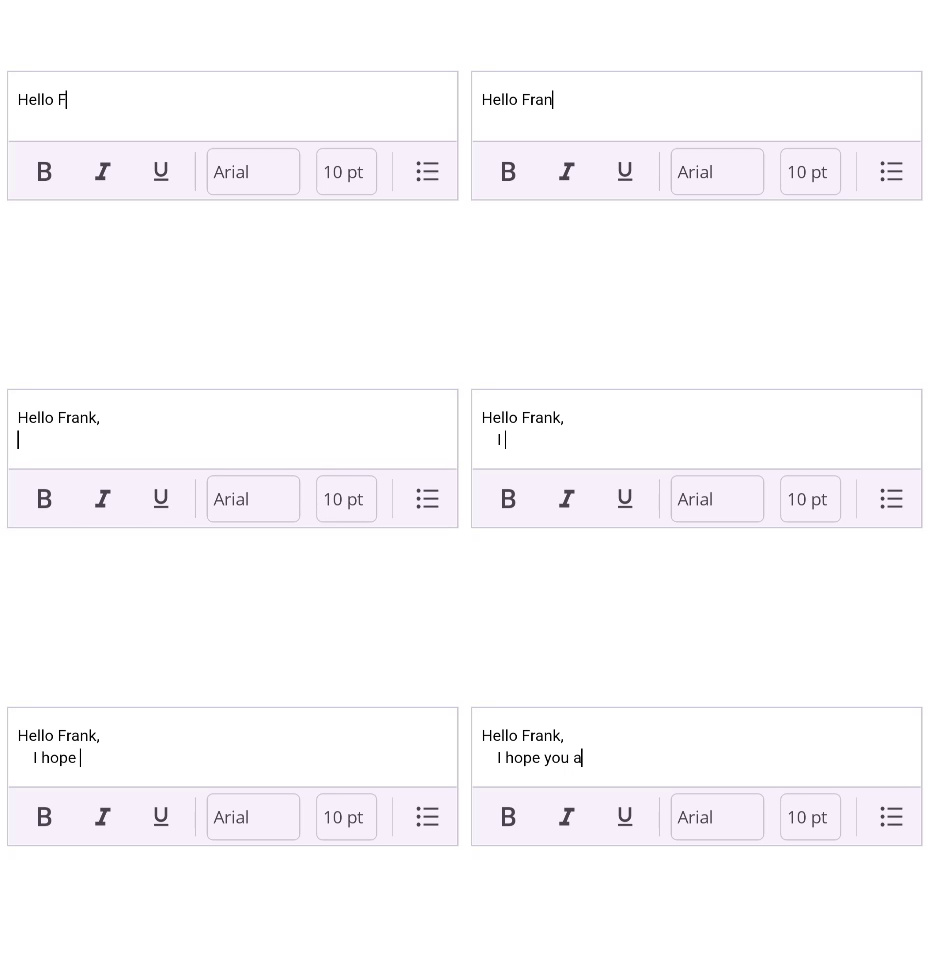
When EnableAutoSize is active, the editor’s height will grow or shrink as content is added or removed. For the best results, place the editor within a layout that can accommodate its changing height, such as a VerticalStackLayout.
The following example demonstrates how to place an auto-sizing SfRichTextEditor inside a VerticalStackLayout.
xmlns:richTextEditor="clr-namespace:Syncfusion.Maui.RichTextEditor;assembly=Syncfusion.Maui.RichTextEditor"

<VerticalStackLayout>
    <richTextEditor:SfRichTextEditor x:Name="richTextEditor"
                          EnableAutoSize="True"/>
</VerticalStackLayout>
using Syncfusion.Maui.RichTextEditor;
VerticalStackLayout verticalStackLayout = new VerticalStackLayout();
SfRichTextEditor richTextEditor = new SfRichTextEditor();
richTextEditor.EnableAutoSize = true;
verticalStackLayout.Children.Add(richTextEditor);
this.Content = verticalStackLayout;The editor will now automatically resize to match the content’s height.
NOTE
When using
EnableAutoSize, it is recommended not to set theHeightRequestproperty on theSfRichTextEditor, as this may interfere with the automatic resizing behavior. Setting theWidthRequestproperty does not affect auto-sizing, sinceEnableAutoSizeonly adjusts the editor’s height to fit its content.