Downloading Syncfusion® .NET MAUI Mac installer
15 Jul 20262 minutes to read
Applies to: Syncfusion® Essential Studio® .NET MAUI Mac installer on macOS.
The Syncfusion® .NET MAUI Mac installer can be downloaded from the Syncfusion website. You can either download the licensed installer or try our trial installer, depending on your license.
- Trial Installer
- Licensed Installer
Download the trial version
Our 30-day trial can be downloaded in two ways:
- Download the Free Trial Setup.
- Start a trial if you are using components through NuGet.org.
Download free trial setup
- Visit the Download Free Trial page and select the .NET MAUI platform to evaluate our 30-day free trial.
-
After completing the required form or signing in with your registered Syncfusion® account, you can download the .NET MAUI trial installer from the confirmation page (as shown in the screenshot below).
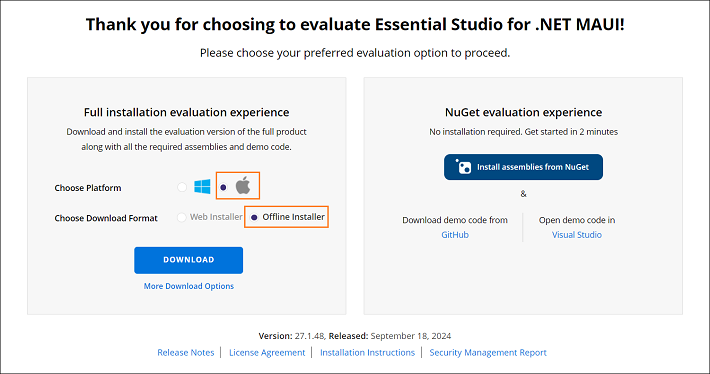
- With a trial license, only the latest version’s trial installer can be downloaded.
- An unlock key is not required to install the Syncfusion® .NET MAUI Mac trial installer.
-
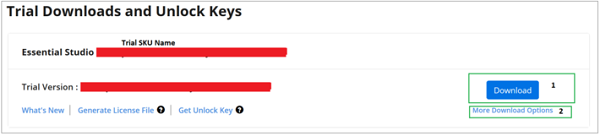
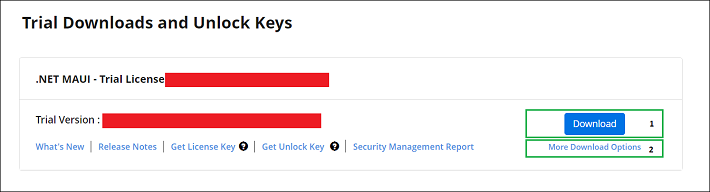
Before the trial expires, download the trial installer at any time from your registered account’s Trials & Downloads page (as shown in the screenshot below).
-
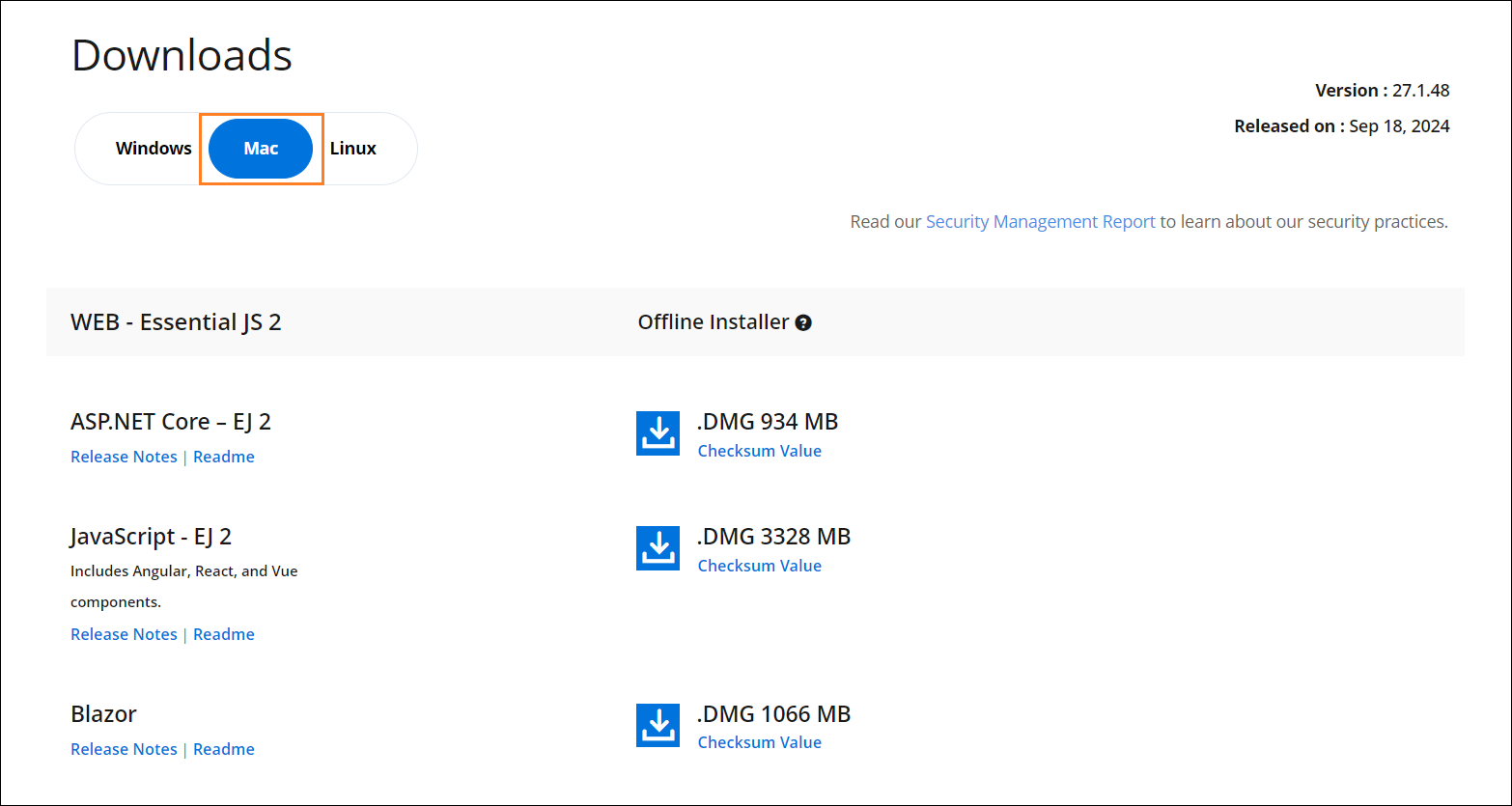
Click More Download Options (element 2 in the screenshot above) to get the Essential Studio® .NET MAUI Offline trial installer, which is available in DMG format.
Start trials if using components through NuGet.org
You should initiate an evaluation if you have already obtained our components through NuGet.org.
-
Start your 30-day free trial for .NET MAUI from the Start Trial page in your account.
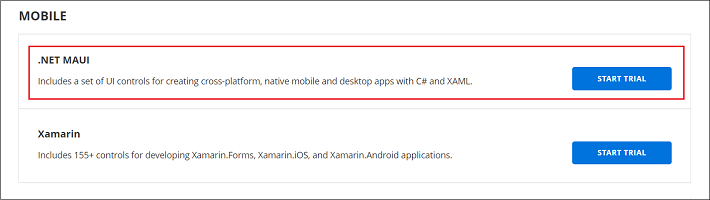
- To access this page, you must sign up or sign in with your Syncfusion® account.
-
Begin your trial by selecting the .NET MAUI product.
If you have already used a trial for a product and it has not expired, you will not be able to start a new trial for the same product.
-
After starting the trial, go to the Trials & Downloads page to get the latest version trial installer. You can generate the unlock key and license key at any time before the trial period expires (as shown in the screenshot below).
- You can find your current active trial products on the Trials & Downloads page.
Download the license version
- Syncfusion® licensed products are available on the License & Downloads page under your registered Syncfusion® account.
- View all the licenses (both active and expired) associated with your account.
- Download the .NET MAUI Mac licensed installer by going to More Download Options (element 3 in the screenshot below).
- An unlock key is not required to install the Syncfusion® .NET MAUI Mac licensed installer.
-
For macOS, the DMG format is available for download.
For step-by-step installation guidelines, see Installing the .NET MAUI Mac installer.