Annotations in .NET MAUI Diagram
18 Nov 20188 minutes to read
Annotation is used to textually represent an object with a string that can be edited at run time on the nodes and connectors. They help describe diagram elements and improve the readability of a diagram.
The Diagram control supports two annotation types:
- Node annotations – Use ShapeAnnotation for nodes.
- Connector annotations – Use PathAnnotation for connectors.
Annotations can be customized using the TextStyle class and alignment options.
Note: The
TextAlignproperty onTextStyleand theTextDecorationproperty onTextStyleare scheduled for a future release. They are not available in the current package version.
Prerequisites
Refer to the Getting started page to create a project, install the package, and register the handler. Annotation examples assume that the host node or connector has been assigned to an SfDiagram instance.
Node annotations
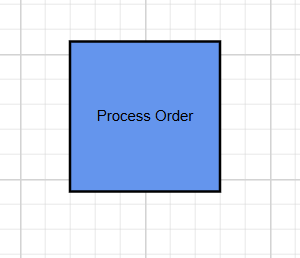
Node annotations display text within or around a node. They are added through the Node.Annotations collection.
using Syncfusion.Maui.Diagram;

Node node = new Node
{
    Id = "ProcessNode",
    OffsetX = 200,
    OffsetY = 150,
    Width = 120,
    Height = 60
};

node.Annotations.Add(
    new ShapeAnnotation
    {
        Content = "Process Order"
    });
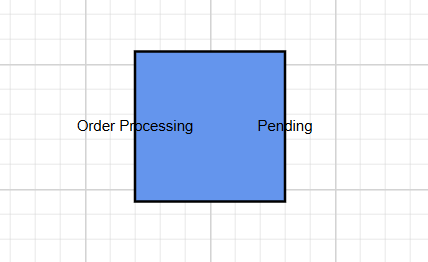
Multiple annotation
A node can contain multiple annotations:
node.Annotations.Add(
    new ShapeAnnotation
    {
        Id = "title",
        Content = "Order Processing",
        Offset = new DiagramPoint(0, 0.5),
    });

node.Annotations.Add(
    new ShapeAnnotation
    {
        Id = "status",
        Content = "Pending",
        Offset = new DiagramPoint(1, 0.5),
    });
Connector annotations
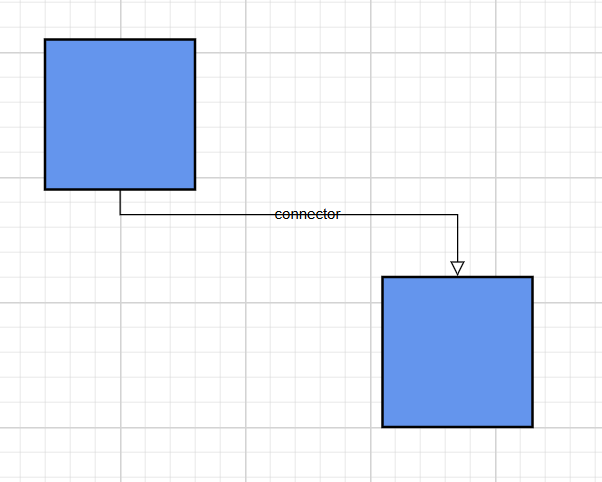
Connector annotations display text along a connector path. They are added through the Connector.Annotations collection.
var connector = new Connector
{
    Id = "connector1",
    SourceID = "node1",
    TargetID = "node2"
};

connector.Annotations.Add(
    new PathAnnotation
    {
        Content = "connector"
    });
—
Annotation properties
The following properties apply to both ShapeAnnotation and PathAnnotation.
| Property | Description |
|---|---|
| Id | Unique identifier for the annotation. |
| Content | Display text for the annotation. |
| Style | Text style based on the TextStyle class. |
| Offset | Position of the annotation. Node annotations use node-relative coordinates; connector annotations use path-relative coordinates. |
| HorizontalAlignment | Horizontal alignment through the AnnotationHorizontalAlignment enumeration. |
| VerticalAlignment | Vertical alignment through the AnnotationVerticalAlignment enumeration. |
Note: The
Offsetproperty onShapeAnnotationexposesOffsetXandOffsetYvalues. The point type used byPathAnnotation.Offsetshould be verified against the package version you use.
Horizontal and vertical alignment
| Horizontal | Vertical |
|---|---|
Left |
Top |
Center |
Center |
Right |
Bottom |
Stretch |
Stretch |
Auto |
Auto |
Style annotations
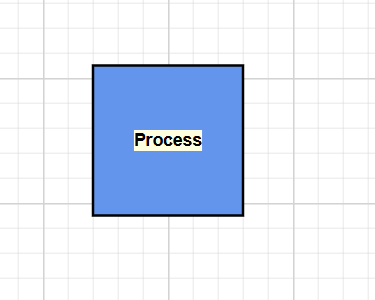
Use the Style property to customize a node’s appearance like FontFamily, FontSize, Color, and Bold. The conceptual styling properties are listed below.
| Property | Description |
|---|---|
| FontFamily | Font family for the annotation text. |
| FontSize | Text size in device-independent units. |
| Color | Text color. |
| Fill | Background color behind the text. |
| Bold |
true for bold text. false otherwise. |
| Italic |
true for italic text. false otherwise. |
Example
node.Annotations.Add(
    new ShapeAnnotation
    {
        Content = "Process",
        Style = new TextStyle
        {
            FontFamily = "Arial",
            FontSize = 14,
            Color = Colors.Black,
            Fill = Colors.LightYellow,
            Bold = true,
            Italic = false
        }
    });
—
Positioning
Node annotation
For ShapeAnnotation, the Offset value uses node-relative coordinates.
| Position | Offset values |
|---|---|
| Top center | Offset = new DiagramPoint(0.5, 0) |
| Left center | Offset = new DiagramPoint(0, 0.5) |
| Right center | Offset = new DiagramPoint(1, 0.5) |
| Bottom center | Offset = new DiagramPoint(0.5, 1) |
| Center | Offset = new DiagramPoint(0.5, 0.5) |
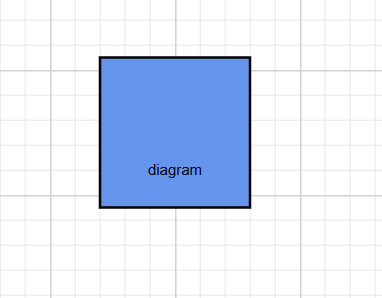
For example, to place an annotation at the bottom-center of a node:
node.Annotations.Add(
    new ShapeAnnotation
    {
        Content = "diagram",
        Offset = new DiagramPoint(0.5, 1),
    });
Connector annotation
For PathAnnotation, the Offset value specifies the relative position of the annotation along the connector path. The value is normalized from 0 to 1, where:
-
0places the annotation at the source end of the connector. -
0.5places the annotation at the midpoint of the connector. -
1places the annotation at the target end of the connector.
Note: Connector annotations support only a single offset value that determines the position along the path. A separate perpendicular offset is not supported.