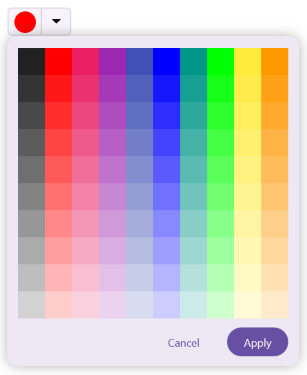
Mode and Value in .NET MAUI Color Picker
18 Nov 20182 minutes to read
The .NET MAUI Color Picker control exposes its color editor in one of two visual modes - Palette or Spectrum - and lets you choose which mode the user sees first. You can also show or hide the mode switcher so that the user cannot change the mode at runtime.
| Mode | Description |
|---|---|
| Spectrum | A continuous color spectrum with hue and saturation sliders. The default mode. |
| Palette | A grid of predefined color swatches from which the user picks a color. |
Prerequisites
Before using the SfColorPicker, ensure the following NuGet package is installed in your .NET MAUI project:
Syncfusion.Maui.Inputs
For a step-by-step setup, refer to the Getting Started documentation.
Rendering palette at initial load
To display the Color Picker in palette mode, Set the ColorMode property to Palette. By default, it is configured as Spectrum.
<inputs:SfColorPicker ColorMode="Palette" />SfColorPicker colorPicker = new SfColorPicker()
{
ColorMode = ColorPickerMode.Palette
};
this.Content = colorPicker;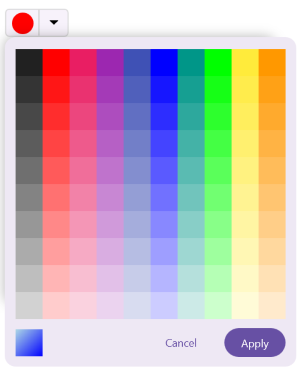
Show or hide the color mode switcher
The mode switcher is the in-picker UI (typically a tab strip) that lets the user toggle between Palette and Spectrum at runtime. Set the IsColorModeSwitcherVisible property to false to lock the picker to the mode set by ColorMode. The default is true.
<inputs:SfColorPicker ColorMode="Palette"
                      IsColorModeSwitcherVisible="False" />
SfColorPicker colorPicker = new SfColorPicker()
{
ColorMode = ColorPickerMode.Palette,
IsColorModeSwitcherVisible = false
};
this.Content = colorPicker;