Localization in .NET MAUI Chat (SfChat)
13 Jul 20262 minutes to read
Localization is the process of translating the application resources into different languages for specific cultures. The SfChat can be localized by adding a resource file.
Setting the application’s CurrentUICulture
Application culture can be changed by setting the CurrentUICulture in the App.xaml.cs file.
using Syncfusion.Maui.Chat;
using System.Globalization;
using System.Resources;

namespace MauiChat
{
   public partial class App : Application
   {
      public App()
      {
            InitializeComponent();
            CultureInfo.CurrentUICulture = new CultureInfo("fr-FR");
            SfChatResources.ResourceManager = new ResourceManager("MauiChat.Resources.SfChat", typeof(App).Assembly);
            MainPage = new MainPage();
      }
   }
}
NOTE
Add the required
.resxfiles withBuild Actionset toEmbeddedResourceto theResourcesfolder. The file name must contain the culture code (for example,SfChat.fr-FR.resx).
Localize application level
To localize the Chat based on the CurrentUICulture using the resource files, follow these steps.
-
Create a new folder named
Resourcesin the application. -
Right-click on the
Resourcesfolder, selectAdd, then click onNewItem. -
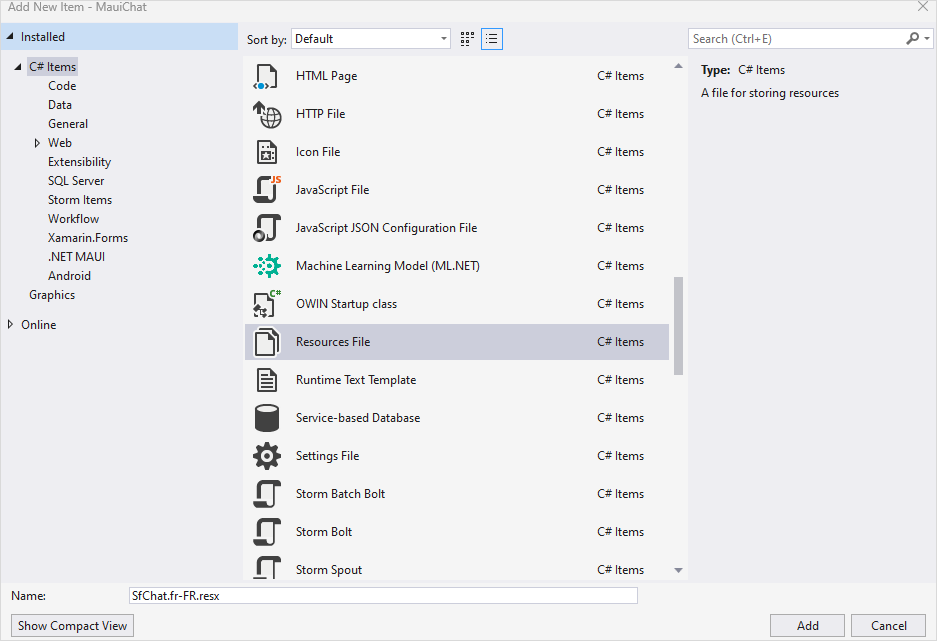
In the Add New Item wizard, select the Resource File option and name the file as
SfChat.<culture code>.resx. For example, give the name asSfChat.fr-FR.resxfor French culture. -
The culture code follows the BCP-47 format
<language>-<region>(for example,fr-FRfor French (France) oren-USfor English (United States)).
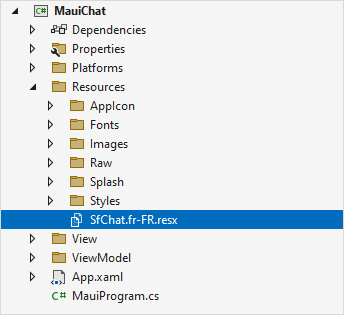
- Now, select
Addoption to add the resource file in theResourcesfolder.
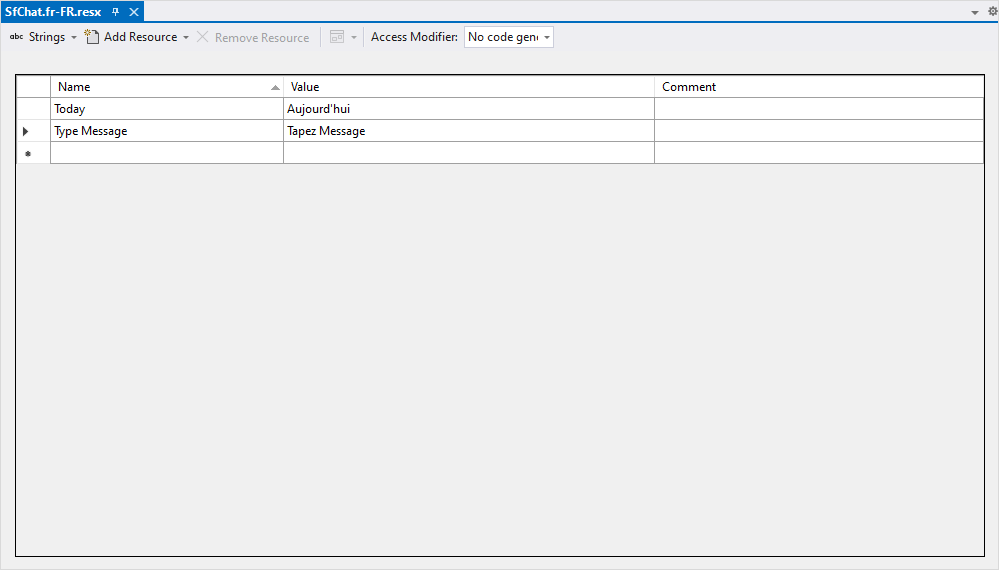
- Add the Name/Value pairs in the Resource Designer of
SfChat.fr-FR.resxfile and change each value to the corresponding culture.
Samples
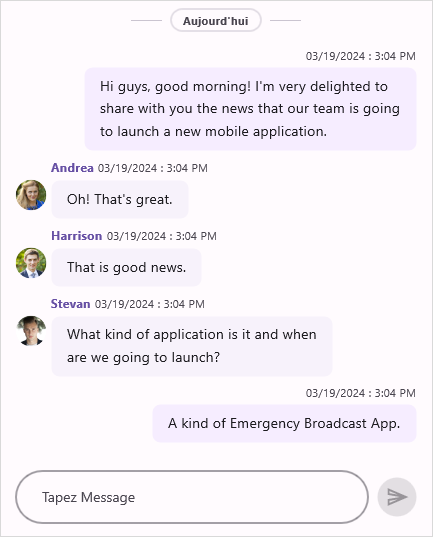
The following sample demonstrates how to localize SfChat strings into the French (fr-FR) culture by adding a resource file and setting CurrentUICulture at application startup: