Liquid Glass Effect in .NET MAUI Cards (SfCards)
24 Dec 20255 minutes to read
The Liquid Glass Effect introduces a modern, translucent design with adaptive color tinting and light refraction, creating a sleek, glass like user experience that remains clear and accessible. This section explains how to enable and customize the effect in the Syncfusion® .NET MAUI Cards (SfCards) control.
Apply liquid glass effect
Follow these steps to enable and configure the Liquid Glass Effect in the Card View:
Step 1: Enable the liquid glass effect on Card View
Set the EnableLiquidGlassEffect property to true in the SfCardView to apply the Liquid Glass Effect.
Step 2: Customize the background
To achieve a glass like background in the card view, set the Background property to Transparent. The background will then be treated as a tinted color, ensuring a consistent glass effect across the controls.
The following code snippet demonstrates how to apply the Liquid Glass Effect to the SfCardView:
<ContentPage
    xmlns="http://schemas.microsoft.com/dotnet/2021/maui"
    xmlns:x="http://schemas.microsoft.com/winfx/2009/xaml"
    xmlns:cards="clr-namespace:Syncfusion.Maui.Cards;assembly=Syncfusion.Maui.Cards"
    x:Class="AcrylicCardsPage">
    <Grid>
        <Grid.Background>
            <LinearGradientBrush StartPoint="0,0"
                                 EndPoint="0,1">
                <GradientStop Color="#0F4C75"
                              Offset="0.0"/>
                <GradientStop Color="#3282B8"
                              Offset="0.5"/>
                <GradientStop Color="#1B262C"
                              Offset="1.0"/>
            </LinearGradientBrush>
        </Grid.Background>
        <Grid>
            <cards:SfCardView x:Name="cardView" EnableLiquidGlassEffect="True"
                    Background="Transparent"
                    BorderColor="Transparent"
                    WidthRequest="350"
                    HeightRequest="200">
                <Label Text="SfCardView"
                        HorizontalOptions="Center"
                        VerticalOptions="Center"/>
            </cards:SfCardView>
        </Grid>
    </Grid>
</ContentPage>
// Outer grid with gradient background
var mainGrid = new Grid()
{
Background = new LinearGradientBrush()
{
StartPoint = new Point(0, 0),
EndPoint = new Point(0, 1),
GradientStops =
{
new GradientStop { Color = Color.FromArgb("#0F4C75"), Offset = 0.0f },
new GradientStop { Color = Color.FromArgb("#3282B8"), Offset = 0.5f },
new GradientStop { Color = Color.FromArgb("#1B262C"), Offset = 1.0f }
}
}
};
var innerGrid = new Grid();
var card = new SfCardView()
{
EnableLiquidGlassEffect = true,
Background = Colors.Transparent,
BorderColor = Colors.Transparent,
WidthRequest = 350,
HeightRequest = 200,
};
card.Content = new Label()
{
Text = "SfCardView",
HorizontalOptions = LayoutOptions.Center,
VerticalOptions = LayoutOptions.Center
};
innerGrid.Add(card);
mainGrid.Add(innerGrid);
this.Content = mainGrid;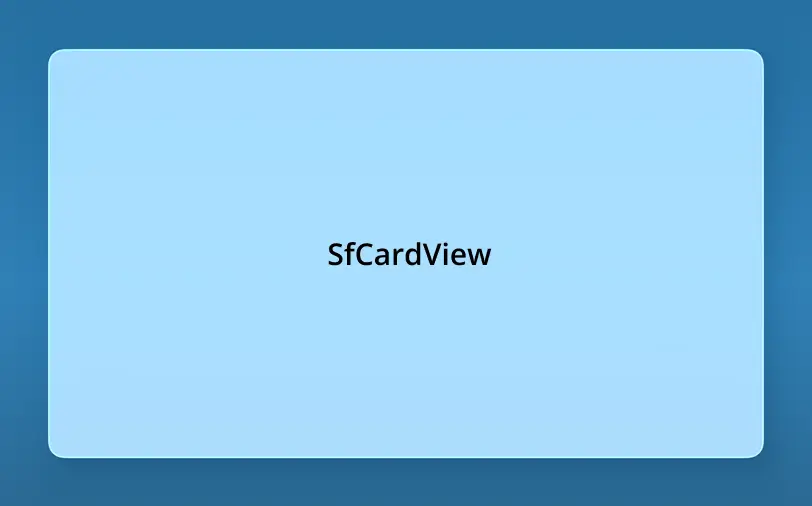
NOTE
- Supported on
macOS 26 or higherandiOS 26 or higher.- This feature is available only in
.NET 10.