Column Resizing in TypeScript TreeGrid
Column width can be resized by clicking and dragging the right edge of the column header. While dragging, the width of the respective column will be resized immediately. Each column can be auto resized by double-clicking the right edge of the column header to fit the width of that column based on the widest cell content. To enable column resize, set the allowResizing property to true.
To use the column resize, inject Resize module in the treegrid.
- You can disable resizing for a particular column by setting the
columns.allowResizingto false.- In RTL mode, you can click and drag the left edge of the header cell to resize the column.
Min and max width
Column resize can be restricted between minimum and maximum width by defining the columns->minWidth and columns->maxWidth.
In the following sample, minimum and maximum width are defined for Duration, and Task Name columns.
Resize stacked column
Stacked columns can be resized by clicking and dragging the right edge of the stacked column header. While dragging, the width of the respective child columns will be resized at the same time. You can disable resize for particular stacked column by setting allowResizing as false to its columns.
Touch interaction
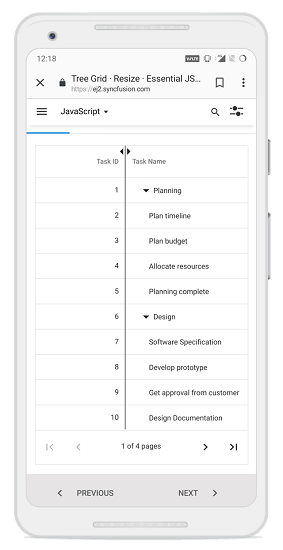
When the right edge of the header cell is tapped, a floating handler will be visible over the right border of the column. To resize the column, tap and drag the floating handler as needed.
The following screenshot represents the column resizing in touch device.