Exporting grid with templates in JavaScript Grid control
The grid offers the option to export the column, detail, and caption templates to an Excel document. The template contains images, hyperlinks, and customized text.
Exporting with column template
The Excel export functionality allows you to export Grid columns that include images, hyperlinks, and custom text to an Excel document.
In the following sample, the hyperlinks and images are exported to Excel using hyperlink and image properties in the excelQueryCellInfo event.
Excel Export supports base64 string to export the images.

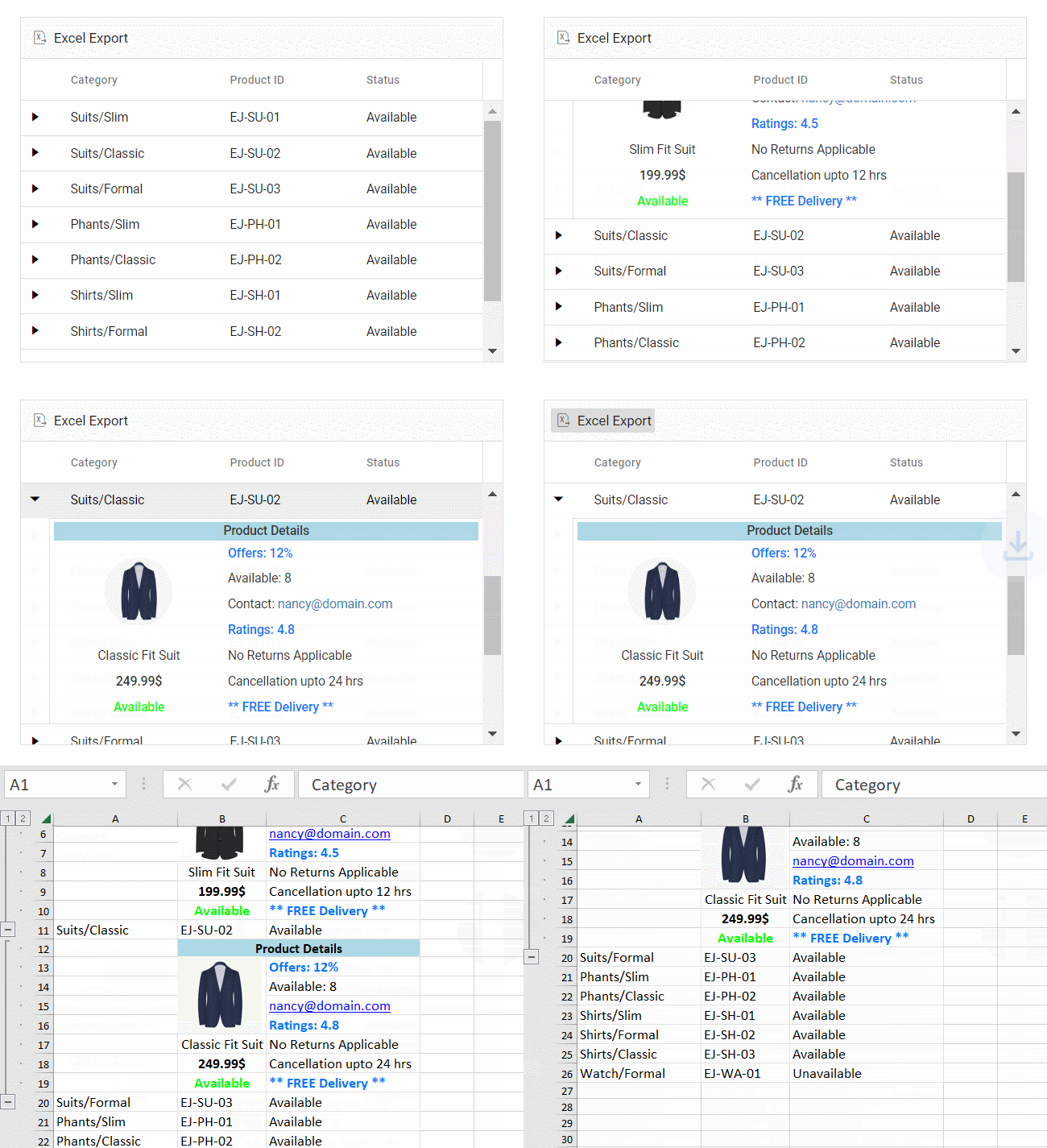
Exporting with detail template
By default, the grid will export the parent grid with expanded detail rows alone. Change the exporting option by using the ExcelExportProperties.hierarchyExportMode property. The available options are:
| Mode | Behavior |
|---|---|
| Expanded | Exports the parent grid with expanded detail rows. |
| All | Exports the parent grid with all the detail rows. |
| None | Exports the parent grid alone. |
The detail rows in the exported Excel can be customized or formatted using the exportDetailTemplate event. In this event, the detail rows of the Excel document are formatted in accordance with their parent row details.
In the following sample, the detail row content is formatted by specifying the columnHeader and rows properties using its parentRow details. This allows for the creation of detail rows in the Excel document. Additionally, custom styles can be applied to specific cells using the style property.
When using rowSpan, it is Essential® to provide the cell’s index for proper functionality.
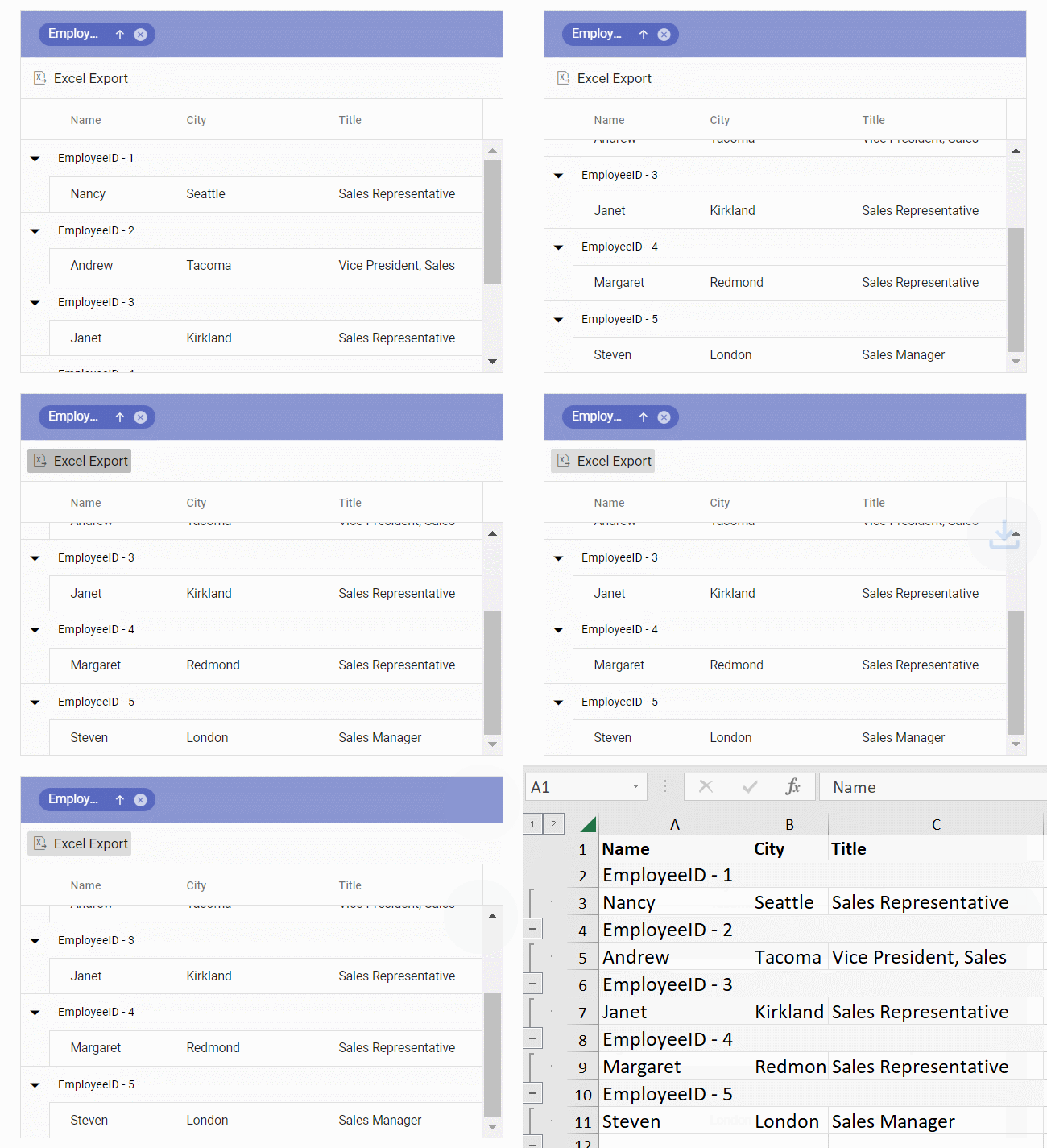
Exporting with caption template
The Excel export feature enables exporting of Grid with a caption template to an Excel document.
In the following sample, the customized caption text is exported to Excel using captionText property in the exportGroupCaption event.