How to Set Drill-Through Edit Type in ASP.NET MVC Pivot Table
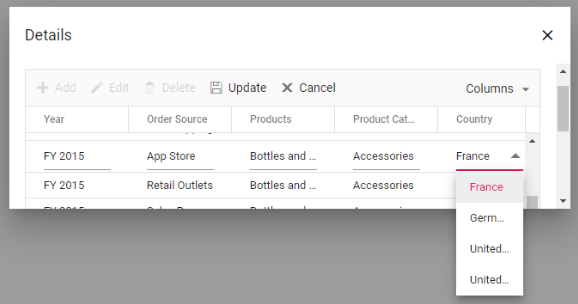
The drill-through feature in the Pivot Table allows users to view the raw data behind aggregated values by opening a detailed grid dialog. When this dialog appears, you can customize the edit behavior of specific columns to provide appropriate input controls based on their data types.
Using the DrillThrough event in the Pivot Table, you can define the edit type for any column in the drill-through grid. This is accomplished by checking the column name within the event handler and setting the appropriate edit type using the GridColumn.EditType event argument.
Edit type options
The following edit types are available for different data types: