How can I help you?
Right To Left (RTL) in Flutter Chat (SfChat)
19 May 202513 minutes to read
Chat supports the right to left rendering for all the elements in the Chat widget.
RTL rendering ways
Right to left rendering can be switched in the following ways:
Wrapping the SfChat with Directionality widget
To change the rendering direction from right to left, you can wrap the SfChat widget inside the Directionality widget and set the textDirection property as TextDirection.rtl.
@override
    Widget build(BuildContext context) {
      return Scaffold(
        body: Directionality(
          textDirection: TextDirection.rtl,
          child: SfChat(
              //...
          ),
        ),
      );
    }
RTL supported chat elements
Placeholder
Right to left (RTL) rendering is supported for the placeholderBuilder in the chat. The widget added in the placeholderBuilder will be rendered from right to left direction. But, the text widget or text entered in the widget will render from left to right direction.
@override
     Widget build(BuildContext context) {
       return Scaffold(
         body: Directionality(
           textDirection: TextDirection.rtl,
           child: SfChat(
             outgoingUser: '1010',
             messages: _messages,
             placeholderBuilder: (context) {
               return const Center(
                 child: Row(
                   mainAxisAlignment: MainAxisAlignment.center,
                   children: [
                     SizedBox(width: 10),
                     Icon(
                       size: 30,
                       Icons.emoji_people_rounded,
                       color: Colors.red,
                     ),
                     SizedBox(width: 5),
                     Text(
                    'Start a conversation',
                       style: TextStyle(
                         color: Colors.deepPurple,
                         fontSize: 16,
                         fontWeight: FontWeight.bold,
                       ),
                     ),
                   ],
                 ),
               );
             },
           ),
         ),
       );
     }
Composer
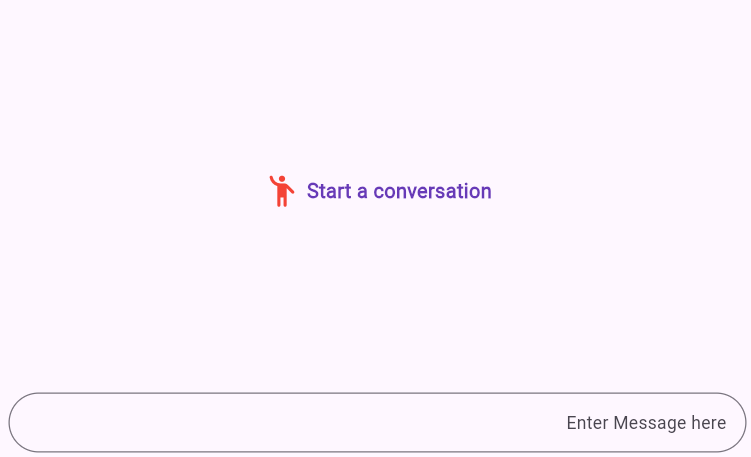
Right to left (RTL) rendering is supported for the composer in the chat. Composer will be rendered from right to left direction. But, the text entered in the composer will render from the left to right in the composer.
@override
    Widget build(BuildContext context) {
      return Scaffold(
        body: Directionality(
          textDirection: TextDirection.rtl,
          child: SfChat(
            outgoingUser: '1010',
            messages: _messages,
            composer: const ChatComposer(
                decoration: InputDecoration(
              hintText: 'Enter Message here',
            )),
          ),
        ),
      );
    }
Action Button
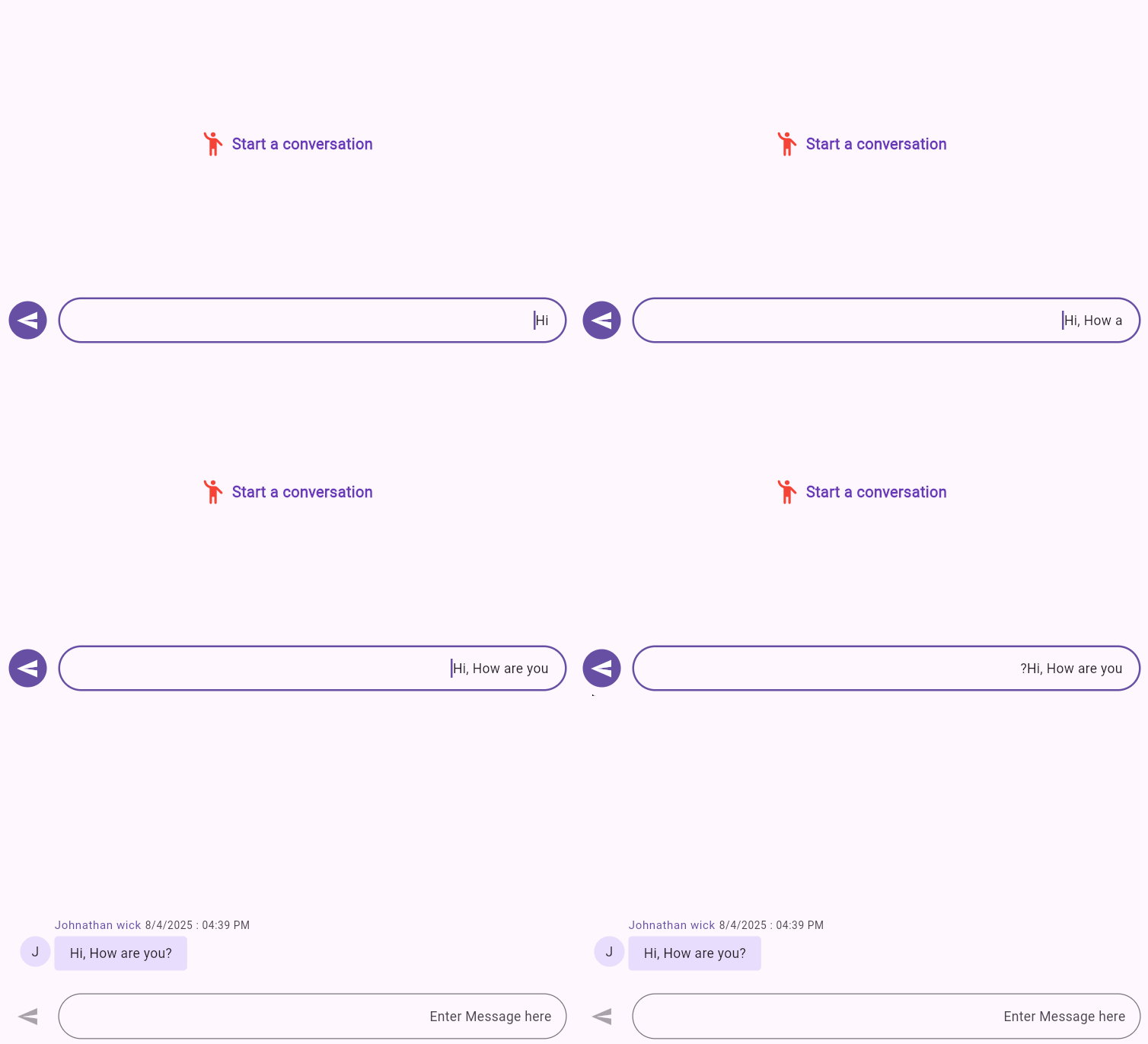
Right to left (RTL) rendering is supported for the actionButton in the chat. Action button will be rendered from right to left direction.
@override
    Widget build(BuildContext context) {
      return Scaffold(
        body: Directionality(
          textDirection: TextDirection.rtl,
          child: SfChat(
            outgoingUser: '1010',
            messages: _messages,
            actionButton: ChatActionButton(
              onPressed: (value) {
                setState(() {
                  _messages.add(
                    ChatMessage(
                      text: value,
                      time: DateTime.now(),
                      author: const ChatAuthor(
                          id: '1010', name: 'Johnathan wick'),
                    ),
                  );
                });
              },
            ),
          ),
        ),
      );
    }
Message Content
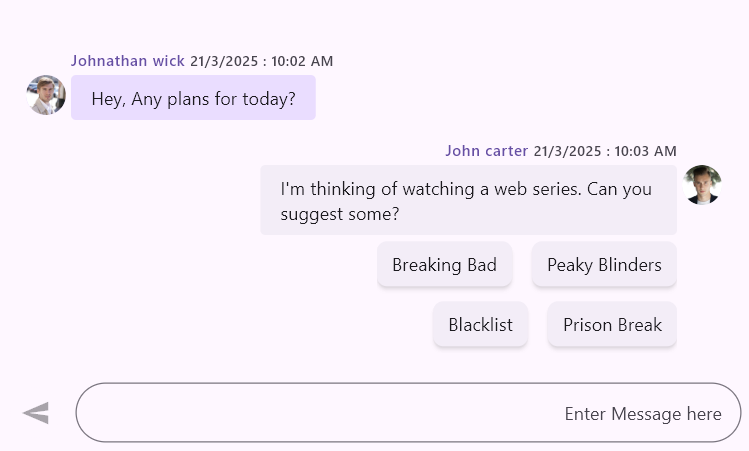
Right to left (RTL) rendering is supported for Messages in the chat conversation area. In RTL mode, message content, header and suggestions will render the widget in right to left direction.
@override
     Widget build(BuildContext context) {
       return Scaffold(
         body: Directionality(
           textDirection: TextDirection.rtl,
           child: SfChat(
             outgoingUser: '1010',
             messages: <ChatMessage>[
               ChatMessage(
                 text: 'Hey, Any plans for today?',
                 time: DateTime.parse('2025-03-21T10:02:00Z'),
                 author: const ChatAuthor(
                   id: '1010',
                   name: 'Johnathan wick',
                   avatar: AssetImage('assets/images/People_Circle23.png'),
                 ),
               ),
               ChatMessage(
                 text:
                     "I'm thinking of watching a web series. Can you suggest some?",
                 time: DateTime.parse('2025-03-21T10:03:00Z'),
                 author: const ChatAuthor(
                   id: '1020',
                   name: 'John carter',
                   avatar: AssetImage('assets/images/People_Circle5.png'),
                 ),
                 suggestions: [
                   const ChatMessageSuggestion(data: 'Peaky Blinders'),
                   const ChatMessageSuggestion(data: 'Breaking Bad'),
                   const ChatMessageSuggestion(data: 'Prison Break'),
                   const ChatMessageSuggestion(data: 'Blacklist'),
                 ],
               ),
             ],
           ),
         ),
       );
     }
You can refer to our Flutter Chat feature tour page for its groundbreaking feature representations. You can also explore our Flutter Chat example which demonstrates conversations between two or more users in a fully customizable layout and shows how to easily configure the chat with built-in support for creating stunning visual effects.