How to Change Search Highlight Color in ASP.NET MVC DOCX Editor
27 Aug 20261 minute to read
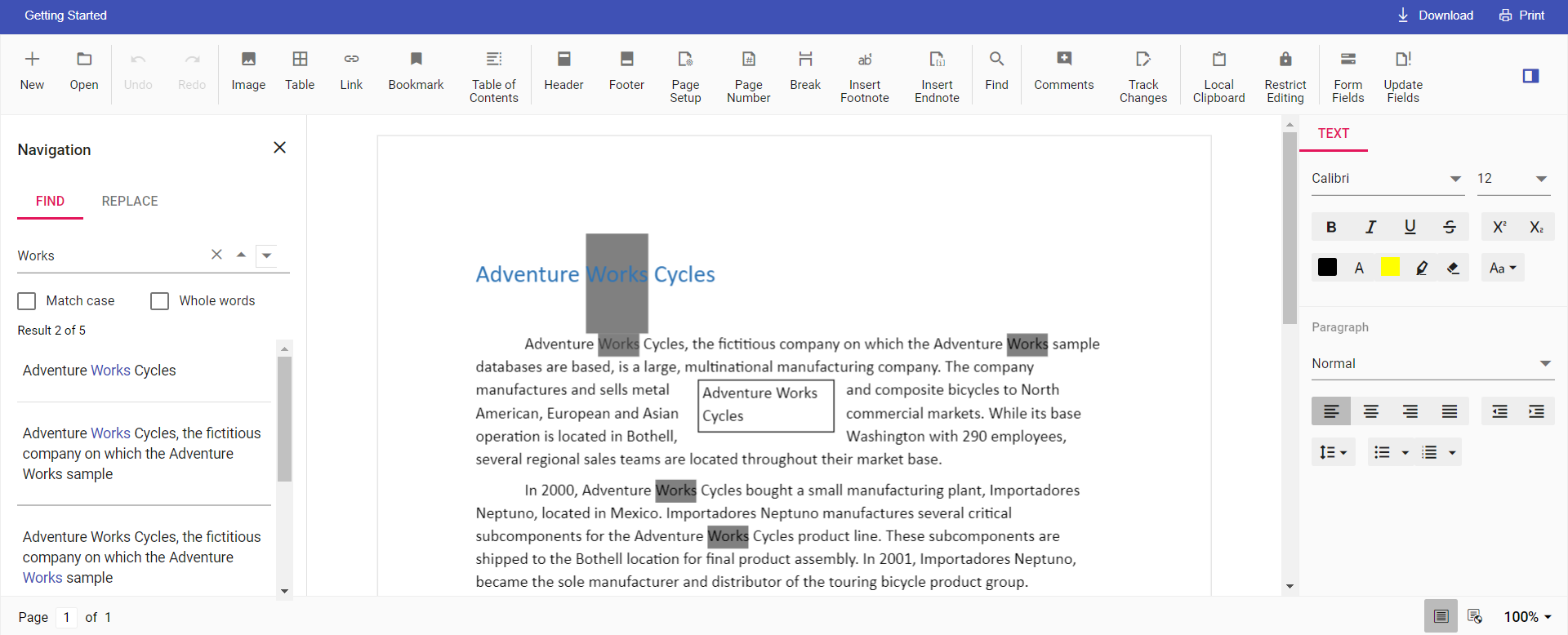
DOCX Editor provides an option to change the default search highlight color using searchHighlightColor in Document Editor settings. The highlight color specified in documentEditorSettings is applied to the searched text. By default, the search highlight color is yellow.
Similarly, you can use the documentEditorSettings property with the DocumentEditor control as well.
The following example code illustrates how to change the default search highlight color.
@Html.EJS().DocumentEditorContainer("container").EnableToolbar(true).DocumentEditorSettings("settings").Render()
<script>
    var settings = { searchHighlightColor: 'Grey' };
</script>
Output will be like below: