Move and Resize Form Fields in Vue PDF Viewer
14 Aug 20262 minutes to read
- Move: Drag the form field to reposition it.
- Resize: Use the resize handles to change width and height.
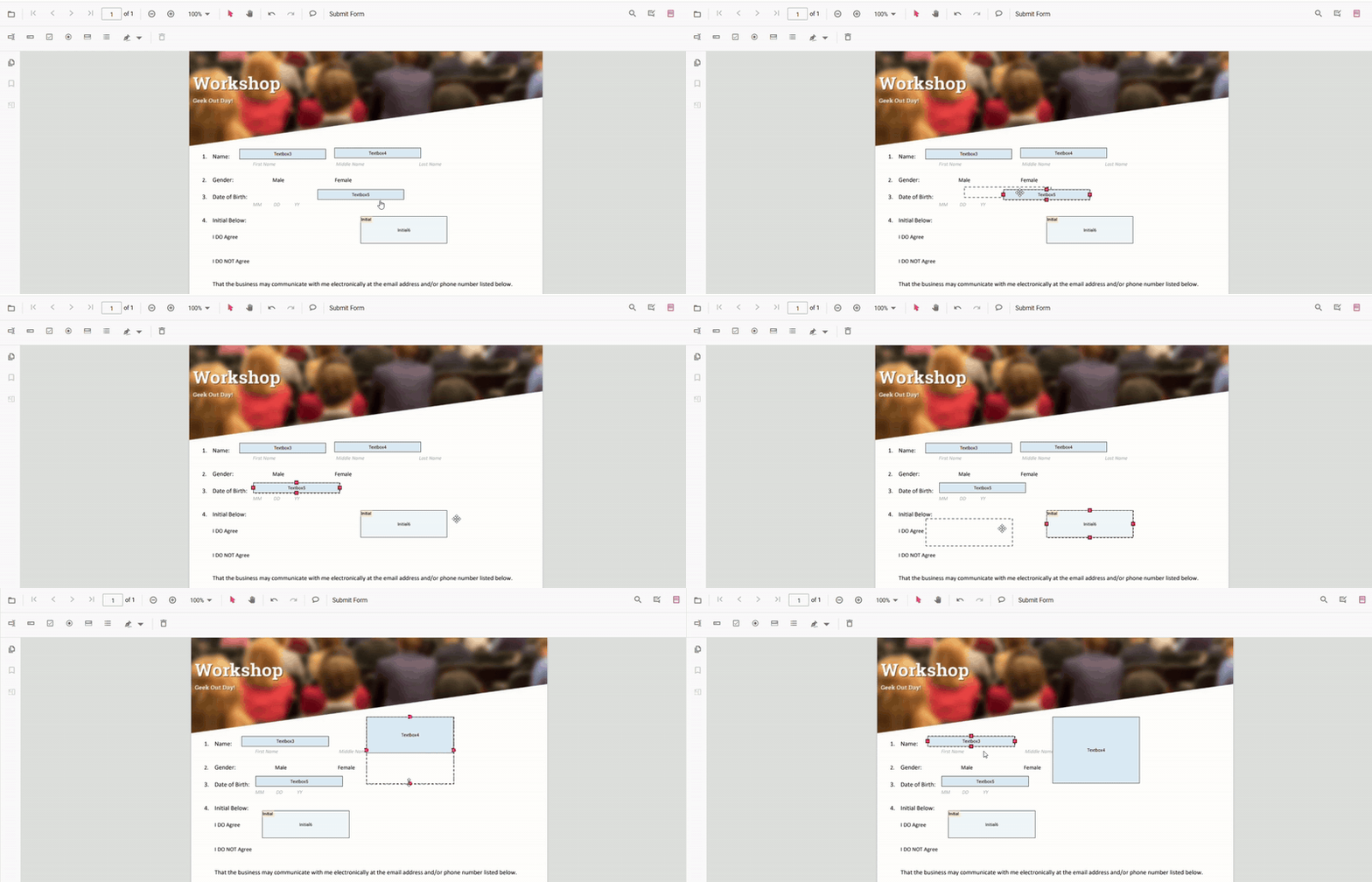
Move and Resize Fields Programmatically (API)
You can set absolute bounds or move fields by a delta.
Set absolute bounds
<template>
  <div>
    <button @click="resizeMove">Resize and Move FormFields</button>
    <ejs-pdfviewer id="pdfViewer" ref="pdfviewer" :documentPath="documentPath" :resourceUrl="resourceUrl" style="height:640px" />
  </div>
</template>

<script>
import {
  PdfViewerComponent,
  Toolbar,
  Magnification,
  Navigation,
  Annotation,
  TextSelection,
  TextSearch,
  FormFields,
  FormDesigner,
  PageOrganizer,
} from '@syncfusion/ej2-vue-pdfviewer';

export default {
  components: { 'ejs-pdfviewer': PdfViewerComponent },
  provide: { PdfViewer: [Toolbar, Magnification, Navigation, Annotation, TextSelection, TextSearch, FormFields, FormDesigner, PageOrganizer] },
  data() {
    return {
      documentPath: 'https://cdn.syncfusion.com/content/pdf/form-filling-document.pdf',
      resourceUrl: 'https://cdn.syncfusion.com/ej2/31.1.23/dist/ej2-pdfviewer-lib',
    };
  },
  methods: {
    resizeMove() {
      const pdfviewer = this.$refs.pdfviewer.ej2Instances;
      // Retrieve form fields collection
      const fields = pdfviewer.retrieveFormFields();
      // Find the textbox field by name (Here field name is First Name)
      const field = fields.find(f => f.name === 'First Name') || fields[0];
      if (field) {
        // Update bounds to move or resize form fields
        pdfviewer.formDesignerModule.updateFormField(field, {
          bounds: { X: 140, Y: 210, Width: 220, Height: 24 }, // new absolute position & size
        });
      }
    }
  }
};
</script>