Remove Form Fields in Vue PDF Viewer
14 Aug 20262 minutes to read
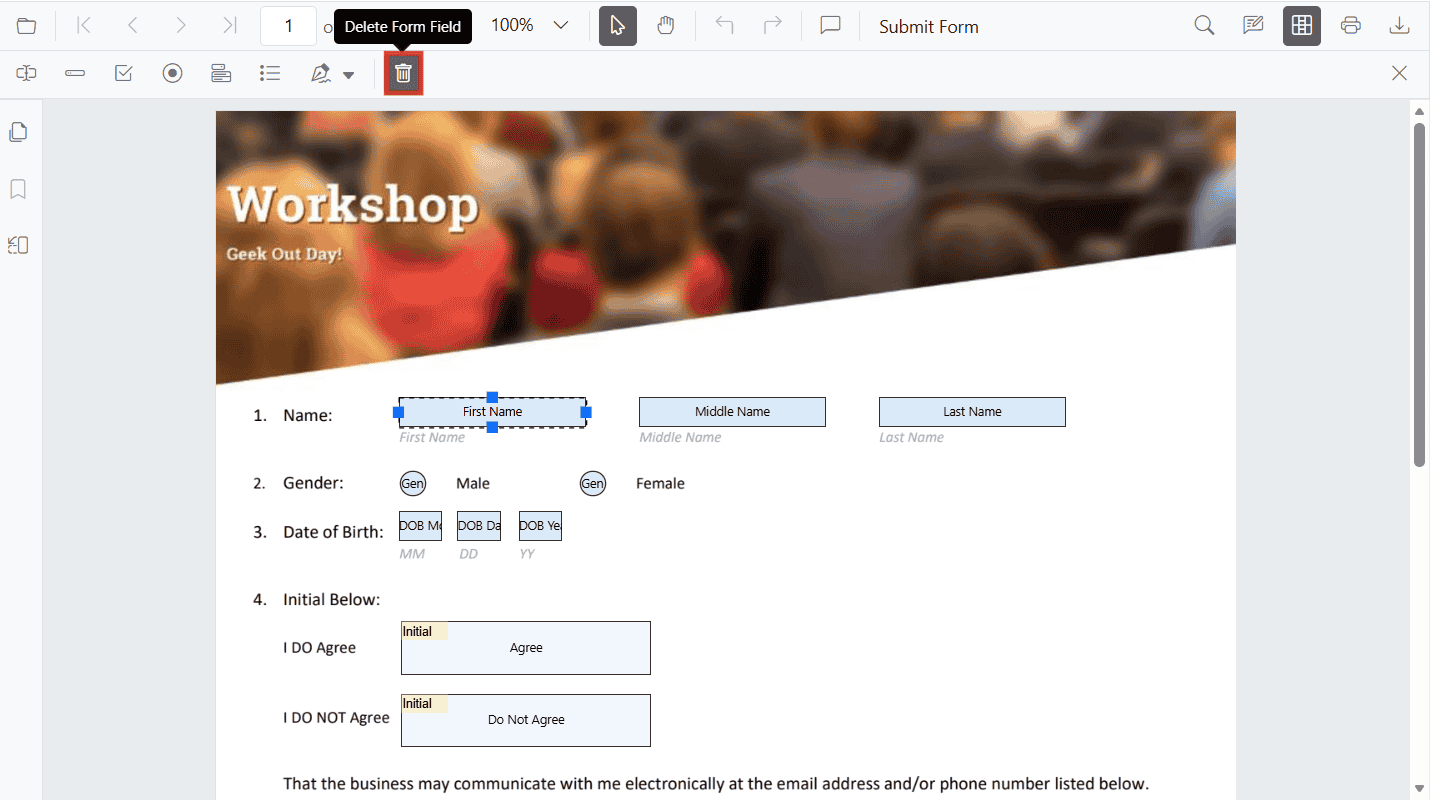
Remove Form Fields Using the UI
Steps:
- Enable Form Designer mode.
- Select the form field.
- Click Delete in the toolbar or press the Delete key.
Remove Form Fields Programmatically
Use deleteFormField() with a field reference or ID.
<template>
  <div>
    <button @click="deleteAllFields">Delete Form Fields</button>
    <button @click="deleteById">Delete First Field By ID</button>
    <ejs-pdfviewer id="pdfViewer" ref="pdfviewer" :documentPath="documentPath" :resourceUrl="resourceUrl" style="height:640px" />
  </div>
</template>

<script>
import {
  PdfViewerComponent,
  Toolbar,
  Magnification,
  Navigation,
  Annotation,
  TextSelection,
  TextSearch,
  FormFields,
  FormDesigner,
  PageOrganizer,
} from '@syncfusion/ej2-vue-pdfviewer';

export default {
  components: { 'ejs-pdfviewer': PdfViewerComponent },
  provide: { PdfViewer: [Toolbar, Magnification, Navigation, Annotation, TextSelection, TextSearch, FormFields, FormDesigner, PageOrganizer] },
  data() {
    return {
      documentPath:'https://cdn.syncfusion.com/content/pdf/form-filling-document.pdf',
      resourceUrl: 'https://cdn.syncfusion.com/ej2/31.1.23/dist/ej2-pdfviewer-lib',
    };
  },
  methods: {
    deleteAllFields() {
      const pdfviewer = this.$refs.pdfviewer.ej2Instances;
      const fields = [...pdfviewer.formFieldCollections]; // clone to avoid mutation issues
      fields.forEach(field => pdfviewer.formDesignerModule.deleteFormField(field));
    },
    deleteById() {
      const pdfviewer = this.$refs.pdfviewer.ej2Instances;
      if (pdfviewer.formFieldCollections.length > 0) {
        const id = pdfviewer.formFieldCollections[0].id;
        if (id) {
          pdfviewer.formDesignerModule.deleteFormField(id);
        }
      }
    }
  }
};
</script>