Syncfusion React PDF Viewer Semantic Text Comparison
25 Sep 20262 minutes to read
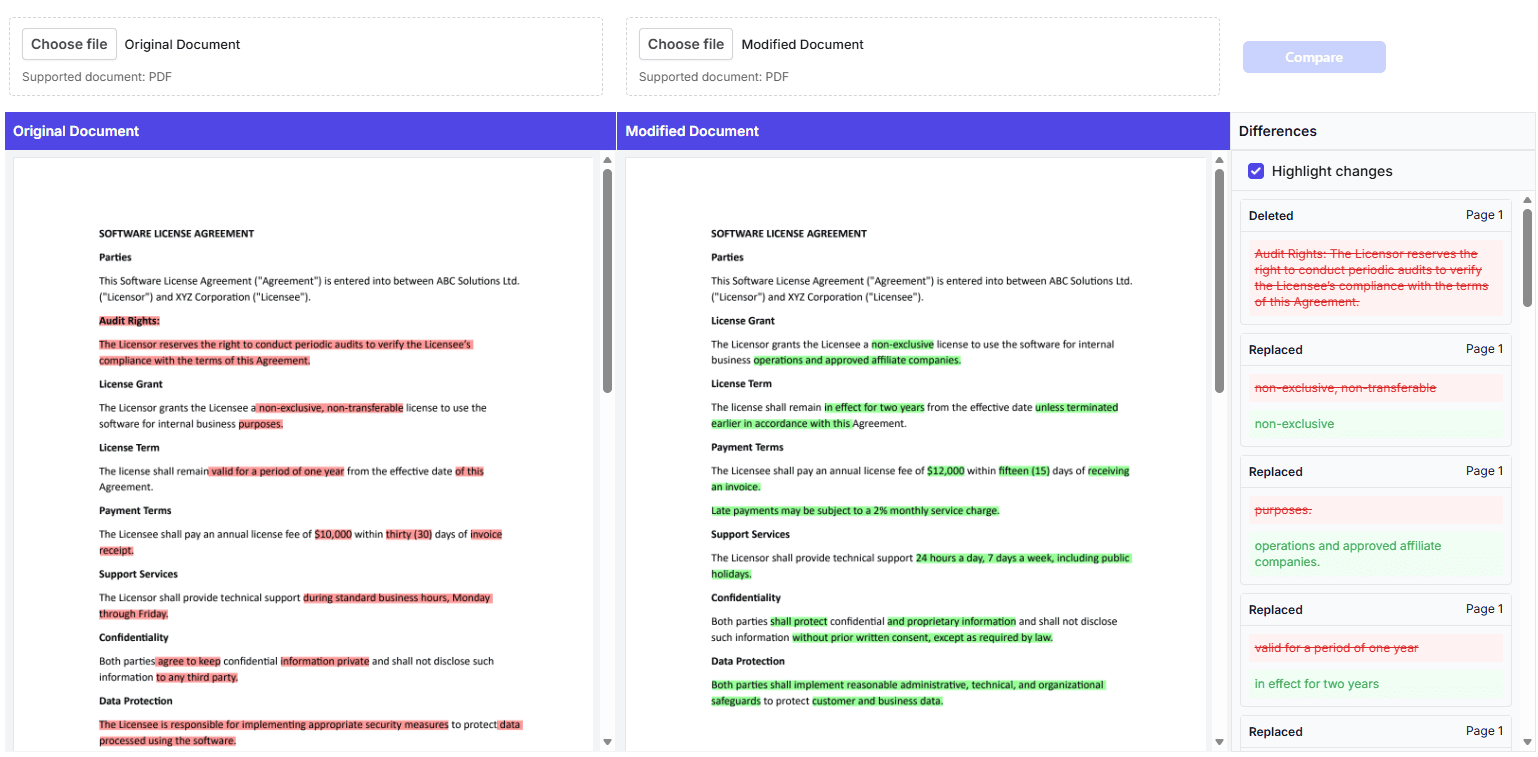
The React PDF Viewer includes a semantic text comparison feature that enables comparing text content between two PDF documents side-by-side. The comparison uses a Longest Common Subsequence (LCS) algorithm to identify differences (added, deleted, modified text) and present them with visual highlighting and programmatic access.
Key capabilities
The semantic text comparison feature provides:
- Compare two PDF documents - Load and compare two PDFs side-by-side
- Identify three types of changes - Added, Deleted, and Modified text
- Visual highlighting - Customizable colors and opacity for visual differentiation
- Viewer synchronization - Keep zoom, page navigation, and scroll aligned
- Programmatic access - Get structured difference data for custom processing
- Responsive layouts - Support for desktop (side-by-side) and mobile (stacked) views
How it works
The comparison process:
- Text extraction - Extracts text and bounds from both documents page-by-page
- Difference detection - Compares word-level content using LCS algorithm to identify differences
- Segment grouping - Groups adjacent differences into meaningful segments
- Result delivery - Returns structured data or creates visual annotations
Difference types
The comparison identifies three types of differences:
- Added - Text present in the modified document only
- Deleted - Text present in the original document only
- Modified - Text changed between the two documents
Main features
Visual highlighting
Highlights are displayed with customizable colors for before and after text. Highlights are temporary in-memory annotations (not persisted to the document).
Viewer synchronization
Synchronize zoom level, page navigation, and scroll position between two viewers to keep them aligned during comparison. Both viewers update together when you navigate pages, change zoom level, or scroll through the document.
Programmatic access
Access comparison results as structured annotation data including text content, difference type, location, and bounds information.
Responsive design
Supports both desktop layouts (side-by-side viewers) and mobile layouts (stacked viewers with collapsible panel).
Browser support
The semantic text comparison feature works in all modern browsers:
- Chrome/Edge (latest)
- Firefox (latest)
- Safari (latest)
- Mobile browsers
Key Features
- Side-by-side comparison - Original and modified PDF documents displayed simultaneously
- Synchronized viewers - Automatic sync of zoom, page navigation, and scroll between both viewers
- Differences panel - Consolidated list of all detected differences categorized by type
- Color-coded highlighting - Visual differentiation of added, deleted, and modified text
- File upload support - Upload custom PDFs for comparison