Print Modes in JavaScript (ES6) PDF Viewer
14 Aug 20262 minutes to read
The printMode property specifies how the PDF Viewer prints documents.
The printMode property accepts the following string values:
-
Default: Prints the document from the same browser window. Use this when printing should remain in the current browsing context. -
NewWindow: Prints the document from a new window or tab. Use this to avoid interference with the current page; note that some browsers may block pop-ups.
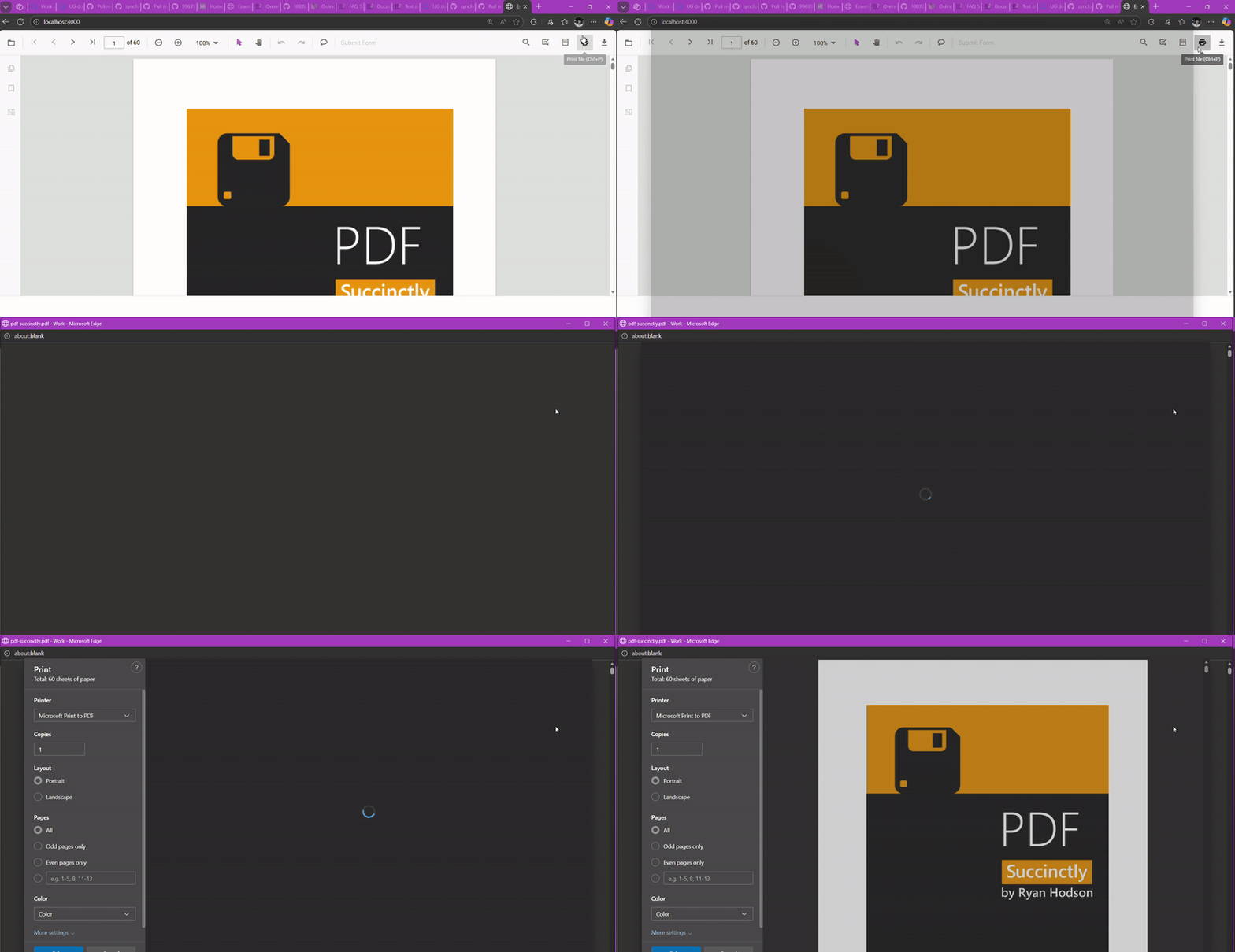
Browser pop-up blockers must allow new windows or tabs when using
pdfviewer.printMode = "NewWindow".
The following examples show how to set the printMode property. It can be specified in the viewer options during initialization or assigned to the pdfviewer.printMode property after instantiation.
import { PdfViewer, TextSelection, TextSearch, Print, Navigation, Toolbar, Magnification, Annotation, FormDesigner, FormFields, PageOrganizer, PrintMode } from '@syncfusion/ej2-pdfviewer';

// Inject required modules
PdfViewer.Inject(TextSelection, TextSearch, Print, Navigation, Toolbar, Magnification, Annotation, FormDesigner, FormFields, PageOrganizer);

const pdfviewer: PdfViewer = new PdfViewer({
    documentPath: 'https://cdn.syncfusion.com/content/pdf/pdf-succinctly.pdf',
    resourceUrl: "https://cdn.syncfusion.com/ej2/31.1.23/dist/ej2-pdfviewer-lib",
});
pdfviewer.printMode ="NewWindow";
pdfviewer.appendTo('#PdfViewer');
import { PdfViewer, TextSelection, TextSearch, Print, Navigation, Toolbar, Magnification, Annotation, FormDesigner, FormFields, PageOrganizer, PrintMode } from '@syncfusion/ej2-pdfviewer';
// Inject required modules
PdfViewer.Inject(TextSelection, TextSearch, Print, Navigation, Toolbar, Magnification, Annotation, FormDesigner, FormFields, PageOrganizer);
const pdfviewer: PdfViewer = new PdfViewer({
documentPath: 'https://cdn.syncfusion.com/content/pdf/pdf-succinctly.pdf',
serviceUrl: 'https://document.syncfusion.com/web-services/pdf-viewer/api/pdfviewer/',
});
pdfviewer.printMode ="NewWindow";
pdfviewer.appendTo('#PdfViewer');