Link Annotation in JavaScript (ES6) PDF Viewer
25 Sep 20266 minutes to read
This guide explains how to enable, add, customize, and manage link annotations in the Syncfusion JavaScript (ES6) PDF Viewer. Link annotations can navigate to a page in the same document or open an external URL in the browser.
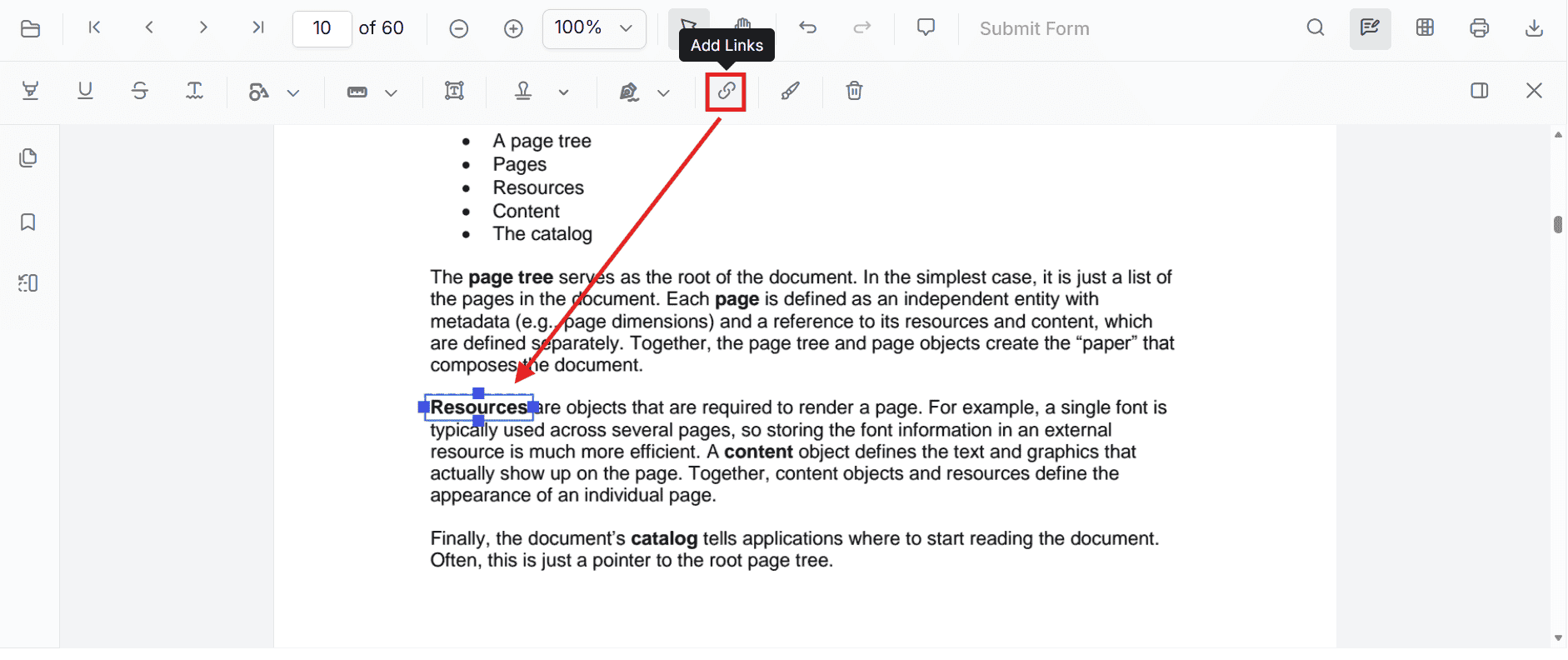
Enable Link Annotation in the Viewer
Inject the required modules to enable link annotations and the annotation toolbar.
import { PdfViewer, Toolbar, Magnification, Navigation, LinkAnnotation, Annotation, ThumbnailView, BookmarkView, TextSelection, TextSearch, FormFields, FormDesigner, PageOrganizer } from '@syncfusion/ej2-pdfviewer';

PdfViewer.Inject(
  Toolbar,
  Magnification,
  Navigation,
  Annotation,
  LinkAnnotation,
  ThumbnailView,
  BookmarkView,
  TextSelection,
  TextSearch,
  FormFields,
  FormDesigner,
  PageOrganizer
);

const viewer: PdfViewer = new PdfViewer({
  documentPath: 'https://cdn.syncfusion.com/content/pdf/pdf-succinctly.pdf',
  resourceUrl: 'https://cdn.syncfusion.com/ej2/31.2.2/dist/ej2-pdfviewer-lib',
  hyperlinkOpenState: 'NewTab'
});
viewer.appendTo('#PdfViewer');
The
hyperlinkOpenStateproperty controls how external URLs open when a user clicks a link. UseNewTabto open the URL in a new browser tab, orNewWindowto open it in a separate browser window.
Add Link Annotation
Add Link Using the Toolbar
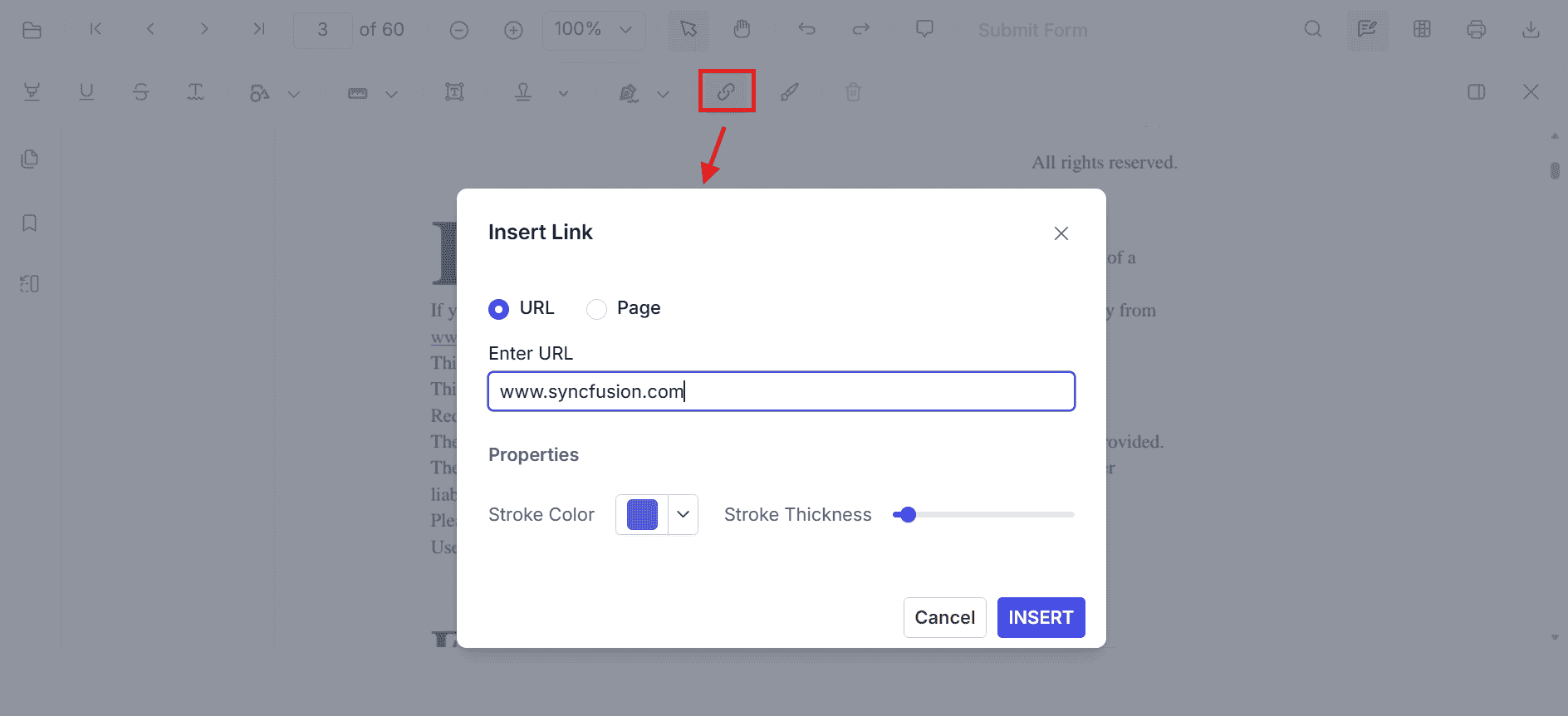
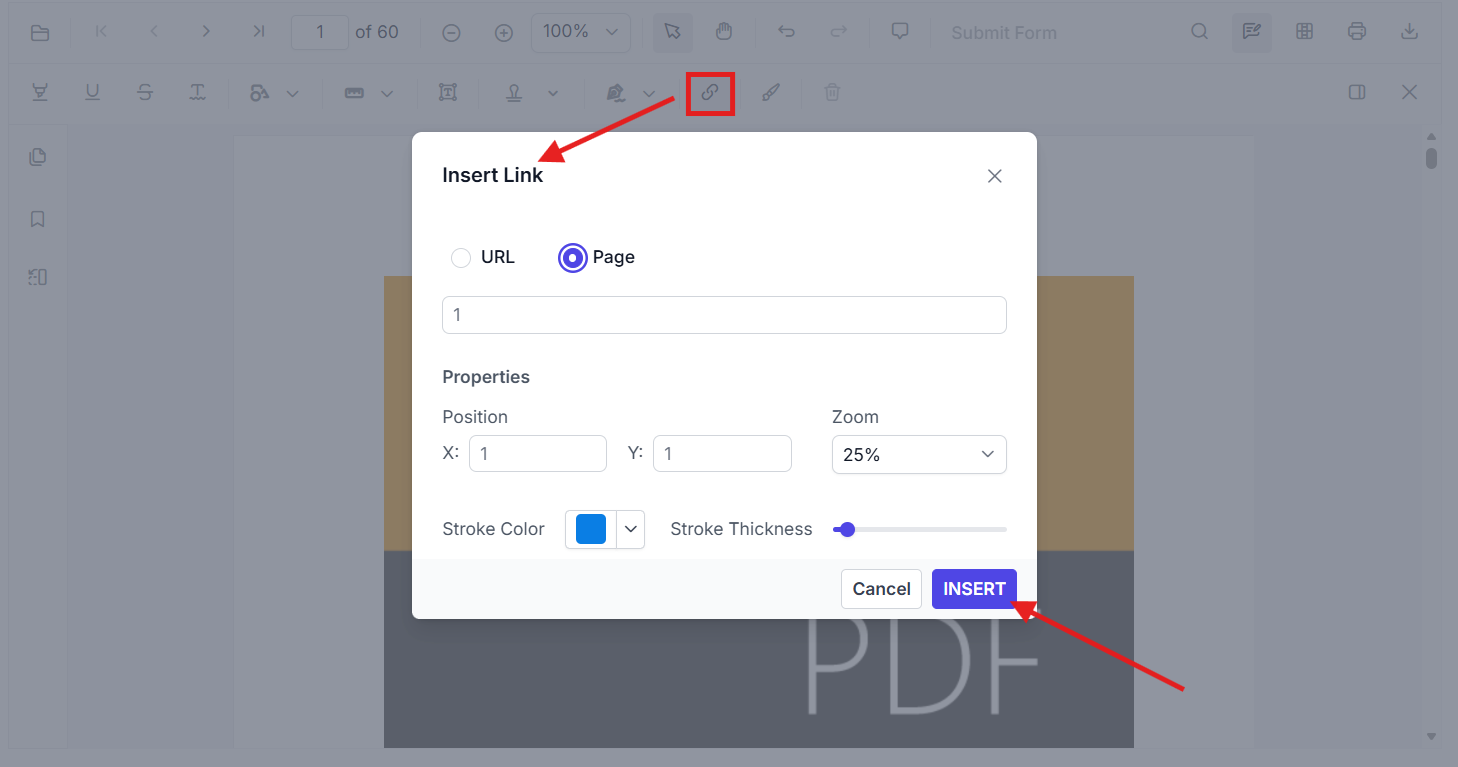
- Click the Add Link button from the annotation toolbar.
- Choose whether the link points to a URL or a Page.
- Enter the target URL or page number.
- Set the properties such as stroke color and stroke thickness.
- Click Insert to create the link annotation.
Add Link Annotation Programmatically
Use the addAnnotation() API to create a link annotation at a specific location.
Add Internal Page Link
const viewer: PdfViewer = new PdfViewer({
  documentPath: 'https://cdn.syncfusion.com/content/pdf/pdf-succinctly.pdf',
  resourceUrl: 'https://cdn.syncfusion.com/ej2/31.2.2/dist/ej2-pdfviewer-lib'
});
viewer.appendTo('#PdfViewer');

viewer.annotation.addAnnotation('Link', {
  offset: { x: 200, y: 480 },
  pageNumber: 1,
  width: 150,
  height: 75,
  destinationPageIndex: 4,
  destinationLocation: { x: 100, y: 200 },
  zoomValue: 4,
  strokeColor: '#1433e3'
});
This adds a link rectangle that navigates to page index 4 and zooms to the specified location when clicked.
Add External URL Link
viewer.annotation.addAnnotation('Link', {
  offset: { x: 450, y: 480 },
  pageNumber: 1,
  width: 150,
  height: 75,
  url: 'https://www.syncfusion.com',
  strokeColor: '#FF0000'
});
Customize Link Appearance
Configure how external links open using the viewer property hyperlinkOpenState.
const viewer: PdfViewer = new PdfViewer({
  documentPath: 'https://cdn.syncfusion.com/content/pdf/pdf-succinctly.pdf',
  resourceUrl: 'https://cdn.syncfusion.com/ej2/31.2.2/dist/ej2-pdfviewer-lib',
  hyperlinkOpenState: 'NewWindow'
});
viewer.appendTo('#PdfViewer');
Manage Link Annotations
Edit Link Annotation in the UI
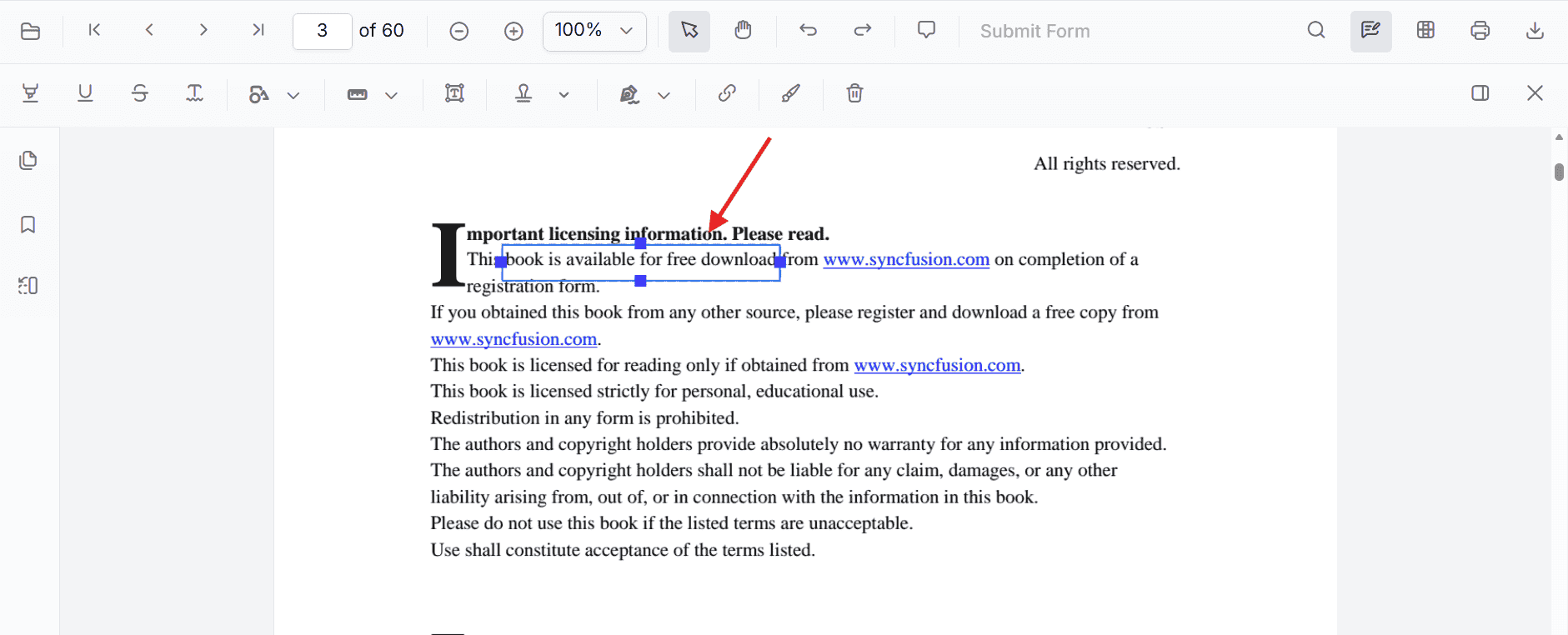
After a link annotation is inserted, users can:
- Right-click the selected link annotation to open the context menu
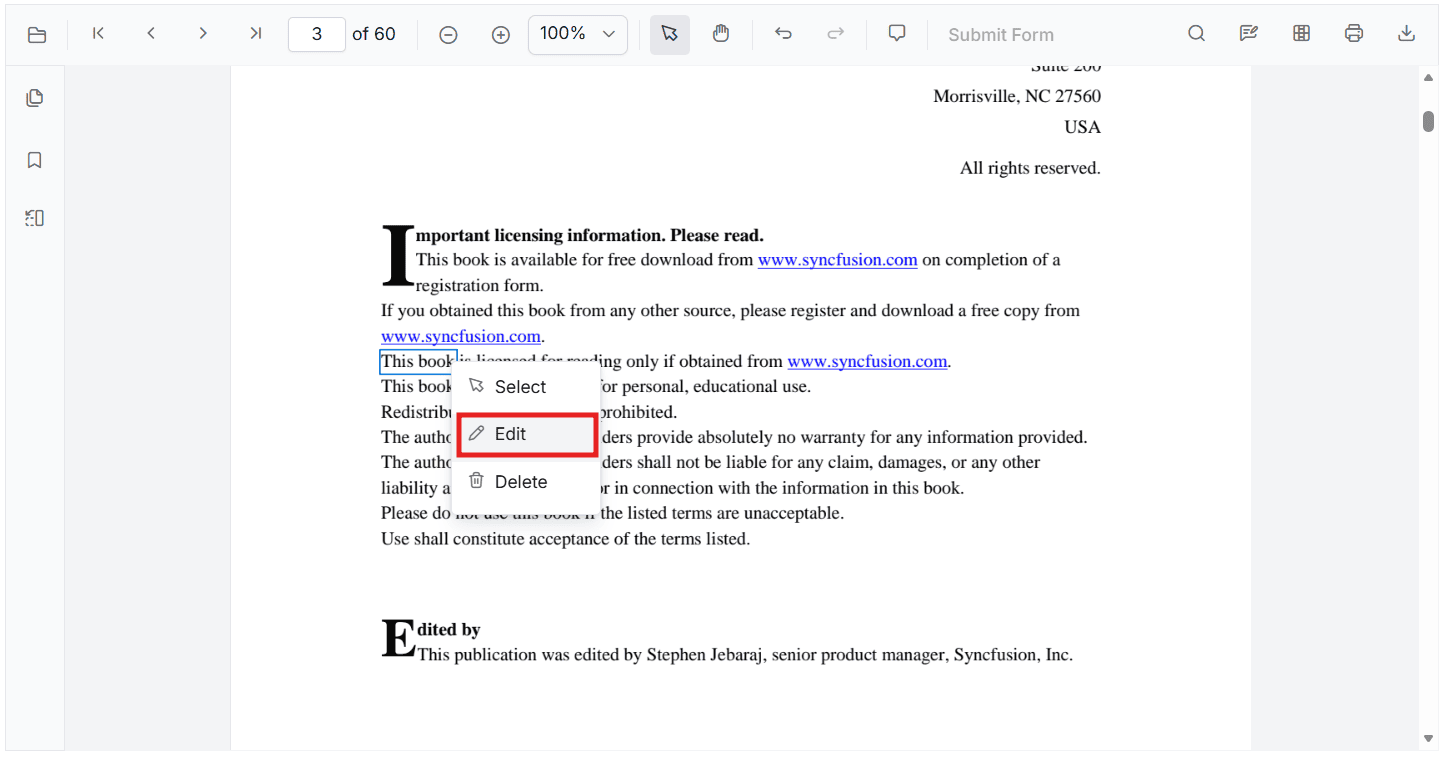
- Choose Select to move the rectangle
- Drag the resize handles to adjust size
- Right-click and choose Edit to change the destination page or URL
Edit Link Annotation Programmatically
Use editAnnotation() to update an existing link annotation.
for (let i = 0; i < viewer.annotationCollection.length; i++) {
  const linkAnnotation = viewer.annotationCollection[i];
  if (linkAnnotation.subject === 'Link') {
    linkAnnotation.strokeColor = '#1fcbd4';
    linkAnnotation.thickness = 2;
    linkAnnotation.bounds = { left: 100, top: 100, width: 100, height: 100 };
    linkAnnotation.url = 'https://www.google.com';
    linkAnnotation.destinationPageIndex = 3;
    linkAnnotation.destinationLocation = { x: 300, y: 300 };
    linkAnnotation.zoomValue = 1;
    viewer.annotation.editAnnotation(linkAnnotation);
    break;
  }
}
Delete Link Annotation
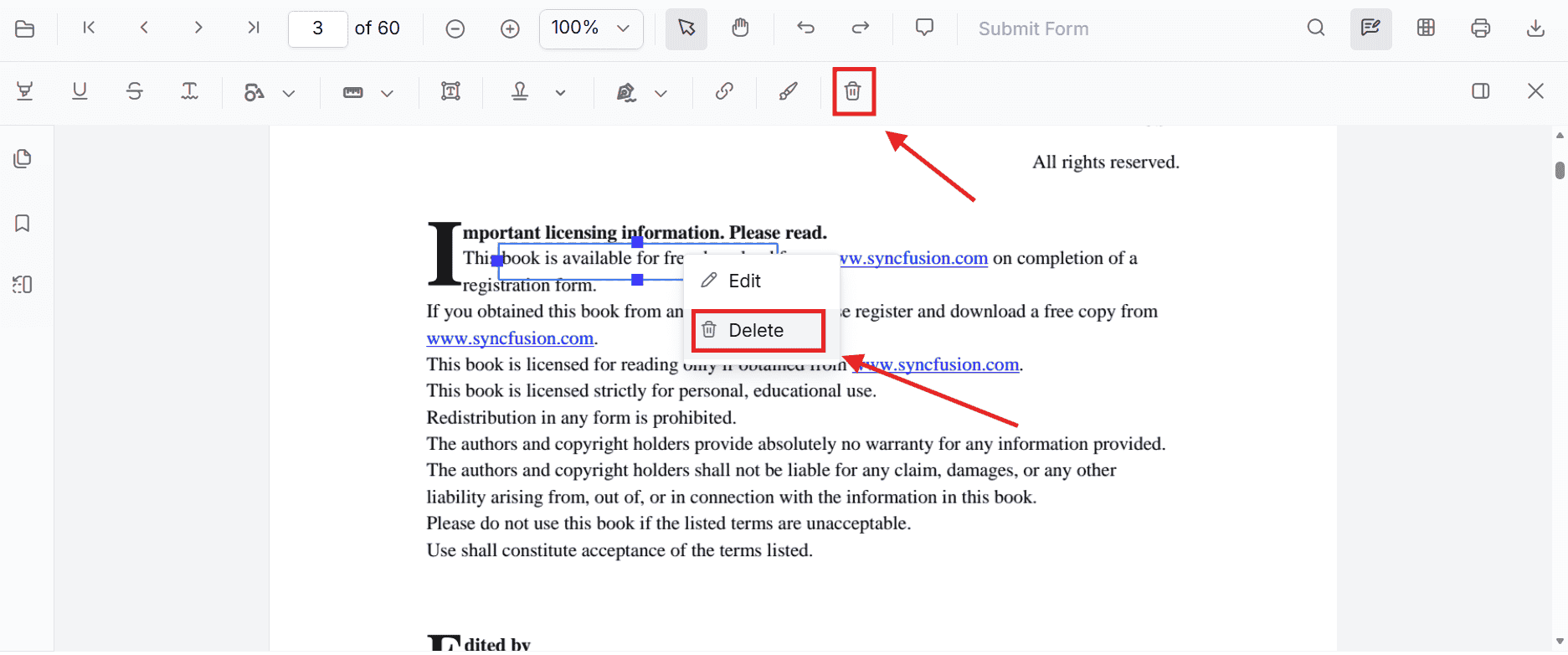
The PDF Viewer supports deleting link annotations through both the UI and API.
Delete a link annotation by ID
const linkAnnotation = viewer.annotationCollection.find((item) => item.subject === 'Link');

if (linkAnnotation) {
  viewer.annotation.deleteAnnotationById(linkAnnotation.annotationId);
}
Set Properties While Adding an Individual Link
You can set link properties directly when calling addAnnotation('Link', ...).
viewer.annotation.addAnnotation('Link', {
  offset: { x: 100, y: 150 },
  pageNumber: 1,
  width: 180,
  height: 60,
  url: 'https://www.syncfusion.com',
  strokeColor: '#ff0000'
});

viewer.annotation.addAnnotation('Link', {
  offset: { x: 320, y: 180 },
  pageNumber: 1,
  width: 150,
  height: 60,
  destinationPageIndex: 2,
  destinationLocation: { x: 100, y: 200 },
  zoomValue: 2,
  strokeColor: '#1433e3'
});
Link Annotation Events
The PDF Viewer raises annotation life cycle events that can be used to monitor when link annotations are added, modified, selected, or removed. For the complete event list, see Annotation Events.