Hyperlink navigation in Blazor PDF Viewer
14 Aug 20261 minute to read
Use hyperlinks in a PDF to navigate to external URLs or to destinations within the same document. Hyperlinks are extracted from the PDF and enabled by default.
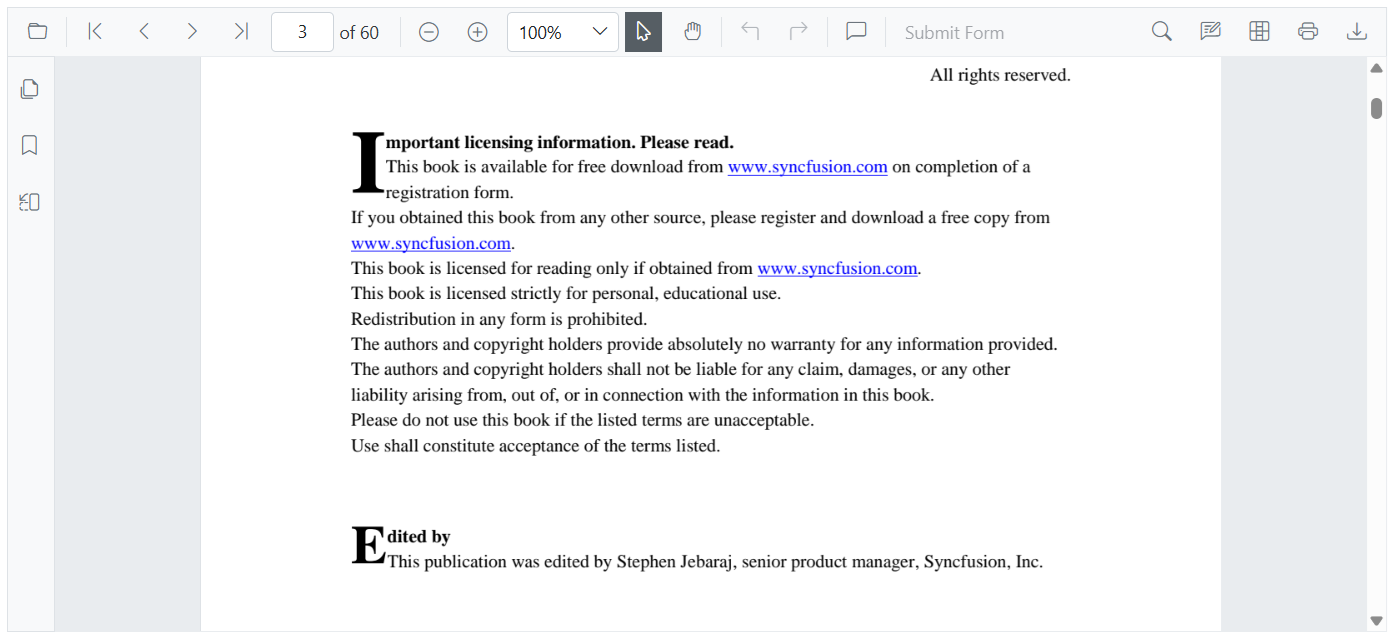
Enable or disable hyperlink navigation
Toggle hyperlink navigation by setting the EnableHyperlink property. The feature is enabled by default; set it to false to disable link highlighting and click behavior.
@using Syncfusion.Blazor.SfPdfViewer

<SfPdfViewer2 Height="100%" Width="100%" DocumentPath="@DocumentPath" EnableHyperlink="true" />

@code{
    private string DocumentPath { get; set; } = "wwwroot/Data/PDF_Succinctly.pdf";
}
External links
External links (HTTP/HTTPS, etc.) open in the browser according to browser settings (for example, in a new tab or window). Control where they open using the HyperlinkOpenState property (for example, a new tab).
@using Syncfusion.Blazor.SfPdfViewer

<SfPdfViewer2 Height="100%"
              Width="100%" DocumentPath="@DocumentPath"
              EnableHyperlink="true"
              HyperlinkOpenState="LinkTarget.NewTab" />

@code{
    private string DocumentPath { get; set; } = "wwwroot/Data/PDF_Succinctly.pdf";
}
In-document links
In-document links navigate directly to the referenced page or location in the viewer. They always navigate within the viewer, regardless of the HyperlinkOpenState setting.
If a document contains no hyperlinks, the viewer shows no link highlighting.