Undo and Redo Annotations in ASP.NET Core PDF Viewer
17 Sep 20261 minute to read
The ASP.NET Core PDF Viewer supports undo and redo operations for annotations.
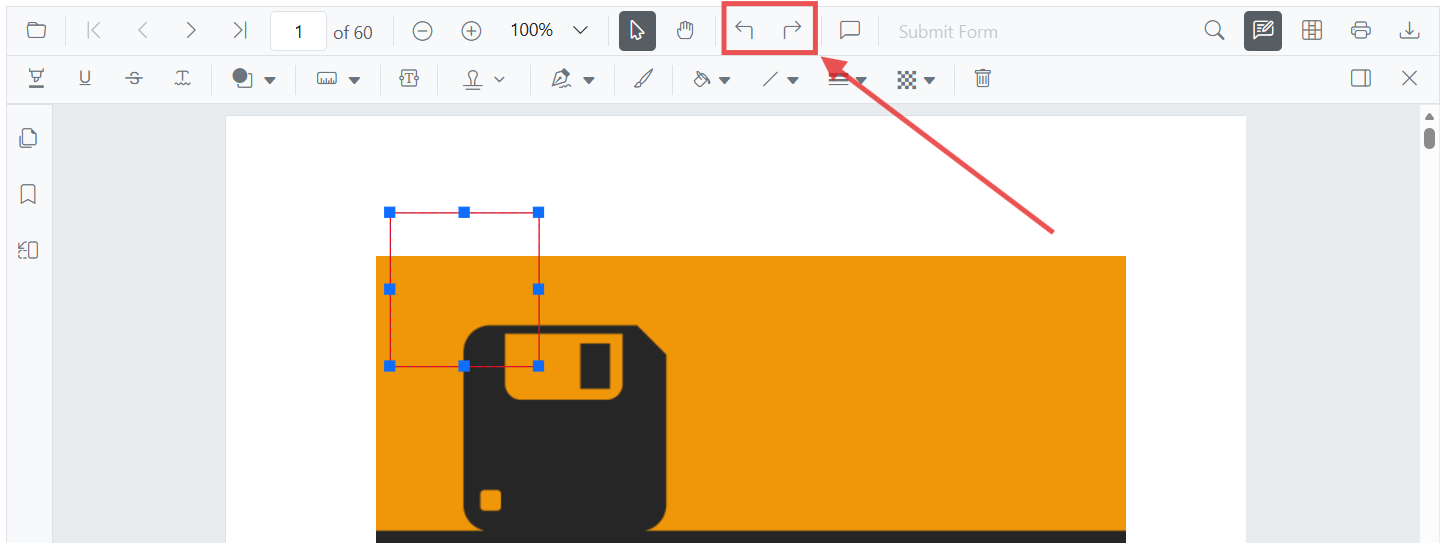
Undo and redo actions can be performed by using either of the following methods:
- Using keyboard shortcuts (desktop):
After performing an annotation action, pressCtrl+Zto undo andCtrl+Yto redo on Windows and Linux. On macOS, useCommand+Zto undo andCommand+Shift+Zto redo. - Using the toolbar:
Use the Undo and Redo tools in the toolbar.
Refer to the following code snippet to call undo and redo actions from the client side.
<div style="margin-bottom:8px">
    <button onclick="undoAnnotation()">Undo</button>
    <button onclick="redoAnnotation()">Redo</button>
</div>
<div style="width:100%;height:600px">
    <ejs-pdfviewer id="pdfviewer"
                   style="height:600px"
                   documentPath="https://cdn.syncfusion.com/content/pdf/pdf-succinctly.pdf"
                   resourceUrl="https://cdn.syncfusion.com/ej2/31.2.2/dist/ej2-pdfviewer-lib">
    </ejs-pdfviewer>
</div>

<script>
    function getViewer() {
        return document.getElementById('pdfviewer').ej2_instances[0];
    }

    function undoAnnotation() {
        getViewer().undo();
    }

    function redoAnnotation() {
        getViewer().redo();
    }
</script>