Positioning a node in TypeScript Diagram control
Position
-
Position of a node is controlled by using its
offsetXandoffsetYproperties. By default, these offset properties represent the distance between the origin of the diagram’s page and node’s center point. -
You may expect this offset values to represent the distance between page origin and node’s top-left corner instead of center. The Pivot property helps to solve this problem. Default value of node’s
pivotpoint is (0.5, 0.5), that means center of the node. -
The size of the node can be controlled by using its
widthandheightproperties. -
Rotation of a node is controlled by using its
rotateAngleproperty.
The following table illustrates how pivot relates offset values with node boundaries.
| Pivot | Offset |
|---|---|
| (0.5,0.5) | offsetX and offsetY values are considered as the node’s center point. |
| (0,0) | offsetX and offsetY values are considered as the top-left corner of the node. |
| (1,1) | offsetX and offsetY values are considered as the bottom-right corner of the node. |
The following code illustrates how to change the pivot value.
import { Diagram, NodeModel } from '@syncfusion/ej2-diagrams';
// A node is created and stored in nodes array.
let node: NodeModel = {
    // Position of the node
    offsetX: 250,
    offsetY: 250,
    // Size of the node
    width: 100,
    height: 100,
    pivot: {
        x: 0,
        y: 0
    },
    style: {
        fill: '#6BA5D7',
        strokeColor: 'white'
    },
    // Text(label) added to the node
};
// initialize diagram component
let diagram: Diagram = new Diagram({
    width: '100%',
    height: '600px',
    // Add node
    nodes: [node]
});
// render initialized diagram
diagram.appendTo('#element');
diagram.select([diagram.nodes[0]]);
<!DOCTYPE html>
<html lang="en">
<head>
<title>EJ2 Diagram</title>
<meta charset="utf-8" />
<meta name="viewport" content="width=device-width, initial-scale=1.0" />
<meta name="description" content="Typescript UI Controls" />
<meta name="author" content="Syncfusion" />
<link href="index.css" rel="stylesheet" />
<script src="https://cdnjs.cloudflare.com/ajax/libs/systemjs/0.19.38/system.js"></script>
<link href="https://cdn.syncfusion.com/ej2/33.2.3/ej2-base/styles/tailwind3.css" rel="stylesheet" />
<link href="https://cdn.syncfusion.com/ej2/33.2.3/ej2-buttons/styles/tailwind3.css" rel="stylesheet" />
<link href="https://cdn.syncfusion.com/ej2/33.2.3/ej2-popups/styles/tailwind3.css" rel="stylesheet" />
<link href="https://cdn.syncfusion.com/ej2/33.2.3/ej2-splitbuttons/styles/tailwind3.css" rel="stylesheet" />
<link href="https://cdn.syncfusion.com/ej2/33.2.3/ej2-diagrams/styles/tailwind3.css" rel="stylesheet" />
<link href="https://cdn.syncfusion.com/ej2/33.2.3/ej2-navigations/styles/fabric.css" rel="stylesheet" />
<script src="systemjs.config.js"></script>
</head>
<body>
<div id='loader'>Loading....</div>
<div id='container'>
<div id='element'></div>
</div>
</body>
</html>Minimum and maximum size for nodes.
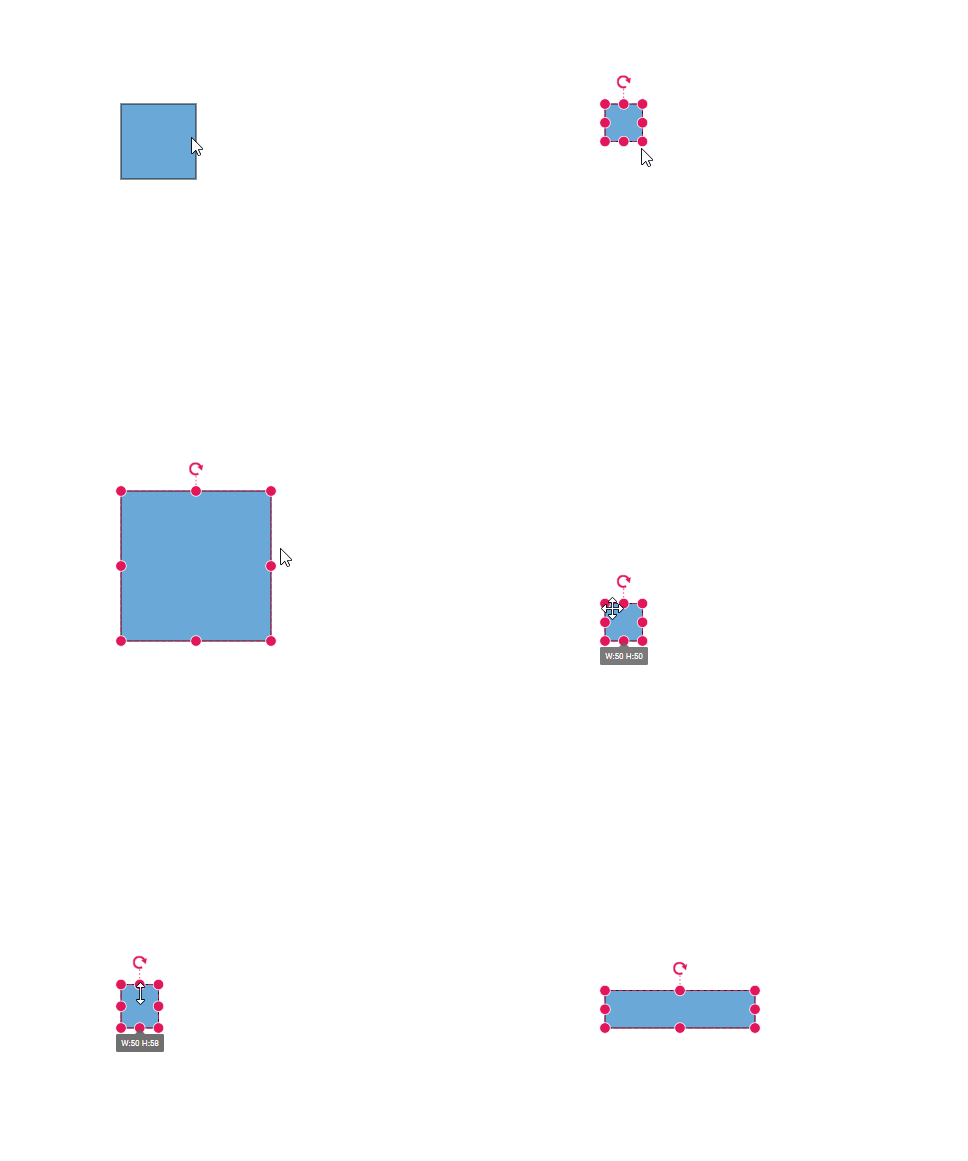
The minWidth and minHeight properties of node allows you to control the minimum size of the node while resizing. Similarly, the maxWidth and maxHeight properties of node allows you to control the maximum size of the node while resizing.
import { Diagram, NodeModel } from '@syncfusion/ej2-diagrams';
// A node is created and stored in nodes array.
let node: NodeModel = {
    // Position of the node
    offsetX: 250,
    offsetY: 250,
    // Size of the node
    width: 100,
    height: 100,
    visible: true,
    minWidth:50,
    minHeight:50,
    maxWidth:200,
    maxHeight:200,
    style: { fill: '#6AA8D7'},
    // Text(label) added to the node
};
// initialize Diagram component
let diagram: Diagram = new Diagram({
    width: '100%',
    height: '600px',
    // Add node
    nodes: [node]
});
// render initialized Diagram
diagram.appendTo('#element');
<!DOCTYPE html>
<html lang="en">
<head>
<title>EJ2 Diagram</title>
<meta charset="utf-8" />
<meta name="viewport" content="width=device-width, initial-scale=1.0" />
<meta name="description" content="Typescript UI Controls" />
<meta name="author" content="Syncfusion" />
<link href="index.css" rel="stylesheet" />
<script src="https://cdnjs.cloudflare.com/ajax/libs/systemjs/0.19.38/system.js"></script>
<link href="https://cdn.syncfusion.com/ej2/33.2.3/ej2-base/styles/tailwind3.css" rel="stylesheet" />
<link href="https://cdn.syncfusion.com/ej2/33.2.3/ej2-buttons/styles/tailwind3.css" rel="stylesheet" />
<link href="https://cdn.syncfusion.com/ej2/33.2.3/ej2-popups/styles/tailwind3.css" rel="stylesheet" />
<link href="https://cdn.syncfusion.com/ej2/33.2.3/ej2-splitbuttons/styles/tailwind3.css" rel="stylesheet" />
<link href="https://cdn.syncfusion.com/ej2/33.2.3/ej2-diagrams/styles/tailwind3.css" rel="stylesheet" />
<link href="https://cdn.syncfusion.com/ej2/33.2.3/ej2-navigations/styles/fabric.css" rel="stylesheet" />
<script src="systemjs.config.js"></script>
</head>
<body>
<div id='loader'>Loading....</div>
<div id='container'>
<div id='element'></div>
</div>
</body>
</html>