Port positioning in React Diagram Component
The React Diagram component provides flexible options for positioning ports on nodes. Ports can be precisely positioned using offset coordinates, alignment properties, and margin values to create professional diagram layouts that meet specific design requirements.
Understanding Port Offset Positioning
The offset property positions ports using fractional coordinates relative to the node boundaries. The coordinate system uses values from 0 to 1, where:
- 0 represents the top edge (for Y-axis) or left edge (for X-axis).
- 1 represents the bottom edge (for Y-axis) or right edge (for X-axis).
- 0.5 represents the center point of the width or height.
The following table demonstrates port positioning with different offset values:
| Offset values | Output |
|---|---|
| (0,0) | 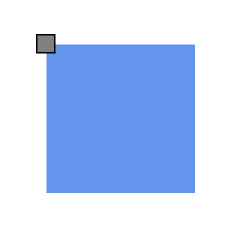 |
| (0,0.5) | 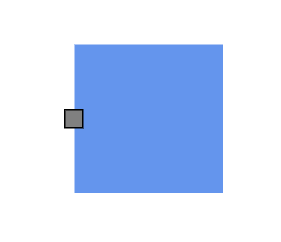 |
| (0,1) | 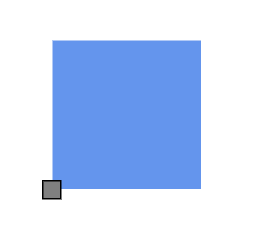 |
| (0.5,0) | 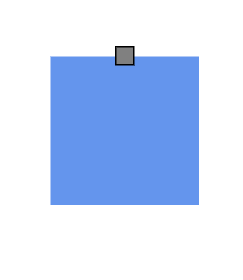 |
| (0.5,0.5) | 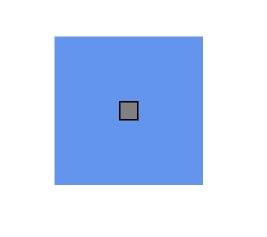 |
| (0.5,1) | 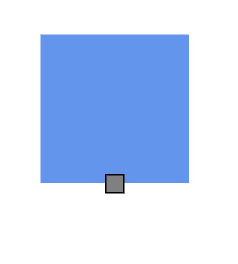 |
| (1,0) | 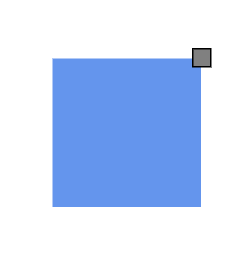 |
| (1,0.5) | 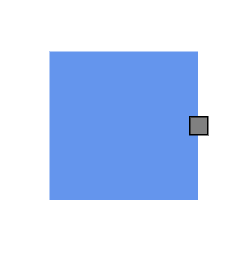 |
| (1,1) | 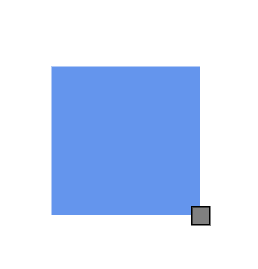 |
Horizontal and Vertical Alignment Options
The horizontalAlignment and verticalAlignment properties provide fine-grained control over port positioning at the specified offset coordinates. These properties determine how the port aligns relative to its calculated position.
import * as React from "react";
import * as ReactDOM from "react-dom";
import { DiagramComponent,PortVisibility} from "@syncfusion/ej2-react-diagrams";


let nodes = [
    {
      id: 'node1',
      offsetX: 100,
      offsetY: 100,
      width: 100,
      height: 100,
      annotations: [{ content: 'Left Top' }],
      ports: [
        {
          id: 'nodePort',
          offset: { x: 0, y: 0 },
          visibility: PortVisibility.Visible,
          horizontalAlignment: 'Left',
          verticalAlignment: 'Top',
        },
      ],
    },
    {
      id: 'node2',
      offsetX: 250,
      offsetY: 100,
      width: 100,
      height: 100,
      annotations: [{ content: 'Left Bottom' }],
      ports: [
        {
          id: 'nodePort',
          offset: { x: 0, y: 0 },
          visibility: PortVisibility.Visible,
          horizontalAlignment: 'Left',
          verticalAlignment: 'Bottom',
        },
      ],
    },
    {
      id: 'node3',
      offsetX: 400,
      offsetY: 100,
      width: 100,
      height: 100,
      annotations: [{ content: 'Left Center' }],
      ports: [
        {
          id: 'nodePort',
          offset: { x: 0, y: 0 },
          visibility: PortVisibility.Visible,
          horizontalAlignment: 'Left',
          verticalAlignment: 'Center',
        },
      ],
    },
    {
      id: 'node4',
      offsetX: 100,
      offsetY: 250,
      width: 100,
      height: 100,
      annotations: [{ content: 'Right Top' }],
      ports: [
        {
          id: 'nodePort',
          offset: { x: 0, y: 0 },
          visibility: PortVisibility.Visible,
          horizontalAlignment: 'Right',
          verticalAlignment: 'Top',
        },
      ],
    },
    {
      id: 'node5',
      offsetX: 250,
      offsetY: 250,
      width: 100,
      height: 100,
      annotations: [{ content: 'Right Bottom' }],
      ports: [
        {
          id: 'nodePort',
          offset: { x: 0, y: 0 },
          visibility: PortVisibility.Visible,
          horizontalAlignment: 'Right',
          verticalAlignment: 'Bottom',
        },
      ],
    },
    {
      id: 'node6',
      offsetX: 400,
      offsetY: 250,
      width: 100,
      height: 100,
      annotations: [{ content: 'Right Center' }],
      ports: [
        {
          id: 'nodePort',
          offset: { x: 0, y: 0 },
          visibility: PortVisibility.Visible,
          horizontalAlignment: 'Right',
          verticalAlignment: 'Center',
        },
      ],
    },
    {
      id: 'node7',
      offsetX: 100,
      offsetY: 400,
      width: 100,
      height: 100,
      annotations: [{ content: 'Center Top' }],
      ports: [
        {
          id: 'nodePort',
          offset: { x: 0, y: 0 },
          visibility: PortVisibility.Visible,
          horizontalAlignment: 'Center',
          verticalAlignment: 'Top',
        },
      ],
    },
    {
      id: 'node8',
      offsetX: 250,
      offsetY: 400,
      width: 100,
      height: 100,
      annotations: [{ content: 'Center Bottom' }],
      ports: [
        {
          id: 'nodePort',
          offset: { x: 0, y: 0 },
          visibility: PortVisibility.Visible,
          horizontalAlignment: 'Center',
          verticalAlignment: 'Bottom',
        },
      ],
    },
    {
      id: 'node9',
      offsetX: 400,
      offsetY: 400,
      width: 100,
      height: 100,
      annotations: [{ content: 'Center Center' }],
      ports: [
        {
          id: 'nodePort',
          offset: { x: 0, y: 0 },
          visibility: PortVisibility.Visible,
          horizontalAlignment: 'Center',
          verticalAlignment: 'Center',
        },
      ],
    },
  ];

// initialize Diagram component
function App() {
  return (
      <DiagramComponent
        id="container"
        width={'100%'}
        height={'600px'}
        nodes={nodes}
      />
  );
}
const root = ReactDOM.createRoot(document.getElementById('diagram'));
root.render(<App />);
import * as React from "react";
import * as ReactDOM from "react-dom";
import { DiagramComponent,NodeModel,PortVisibility} from "@syncfusion/ej2-react-diagrams";
let nodes: NodeModel[] = [
{
id: 'node1',
offsetX: 100,
offsetY: 100,
width: 100,
height: 100,
annotations: [{ content: 'Left Top' }],
ports: [
{
id: 'nodePort',
offset: { x: 0, y: 0 },
visibility: PortVisibility.Visible,
horizontalAlignment: 'Left',
verticalAlignment: 'Top',
},
],
},
{
id: 'node2',
offsetX: 250,
offsetY: 100,
width: 100,
height: 100,
annotations: [{ content: 'Left Bottom' }],
ports: [
{
id: 'nodePort',
offset: { x: 0, y: 0 },
visibility: PortVisibility.Visible,
horizontalAlignment: 'Left',
verticalAlignment: 'Bottom',
},
],
},
{
id: 'node3',
offsetX: 400,
offsetY: 100,
width: 100,
height: 100,
annotations: [{ content: 'Left Center' }],
ports: [
{
id: 'nodePort',
offset: { x: 0, y: 0 },
visibility: PortVisibility.Visible,
horizontalAlignment: 'Left',
verticalAlignment: 'Center',
},
],
},
{
id: 'node4',
offsetX: 100,
offsetY: 250,
width: 100,
height: 100,
annotations: [{ content: 'Right Top' }],
ports: [
{
id: 'nodePort',
offset: { x: 0, y: 0 },
visibility: PortVisibility.Visible,
horizontalAlignment: 'Right',
verticalAlignment: 'Top',
},
],
},
{
id: 'node5',
offsetX: 250,
offsetY: 250,
width: 100,
height: 100,
annotations: [{ content: 'Right Bottom' }],
ports: [
{
id: 'nodePort',
offset: { x: 0, y: 0 },
visibility: PortVisibility.Visible,
horizontalAlignment: 'Right',
verticalAlignment: 'Bottom',
},
],
},
{
id: 'node6',
offsetX: 400,
offsetY: 250,
width: 100,
height: 100,
annotations: [{ content: 'Right Center' }],
ports: [
{
id: 'nodePort',
offset: { x: 0, y: 0 },
visibility: PortVisibility.Visible,
horizontalAlignment: 'Right',
verticalAlignment: 'Center',
},
],
},
{
id: 'node7',
offsetX: 100,
offsetY: 400,
width: 100,
height: 100,
annotations: [{ content: 'Center Top' }],
ports: [
{
id: 'nodePort',
offset: { x: 0, y: 0 },
visibility: PortVisibility.Visible,
horizontalAlignment: 'Center',
verticalAlignment: 'Top',
},
],
},
{
id: 'node8',
offsetX: 250,
offsetY: 400,
width: 100,
height: 100,
annotations: [{ content: 'Center Bottom' }],
ports: [
{
id: 'nodePort',
offset: { x: 0, y: 0 },
visibility: PortVisibility.Visible,
horizontalAlignment: 'Center',
verticalAlignment: 'Bottom',
},
],
},
{
id: 'node9',
offsetX: 400,
offsetY: 400,
width: 100,
height: 100,
annotations: [{ content: 'Center Center' }],
ports: [
{
id: 'nodePort',
offset: { x: 0, y: 0 },
visibility: PortVisibility.Visible,
horizontalAlignment: 'Center',
verticalAlignment: 'Center',
},
],
},
];
// initialize Diagram component
function App() {
return (
<DiagramComponent
id="container"
width={'100%'}
height={'600px'}
nodes={nodes}
/>
);
}
const root = ReactDOM.createRoot(document.getElementById('diagram'));
root.render(<App />);The following table shows all possible alignment combinations when using offset (0, 0):
| Horizontal Alignment | Vertical Alignment | Output with Offset(0,0) |
|---|---|---|
| Left | Top | 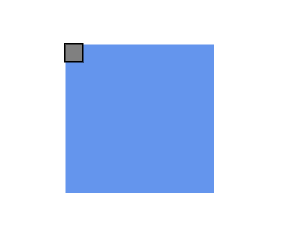 |
| Center | Top | 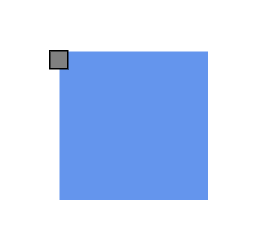 |
| Right | Top | 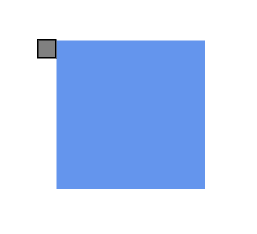 |
| Left | Center | 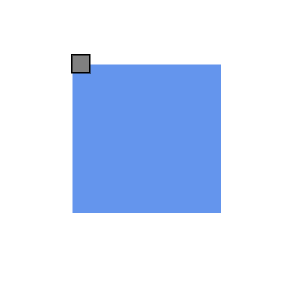 |
| Center | Center | 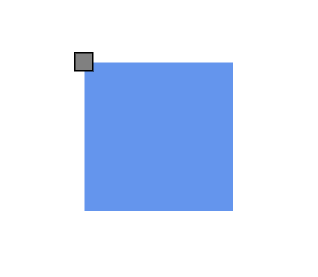 |
| Right | Center | 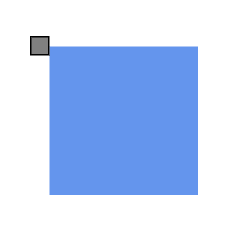 |
| Left | Bottom | 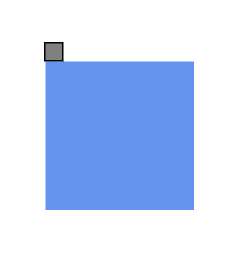 |
| Center | Bottom | 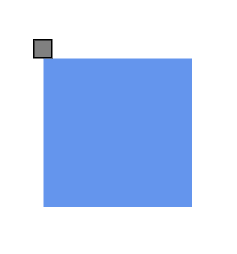 |
| Right | Bottom | 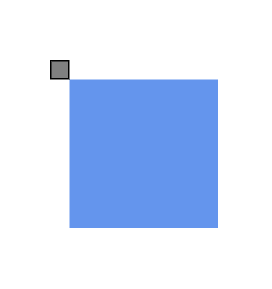 |
Adding Margin Spacing to Ports
Margin property applies additional spacing around ports using absolute pixel values. Margin creates blank space on any or all four sides of the port, allowing for precise positioning adjustments beyond the basic offset and alignment settings.
import * as React from "react";
import * as ReactDOM from "react-dom";
import { DiagramComponent, PortVisibility,NodeModel } from "@syncfusion/ej2-react-diagrams";

let node = [
    {
      id: 'node1',
      offsetX: 100,
      offsetY: 100,
      width: 100,
      height: 100,
      annotations: [{ content: 'margin:{left:50}' }],
      ports: [
        {
          id: 'nodePort',
          offset: { x: 1, y: 0 },
          visibility: PortVisibility.Visible,
          margin: { left: 50 },
        },
      ],
    },
  ];

function App() {
    return (

    <DiagramComponent id="container" width={'100%'} height={'600px'} nodes={node}/>);
}
const root = ReactDOM.createRoot(document.getElementById('diagram'));
root.render(<App />);
import * as React from "react";
import * as ReactDOM from "react-dom";
import { DiagramComponent, PortVisibility,NodeModel } from "@syncfusion/ej2-react-diagrams";
let node: NodeModel[] = [
{
id: 'node1',
offsetX: 100,
offsetY: 100,
width: 100,
height: 100,
annotations: [{ content: 'margin:{left:50}' }],
ports: [
{
id: 'nodePort',
offset: { x: 1, y: 0 },
visibility: PortVisibility.Visible,
margin: { left: 50 },
},
],
},
];
function App() {
return (
<DiagramComponent id="container" width={'100%'} height={'600px'} nodes={node}/>);
}
const root = ReactDOM.createRoot(document.getElementById('diagram'));
root.render(<App />);