Node Annotations in React Diagram Component
The React Diagram component allows precise customization of node annotations (also called labels) for positioning and appearance. Node annotations can be aligned relative to node boundaries using four key positioning properties that work together to provide comprehensive control over annotation placement.
Annotation positioning properties
Node annotations support the following positioning properties through the ShapeAnnotation class:
- Offset - Controls fractional positioning within the node bounds.
- HorizontalAlignment - Sets horizontal alignment at the calculated position.
- VerticalAlignment - Sets vertical alignment at the calculated position.
- Margin - Adds spacing around the annotation.
These properties can be combined to achieve precise annotation positioning for various design requirements.
Set annotation offset and size
The offset property positions annotations using fractional values between 0 and 1. The offset represents the relative position within the node boundaries, where (0,0) is the top-left corner and (1,1) is the bottom-right corner. The default offset is (0.5, 0.5), which centers the annotation.
The annotation size is automatically calculated based on its content. To specify custom dimensions, use the width and height properties.
The following example demonstrates how to configure offset, width, and height for node annotations:
import * as React from "react";
import * as ReactDOM from "react-dom";
import { DiagramComponent } from "@syncfusion/ej2-react-diagrams";
// A node is created and stored in nodes array.
let node = [{
        // Position of the node
        offsetX: 250,
        offsetY: 250,
        // Size of the node
        width: 100,
        height: 100,
        // Sets the annotation for the node
        annotations: [{
                // Sets the content for the annotation
                content: 'Annotation long annotation content',
                //Sets the offset for the content
                offset: {
                    x: 0,
                    y: 1
                },
                height: 100,
                width: 100
            }]
    }];
// initialize Diagram component
function App() {
    return (<DiagramComponent id="container" width={'100%'} height={'600px'} nodes={node}/>);
}
const root = ReactDOM.createRoot(document.getElementById('diagram'));
root.render(<App />);
import * as React from "react";
import * as ReactDOM from "react-dom";
import {
DiagramComponent,
NodeModel
} from "@syncfusion/ej2-react-diagrams";
// A node is created and stored in nodes array.
let node: NodeModel[] = [{
// Position of the node
offsetX: 250,
offsetY: 250,
// Size of the node
width: 100,
height: 100,
// Sets the annotation for the node
annotations: [{
// Sets the content for the annotation
content: 'Annotation long annotation content',
//Sets the offset for the content
offset: {
x: 0,
y: 1
},
height: 100,
width: 100
}]
}];
// initialize Diagram component
function App() {
return (
<DiagramComponent
id="container"
width={'100%'}
height={'600px'}
nodes={node}
/>
);
}
const root = ReactDOM.createRoot(document.getElementById('diagram'));
root.render(<App />);Update annotation offset at runtime
Annotation offset values can be modified dynamically during application execution. To update the offset, access the target annotation and modify its offset properties, then call the dataBind() method to apply changes immediately.
import * as React from "react";
import * as ReactDOM from "react-dom";
import { DiagramComponent } from "@syncfusion/ej2-react-diagrams";
// A node is created and stored in nodes array.
let diagramInstance;
let node = [{
        // Position of the node
        offsetX: 250,
        offsetY: 250,
        // Size of the node
        width: 100,
        height: 100,
        // Sets the annotation for the node
        annotations: [{
            // Sets the content for the annotation
            content: 'Annotation',
        }]
    }];
// initialize Diagram component
function App() {
    const updateOffset = () => {
        //Method to update the annotation at run time
        diagramInstance.nodes[0].annotations[0].offset = {x:0, y:0.5};
        diagramInstance.dataBind();
    };
    return (
    <div>
        <button id="updateOffset" onClick={updateOffset}>Update Offset</button>
        <DiagramComponent id="container" ref={(diagram) => (diagramInstance = diagram)} width={'100%'} height={'600px'} nodes={node}/>
    </div>
    );
}
const root = ReactDOM.createRoot(document.getElementById('diagram'));
root.render(<App />);
import * as React from "react";
import * as ReactDOM from "react-dom";
import {
DiagramComponent,
NodeModel
} from "@syncfusion/ej2-react-diagrams";
let diagramInstance: DiagramComponent;
// A node is created and stored in nodes array.
let node: NodeModel[] = [{
// Position of the node
offsetX: 250,
offsetY: 250,
// Size of the node
width: 100,
height: 100,
// Sets the annotation for the node
annotations: [{
// Sets the content for the annotation
content: 'Annotation',
}]
}];
// initialize Diagram component
function App() {
const updateOffset = () => {
//Method to update the annotation at run time
diagramInstance.nodes[0].annotations[0].offset = {x:0, y:0.5};
diagramInstance.dataBind();
};
return (
<div>
<button id="updateOffset" onClick={updateOffset}>Update Offset</button>
<DiagramComponent id="container" ref={(diagram) => (diagramInstance = diagram)} width={'100%'} height={'600px'} nodes={node}/>
</div>
);
}
const root = ReactDOM.createRoot(document.getElementById('diagram'));
root.render(<App />);NOTE
Call
dataBind()after property changes to reflect updates instantly.
Annotation offset positions
The following table demonstrates annotation positioning with different offset values:
| offset | image | |
|---|---|---|
| Top Left {x:0,y:0} | 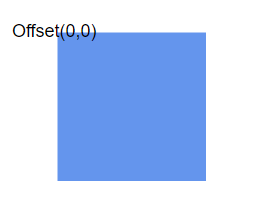 |
|
| Middle left {x:0,y:0.5} | 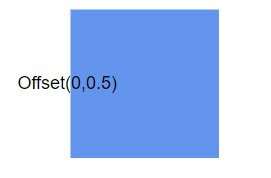 |
|
| Bootom left {x:0,y:1} | 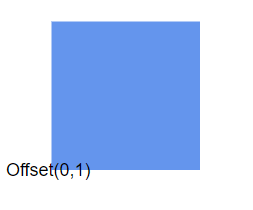 |
|
| Middle Top {x:0.5,y:0} | 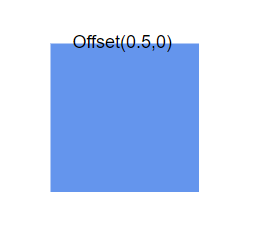 |
|
| Center {x:0.5,y:0.5} | 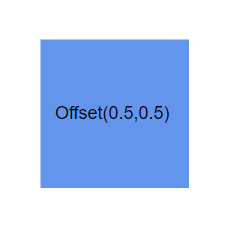 |
|
| Middle Bottom {x:0.5,y:1} | 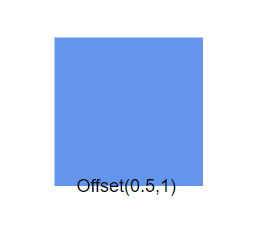 |
|
| Top right {x:1,y:0} | 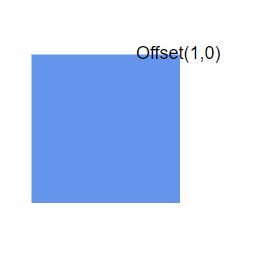 |
|
| Middle right {x:1,y:0.5} | 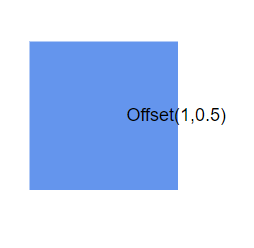 |
|
| Bottom right {x:1,y:1} | 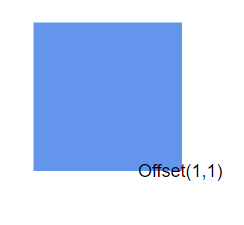 |
Annotation alignment
After determining the annotation position using offset values, the horizontalAlignment property of annotation is used to set how the annotation is horizontally aligned at the annotation position determined from the fraction values. The verticalAlignment properties control how the annotation aligns at that calculated position.
The horizontal alignment determines the annotation’s horizontal positioning relative to the calculated point, while vertical alignment controls the vertical positioning. This two-step positioning system (offset calculation followed by alignment) provides precise control over annotation placement.
The following example shows how to configure annotation alignment properties:
import * as React from "react";
import * as ReactDOM from "react-dom";
import { DiagramComponent } from "@syncfusion/ej2-react-diagrams";
// A node is created and stored in nodes array.
let node = [{
        // Position of the node
        offsetX: 250,
        offsetY: 250,
        // Size of the node
        width: 100,
        height: 100,
        // Sets the annotation for the node
        annotations: [{
                content: 'Annotation',
                // Sets the horizontal alignment as left
                horizontalAlignment: 'Left',
                // Sets the vertical alignment as Center
                verticalAlignment: 'Center'
            }]
    }];
// initialize Diagram component
function App() {
    return (<DiagramComponent id="container" width={'100%'} height={'600px'} nodes={node}/>);
}
const root = ReactDOM.createRoot(document.getElementById('diagram'));
root.render(<App />);
import * as React from "react";
import * as ReactDOM from "react-dom";
import {
DiagramComponent,
NodeModel
} from "@syncfusion/ej2-react-diagrams";
// A node is created and stored in nodes array.
let node: NodeModel[] = [{
// Position of the node
offsetX: 250,
offsetY: 250,
// Size of the node
width: 100,
height: 100,
// Sets the annotation for the node
annotations: [{
content: 'Annotation',
// Sets the horizontal alignment as left
horizontalAlignment: 'Left',
// Sets the vertical alignment as Center
verticalAlignment: 'Center'
}]
}];
// initialize Diagram component
function App() {
return (
<DiagramComponent
id="container"
width={'100%'}
height={'600px'}
nodes={node}
/>
);
}
const root = ReactDOM.createRoot(document.getElementById('diagram'));
root.render(<App />);Alignment combinations
The following table shows all possible alignment combinations with offset (0,0) to demonstrate the alignment behavior:
| Horizontal Alignment | Vertical Alignment | Output with Offset(0,0) |
|---|---|---|
| Left | Top | 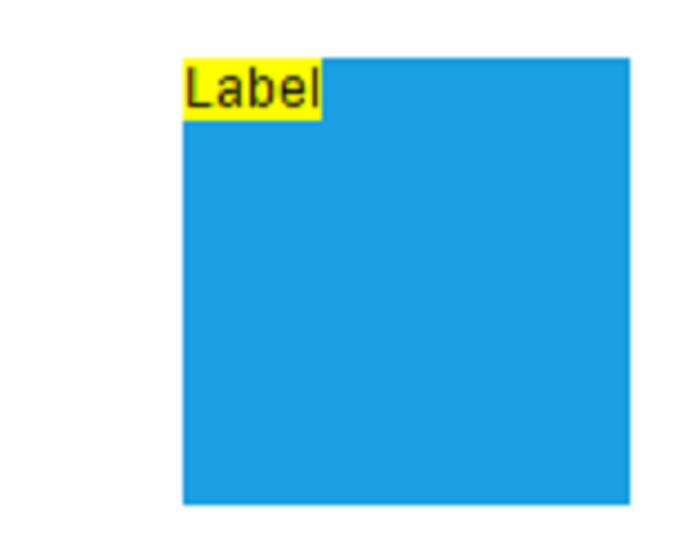 |
| Center | Top | 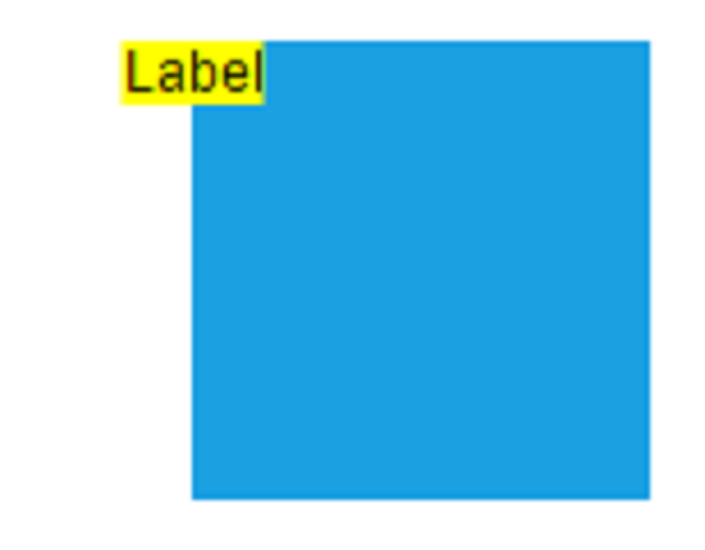 |
| Right | Top | 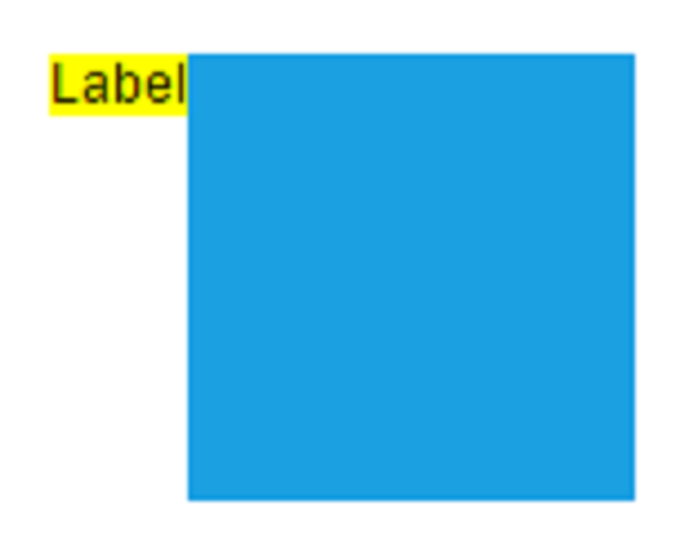 |
| Left | Center | 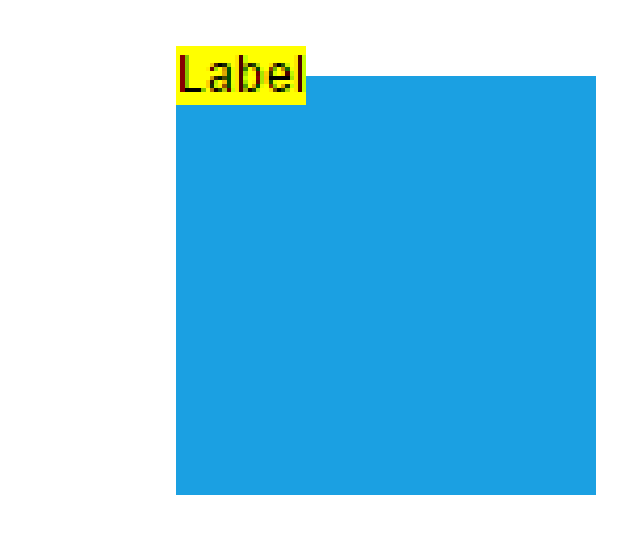 |
| Center | Center | 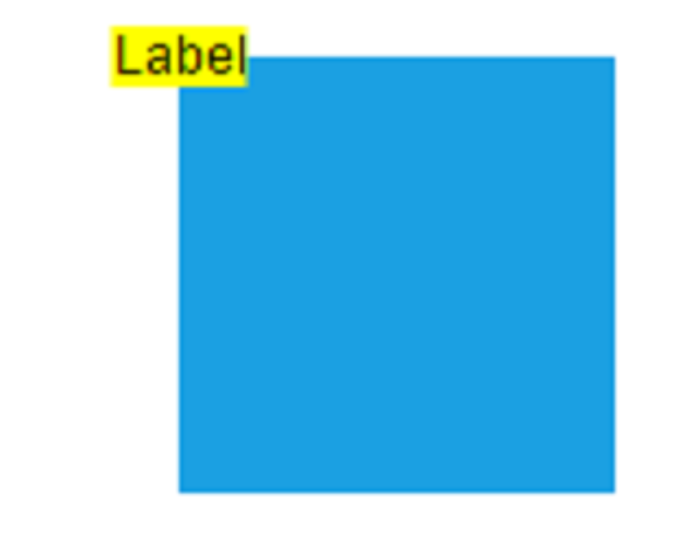 |
| Right | Center | 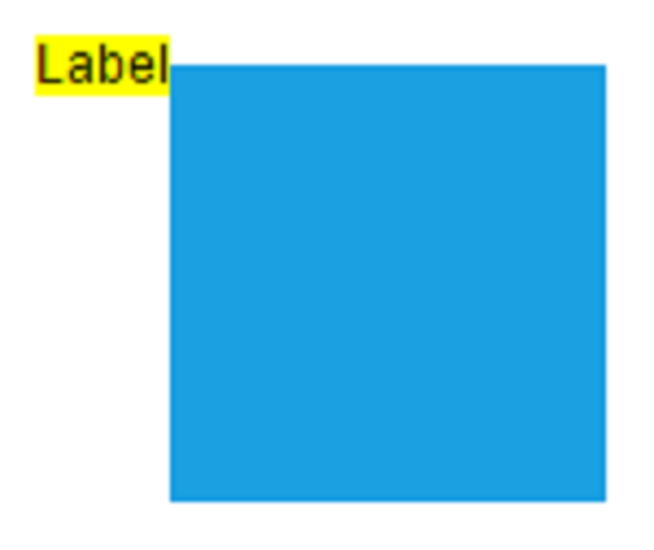 |
| Left | Bottom | 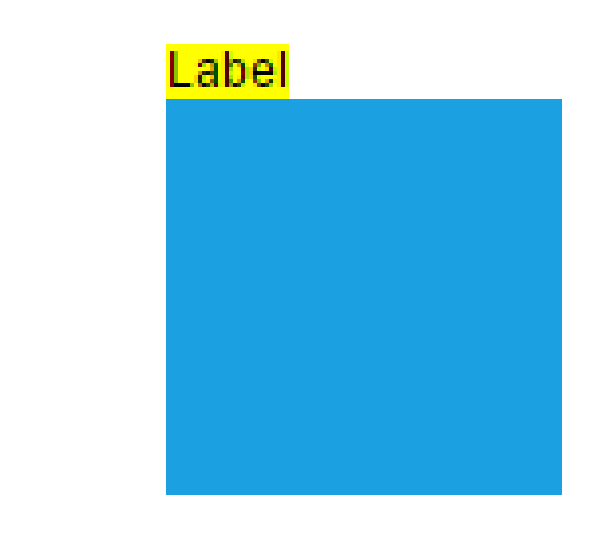 |
| Center | Bottom | 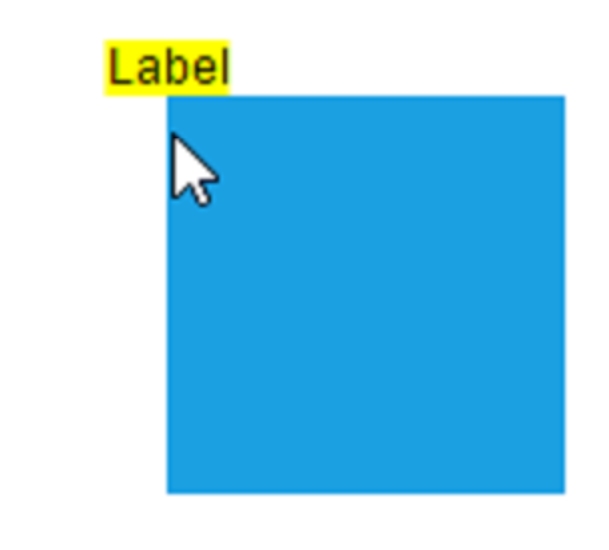 |
| Right | Bottom | 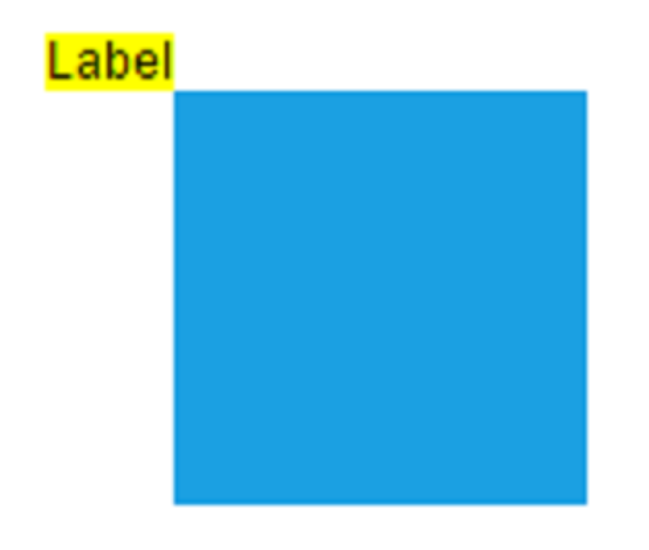 |
Update annotation alignment at runtime
Annotation alignment properties can be modified dynamically during application execution. The following example demonstrates updating alignment properties at runtime:
import * as React from "react";
import * as ReactDOM from "react-dom";
import { DiagramComponent } from "@syncfusion/ej2-react-diagrams";
let diagramInstance;
// A node is created and stored in nodes array.
let node = [{
        // Position of the node
        offsetX: 250,
        offsetY: 250,
        // Size of the node
        width: 100,
        height: 100,
        // Sets the annotation for the node
        annotations: [{
                content: 'Annotation',
            }]
    }];
// initialize Diagram component
function App() {
    const updateAlignment = () => {
        //Method to update alignment at run time
        diagramInstance.nodes[0].annotations[0].horizontalAlignment = 'Right';
        diagramInstance.nodes[0].annotations[0].verticalAlignment = 'Bottom';
      };
      return (
      <div>
        <button id="updateAlignment" onClick={updateAlignment}>Update Alignment</button>
        <DiagramComponent id="container" ref={(diagram) => (diagramInstance = diagram)} width={'100%'} height={'600px'} nodes={node}/>
      </div>
      );
}
const root = ReactDOM.createRoot(document.getElementById('diagram'));
root.render(<App />);
import * as React from "react";
import * as ReactDOM from "react-dom";
import {
DiagramComponent,
NodeModel
} from "@syncfusion/ej2-react-diagrams";
let diagramInstance: DiagramComponent;
// A node is created and stored in nodes array.
let node: NodeModel[] = [{
// Position of the node
offsetX: 250,
offsetY: 250,
// Size of the node
width: 100,
height: 100,
// Sets the annotation for the node
annotations: [{
content: 'Annotation',
}]
}];
// initialize Diagram component
function App() {
const updateAlignment = () => {
//Method to update alignment at run time
diagramInstance.nodes[0].annotations[0].horizontalAlignment = 'Right';
diagramInstance.nodes[0].annotations[0].verticalAlignment = 'Bottom';
};
return (
<div>
<button id="updateAlignment" onClick={updateAlignment}>Update Alignment</button>
<DiagramComponent id="container" ref={(diagram) => (diagramInstance = diagram)} width={'100%'} height={'600px'} nodes={node}/>
</div>
);
}
const root = ReactDOM.createRoot(document.getElementById('diagram'));
root.render(<App />);