How can I help you?
How to Configure Open-source Models in Code Studio
1 Dec 20251 minute to read
Purpose
This guide provides step-by-step instructions to configure open-source models within Syncfusion Code Studio. Use this feature to connect your preferred open-source model providers such as Ollama and LM Studio.
When to Use
• When you want free, unlimited usage with no API costs or rate limits – perfect for long coding sessions or agent workflows.
• When you need full privacy – your code or data must never leave your computer (sensitive projects, company policy, or offline work).
Prerequisites
Before starting, ensure you have system requirement to install open-source models.
• Refer this documentation for system requirement to install LM Studio System-Requirements
• Refer this documentation for system requirement to install Ollama
• Minimum hardware guidance (approximate):
- 8–16 GB RAM for small models; 32+ GB recommended for large models.
- GPU recommended for best performance on large models (check provider docs for GPU requirements).
Download and Install steps
Refer the documentation below to download and install Ollama and LM Studio in your machine.
• Ollama
• LMStudio
Quick checklist before configuring
• Provider runtime installed (Ollama or LM Studio).
• At least one model downloaded/installed locally.
• Recommended models – deepseek-r1, qwen 2.5
• Code Studio up-to-date (latest stable release recommended).
Configure Ollama Model in Code studio
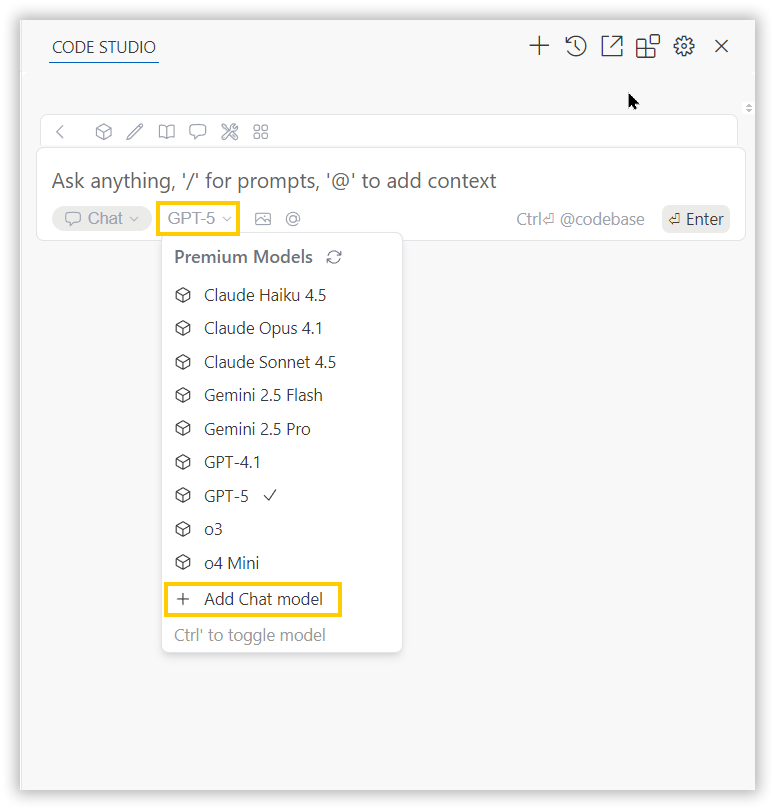
• Click the model’s section dropdown and click ‘Add Chat Model’ option.
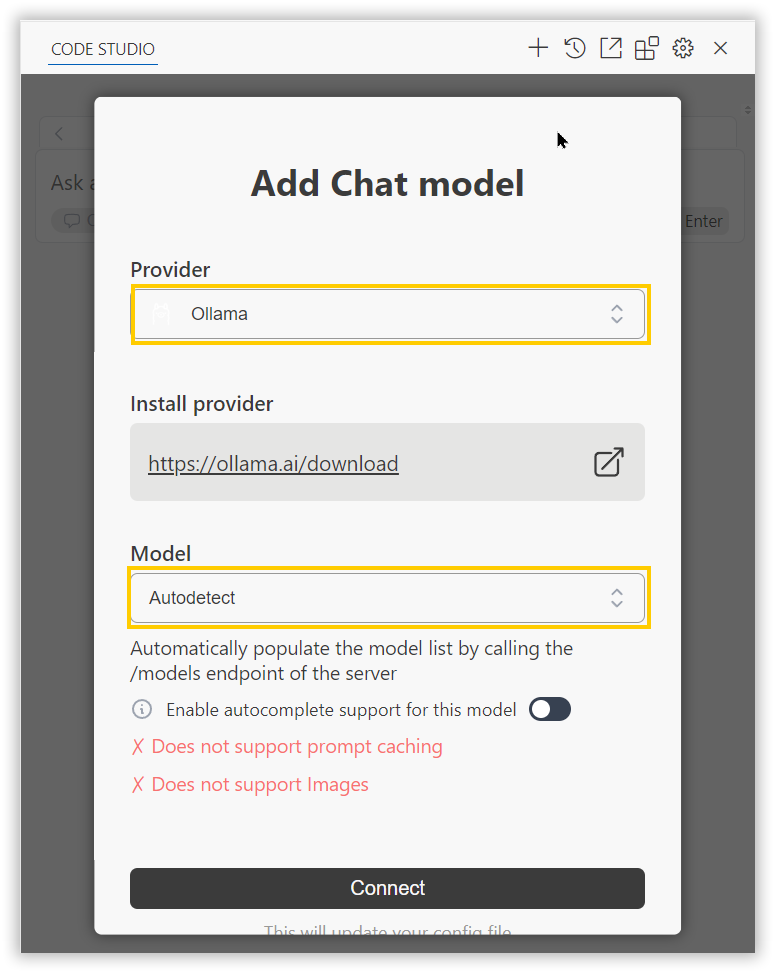
• In the Add Chat Model dialog box choose the provider as ollama and model as autodetect and click connect button.
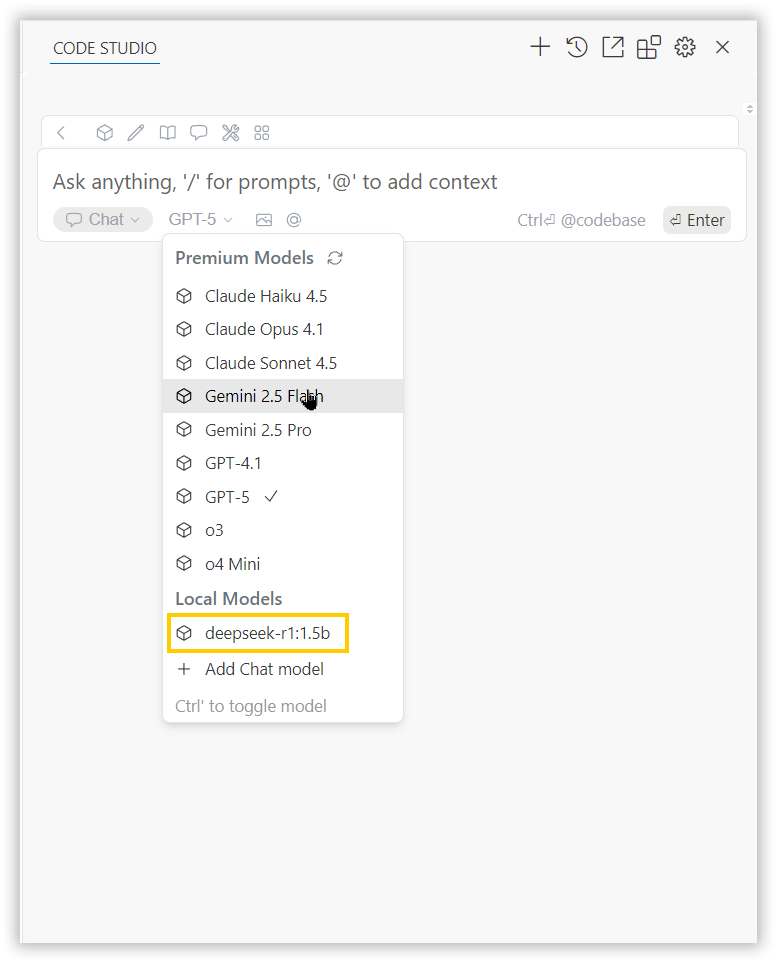
• You can select the installed ollama model in a model list under Local Models category.
Configure LM Studio Model in Code studio
• Click the model’s section dropdown and click ‘Add Chat Model’ option.
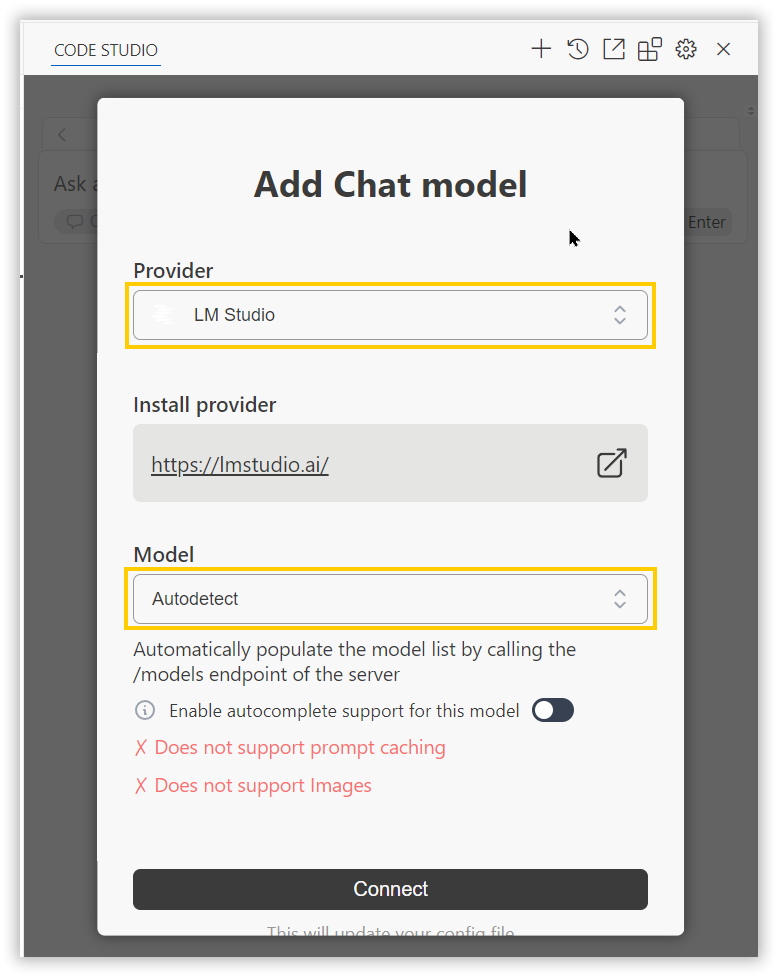
• In the Add Chat Model dialog box choose the provider as LM Studio and model as autodetect and click connect button.
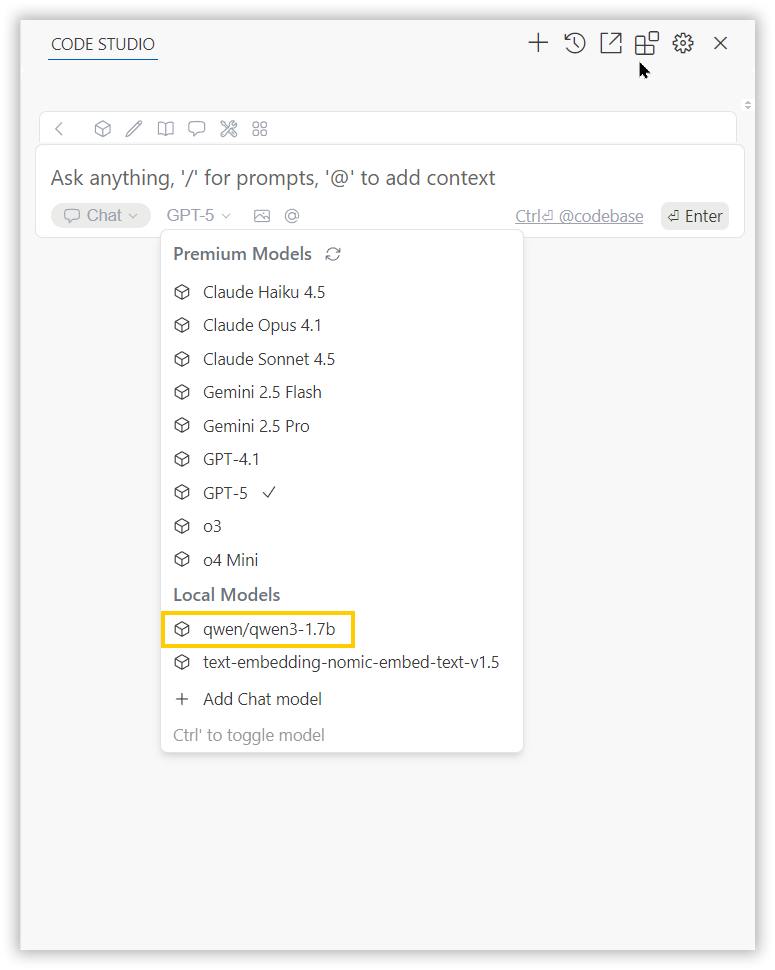
• You can select the installed LM Studio model in a model list under Local Models category.