Code
18 Nov 20181 minute to read
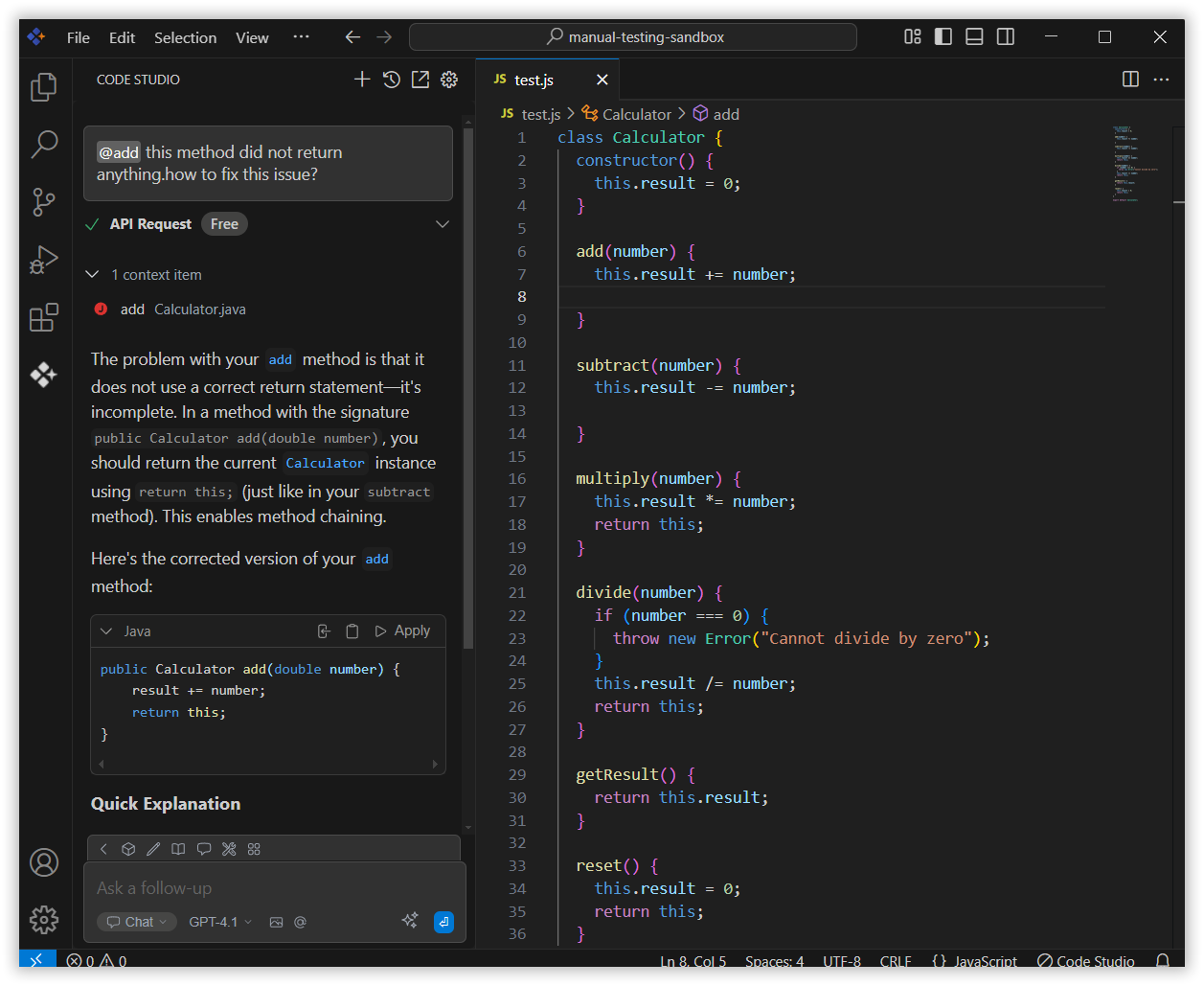
The Code context option in the Syncfusion Code Studio lets you reference specific code from your project directly in the chat. This helps you quickly troubleshoot, edit, or review code without copying it manually.
How to Use the Code context
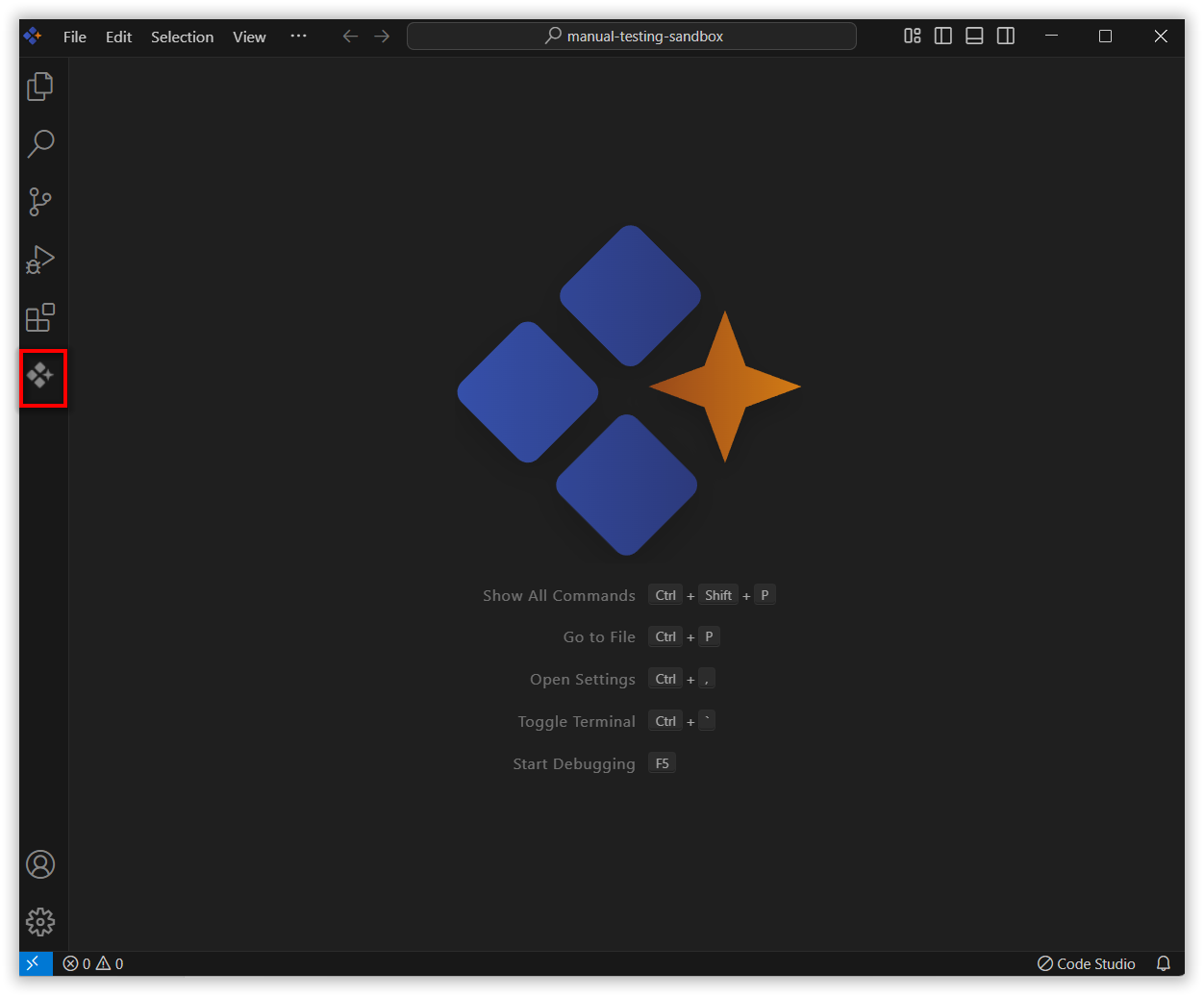
1. Open Syncfusion Code Studio
In the Syncfusion Code Studio, the chat interface is located on the left-hand side. This is where you can interact with AI and ask questions or get assistance.
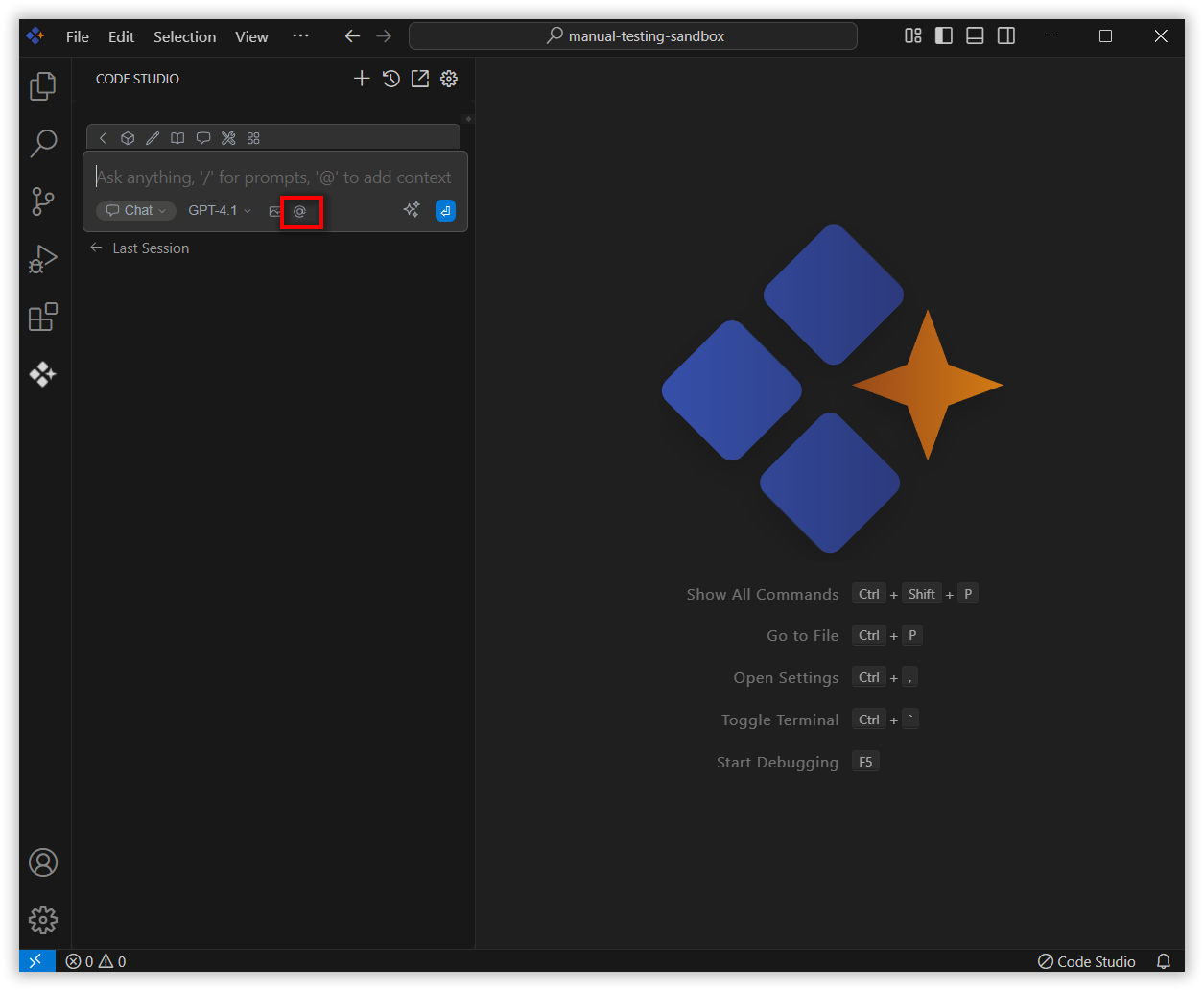
2. Select Code context
In the chat window, click the @ button.
Note: If you cannot locate the code context option in the list, you will need to add it manually to include this context provider in config.yaml file. Please follow the steps outlined in this link to do so.
A menu will appear—select Code.
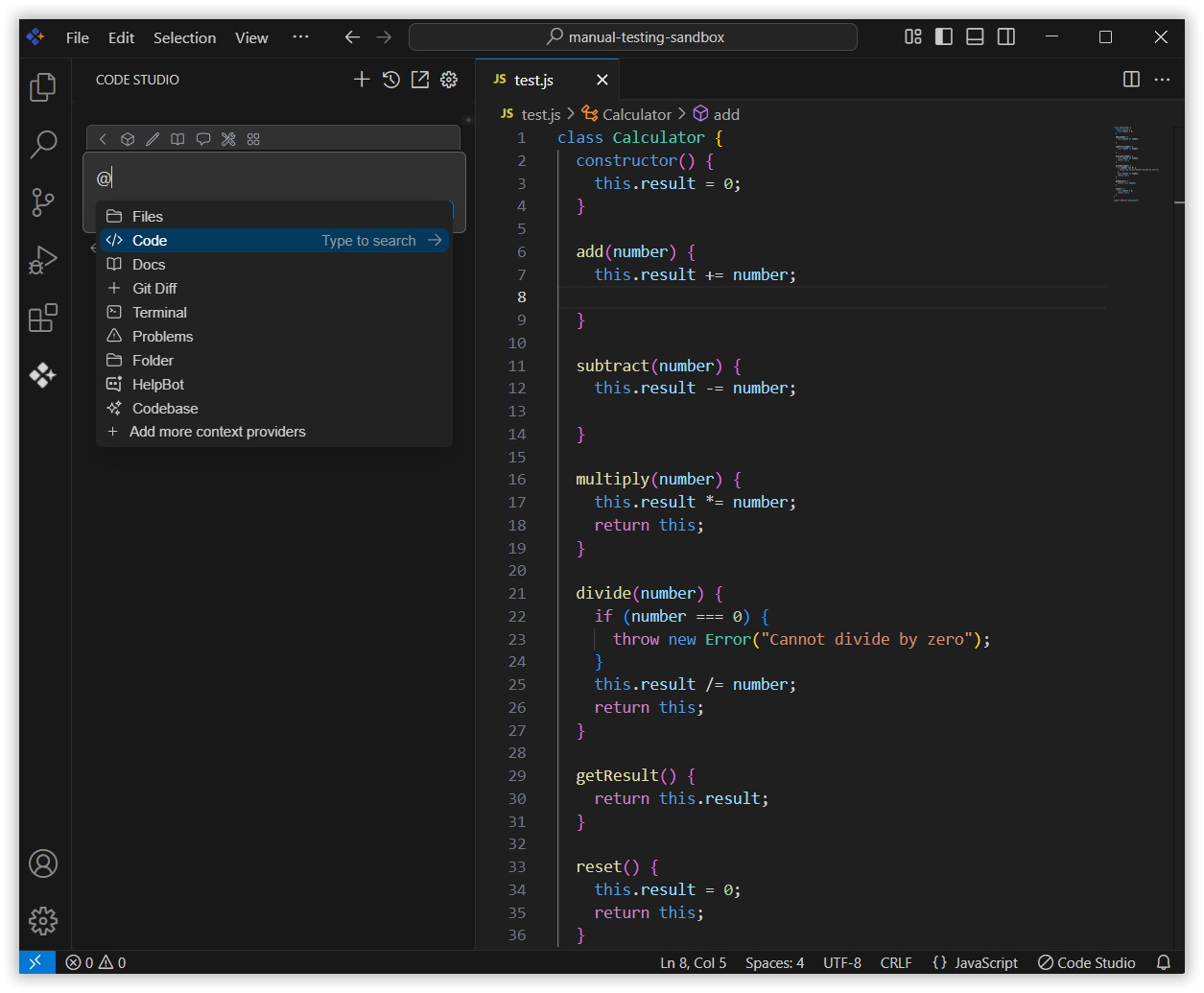
3. Choose the code
Now choose the code which you want to ask the query about it.
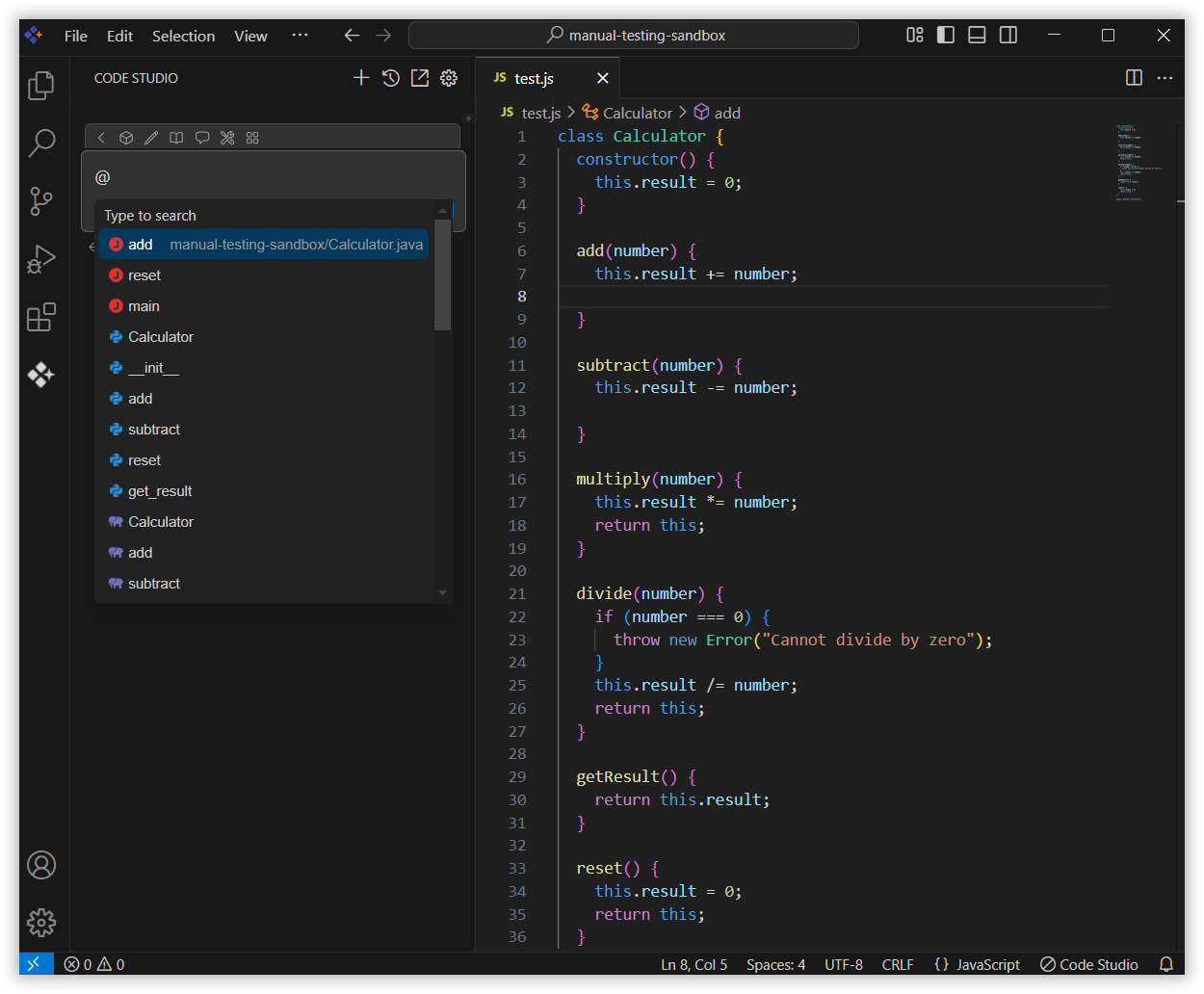
4. Use Code Context with Query
The Syncfusion Code Studio analyzes the selected code and offers help based on its content.
It can point out issues, suggest improvements, or guide you in making specific changes. This makes reviewing and editing code faster and more efficient.