How to configure more context providers
18 Nov 20184 minutes to read
The Add More Context Provider feature lets you give the AI extra information to help it understand your project better.
How to Use the Add more context providers
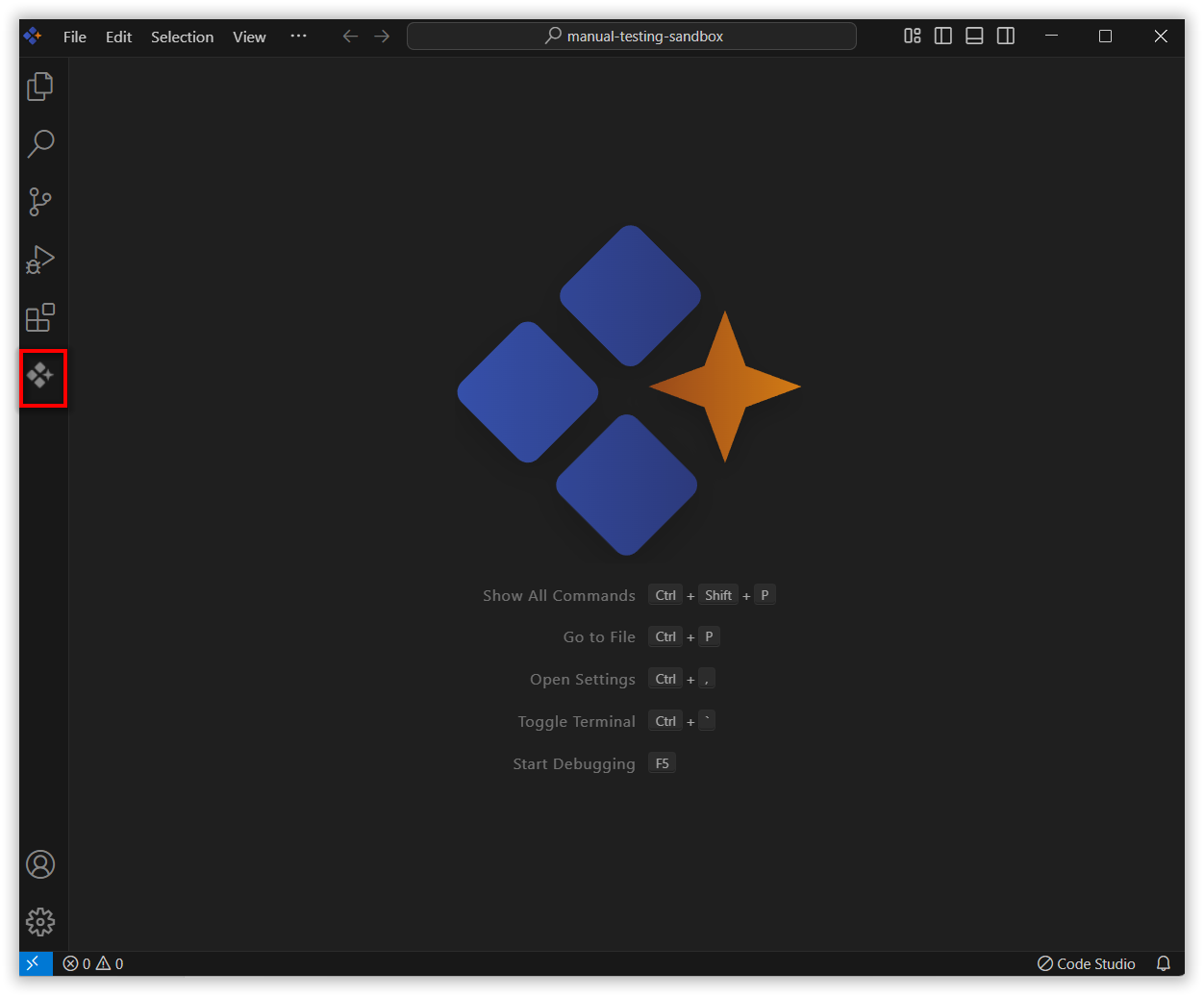
1. Open the Syncfusion Code Studio
In the Syncfusion Code Studio, the chat interface is located on the left-hand side. This is where you can interact with AI and ask questions or get assistance.
2. Select Add more Context Providers
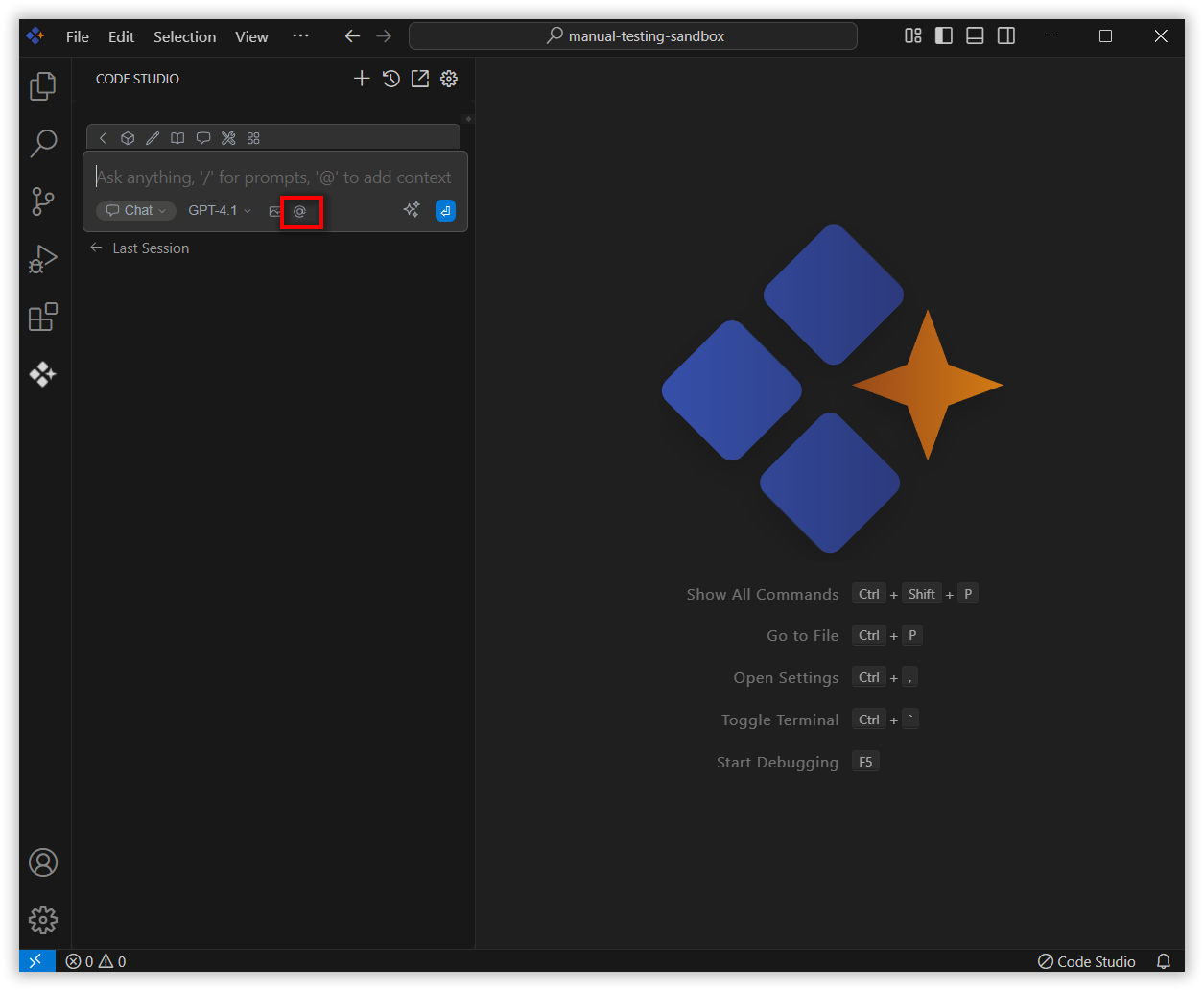
In the chat window, click the @ button.
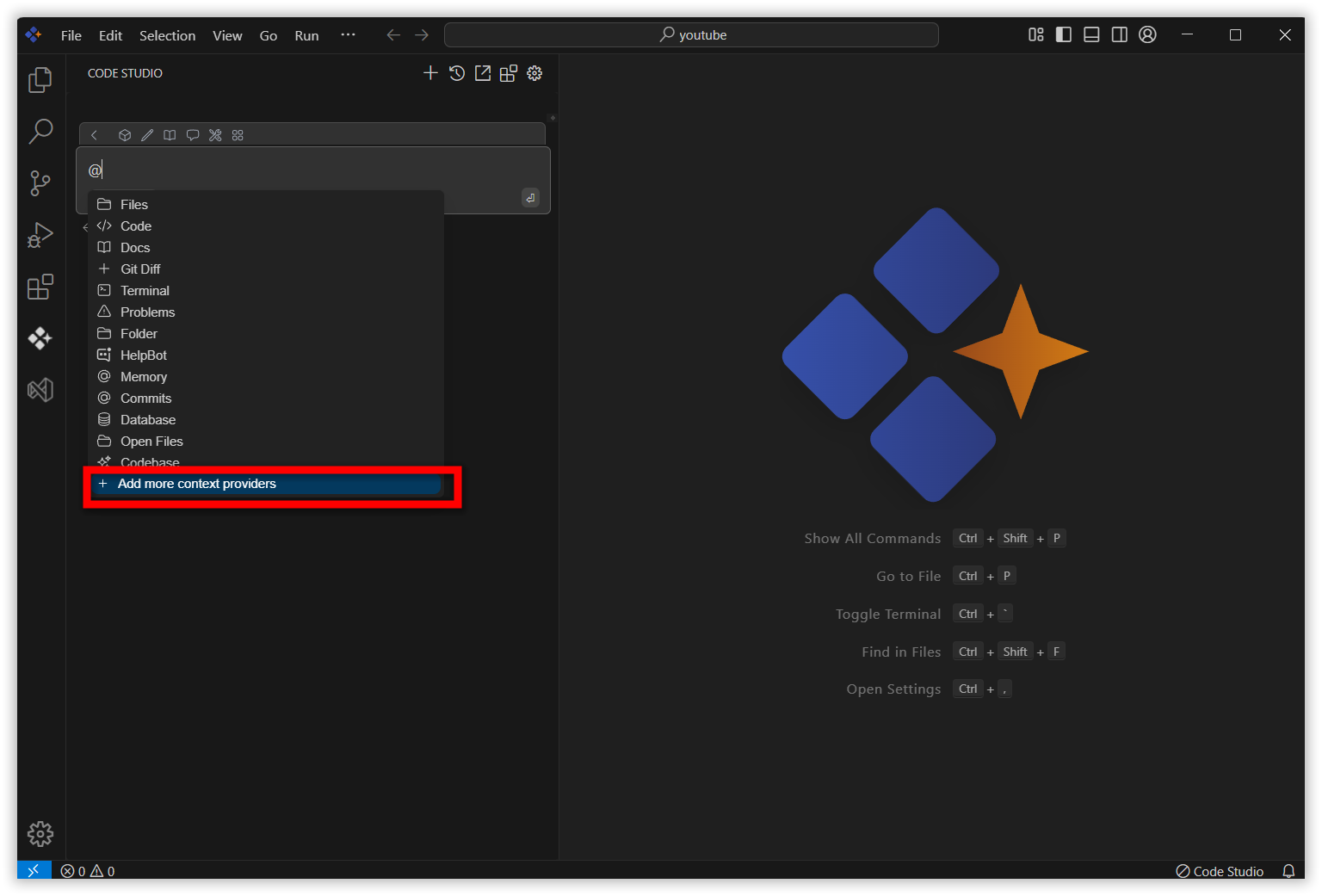
A menu will appear—select Add more context providers.
This action automatically opens the config.yaml file in your editor.
3. Add Context Provider
After you click on “Add more context providers”, the config.yaml file will open. You can then add the appropriate YAML object for the context provider you wish to use from the list below and insert it under context.
Available Context Providers
Files
Reference any file within your current workspace.
- provider: filesProblems
Get Problems from the current file.
- provider: problemsTerminal
Reference the most recent command executed in your Syncfusion Code Studio terminal along with its output.
- provider: terminalFolders
Retrieves content from a single folder.
- provider: folderCode
References specific functions or classes across your entire project.
- provider: codeCodebase
References the most relevant code snippets from your codebase.
- provider: codebaseDocs
Reference content from any documentation website.
- provider: docsOpenFiles
Reference the contents of all of your open files.
- provider: openDatabase Tables
Reference table schemas from SQLite, PostgreSQL, MSSQL, and MySQL databases.
- provider: database
  params:
    connections:
      - name: examplePostgres
        connection_type: postgres
        connection:
          user: username
          host: localhost
          database: exampleDB
          password: yourPassword
          port: 5432
Git Diff
Reference all the changes made in your current branch.
- provider: diffGitHub Issue
Reference the conversation in a GitHub issue.
- provider: issue
  params:
    repos:
      - owner: owner_name
        repo: repo_name
        githubToken: github_token
Helpbot
Gives quick access to Syncfusion’s documentation.
- provider: helpbotWeb
Reference relevant web pages automatically selected based on your input.
- provider: webCommit
Reference specific Git commit metadata and diffs, or retrieve a list of recent commits.
- provider: commitClipboard
Reference recent clipboard items.
- provider: clipboardDebugger
Reference the contents of the local variables in the debugger.
- provider: debugger
  params:
    stackDepth: 3
Postgres
Reference the schema of a table and some sample rows from a PostgreSQL database.
- provider: postgres
  params:
    host: localhost
    port: 5436
    user: myuser
    password: catsarecool
    database: animals
    schema: public
    sampleRows: 3
URL
Reference the markdown-converted contents of a given URL.
- provider: urlSearch
Reference results from a code search
- provider: search