Zooming in WPF Sunburst Chart (SfSunburstChart)
The Sunburst Chart provides zooming (drill down) experience with animation for both mouse and touch enabled devices. It allows you to virtualize large sets of data into a minimum data view.
The following code shows how to initialize the zooming behavior:
<sunburst:SfSunburstChart.Behaviors>
    <sunburst:SunburstZoomingBehavior/>
</sunburst:SfSunburstChart.Behaviors>
SunburstZoomingBehavior zoom = new SunburstZoomingBehavior();
chart.Behaviors.Add(zoom);NOTE
You can enable or disable the zooming by using the
EnableZoomingproperty. By default, the EnableZooming property value is True.
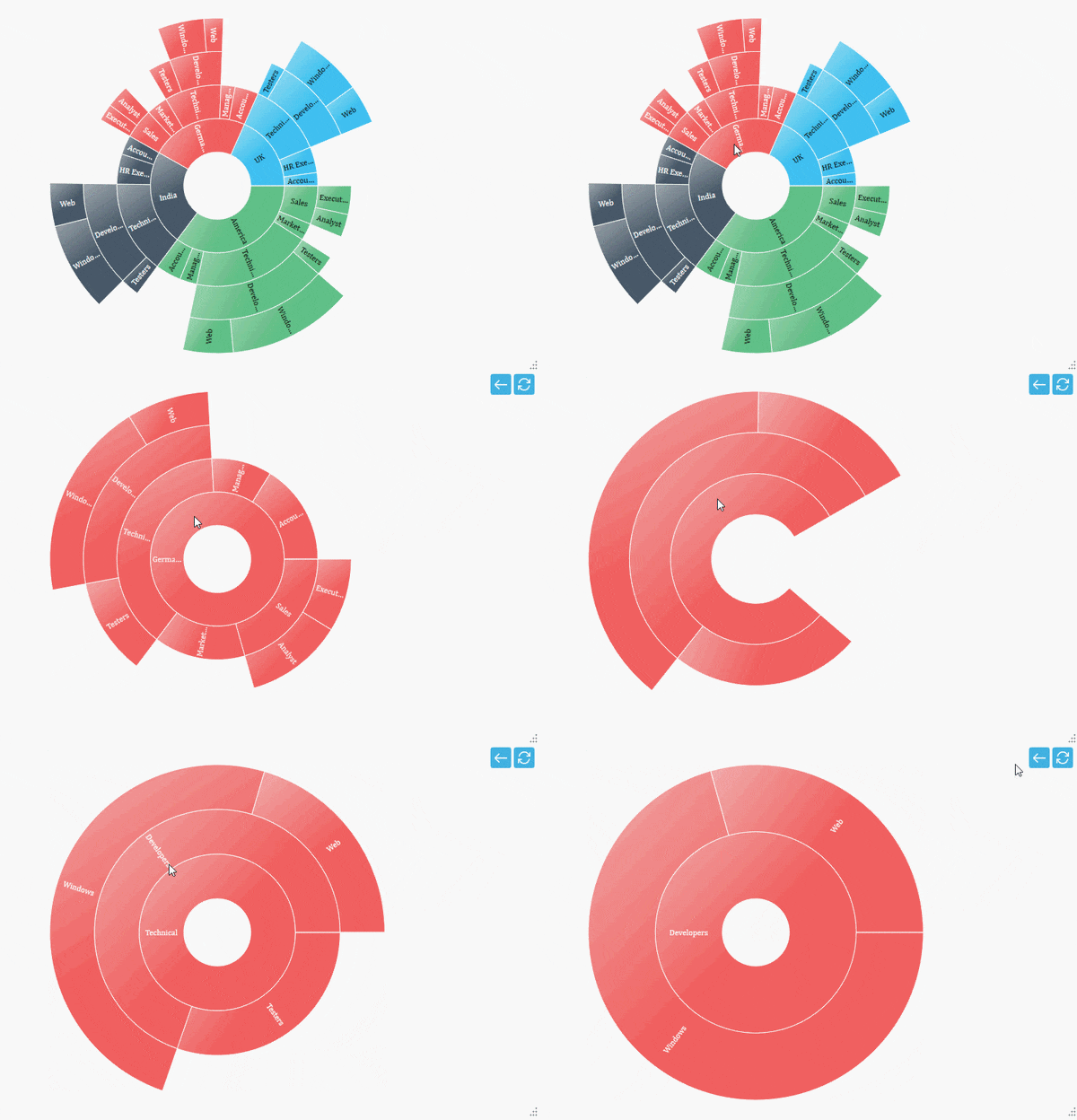
Zooming Toolbar
By default, the zooming toolbar will be enabled while zooming the segment; it contains both back and reset options.
You can align the zooming toolbar position by using the ToolBarHorizontalAlignment and ToolBarVerticalAlignment properties.
<sunburst:SfSunburstChart.Behaviors>
    <sunburst:SunburstZoomingBehavior
        EnableZooming="True"
        ToolBarHorizontalAlignment="Center"
        ToolBarVerticalAlignment="Center">
    </sunburst:SunburstZoomingBehavior>
</sunburst:SfSunburstChart.Behaviors>
You can customize the zooming toolbar using the following properties:
-
ToolBarItemHeight– Gets or sets the height for the toolbar item. -
ToolBarItemWidth– Gets or sets the width for the toolbar item. -
ToolBarItemMargin– Gets or sets the margin of the toolbar item.
<sunburst:SfSunburstChart.Behaviors>
    <sunburst:SunburstZoomingBehavior
        EnableZooming="True"
        ToolBarHorizontalAlignment="Center"
        ToolBarVerticalAlignment="Center"
        ToolBarItemHeight="30"
        ToolBarItemWidth="50"
        ToolBarItemMargin="5"/>
</sunburst:SfSunburstChart.Behaviors>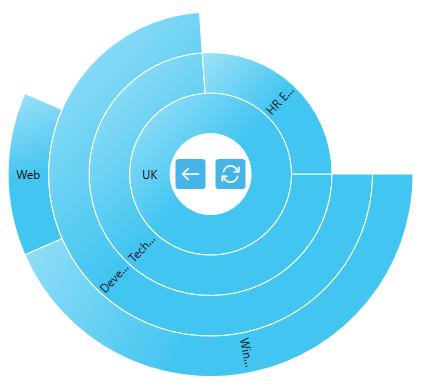
The toolbar position can also be moved using the ToolbarOffsetX and ToolbarOffsetY properties. The offset values range from 0 to 1 from left to right for the x position and top to bottom for the y position.
<sunburst:SfSunburstChart.Behaviors>
    <sunburst:SunburstZoomingBehavior
        EnableZooming="True"
        ToolbarOffsetX="0.1"
        ToolbarOffsetY="0.5"/>
</sunburst:SfSunburstChart.Behaviors>