Tooltip in WPF OLAP Gauge
The WPF OLAP Gauge provides information about the values when the mouse pointer is moved over the gauge.
Pointer tooltip
The WPF OLAP Gauge provides value information when the mouse pointer is moved over the pointer. This can be achieved by enabling the ShowPointersTooltip property.
The following code snippet illustrates how to show a tooltip for pointers.
<syncfusion:OlapGauge x:Name="OlapGauge1" ShowPointersTooltip="True"/>this.OlapGauge1.ShowPointersTooltip = true;Me.OlapGauge1.ShowPointersTooltip = True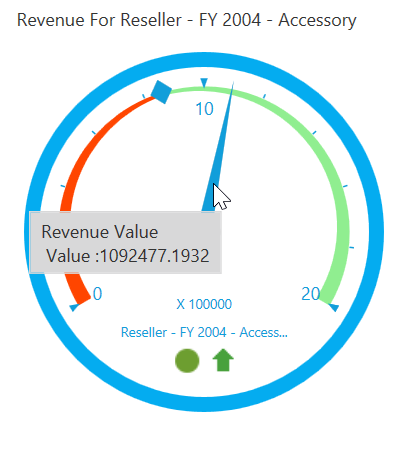
Marker tooltip
The WPF OLAP Gauge provides goal information when the mouse pointer is moved over the marker. This can be achieved by enabling the ShowMarkersTooltip property.
The following code snippet illustrates how to show a tooltip for markers.
<syncfusion:OlapGauge x:Name="OlapGauge1" ShowMarkersTooltip="True"/>this.OlapGauge1.ShowMarkersTooltip = true;Me.OlapGauge1.ShowMarkersTooltip = True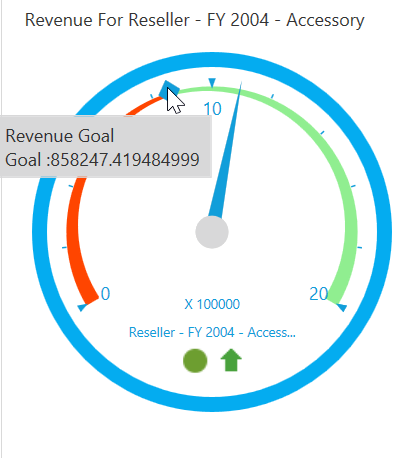
A demo sample is available at the following location.
{system drive}:\Users\<User Name>\AppData\Local\Syncfusion\EssentialStudio\<Version Number>\WPF\OlapGauge.WPF\Samples\Product ShowCase\KPI\