How can I help you?
Axis Title in WinUI Chart (SfPolarChart)
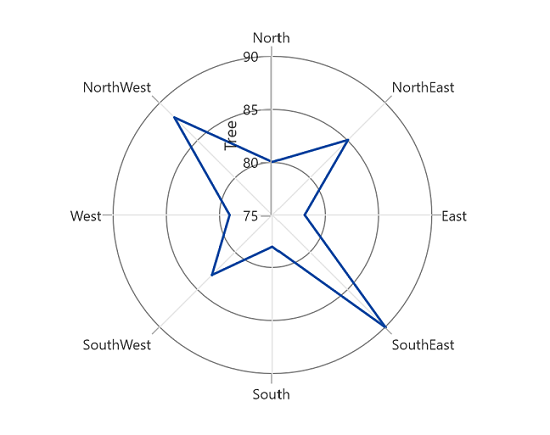
The Header property is used to define the title for the chart axis. It accepts any UIElement as content for the chart axis header.
<chart:SfPolarChart>
    <chart:SfPolarChart.PrimaryAxis>
        <chart:CategoryAxis/>
    </chart:SfPolarChart.PrimaryAxis>

    <chart:SfPolarChart.SecondaryAxis>
        <chart:NumericalAxis Header="Tree"/>
    </chart:SfPolarChart.SecondaryAxis>
    ...
</chart:SfPolarChart>
SfPolarChart chart = new SfPolarChart();
chart.PrimaryAxis = new CategoryAxis();
chart.SecondaryAxis = new NumericalAxis()
{
Header = "Tree"
};
...NOTE
Polar chart supports title for secondary axis only.
Style
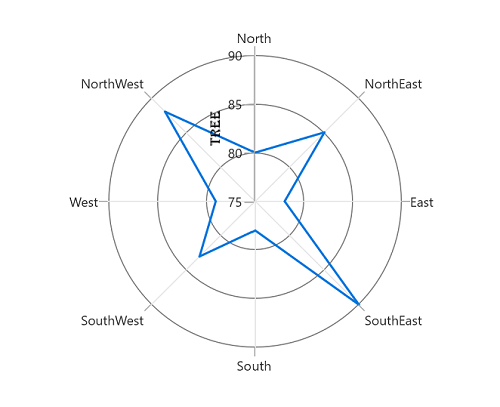
The HeaderStyle property is used to provide style for the axis header.
<chart:SfPolarChart>
    <chart:SfPolarChart.PrimaryAxis>
        <chart:CategoryAxis/>
    </chart:SfPolarChart.PrimaryAxis>

    <chart:SfPolarChart.SecondaryAxis>
        <chart:NumericalAxis Header="Tree">
            <chart:NumericalAxis.HeaderStyle>
                <chart:LabelStyle
                    FontFamily="Algerian"
                    FontSize="13"
                    Foreground="Black"/>
            </chart:NumericalAxis.HeaderStyle>
        </chart:NumericalAxis>
    </chart:SfPolarChart.SecondaryAxis>
    ...
</chart:SfPolarChart>
SfPolarChart chart = new SfPolarChart();
...
LabelStyle style = new LabelStyle()
{
FontFamily = new FontFamily("Algerian"),
FontSize = 13,
Foreground = new SolidColorBrush(Colors.Black)
};
chart.PrimaryAxis = new CategoryAxis();
chart.SecondaryAxis = new NumericalAxis()
{
Header = "Tree",
LabelStyle = style
};
...
Template
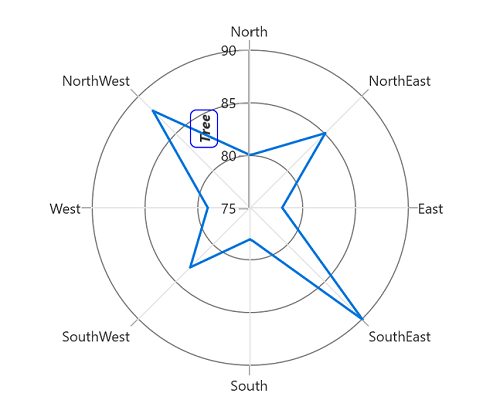
The appearance of the header can be customized using the HeaderTemplate property.
<chart:SfPolarChart x:Name="chart">
    <chart:SfPolarChart.Resources>
        <DataTemplate x:Key="headerTemplate">
            <Border
                BorderBrush="Blue"
                CornerRadius="5"
                BorderThickness="1">
                <TextBlock
                    Text="{Binding}"
                    FontSize="12"
                    Margin="3"
                    FontStyle="Italic"
                    FontWeight="Bold"/>
            </Border>
        </DataTemplate>
    </chart:SfPolarChart.Resources>

    <chart:SfPolarChart.PrimaryAxis>
        <chart:CategoryAxis/>
    </chart:SfPolarChart.PrimaryAxis>
    <chart:SfPolarChart.SecondaryAxis>
        <chart:NumericalAxis Header="Tree" HeaderTemplate="{StaticResource headerTemplate}"/>
    </chart:SfPolarChart.SecondaryAxis>
    ...
</chart:SfPolarChart>
SfPolarChart chart = new SfPolarChart();
...
chart.PrimaryAxis = new CategoryAxis();
chart.SecondaryAxis = new NumericalAxis()
{
Header = "Tree",
HeaderTemplate = chart.Resources["headerTemplate"] as DataTemplate
};
...