How can I help you?
Getting Started with the Vue Pivot Table component in Vue 3
This article provides a step-by-step guide for setting up a Vite project with a JavaScript environment and integrating the Syncfusion® Vue Pivotview component using the Composition API / Options API.
The Composition API is a new feature introduced in Vue.js 3 that provides an alternative way to organize and reuse component logic. It allows developers to write components as functions that use smaller, reusable functions called composition functions to manage their properties and behavior.
The Options API is the traditional way of writing Vue.js components, where the component logic is organized into a series of options that define the component’s properties and behavior. These options include data, methods, computed properties, watchers, life cycle hooks, and more.
Prerequisites
System requirements for Syncfusion® Vue UI components
Set up the Vite project
A recommended approach for beginning with Vue is to scaffold a project using Vite. To create a new Vite project, use one of the commands that are specific to either NPM or Yarn.
npm create vite@latestor
yarn create viteUsing one of the above commands will lead you to set up additional configurations for the project as below:
1. Define the project name: We can specify the name of the project directly. Let’s specify the name of the project as my-project for this article.
? Project name: » my-project2. Select Vue as the framework. It will create a Vue 3 project.
? Select a framework: » - Use arrow-keys. Return to submit.
Vanilla
> Vue
  React
  Preact
  Lit
  Svelte
  Others
3. Choose JavaScript as the framework variant to build this Vite project using JavaScript and Vue.
? Select a variant: » - Use arrow-keys. Return to submit.
> JavaScript
  TypeScript
  Customize with create-vue ↗
  Nuxt ↗
4.Install dependencies and start the development server.
Install with npm and start now?: YesSince you selected Yes, the development server should start automatically. If you selected No, please follow these steps to set up and start the project manually:
cd my-project
npm install
or
cd my-project
yarn install
Now that my-project is ready to run with default settings, let’s add Syncfusion® components to the project.
Add Syncfusion® Vue PivotTable packages
To install the PivotTable component, run the following command:
npm install @syncfusion/ej2-vue-pivotview --saveor
yarn add @syncfusion/ej2-vue-pivotviewImport Syncfusion® CSS styles
The following CSS files are available in the ../node_modules/@syncfusion package folder. Add them as references in src/App.vue.
<style>
  @import "../node_modules/@syncfusion/ej2-base/styles/tailwind3.css";
  @import "../node_modules/@syncfusion/ej2-inputs/styles/tailwind3.css";
  @import "../node_modules/@syncfusion/ej2-buttons/styles/tailwind3.css";
  @import "../node_modules/@syncfusion/ej2-dropdowns/styles/tailwind3.css";
  @import "../node_modules/@syncfusion/ej2-lists/styles/tailwind3.css";
  @import "../node_modules/@syncfusion/ej2-popups/styles/tailwind3.css";
  @import "../node_modules/@syncfusion/ej2-navigations/styles/tailwind3.css";
  @import "../node_modules/@syncfusion/ej2-grids/styles/tailwind3.css";
  @import "../node_modules/@syncfusion/ej2-vue-pivotview/styles/tailwind3.css";
</style>
NOTE
Before including Syncfusion styles, make sure to remove the default styles defined in style.css. This helps prevent unintended style overrides and ensures that Syncfusion components render correctly.
Adding Pivot Table component
The PivotTable code should be added to the src/App.vue file.
<template>
  <div id="app">
    <ejs-pivotview :height="height" :width="width" :dataSourceSettings="dataSourceSettings"></ejs-pivotview>
  </div>
</template>

<script setup>
import { provide } from "vue";
import { PivotViewComponent as EjsPivotview } from "@syncfusion/ej2-vue-pivotview";

const dataSourceSettings = {
  dataSource: [
      { 'Sold': 31, 'Amount': 52824, 'Country': 'France', 'Products': 'Mountain Bikes', 'Year': 'FY 2025', 'Quarter': 'Q1' },
      { 'Sold': 51, 'Amount': 86904, 'Country': 'France', 'Products': 'Mountain Bikes', 'Year': 'FY 2025', 'Quarter': 'Q2' },
      { 'Sold': 90, 'Amount': 153360, 'Country': 'France', 'Products': 'Mountain Bikes', 'Year': 'FY 2025', 'Quarter': 'Q3' },
      { 'Sold': 25, 'Amount': 42600, 'Country': 'France', 'Products': 'Mountain Bikes', 'Year': 'FY 2025', 'Quarter': 'Q4' }
  ],
  expandAll: true,
  columns: [{ name: 'Year' }, { name: 'Quarter' }],
  rows: [{ name: 'Country' }, { name: 'Products' }],
  values: [{ name: 'Amount', caption: 'Sold Amount' }, { name: 'Sold', caption: 'Units Sold' }],
  formatSettings: [{ name: 'Amount', format: 'C0' }]
};
const height = 350;
const width = '100%';

</script>
<style>
@import "../node_modules/@syncfusion/ej2-base/styles/tailwind3.css";
@import "../node_modules/@syncfusion/ej2-inputs/styles/tailwind3.css";
@import "../node_modules/@syncfusion/ej2-buttons/styles/tailwind3.css";
@import "../node_modules/@syncfusion/ej2-dropdowns/styles/tailwind3.css";
@import "../node_modules/@syncfusion/ej2-lists/styles/tailwind3.css";
@import "../node_modules/@syncfusion/ej2-popups/styles/tailwind3.css";
@import "../node_modules/@syncfusion/ej2-navigations/styles/tailwind3.css";
@import "../node_modules/@syncfusion/ej2-grids/styles/tailwind3.css";
@import "../node_modules/@syncfusion/ej2-vue-pivotview/styles/tailwind3.css";
</style><template>
<ejs-pivotview :height="height" :width="width" :dataSourceSettings="dataSourceSettings"></ejs-pivotview>
</template>
<script>
import { PivotViewComponent } from "@syncfusion/ej2-vue-pivotview";
export default {
name: "App",
// Declaring component and its directives.
components: {
"ejs-pivotview": PivotViewComponent
},
// Bound properties declaration.
data() {
return {
dataSourceSettings: {
dataSource: [
{ 'Sold': 31, 'Amount': 52824, 'Country': 'France', 'Products': 'Mountain Bikes', 'Year': 'FY 2025', 'Quarter': 'Q1' },
{ 'Sold': 51, 'Amount': 86904, 'Country': 'France', 'Products': 'Mountain Bikes', 'Year': 'FY 2025', 'Quarter': 'Q2' },
{ 'Sold': 90, 'Amount': 153360, 'Country': 'France', 'Products': 'Mountain Bikes', 'Year': 'FY 2025', 'Quarter': 'Q3' },
{ 'Sold': 25, 'Amount': 42600, 'Country': 'France', 'Products': 'Mountain Bikes', 'Year': 'FY 2025', 'Quarter': 'Q4' }
],
expandAll: true,
columns: [{ name: 'Year' }, { name: 'Quarter' }],
rows: [{ name: 'Country' }, { name: 'Products' }],
values: [{ name: 'Amount', caption: 'Sold Amount' }, { name: 'Sold', caption: 'Units Sold' }],
formatSettings: [{ name: 'Amount', format: 'C0' }]
},
height: '350px',
width: '100%'
};
},
};
</script>
<style>
@import "../node_modules/@syncfusion/ej2-base/styles/tailwind3.css";
@import "../node_modules/@syncfusion/ej2-inputs/styles/tailwind3.css";
@import "../node_modules/@syncfusion/ej2-buttons/styles/tailwind3.css";
@import "../node_modules/@syncfusion/ej2-dropdowns/styles/tailwind3.css";
@import "../node_modules/@syncfusion/ej2-lists/styles/tailwind3.css";
@import "../node_modules/@syncfusion/ej2-popups/styles/tailwind3.css";
@import "../node_modules/@syncfusion/ej2-navigations/styles/tailwind3.css";
@import "../node_modules/@syncfusion/ej2-grids/styles/tailwind3.css";
@import "../node_modules/@syncfusion/ej2-vue-pivotview/styles/tailwind3.css";
</style>Run the project
To run the project, use the following command:
npm run devor
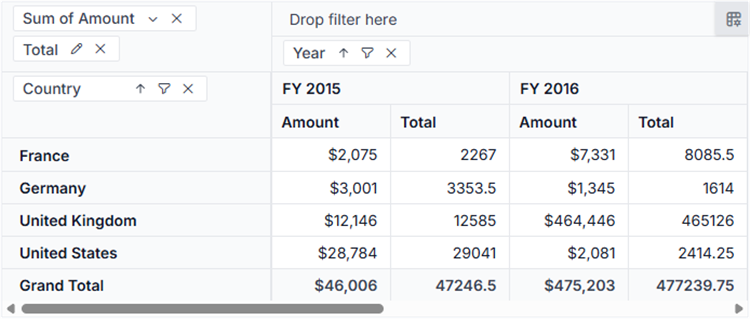
yarn run devThe output will appear as follows: