Highlight segment in UWP Sparkline (SfSparkline)
18 Nov 20181 minute to read
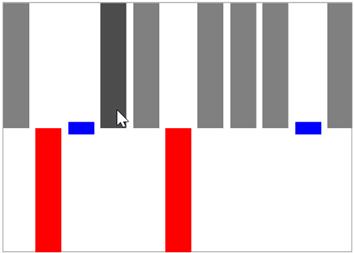
This feature enable to highlight the column segments on mouse move and this is applicable for column and win-loss sparkline.
<Syncfusion:SfWinLossSparkline Interior="Gray" BorderBrush="DarkGray"

BorderThickness="1"

HighlightSegment="True" x:Name="sparkline"

ItemsSource="{Binding Match}" YBindingPath="Result" >

</Syncfusion:SfWinLossSparkline>
SfWinLossSparkline sparkline = new SfWinLossSparkline()
{
ItemsSource = new SparkViewModel().Match,
YBindingPath = "Result",
HighlightSegment = true,
Interior = new SolidColorBrush(Colors.Gray),
BorderBrush = new SolidColorBrush(Colors.DarkGray),
BorderThickness = new Thickness(1, 1, 1, 1)
};Following is the snapshot for highlight segment,