How can I help you?
Tooltip in UWP Pivot Gauge (SfPivotGauge)
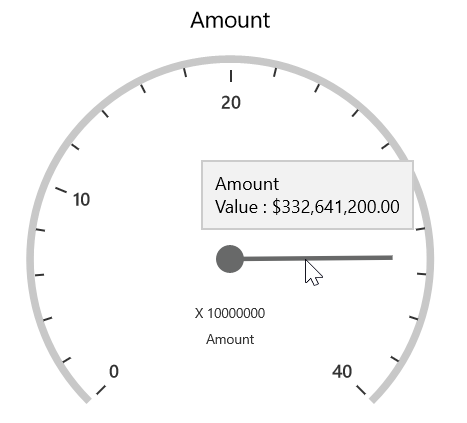
The SfPivotGauge provides the information about values when the mouse pointer is moved over the gauge. The following code snippet illustrates how to show a tooltip by using the ShowGaugeTooltip property.
<syncfusion:SfPivotGauge x:Name="PivotGauge1" ShowGaugeTooltip="True"
                         ItemSource="{Binding ProductSalesData}" PivotRows="{Binding PivotRows}"
                         PivotColumns="{Binding PivotColumns}" PivotCalculations="{Binding PivotCalculations}">
</syncfusion:SfPivotGauge>PivotGauge1.ShowGaugeTooltip = true;PivotGauge1.ShowGaugeTooltip = True