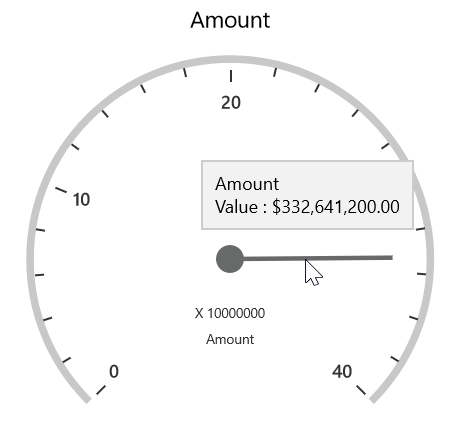
Tooltip in UWP Pivot Gauge (SfPivotGauge)
The SfPivotGauge provides the information about values when the mouse pointer is moved over the gauge. The following code snippet illustrates how to show a tooltip by using the ShowGaugeTooltip property.
<syncfusion:SfPivotGauge x:Name="PivotGauge1" ShowGaugeTooltip="True"
                         ItemSource="{Binding ProductSalesData}" PivotRows="{Binding PivotRows}"
                         PivotColumns="{Binding PivotColumns}" PivotCalculations="{Binding PivotCalculations}">
</syncfusion:SfPivotGauge>PivotGauge1.ShowGaugeTooltip = true;PivotGauge1.ShowGaugeTooltip = True