How can I help you?
WPF Toast Notification (SfToastNotification) Overview
16 Mar 20262 minutes to read
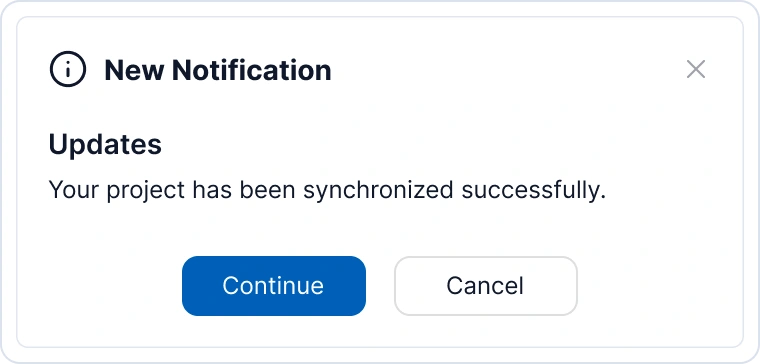
The SfToastNotification is a non-UI control that displays native Windows toast notifications and custom overlay notifications to users about events or status changes in your application. Toast notifications are non-intrusive messages that appear for a limited time and then automatically disappear.
Non-UI Control
SfToastNotification is a non-UI control, meaning it doesn’t require any XAML markup to be added to your UI. Instead, you can create and display toasts entirely through C# code in your application. This makes it lightweight and easy to integrate into any WPF application without modifying your UI layer.

Key features
- Multiple Display Modes - Display toasts as native OS notifications, overlay notifications, or window-relative notifications.
- Severity Levels - Support for Info, Success, Warning, and Error severity levels with corresponding visual indicators.
- Rich Styling - Multiple visual variants (Text, Outlined, Filled) and customizable accent colors.
- Flexible Positioning - Display toasts at 8 different screen positions (Top-Left, Top-Center, Top-Right, Left-Center, Right-Center, Bottom-Left, Bottom-Center, Bottom-Right, Center).
- Animation Support - Built-in animations for toast show/hide effects (Fade, Slide, Flip, Zoom).
- Custom Actions - Add interactive action buttons with custom callbacks for user interactions.
- Custom Templates - Fully customizable content, title, close button, and action button templates.
- Auto-Close Control - Configurable duration with option to prevent automatic closing.
- Multiple Identification - Support for custom toast IDs to track and manage specific notifications.
- Template Selectors - DataTemplateSelector support for dynamic action button rendering.
Architecture Overview
The SfToastNotification control uses a service-based architecture:
- WindowsToastBootstrapper - Initializes the toast notification system at application startup
- SfToastNotification - Static API for displaying and managing toasts
- ToastOptions - Configuration class defining toast appearance and behavior
- ToastItem - Visual representation of a single toast instance
- ToastAction - Interactive action button definition
- ToastService - Internal service managing toast life cycle
When to use Toast Notifications
Toast notifications are ideal for:
- Status confirmations (save successful, delete completed)
- Warning messages (unsaved changes, operation in progress)
- Information alerts (new message received, update available)
- Error notifications (operation failed, validation errors)
- Non-critical user feedback that doesn’t require immediate action