How can I help you?
Merge Tabs Between Windows in WPF Tabbed Window
5 May 20264 minutes to read
This section explains how to move tabs between WPF Tabbed Window instances. It covers supported tear‑off functionality and tab merge validation using built‑in drag‑and‑drop capabilities.
These features allow users to detach tabs into floating windows and merge them back into the same or another tabbed window.
Tear‑Off Windows
The Tabbed Window supports tear‑off functionality, allowing tabs to be detached from an SfTabControl and displayed in independent floating windows. These floating windows can later be merged back into another tabbed window.
Enabling Tear‑Off Support
You can enable tear‑off support by setting the AllowDragDrop property of the SfTabControl to True.
When drag‑and‑drop is enabled:
- A tab can be dragged outside the tab control boundary to create a floating window
- The dragged tab is automatically moved into the new window
- The floating window behaves like a regular tabbed window
- If all tabs are removed from a floating window, the window closes automatically
The floating window supports resizing, minimizing, and all standard tab features.
<syncfusion:SfChromeslessWindow Title="Main Window" WindowType="Tabbed">
    <syncfusion:SfTabControl AllowDragDrop="True">
        <syncfusion:SfTabItem Header="Document 1" CloseButtonVisibility="Visible">
            <TextBlock Text="Drag this tab outside to tear it off" />
        </syncfusion:SfTabItem>
        <syncfusion:SfTabItem Header="Document 2" CloseButtonVisibility="Visible">
            <TextBlock Text="Each tab can be independently floated" />
        </syncfusion:SfTabItem>
    </syncfusion:SfTabControl>
</syncfusion:SfChromeslessWindow>
Controlling Tab Movement with PreviewTabMerge event
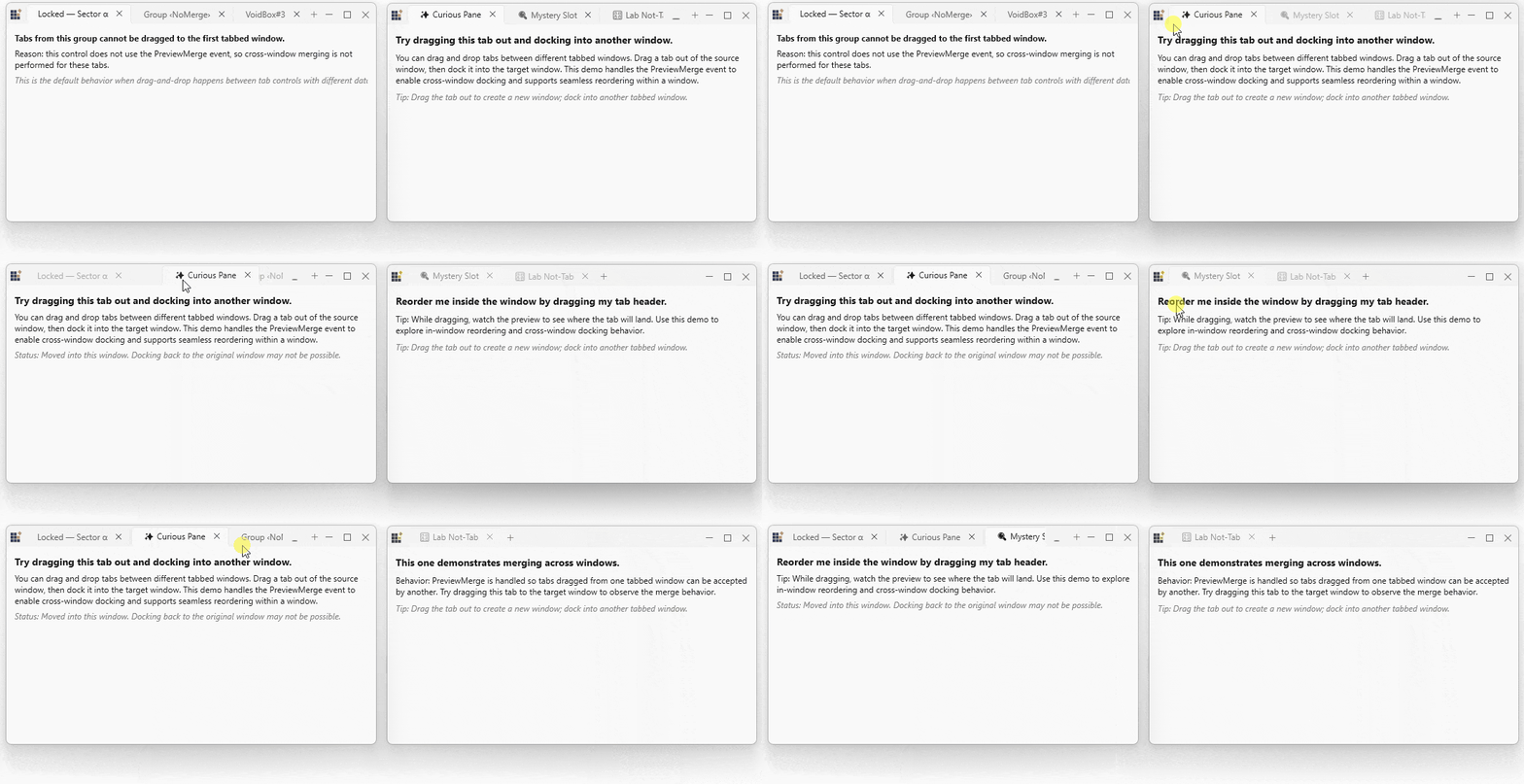
You can control and validate tab movement between tabbed windows using the PreviewTabMerge event of the SfTabControl.
This event is raised before a tab is merged into the target tab control and allows you to:
- Cancel the merge operation
- Validate business rules before allowing a merge
- Modify or replace the item being merged
<syncfusion:SfTabControl
    AllowDragDrop="True"
    PreviewTabMerge="OnPreviewTabMerge">
    <!-- Tab items -->
</syncfusion:SfTabControl>
private void OnPreviewTabMerge(object sender, TabMergePreviewEventArgs e)
{
// Get information about the merge operation
var draggedItem = e.DraggedItem;
var sourceControl = e.SourceControl;
var targetControl = e.TargetControl;
// Validate the merge
if (draggedItem is Document doc && doc.IsLocked)
{
// Cancel the merge
e.Allow = false;
MessageBox.Show("Cannot move locked documents");
return;
}
// Optional: Transform the item before merge
if (draggedItem is Document docItem)
{
e.ResultingItem = new Document
{
Title = docItem.Title,
Content = docItem.Content,
CreatedAt = DateTime.Now
};
}
// Allow the merge
e.Allow = true;
}
PreviewTabMergeEventArgs Properties
| Property | Description |
|---|---|
| DraggedItem | Gets the item being dragged from the source tab control |
| SourceControl | Gets the SfTabControl where the drag operation originated |
| TargetControl | Gets the SfTabControl that receives the dragged item |
| Allow | Specifies whether the merge operation is allowed |
| ResultingItem | Specifies the item inserted into the target control |