How can I help you?
Overview of WPF Smart Text Editor
18 Mar 20261 minute to read
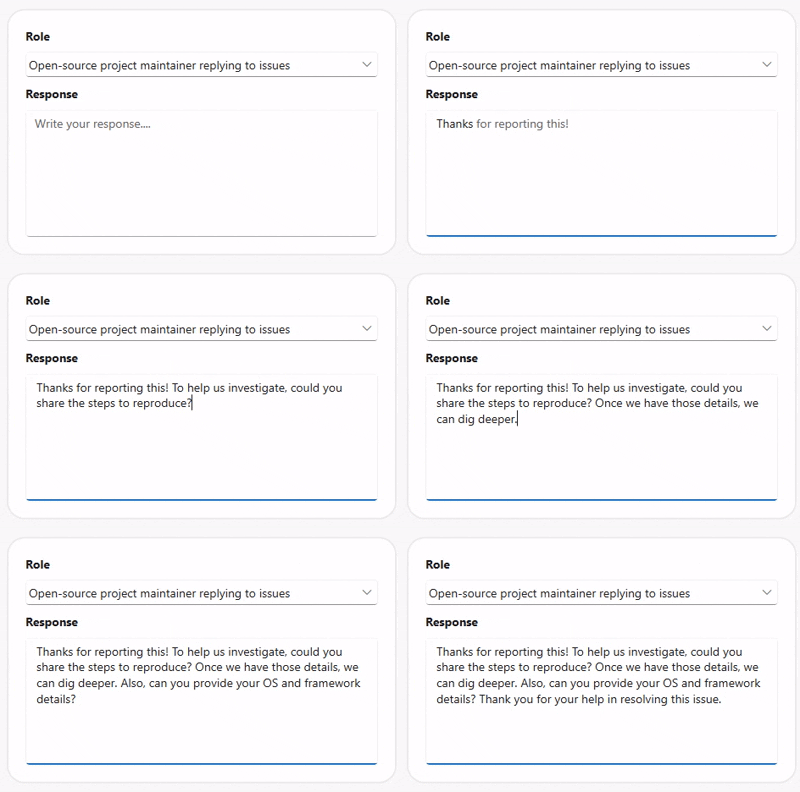
Syncfusion WPF AI-Powered Text Editor (SfSmartTextEditor) is a multiline input control that uses predictive suggestions to speed up typing. It can integrate with an AI inference service for context-aware completions, enables inline and popup suggestion display, and reverts to your custom phrase list in the event that AI is not available. The control offers command/event hooks for text changes, full text style, and customizable placeholders.
Key features
-
Suggestion display modes: Customization of suggestions is possible in both inline and popup modes.
-
AI powered suggestions: IChatInferenceService provides clever, context-aware completions.
-
Custom phrase library: Preserves backup phrases in case AI recommendations aren’t available.
-
Maximum length validation: To guarantee accurate input control, character restrictions are enforced.
-
Keyboard integration: Makes it possible to accept ideas quickly by utilizing the Tab or Right Arrow keys.
-
Gesture support: Allows touch users to tap or click recommendations in the pop-up for quick input.
-
Placeholder text: Enables placeholders to be configured with customizable color styling.
-
Customization: Enables users to fully customize the user interface by controlling fonts, colors, sizes, and styles.