How can I help you?
Mermaid Diagram Support in WPF Markdown Viewer
15 May 20265 minutes to read
The SfMarkdownViewer control provides built-in support for rendering Mermaid diagrams and flowcharts within Markdown content.
Mermaid is a text-based diagramming tool that allows you to define diagrams using simple syntax. The viewer parses Mermaid code blocks and renders them as visual diagrams directly within the Markdown content.
Rendering Mermaid Diagrams
The MermaidBlockTemplate property allows you to define how Mermaid code blocks are rendered. It accepts a DataTemplate that replaces the default rendering for code blocks with the mermaid language identifier.
When a Markdown code block marked as mermaid is encountered, the specified template is used to render the diagram.
Example:
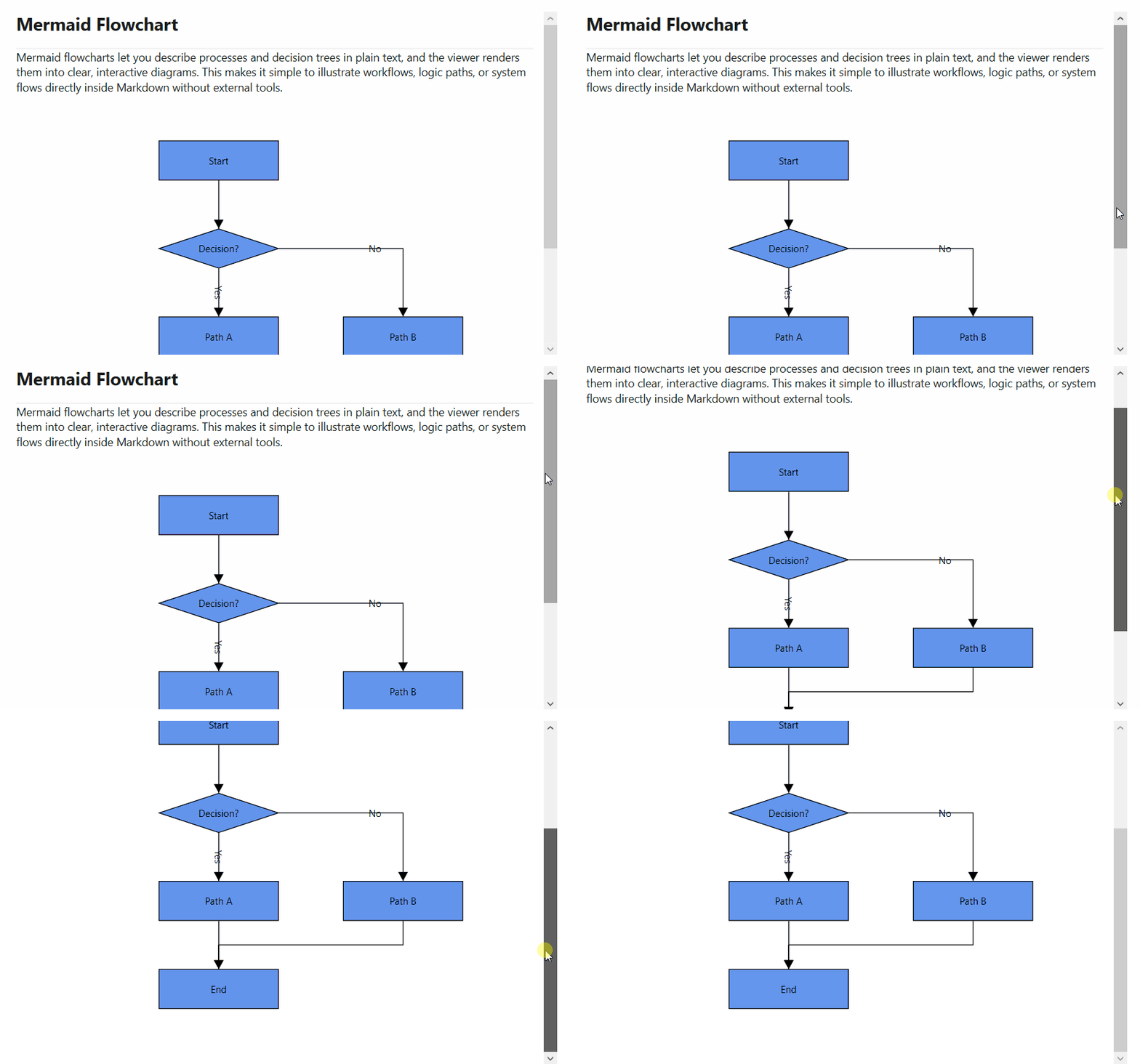
The following example demonstrates how to render Mermaid flowcharts using SfDiagram within the MermaidBlockTemplate.
<Grid>
    <syncfusion:SfMarkdownViewer>
        <syncfusion:SfMarkdownViewer.MermaidBlockTemplate>
            <DataTemplate x:Key="MermaidBlockTemplate">
                <diagram:SfDiagram x:Name="mermaidDiagram" Foreground="Black"
                    Height="600" Width="1000" Focusable="False"
                    HorizontalAlignment="Left"
                    HorizontalContentAlignment="Left"
                    Loaded="mermaidDiagram_Loaded">
                </diagram:SfDiagram>
            </DataTemplate>
        </syncfusion:SfMarkdownViewer.MermaidBlockTemplate>
        <syncfusion:SfMarkdownViewer.Source>
            <system:String xml:space="preserve">
                <![CDATA[

# Mermaid Flowchart

Mermaid flowcharts let you describe processes and decision trees in plain text. The viewer renders them into clear, interactive diagrams.

---

```mermaid
flowchart TD
    A[User Opens App] --> B[MarkdownViewer Loads]
    B --> C{Contains Mermaid?}
    C -->|Yes| D[Render Diagram]
    C -->|No| E[Render Plain Markdown]
    D --> F[Display Enhanced Output]
    E --> F
                ]]>
            </system:String>
        </syncfusion:SfMarkdownViewer.Source>
    </syncfusion:SfMarkdownViewer>
</Grid>
namespace MarkdownViewerGettingStarted
{
public partial class MainWindow : Window
{
public MainWindow()
{
InitializeComponent();
}
private void mermaidDiagram_Loaded(object sender, RoutedEventArgs e)
{
if (sender is Syncfusion.UI.Xaml.Diagram.SfDiagram diagram)
{
diagram.PageSettings = null;
diagram.ScrollSettings.ScrollLimit = ScrollLimit.Limited;
var mermaidText = diagram.DataContext as string;
diagram.LayoutManager = new LayoutManager
{
Layout = new FlowchartLayout
{
Orientation = FlowchartOrientation.TopToBottom,
HorizontalSpacing = 80,
VerticalSpacing = 60,
Margin = new Thickness(0, 50, 0, 0),
}
};
diagram.LoadDiagramFromMermaid(mermaidText);
}
}
}
}Output: