Watermark Support in WPF ComboBox
18 Nov 20181 minute to read
The watermark displays a default text in the ComboBox when no item is selected in the drop-down list. The default text is hidden as soon as the user selects an item or starts editing (when IsEditable is true).
| Property | Description | Type | Data Type | Reference links |
|---|---|---|---|---|
| DefaultText | It is possible to display the default text. | Dependency Property | String | NA |
Adding the DefaultText property to an application
The DefaultText property can be added directly to an application in the following way.
<syncfusion:ComboBoxAdv DefaultText="..Choose Items.."></syncfusion:ComboBoxAdv>ComboBoxAdv comboBox = new ComboBoxAdv();
comboBox.DefaultText = "..Choose Items..";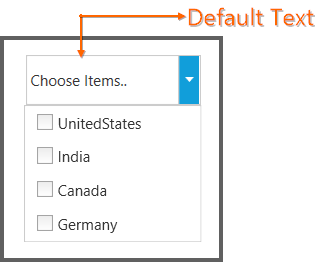
The default text is also shown when the user clears the selected item in the editor. If the bound
ItemsSourceis empty, the default text is still displayed.