How can I help you?
ColorMapping in Windows Forms TreeMap control
17 Feb 202510 minutes to read
The ColorMapping is categorized into four different types such as,
- UniColorMapping
- RangeBrushColorMapping
- DesaturationColorMapping
- PaletteColorMapping
The various colorMappings can be set in LeafColorMapping property of TreeMap.
UniColorMapping
TreeMap leaf nodes can be provided with unique colors with the help of the Color property specified using UniColorMapping.
Code Sample:
public partial class Form1 :Form

    {

        TreeMap TreeMap1 = new TreeMap();

        UniColorMapping uniColorMapping = new UniColorMapping();


     public Form1()

        {

            InitializeComponent();

            this.BackColor = Color.White;


            PopulationViewModel data = new PopulationViewModel();

            TreeMap1.ItemsSource = data.PopulationDetails;

            TreeMap1.WeightValuePath = "Population";

            TreeMap1.ColorValuePath = "Growth";


            TreeMapFlatLevel treeMapFlatLevel1 = new TreeMapFlatLevel();

            treeMapFlatLevel1.GroupPath = "Continent";

            TreeMap1.Levels.Add(treeMapFlatLevel1);

            TreeMap1.LeafItemSettings.LabelPath ="Country";

            this.Controls.Add(TreeMap1);


uniColorMapping.Color = Color.MediumSlateBlue;

             TreeMap1.LeafColorMapping = uniColorMapping;

       }


     }
Leaf Nodes colored by using UniColorMapping
RangeBrushColorMapping
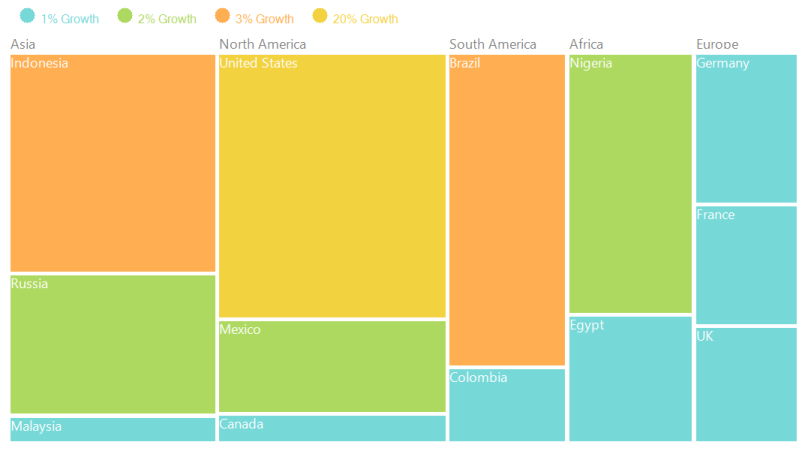
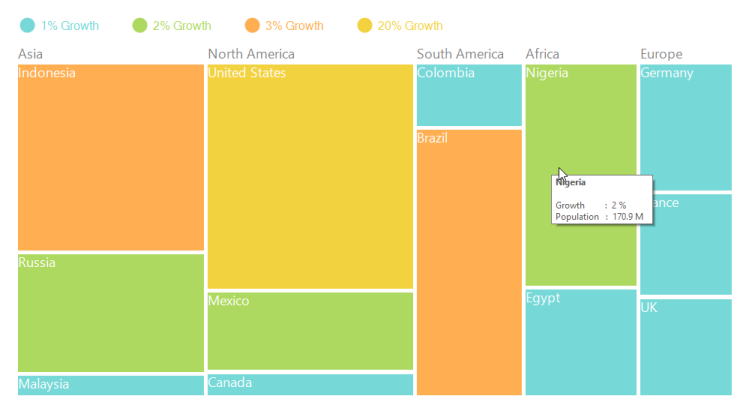
The leaf nodes of TreeMap can be colored based upon the range (i.e., From and To) and Brush specified using RangeBrush collection of RangeBrushColorMapping.
Code Sample:
public partial class Form1 : Form

    {

        TreeMap TreeMap1 = new TreeMap();

    RangeBrushColorMapping rangeBrushColorMapping = new RangeBrushColorMapping();

     public Form1()

        {

            InitializeComponent();

            this.BackColor = Color.White;


            PopulationViewModel data = new PopulationViewModel();

            TreeMap1.ItemsSource = data.PopulationDetails;

            TreeMap1.WeightValuePath = "Population";

            TreeMap1.ColorValuePath = "Growth";


            TreeMapFlatLevel treeMapFlatLevel1 = new TreeMapFlatLevel();

            treeMapFlatLevel1.GroupPath = "Continent";

            TreeMap1.Levels.Add(treeMapFlatLevel1);

            TreeMap1.LeafItemSettings.LabelPath ="Country";

            this.Controls.Add(TreeMap1);


rangeBrushColorMapping.Brushes.Add(new RangeBrush() { Color = System.Drawing.ColorTranslator.FromHtml("#77D8D8"), From = 0, To = 1, LegendLabel = "1% Growth" });

            rangeBrushColorMapping.Brushes.Add(new RangeBrush() { Color = System.Drawing.ColorTranslator.FromHtml("#AED960"), From = 0, To = 2, LegendLabel = "2% Growth" });

            rangeBrushColorMapping.Brushes.Add(new RangeBrush() { Color = System.Drawing.ColorTranslator.FromHtml("#FFAF51"), From = 0, To = 3, LegendLabel = "3% Growth" });

            rangeBrushColorMapping.Brushes.Add(new RangeBrush() { Color = System.Drawing.ColorTranslator.FromHtml("#F3D240"), From = 0, To = 20, LegendLabel = "20% Growth" });


           TreeMap1.LeafColorMapping = rangeBrushColorMapping;


       }


     }
Leaf nodes colored by using RangeBrushColorMapping
DesaturationColorMapping
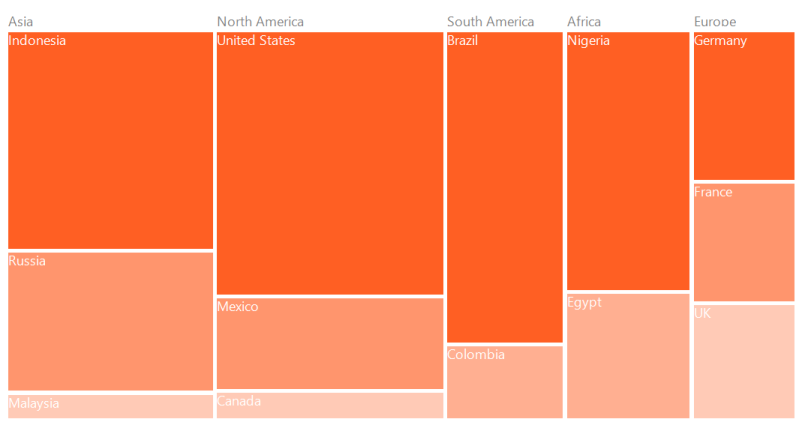
The leaf nodes of TreeMap can be colored based upon the Color specified using DesaturationColorMapping. The RangeMinimum and RangeMaximum must be specified to determine the opacity for each leaf node. The opacity of leaf nodes are in the range of From and To mentioned in DesaturationColorMapping.
Code Sample:
public partial class Form1 : Form

    {

        TreeMap TreeMap1 = new TreeMap();

        DesaturationColorMapping desaturationColorMapping = new   DesaturationColorMapping();


       public Form1()

        {

            InitializeComponent();


            PopulationViewModel data = new PopulationViewModel();

            TreeMap1.ItemsSource = data.PopulationDetails;

            TreeMap1.WeightValuePath = "Population";

            TreeMap1.ColorValuePath = "Growth";


            TreeMapFlatLevel treeMapFlatLevel1 = new TreeMapFlatLevel();

            treeMapFlatLevel1.GroupPath = "Continent";

            TreeMap1.Levels.Add(treeMapFlatLevel1);

            TreeMap1.LeafItemSettings.LabelPath ="Country";

            this.Controls.Add(TreeMap1);


            desaturationColorMapping.Color = Color.OrangeRed;

            desaturationColorMapping.From = 220;

            desaturationColorMapping.To = 0;

            desaturationColorMapping.RangeMinimum = 0;

            desaturationColorMapping.RangeMaximum = 80000;

            this.TreeMap1.LeafColorMapping = desaturationColorMapping;

       }


     }
Leaf nodes colored by using DesaturationColorMapping
PaletteColorMapping
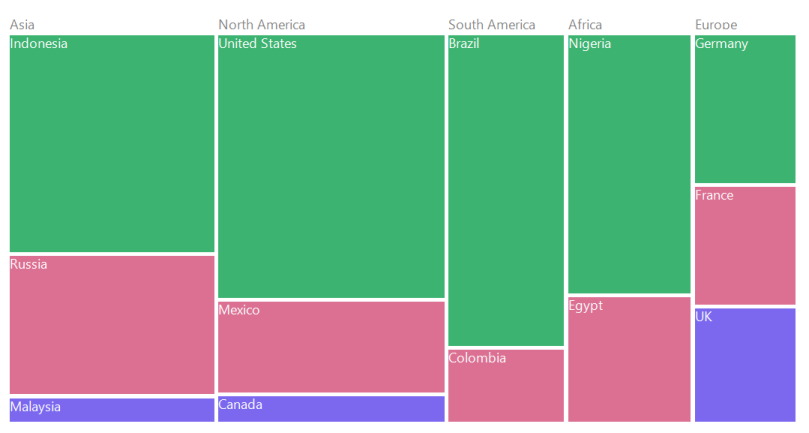
The leaf nodes are colored by using the brushes mentioned in Colors collection of PaletteColorMapping.
Code Sample:
public partial class Form1 : Form

    {

        TreeMap TreeMap1 = new TreeMap();

        PaletteColorMapping paletteColorMapping = new PaletteColorMapping();


       public Form1()

        {

            InitializeComponent();


            PopulationViewModel data = new PopulationViewModel();

            TreeMap1.ItemsSource = data.PopulationDetails;

            TreeMap1.WeightValuePath = "Population";

            TreeMap1.ColorValuePath = "Growth";


            TreeMapFlatLevel treeMapFlatLevel1 = new TreeMapFlatLevel();

            treeMapFlatLevel1.GroupPath = "Continent";

            TreeMap1.Levels.Add(treeMapFlatLevel1);

            TreeMap1.LeafItemSettings.LabelPath ="Country";

            this.Controls.Add(TreeMap1);


            paletteColorMapping.Colors = new List<Brush>()

            {

                new SolidBrush(Color.MediumSeaGreen),

                new SolidBrush(Color.PaleVioletRed),

                new SolidBrush(Color.MediumSlateBlue),

            };

            TreeMap1.LeafColorMapping = paletteColorMapping;

     }

}
Leaf nodes colored by using PaletteColorMapping