How can I help you?
Customization in Windows Forms Spell Checker (SpellCheckerAdv)
4 Feb 20251 minute to read
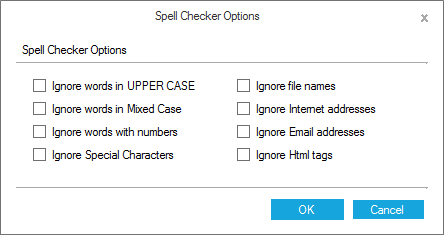
SpellCheckerAdv allows customizing options to add misspelled words from the input text to the error list.
SpellCheckerAdv checker = new SpellCheckerAdv();

checker.IgnoreEmailAddress = true;
checker.IgnoreFileNames = true;

checker.IgnoreHtmlTags = true;

checker.IgnoreUrl = true;

checker.IgnoreSpecialSymbols = true;

checker.IgnoreMixedCaseWords = true;

checker.IgnoreUpperCaseWords = true;

checker.IgnoreAlphaNumericWords = true;
Private checker As New SpellCheckerAdv()
checker.IgnoreEmailAddress = True
checker.IgnoreFileNames = True
checker.IgnoreHtmlTags = True
checker.IgnoreUrl = True
checker.IgnoreSpecialSymbols = True
checker.IgnoreMixedCaseWords = True
checker.IgnoreUpperCaseWords = True
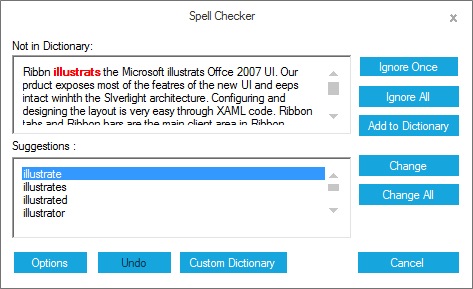
checker.IgnoreAlphaNumericWords = TrueThese options are accessible at runtime through the Spell Checker Options dialog. This can be invoked by Options button available in the SpellChecker dialog.
Getting suggestions for wrong word
SpellCheckerAdv provides support to get suggestion list by passing the wrong word in the below methods.
this.spellCheckerAdv1.GetSuggestions("Textboxx");

this.spellCheckerAdv1.GetPhoneticWords("Textboxx");

this.spellCheckerAdv1.GetAnagrams("Textbox");Me.spellCheckerAdv1.GetSuggestions("Textboxx")
Me.spellCheckerAdv1.GetPhoneticWords("Textboxx")
Me.spellCheckerAdv1.GetAnagrams("Textbox")