Freeze Headers in UWP Pivot Grid (SfPivotGrid)
10 May 20211 minute to read
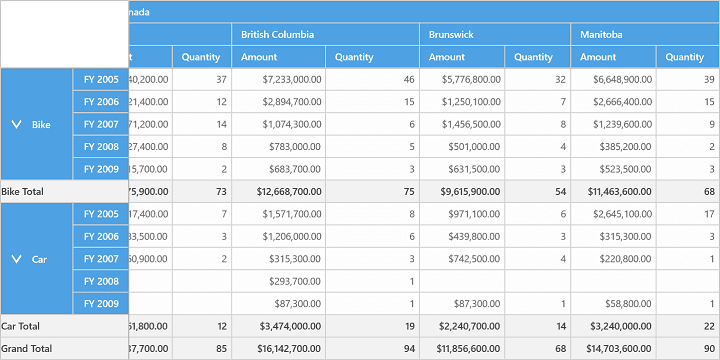
The SfPivotGrid provides built-in support to freeze the column and row headers. This can be achieved by setting the FreezeHeaders property of SfPivotGrid to true.
Refer to the following code snippet to enable FreezeHeaders.
<syncfusion:SfPivotGrid x:Name="PivotGrid1" **FreezeHeaders="True"**/>// To freeze SfPivotGrid Headers
this.PivotGrid1.FreezeHeaders = true;' To freeze SfPivotGrid Headers
Me.PivotGrid1.FreezeHeaders = TrueThis is illustrated in the following screenshot.
A demo sample is available in the following location.
{system drive}:\Users\<User Name>\AppData\Local\Syncfusion\EssentialStudio\<Version Number>\Samples\UWP\SampleBrowser\PivotGrid\PivotGrid\View\GettingStarted.xaml