Orientation in UWP Menu (SfMenu)
18 Feb 20251 minute to read
The SfMenu control can align its content vertically and horizontally by using the Orientation property of the SfMenu.
Change Orientation of SfMenuItem
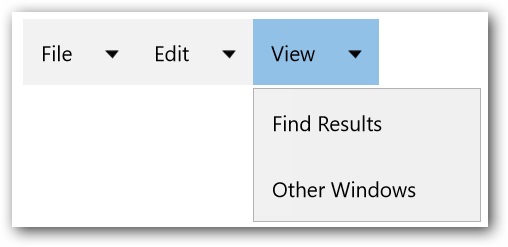
Items of SfMenu arranged horizontally, when the value of the Orientation property is set to Horizontal.
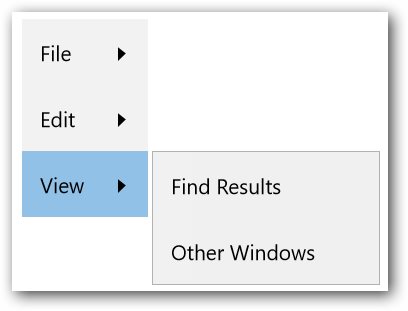
Similarly, when the value of the Orientation property is set to Vertical, the Items of SfMenu will be arranged vertically.
Orientation of SfMenu can be changed as mentioned in the code snippet.
<menu:SfMenu  x:Name="Sfmenu"  Orientation="Horizontal">

<menu:SfMenuItem Header="File" >

<menu:SfMenuItem  Header="New" />

<menu:SfMenuItem  Header="Open"/>

<menu:SfMenuItem Header="Close"/>

</menu:SfMenuItem>

<menu:SfMenuItem Header="Edit">

<menu:SfMenuItem Header="Undo"/>

<menu:SfMenuItem Header="Redo" />

<menu:SfMenuItem Header="Cut" />

<menu:SfMenuItem Header="Copy" />

</menu:SfMenuItem>

<menu:SfMenuItem Header="View">

<menu:SfMenuItem Header="Find Results" />

<menu:SfMenuItem Header="Other Windows" />

</menu:SfMenuItem>

</menu:SfMenu>