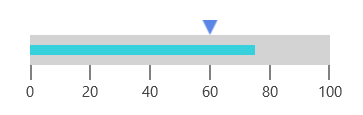
Pointers in UWP Linear Gauge
10 Aug 202624 minutes to read
The SfLinearGauge provides support to mark values using the BarPointer and SymbolPointer.
Bar pointer
The BarPointer is used to mark scale values. It starts at the beginning of the gauge and ends at the pointer value. You can add a bar pointer using the PointerType property.
<gauge:SfLinearGauge>
    <gauge:SfLinearGauge.MainScale>
        <gauge:LinearScale MajorTickStroke="Gray" LabelSize="15"
                           MinorTickStroke="Gray" LabelStroke="#424242"
                           ScaleBarLength="300">
            <gauge:LinearScale.Pointers>
                <gauge:LinearPointer PointerType="BarPointer" Value="75"
                                    BarPointerStroke="#36D1DC" />
            </gauge:LinearScale.Pointers>
        </gauge:LinearScale>
    </gauge:SfLinearGauge.MainScale>
</gauge:SfLinearGauge>
SfLinearGauge sfLinearGauge = new SfLinearGauge();
LinearScale linearScale = new LinearScale();
linearScale.MajorTickStroke = new SolidColorBrush(Colors.Gray);
linearScale.MinorTickStroke = new SolidColorBrush(Colors.Gray);
linearScale.LabelStroke = new SolidColorBrush(Color.FromArgb(0xff, 0x42, 0x42, 0x42));
linearScale.ScaleBarLength = 300;
linearScale.LabelSize = 15;
LinearPointer linearPointer1 = new LinearPointer();
linearPointer1.PointerType = LinearPointerType.BarPointer;
linearPointer1.Value = 75;
linearPointer1.BarPointerStroke = new SolidColorBrush(Color.FromArgb(0xff, 0x36, 0xD1, 0xDC));
linearScale.Pointers.Add(linearPointer1);
sfLinearGauge.MainScale = linearScale;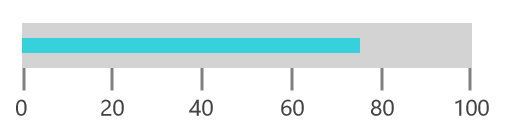
Bar pointer customization
The UI of the bar pointer is customized using the BarPointerStroke and BarPointerStrokeThickness properties.
<gauge:SfLinearGauge>
    <gauge:SfLinearGauge.MainScale>
        <gauge:LinearScale MajorTickStroke="Gray" LabelSize="15"
                           MinorTickStroke="Gray" LabelStroke="#424242"
                           ScaleBarLength="300">
            <gauge:LinearScale.Pointers>
                <gauge:LinearPointer PointerType="BarPointer" Value="75"
                                     BarPointerStroke="Orange" BarPointerStrokeThickness="20"/>
            </gauge:LinearScale.Pointers>
        </gauge:LinearScale>
    </gauge:SfLinearGauge.MainScale>
</gauge:SfLinearGauge>
SfLinearGauge sfLinearGauge = new SfLinearGauge();
LinearScale linearScale = new LinearScale();
linearScale.MajorTickStroke = new SolidColorBrush(Colors.Gray);
linearScale.MinorTickStroke = new SolidColorBrush(Colors.Gray);
linearScale.LabelStroke = new SolidColorBrush(Color.FromArgb(0xff, 0x42, 0x42, 0x42));
linearScale.ScaleBarLength = 300;
linearScale.LabelSize = 15;
LinearPointer linearPointer1 = new LinearPointer();
linearPointer1.PointerType = LinearPointerType.BarPointer;
linearPointer1.Value = 75;
linearPointer1.BarPointerStroke = new SolidColorBrush(Colors.Orange);
linearPointer1.BarPointerStrokeThickness = 20;
linearScale.Pointers.Add(linearPointer1);
sfLinearGauge.MainScale = linearScale;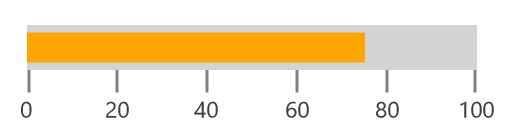
Setting corner radius type for bar pointer
Corners of the BarPointer can be customized by setting a value to the CornerRadius property.
<gauge:SfLinearGauge>
    <gauge:SfLinearGauge.MainScale>
        <gauge:LinearScale MajorTickStroke="Gray" LabelSize="15"
                           MinorTickStroke="Gray" LabelStroke="#424242"
                           ScaleBarLength="300">
            <gauge:LinearScale.Pointers>
                <gauge:LinearPointer PointerType="BarPointer" Value="75" BarPointerStroke="#36D1DC"
                                     CornerRadius="10,0,0,10" BarPointerStrokeThickness="20">
                </gauge:LinearPointer>
            </gauge:LinearScale.Pointers>
        </gauge:LinearScale>
    </gauge:SfLinearGauge.MainScale>
</gauge:SfLinearGauge>
SfLinearGauge sfLinearGauge = new SfLinearGauge();
LinearScale linearScale = new LinearScale();
linearScale.MajorTickStroke = new SolidColorBrush(Colors.Gray);
linearScale.MinorTickStroke = new SolidColorBrush(Colors.Gray);
linearScale.LabelStroke = new SolidColorBrush(Color.FromArgb(0xff, 0x42, 0x42, 0x42));
linearScale.ScaleBarLength = 300;
linearScale.LabelSize = 15;
LinearPointer linearPointer1 = new LinearPointer();
linearPointer1.PointerType = LinearPointerType.BarPointer;
linearPointer1.Value = 75;
linearPointer1.BarPointerStrokeThickness = 20;
linearPointer1.BarPointerStroke = new SolidColorBrush(Color.FromArgb(0xff, 0x36, 0xD1, 0xDC));
linearPointer1.CornerRadius = new Windows.UI.Xaml.CornerRadius(10, 0, 0, 10);
linearScale.Pointers.Add(linearPointer1);
sfLinearGauge.MainScale = linearScale;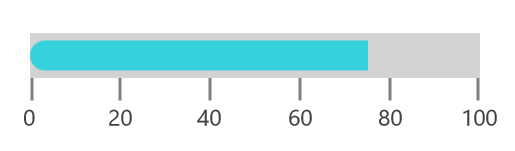
Setting gradient color for bar pointer
You can give a smooth color transition to a bar pointer by specifying different colors based on the bar pointer’s value using the GradientStops property.
<gauge:SfLinearGauge>
    <gauge:SfLinearGauge.MainScale>
        <gauge:LinearScale MajorTickStroke="Gray" LabelSize="15" CornerRadius="10"
                           MinorTickStroke="Gray" LabelStroke="#424242" ScaleBarStroke="#F7EDED"
                           ScaleBarLength="300">
            <gauge:LinearScale.Pointers>
                <gauge:LinearPointer PointerType="BarPointer" Value="75"
                                     CornerRadius="10" BarPointerStrokeThickness="20">
                    <gauge:LinearPointer.GradientStops>
                        <gauge:GaugeGradientStop Value="10" Color="#f8babf"/>
                        <gauge:GaugeGradientStop Value="40" Color="#ee89a7"/>
                        <gauge:GaugeGradientStop Value="50" Color="#e4548c"/>
                        <gauge:GaugeGradientStop Value="60" Color="#db2575"/>
                    </gauge:LinearPointer.GradientStops>
                </gauge:LinearPointer>
            </gauge:LinearScale.Pointers>
        </gauge:LinearScale>
    </gauge:SfLinearGauge.MainScale>
</gauge:SfLinearGauge>
SfLinearGauge sfLinearGauge = new SfLinearGauge();
LinearScale linearScale = new LinearScale();
linearScale.MajorTickStroke = new SolidColorBrush(Colors.Gray);
linearScale.MinorTickStroke = new SolidColorBrush(Colors.Gray);
linearScale.LabelStroke = new SolidColorBrush(Color.FromArgb(0xff, 0x42, 0x42, 0x42));
linearScale.ScaleBarStroke = new SolidColorBrush(Color.FromArgb(0xff, 0xF7, 0xED, 0xED));
linearScale.ScaleBarLength = 300;
linearScale.LabelSize = 15;
linearScale.CornerRadius = new Windows.UI.Xaml.CornerRadius(10);
LinearPointer linearPointer1 = new LinearPointer();
linearPointer1.PointerType = LinearPointerType.BarPointer;
linearPointer1.Value = 75;
GaugeGradientStop gaugeGradientStop = new GaugeGradientStop();
gaugeGradientStop.Value = 10;
gaugeGradientStop.Color = Color.FromArgb(0xff, 0xF8, 0xBA, 0xBF);
linearPointer1.GradientStops.Add(gaugeGradientStop);
GaugeGradientStop gaugeGradientStop1 = new GaugeGradientStop();
gaugeGradientStop1.Value = 40;
gaugeGradientStop1.Color = Color.FromArgb(0xff, 0xEE, 0x89, 0xA7);
linearPointer1.GradientStops.Add(gaugeGradientStop1);
GaugeGradientStop gaugeGradientStop2 = new GaugeGradientStop();
gaugeGradientStop2.Value = 50;
gaugeGradientStop2.Color = Color.FromArgb(0xff, 0xE4, 0x54, 0x8C);
linearPointer1.GradientStops.Add(gaugeGradientStop2);
GaugeGradientStop gaugeGradientStop3 = new GaugeGradientStop();
gaugeGradientStop3.Value = 60;
gaugeGradientStop3.Color = Color.FromArgb(0xff, 0xDB, 0x25, 0x75);
linearPointer1.GradientStops.Add(gaugeGradientStop3);
linearPointer1.BarPointerStrokeThickness = 20;
linearPointer1.CornerRadius = new Windows.UI.Xaml.CornerRadius(10);
linearScale.Pointers.Add(linearPointer1);
sfLinearGauge.MainScale = linearScale;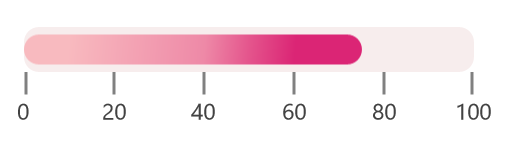
Symbol pointer
In a SymbolPointer, the value is pointed by a symbol on the scale.
<gauge:SfLinearGauge>
    <gauge:SfLinearGauge.MainScale>
        <gauge:LinearScale MajorTickStroke="Gray" LabelSize="15"
                           MinorTickStroke="Gray" LabelStroke="#424242"
                           ScaleBarLength="300">
            <gauge:LinearScale.Pointers>
                <gauge:LinearPointer PointerType="SymbolPointer" Value="60" />
            </gauge:LinearScale.Pointers>
        </gauge:LinearScale>
    </gauge:SfLinearGauge.MainScale>
</gauge:SfLinearGauge>
SfLinearGauge sfLinearGauge = new SfLinearGauge();
LinearScale linearScale = new LinearScale();
linearScale.MajorTickStroke = new SolidColorBrush(Colors.Gray);
linearScale.MinorTickStroke = new SolidColorBrush(Colors.Gray);
linearScale.LabelStroke = new SolidColorBrush(Color.FromArgb(0xff, 0x42, 0x42, 0x42));
linearScale.ScaleBarLength = 300;
linearScale.LabelSize = 15;
LinearPointer linearPointer = new LinearPointer();
linearPointer.PointerType = LinearPointerType.SymbolPointer;
linearPointer.Value = 60;
linearScale.Pointers.Add(linearPointer);
sfLinearGauge.MainScale = linearScale;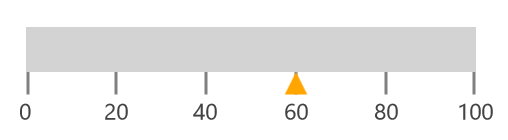
Symbol pointer customization
You can modify the size of the symbol pointer by changing the SymbolPointerHeight and SymbolPointerWidth properties. The stroke of the symbol pointer can be changed using the SymbolPointerStroke property.
<gauge:SfLinearGauge>
    <gauge:SfLinearGauge.MainScale>
        <gauge:LinearScale MajorTickStroke="Gray" LabelSize="15"
                           MinorTickStroke="Gray" LabelStroke="#424242"
                           ScaleBarLength="300">
            <gauge:LinearScale.Pointers>
                <gauge:LinearPointer PointerType="SymbolPointer" Value="60"
                                     SymbolPointerHeight="15" SymbolPointerWidth="20"
                                     SymbolPointerStroke="DeepSkyBlue"/>
            </gauge:LinearScale.Pointers>
        </gauge:LinearScale>
    </gauge:SfLinearGauge.MainScale>
</gauge:SfLinearGauge>
SfLinearGauge sfLinearGauge = new SfLinearGauge();
LinearScale linearScale = new LinearScale();
linearScale.MajorTickStroke = new SolidColorBrush(Colors.Gray);
linearScale.MinorTickStroke = new SolidColorBrush(Colors.Gray);
linearScale.LabelStroke = new SolidColorBrush(Color.FromArgb(0xff, 0x42, 0x42, 0x42));
linearScale.ScaleBarLength = 300;
linearScale.LabelSize = 15;
LinearPointer linearPointer = new LinearPointer();
linearPointer.PointerType = LinearPointerType.SymbolPointer;
linearPointer.Value = 60;
linearPointer.SymbolPointerHeight = 15;
linearPointer.SymbolPointerWidth = 20;
linearPointer.SymbolPointerStroke = new SolidColorBrush(Colors.DeepSkyBlue);
linearScale.Pointers.Add(linearPointer);
sfLinearGauge.MainScale = linearScale;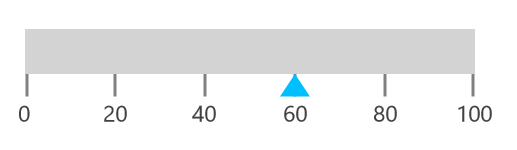
Positioning symbol pointer
The SymbolPointer in the scale can be placed above, below, or across the scale by choosing one of the following options available in the SymbolPointerPosition property:
- Above
- Below (Default)
- Cross
- Away
<gauge:SfLinearGauge>
    <gauge:SfLinearGauge.MainScale>
        <gauge:LinearScale MajorTickStroke="Gray" LabelSize="15"
                           MinorTickStroke="Gray" LabelStroke="#424242"
                           ScaleBarLength="300">
            <gauge:LinearScale.Pointers>
                <gauge:LinearPointer PointerType="SymbolPointer" Value="60"
                                     SymbolPointerPosition="Cross"
                                     SymbolPointerHeight="30" SymbolPointerWidth="30"
                                     SymbolPointerStroke="#5B86E5"/>
            </gauge:LinearScale.Pointers>
        </gauge:LinearScale>
    </gauge:SfLinearGauge.MainScale>
</gauge:SfLinearGauge>
SfLinearGauge sfLinearGauge = new SfLinearGauge();
LinearScale linearScale = new LinearScale();
linearScale.MajorTickStroke = new SolidColorBrush(Colors.Gray);
linearScale.MinorTickStroke = new SolidColorBrush(Colors.Gray);
linearScale.LabelStroke = new SolidColorBrush(Color.FromArgb(0xff, 0x42, 0x42, 0x42));
linearScale.ScaleBarLength = 300;
linearScale.LabelSize = 15;
LinearPointer linearPointer = new LinearPointer();
linearPointer.PointerType = LinearPointerType.SymbolPointer;
linearPointer.Value = 60;
linearPointer.SymbolPointerPosition = LinearSymbolPointersPosition.Cross;
linearPointer.SymbolPointerHeight = 30;
linearPointer.SymbolPointerWidth = 30;
linearPointer.SymbolPointerStroke = new SolidColorBrush(Color.FromArgb(0xff, 0x5B, 0x86, 0xE5));
linearScale.Pointers.Add(linearPointer);
sfLinearGauge.MainScale = linearScale;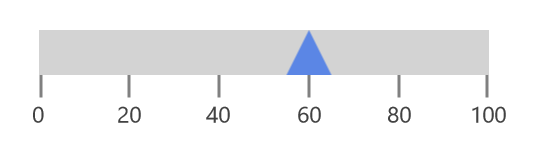
Change symbol pointer shapes
The SymbolPointerStyle property is used to select the symbol pointer style.
<gauge:SfLinearGauge>
    <gauge:SfLinearGauge.MainScale>
        <gauge:LinearScale MajorTickStroke="Gray" LabelSize="15"
                           MinorTickStroke="Gray" LabelStroke="#424242"
                           ScaleBarLength="300">
            <gauge:LinearScale.Pointers>
                <gauge:LinearPointer PointerType="SymbolPointer" Value="60"
                                     SymbolPointerStyle="Custom">
                    <gauge:LinearPointer.SymbolPointerTemplate>
                        <DataTemplate>
                            <Rectangle Width="10" Height="10" Stroke="Red" StrokeThickness="10">
                            </Rectangle>
                        </DataTemplate>
                    </gauge:LinearPointer.SymbolPointerTemplate>
                </gauge:LinearPointer>
            </gauge:LinearScale.Pointers>
        </gauge:LinearScale>
    </gauge:SfLinearGauge.MainScale>
</gauge:SfLinearGauge>
SfLinearGauge sfLinearGauge = new SfLinearGauge();
LinearScale linearScale = new LinearScale();
linearScale.MajorTickStroke = new SolidColorBrush(Colors.Gray);
linearScale.MinorTickStroke = new SolidColorBrush(Colors.Gray);
linearScale.LabelStroke = new SolidColorBrush(Color.FromArgb(0xff, 0x42, 0x42, 0x42));
linearScale.ScaleBarLength = 300;
linearScale.LabelSize = 15;
LinearPointer linearPointer = new LinearPointer();
linearPointer.PointerType = LinearPointerType.SymbolPointer;
linearPointer.Value = 60;
var content = "<DataTemplate xmlns=\"http://schemas.microsoft.com/winfx/2006/xaml/presentation\">";
content += "<Grid>";
content += "<Rectangle Height=\"10\" Width=\"10\" Stroke=\"Red\" StrokeThickness=\"10\">";
content += "</Rectangle>" + "</Grid>";
content += "</DataTemplate>";
linearPointer.SymbolPointerStyle = LinearSymbolPointerStyle.Custom;
linearPointer.SymbolPointerTemplate = (DataTemplate)XamlReader.Load(content);
linearScale.Pointers.Add(linearPointer);
sfLinearGauge.MainScale = linearScale;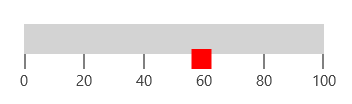
Adding multiple pointers
In addition to the default pointer, you can add “n” number of pointers to a linear scale using the Pointers property.
<gauge:SfLinearGauge>
    <gauge:SfLinearGauge.MainScale>
        <gauge:LinearScale MajorTickStroke="Gray" LabelSize="15"
                           MinorTickStroke="Gray" LabelStroke="#424242"
                           ScaleBarLength="300">
            <gauge:LinearScale.Pointers>
                <gauge:LinearPointer PointerType="SymbolPointer" Value="60"
                                     SymbolPointerHeight="15" SymbolPointerWidth="15"
                                     SymbolPointerPosition="Above" SymbolPointerStroke="#5B86E5"/>
                <gauge:LinearPointer PointerType="BarPointer" Value="75" BarPointerStroke="#36D1DC"
                                     BarPointerStrokeThickness="10"/>
            </gauge:LinearScale.Pointers>
        </gauge:LinearScale>
    </gauge:SfLinearGauge.MainScale>
</gauge:SfLinearGauge>
SfLinearGauge sfLinearGauge = new SfLinearGauge();
LinearScale linearScale = new LinearScale();
linearScale.MajorTickStroke = new SolidColorBrush(Colors.Gray);
linearScale.MinorTickStroke = new SolidColorBrush(Colors.Gray);
linearScale.LabelStroke = new SolidColorBrush(Color.FromArgb(0xff, 0x42, 0x42, 0x42));
linearScale.ScaleBarLength = 300;
linearScale.LabelSize = 15;
LinearPointer linearPointer1 = new LinearPointer();
linearPointer1.PointerType = LinearPointerType.BarPointer;
linearPointer1.Value = 75;
linearPointer1.BarPointerStroke = new SolidColorBrush(Color.FromArgb(0xff, 0x36, 0xD1, 0xDC));
linearPointer1.BarPointerStrokeThickness = 10;
linearScale.Pointers.Add(linearPointer1);
LinearPointer linearPointer = new LinearPointer();
linearPointer.PointerType = LinearPointerType.SymbolPointer;
linearPointer.Value = 60;
linearPointer.SymbolPointerHeight = 15;
linearPointer.SymbolPointerWidth = 15;
linearPointer.SymbolPointerPosition = LinearSymbolPointersPosition.Above;
linearPointer.SymbolPointerStroke = new SolidColorBrush(Color.FromArgb(0xff, 0x5B, 0x86, 0xE5));
linearScale.Pointers.Add(linearPointer);
sfLinearGauge.MainScale = linearScale;