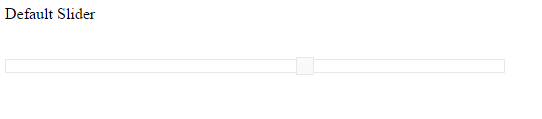
Enable/Disable the Slider
14 Aug 20181 minute to read
Slider widget includes an option to enable/disable it. When you disable the Slider, it is displayed in a blur state and you cannot perform any operations in it.
Enabled
Using this enabled property you can enable/disable the Slider. Data type of this property is “Boolean”. Also you can enable/disable the Slider by using enable and disable methods.
The following steps explains you on how to disable the Slider.
In an HTML page, specify the <div> elements to render the Default Slider.
<div class="txt">Default Slider</div>
<div id="defaultSlider"></div>// During initialization disable the Slider by setting value for enabled property as false.
/// <reference path="tsfiles/jquery.d.ts" />
/// <reference path="tsfiles/ej.web.all.d.ts" />
module SliderComponent {
$(function () {
var slider = new ej.Slider($("#minSlider"), {
value: 60,
width: "500",
enabled:false
});
});
}Execute the above code example to render the following output.